
1. Uvod
This manual provides essential information for the setup, operation, maintenance, and troubleshooting of your DELTACO GAMING WM87 Gaming Mouse. Please read these instructions carefully to ensure proper use and to maximize your gaming experience.
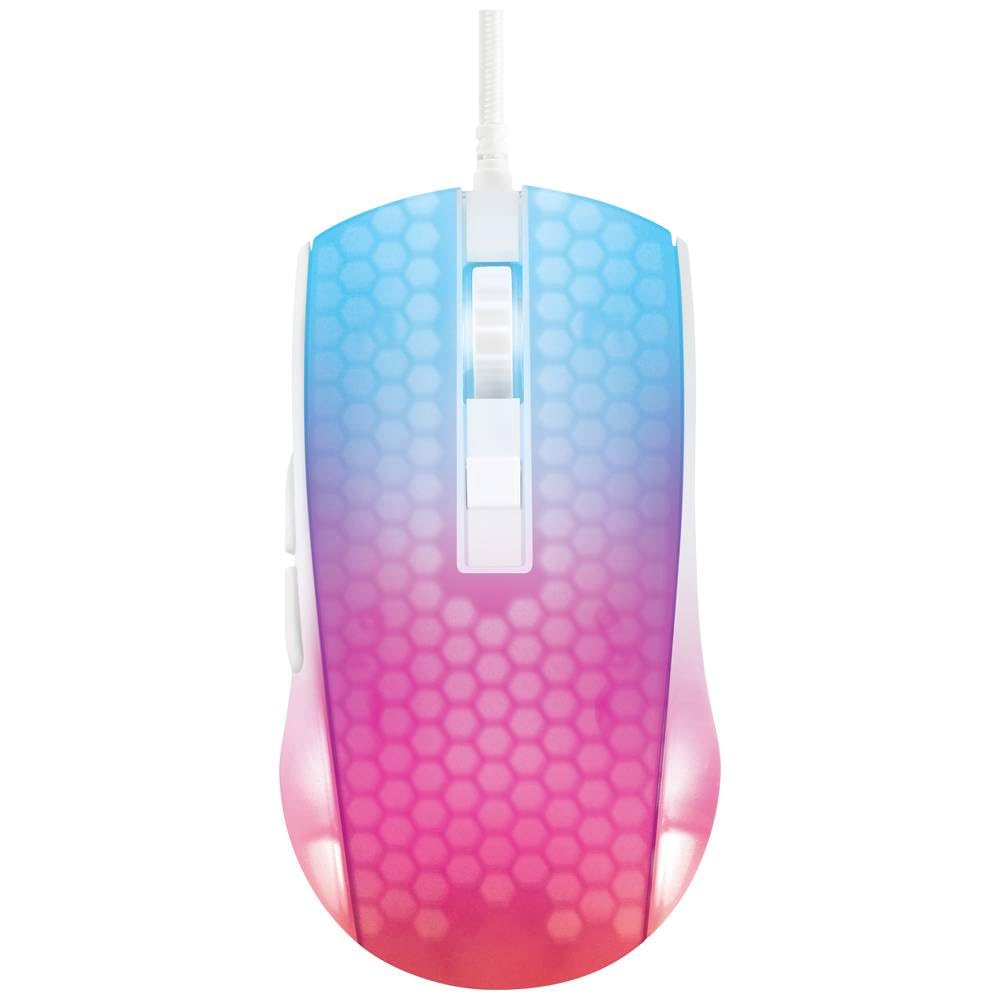
Režija view of the DELTACO GAMING WM87 Gaming Mouse. The mouse features a translucent white body with an illuminated honeycomb pattern that transitions from blue at the front to pink and red at the rear. It has a scroll wheel and two main buttons, along with two side buttons visible on the left.
2. Izdelek je končanview
The DELTACO GAMING WM87 is a high-performance gaming mouse designed for precision and comfort. It features a transparent design with integrated illumination, a high-accuracy optical sensor, and six programmable buttons.
Ključne značilnosti:
- Povezljivost: USB žično
- Senzor: Optical, up to 6200 DPI
- Gumbi: 6 (Left, Right, Scroll Click, DPI Cycle, Forward, Back)
- Oblikovanje: Transparent shell with illuminated honeycomb pattern
- Združljivost: Osebni računalnik, prenosnik
3. Navodila za nastavitev
- Razpakirajte miško: Carefully remove the DELTACO GAMING WM87 mouse from its packaging.
- Povežite se z računalnikom: Locate an available USB port on your personal computer or laptop. Insert the USB connector of the mouse firmly into the USB port.
- Namestitev gonilnika: The mouse is plug-and-play. Your operating system should automatically detect and install the necessary drivers. No additional software installation is typically required for basic functionality.
- Preverite funkcionalnost: Once connected, move the mouse and click the buttons to ensure it is working correctly. The integrated illumination should light up.
4. Navodila za uporabo
Osnovne funkcije:
- Levi klik: Primarno dejanje, izbira.
- Desni klik: Kontekstni meni, sekundarno dejanje.
- Kolesce za pomikanje: Scroll up/down pages. Pressing the scroll wheel typically acts as a middle click.
- Gumbi naprej/nazaj: Located on the left side of the mouse, these buttons are commonly used for navigation in web brskalniki oz file raziskovalci.
Prilagoditev DPI:
The DELTACO GAMING WM87 mouse features adjustable DPI (Dots Per Inch) settings, allowing you to change the cursor sensitivity on the fly. A dedicated DPI button (often located behind the scroll wheel) cycles through preset DPI levels up to 6200 DPI. Press this button to adjust the sensitivity to your preference.
Osvetlitev:
The mouse features integrated illumination. The lighting pattern and colors are typically pre-programmed and may change based on DPI settings or automatically cycle through colors. Refer to any potential software for advanced customization, if available.
5. Vzdrževanje
- Čiščenje: Za čiščenje zunanjosti miške uporabite mehko, suho krpo, ki ne pušča vlaken. Za trdovratno umazanijo rahlo obrišiteampkrpo sperite z vodo. Izogibajte se uporabi agresivnih kemikalij, topil ali abrazivnih materialov.
- Čiščenje senzorja: Občasno se lahko okoli optičnega senzorja na spodnji strani miške nabere prah ali umazanija. Območje senzorja nežno očistite z vatirano palčko ali stisnjenim zrakom.
- Shranjevanje: Ko miške ne uporabljate, jo shranjujte v čistem in suhem okolju, stran od ekstremnih temperatur in neposredne sončne svetlobe.
- Skrb za kabel: Da preprečite poškodbe, se izogibajte pretiranemu upogibanju ali zvijanju kabla USB.
6. Odpravljanje težav
- Miška se ne odziva:
- Prepričajte se, da je kabel USB varno priključen v delujoča vrata USB.
- Poskusite miško priključiti v drug USB vhod na računalniku.
- Znova zaženite računalnik.
- Neenakomerno gibanje kurzorja:
- Očistite optični senzor na spodnji strani miške.
- Miško uporabljajte na primerni površini (npr. podlogi za miško). Izogibajte se močno odsevnim ali prozornim površinam.
- Osvetlitev ne deluje:
- Preverite povezavo USB.
- If the mouse has a dedicated lighting control button or software, ensure it is enabled.
7. Specifikacije
| Funkcija | Podrobnost |
|---|---|
| Znamka | DELTACO GAMING |
| Številka modela | GAM-144-W (WM87) |
| Tehnologija povezljivosti | USB |
| Tehnologija zaznavanja gibanja | Optični |
| Število gumbov | 6 |
| DPI | Do 6200 |
| Ročna orientacija | prav |
| Priporočena uporaba izdelka | Igranje |
| Združljive naprave | Prenosni računalnik, osebni računalnik |
| Dimenzije izdelka | 180 x 0.07 x 0.12 cm (Note: These dimensions appear to be for the cable or packaging, not the mouse itself. Please refer to product packaging for accurate mouse dimensions.) |
| Teža | Approximately 65 Grams (Lithium battery weight, likely referring to overall mouse weight if no battery is present) |
| Prvi razpoložljivi datum | 16. september 2023 |
8. Garancija in podpora
For warranty information, technical support, or service inquiries regarding your DELTACO GAMING WM87 Gaming Mouse, please refer to the warranty card included with your product or visit the official DELTACO GAMING webspletnega mesta. Shranite dokazilo o nakupu za uveljavljanje garancije.