
CHUANYUE T2
CHUANYUE T2 Motorcycle Bluetooth Headset User Manual
Model: T2
1. Uvod
The CHUANYUE T2 Motorcycle Bluetooth Headset is designed to enhance communication and entertainment for motorcycle riders. This device features Bluetooth 5.0 technology, supporting two-rider intercom communication up to 1000 meters, music sharing, DSP and CVC noise cancellation for clear audio, FM radio, and one-click pairing. It is built with an IP67 waterproof rating and utilizes a Type-C charging port for convenience.

Image: Four CHUANYUE T2 Motorcycle Bluetooth Headsets, illustrating the product units.
2. Kaj je v škatli
Pred namestitvijo se prepričajte, da so prisotne vse komponente:
- Mainframe Equipment
- Headset Microphone Sets
- Fixed Installation Bracket
- Sticky Installation Bracket
- Polnilni kabel tipa C
- Uporabniški priročnik

Slika: Konecview of included components and a visual guide for installing the clip and paste brackets.
3. Namestitev
3.1. Headset Unit Installation
- Pripravite čelado: Carefully remove the inner padding of your helmet to access the ear areas.
- Postavitev zvočnikov: Attach the headset speakers to the inside of the helmet using the provided adhesive pads. Ensure they are positioned directly over your ears for optimal audio quality. The short line speaker is for the left side, and the long line speaker is for the right side.
- Namestitev mikrofona: Secure the microphone inside the helmet, positioning it close to your mouth but away from direct wind.
- Upravljanje kablov: Route all cables neatly under the helmet padding to prevent discomfort and ensure they are not exposed.

Image: A motorcycle helmet with the T2 headset installed, connected to a GPS device, demonstrating integrated use.
3.2. Main Unit Mounting
Choose between the fixed clip bracket or the adhesive paste bracket:
3.2.1. Clip Bracket Installation
- Open the metal piece of the clip bracket.
- Slide the bracket onto the edge of the helmet shell, ensuring a secure fit.
- Insert the main unit into the clip bracket until it locks into place.
3.2.2. Paste Bracket Installation
- Clean the desired mounting area on the helmet surface thoroughly.
- Peel off the red protective film from the adhesive on the paste bracket.
- Firmly press the bracket onto the helmet surface for at least 30 seconds. Allow sufficient time for the adhesive to cure before use.
- Slide the main unit into the paste bracket until it clicks securely.
4. Navodila za uporabo
4.1. Vklop/izklop
- Vklop: Press and hold the multi-function button for approximately 3 seconds until the indicator light illuminates.
- Ugasniti: Press and hold the multi-function button for approximately 3 seconds until the indicator light turns off.
4.2. Povezovanje z mobilno napravo prek Bluetootha
- Ensure the T2 headset is powered off.
- Press and hold the multi-function button for approximately 5-7 seconds until the red and blue indicator lights flash alternately, indicating pairing mode.
- Na mobilnem telefonu omogočite Bluetooth in poiščite razpoložljive naprave.
- Select "T2" from the list of devices to connect. Once connected, the blue indicator light will flash slowly.
4.3. Združevanje interkoma (2 voznika)
- Ensure both T2 headsets are powered off.
- On both headsets, press and hold the multi-function button for approximately 5-7 seconds until the red and blue indicator lights flash alternately.
- On one of the headsets, short press the intercom button. The headsets will search for each other and automatically pair.
- Once paired, the indicator lights on both headsets will turn solid blue, indicating a successful intercom connection.
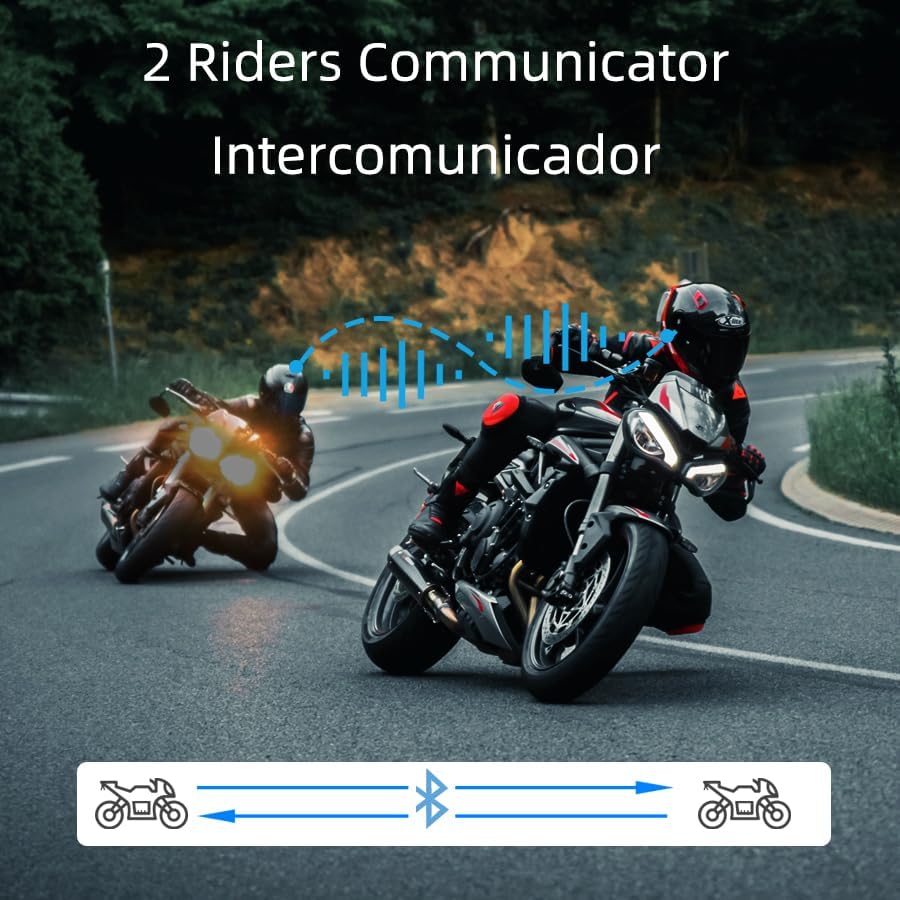
Image: Two riders on motorcycles, illustrating the two-way intercom communication feature.
4.4. Predvajanje in deljenje glasbe
- Predvajanje/pavza: Short press the multi-function button to play or pause music.
- Naslednja skladba: Rotate the multi-function knob clockwise.
- Prejšnja skladba: Rotate the multi-function knob counter-clockwise.
- Prilagoditev glasnosti: Press and hold the volume up/down buttons.
- Deljenje glasbe: (Specific instructions for music sharing between two T2 units would be here if available, but are not detailed in the provided data. Generally, this involves a specific button press on both devices after they are paired.)
4.5. Telefonski klici
- Sprejmi klic: Short press the multi-function button when a call comes in.
- Končaj klic: Med klicem na kratko pritisnite večfunkcijski gumb.
- Zavrni klic: Press and hold the multi-function button for 2 seconds when a call comes in.
- Voice Dial (Siri/Google Assistant): Long press the multi-function button for 2 seconds to activate your phone's voice assistant.

Image: A helmet with the T2 headset, showing a smartphone screen with voice assistant commands, highlighting the voice control feature.
4.6. FM radio
- Vklop/izklop FM-ja: Double-click the multi-function button to activate or deactivate the FM radio.
- Prestopna postaja: Rotate the multi-function knob clockwise or counter-clockwise to scan for stations.
5. Vzdrževanje
- Čiščenje: Uporabite mehko, damp cloth to clean the exterior of the headset. Avoid harsh chemicals or abrasive materials.
- Vodoodpornost: The T2 headset is IP67 waterproof. While it can withstand rain and splashes, avoid submerging it in water for extended periods.
- Polnjenje: Use the provided Type-C charging cable. Ensure the charging port is dry before connecting the cable.
- Shranjevanje: Ko slušalk ne uporabljate, jih shranjujte na hladnem in suhem mestu.

Image: The T2 headset shown with water splashing, highlighting its IP67 waterproof feature.
6. Odpravljanje težav
- Brez napajanja: Ensure the battery is charged. Connect the headset to the charger and check the indicator light.
- Ni mogoče seznaniti: Make sure the headset is in pairing mode (red and blue lights flashing alternately). Ensure your phone's Bluetooth is on and visible. Try restarting both devices.
- Prekinitev interkoma: If the intercom disconnects, try re-pairing the units. Ensure they are within the specified range.
- Slaba kakovost zvoka: Check speaker placement inside the helmet. Ensure the microphone is not obstructed. Verify that noise cancellation features (DSP & CVC) are active.
- Glasovni asistent se ne odziva: Ensure your phone is connected via Bluetooth and the voice assistant is enabled on your device.
7. Specifikacije
| Funkcija | Podrobnost |
|---|---|
| Ime modela | T2 |
| Znamka | CHUANYUE |
| Tehnologija povezljivosti | Bluetooth, brezžično |
| Različica Bluetooth | 5.0 |
| Bluetooth obseg | 30 Meters (device to phone) |
| Domofon | Up to 1000M (2 riders) |
| Nadzor hrupa | Aktivno odpravljanje šumov (DSP in CVC) |
| Stopnja vodoodpornosti | Vodoodporen IP67 |
| Življenjska doba baterije | 15 Hours (usage) |
| Čas polnjenja | 2.5 ur |
| Priključek za slušalke | Tip-C |
| Material | Akrilonitril butadien stiren (ABS) |
| Teža predmeta | 6.7 unč |
| Dimenzije izdelka | 3.54 x 1.77 x 1.02 palcev |
8. Garancija in podpora
For warranty information, technical support, or any inquiries regarding your CHUANYUE T2 Motorcycle Bluetooth Headset, please refer to the contact details provided in the packaging or visit the official CHUANYUE webmesto. Shranite račun za garancijske zahtevke.
Ask a question about this manual
Ask about setup, troubleshooting, compatibility, parts, safety, or missing instructions. Manuals+ will review the question and use this page’s manual context to help answer it.