
Uvod
This manual provides instructions for the safe and effective use of your REPTITRIP Reptile Heating Pad with PID Thermostat. This device is designed to provide a controlled heat source for reptile terrariums, helping to maintain a stable and appropriate temperature for your pets. Please read all instructions carefully before installation and operation.
Pomembne varnostne informacije
Failure to follow these safety instructions may result in fire, electric shock, injury, or damage to the product or property.
- This product is intended for household use only, specifically for heating reptile terrariums.
- Do not immerse the heating pad or thermostat controller in water. The heating pad is waterproof (IP67 rated) but not designed for submersion.
- Do not use the heating pad if it is folded or creased. Ensure it lies flat.
- Do not use the heating pad directly on a metal tank, as this can lead to inefficient heating or damage.
- Prolonged application at high temperature settings can cause skin burns to animals. Always monitor the temperature carefully.
- Discontinue use immediately if the heating pad shows any signs of deterioration, such as cracking, blistering, or melting.
- The heating pad features a built-in temperature sensor that will stop heating if the internal temperature reaches 122°F (50°C) to prevent overheating.
- Keep out of reach of children and pets not intended for its use.
Konec izdelkaview
The REPTITRIP Reptile Heating Pad system includes a heating mat and an intelligent PID thermostat controller. It is designed to provide precise and stable temperature control for reptile habitats.
Ključne značilnosti:
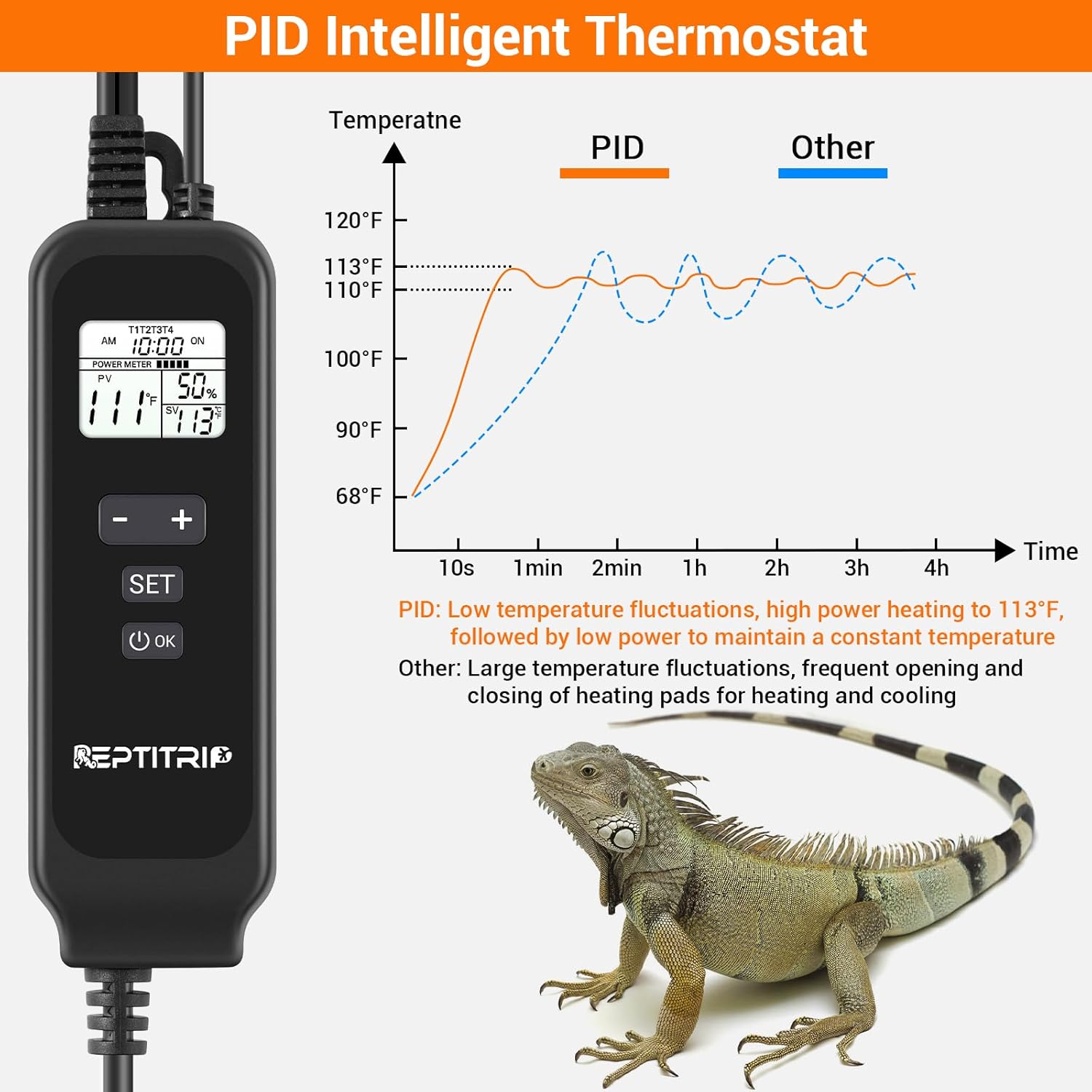
- PID Intelligent Thermostat: Accurately controls heating temperature for efficiency and stability.
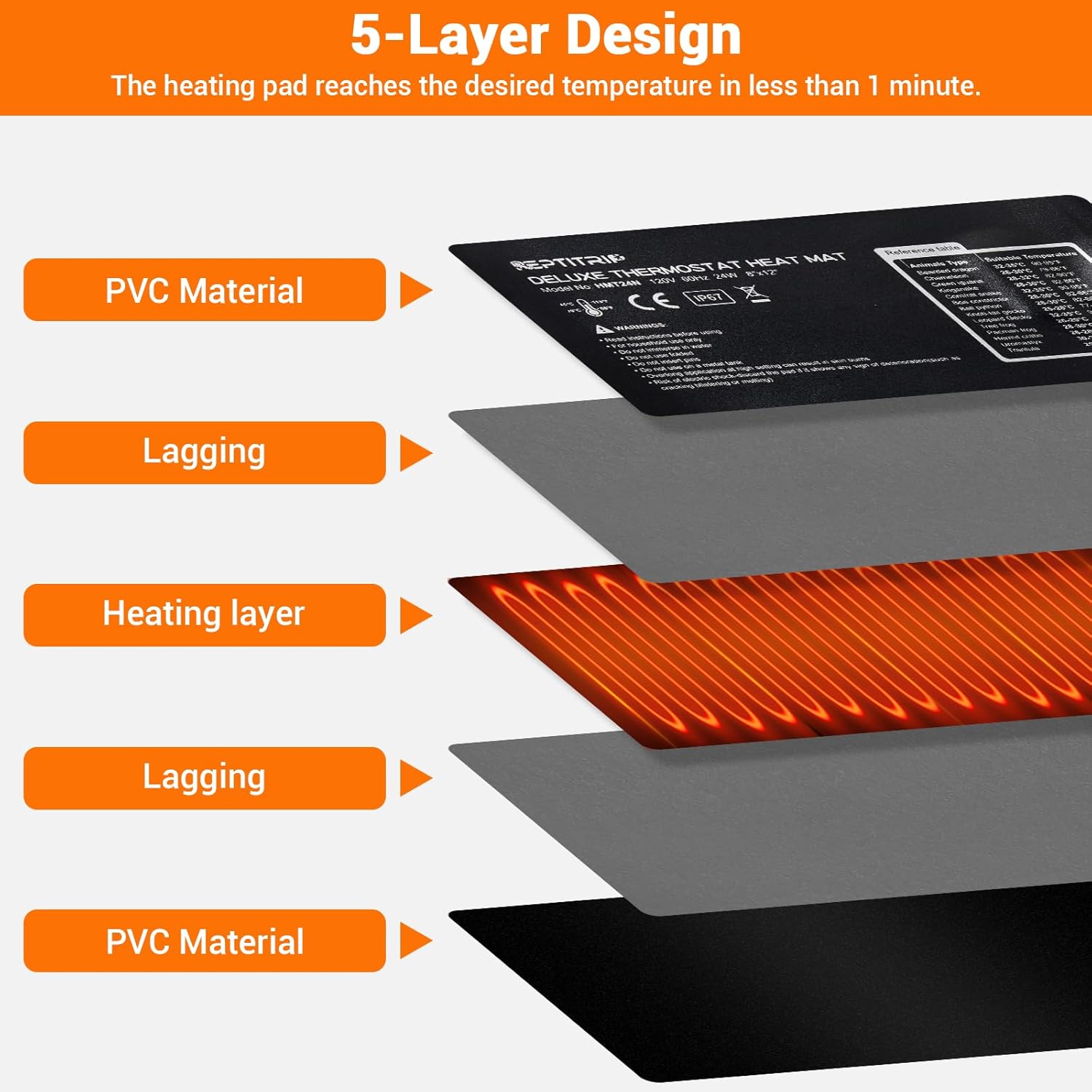
- Hitro segrevanje: 24W power heats to 113°F (45°C) in approximately 1 minute.
- Zaščita pred visokimi temperaturami: Automatically stops heating at 122°F (50°C).
- Zaznavanje temperature: Built-in sensor and external probe for real-time temperature monitoring.
- Vzdržljiva konstrukcija: 5-layer design including PVC material, lagging, and heating layer.
- Vodotesna zasnova: IP67 rated heating pad (do not immerse).
- Lepilna podlaga: Equipped with 3M adhesive for secure mounting.

Navodila za namestitev
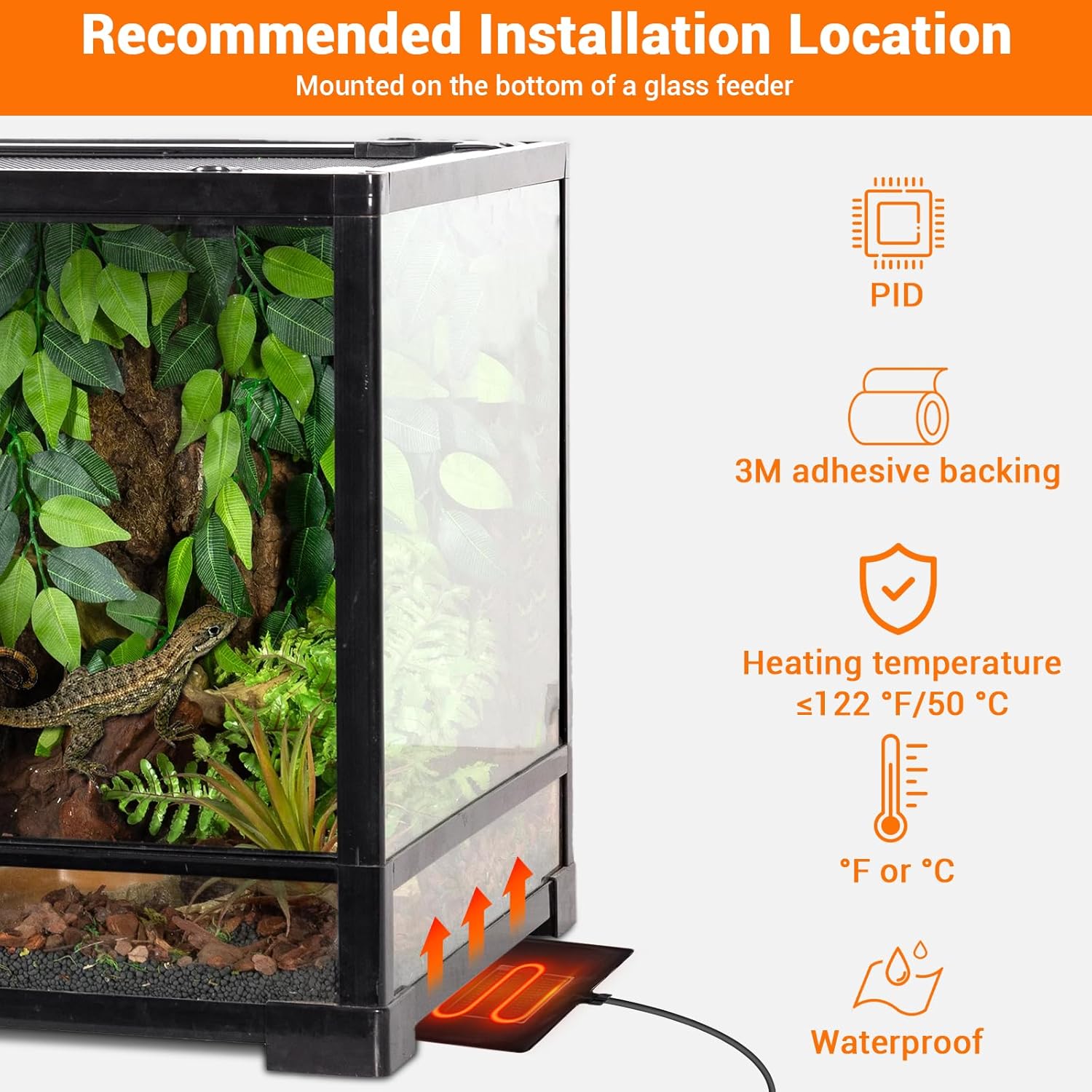
- Izberite lokacijo: Select a suitable location for the heating pad, typically on the bottom or side of a glass terrarium. Ensure the surface is clean and dry.
- Apply Heating Pad: Remove the protective film from the 3M adhesive backing on the heating pad. Carefully press the pad firmly onto the chosen surface of the terrarium. Ensure there are no air bubbles or wrinkles.
- Položaj temperaturne sonde: Place the external temperature probe inside the terrarium, near the area where the heat is needed most, but away from direct contact with the heating pad to ensure accurate ambient temperature readings. Secure it to prevent movement.
- Priključitev termostata: Plug the heating pad into the thermostat controller. Then, plug the thermostat controller into a standard electrical outlet.


Navodila za uporabo
The PID thermostat controller allows for precise temperature management. The controllable temperature range is 68°F to 113°F (20°C to 45°C).
Funkcije krmilnika:

- LCD zaslon: Shows current time, sensor temperature, set temperature, and power percentage.
- Gumb za VKLOP/IZKLOP: Pritisnite in držite, da vklopite ali izklopite enoto.
- Gumb SET: Pritisnite za vstop v način nastavitve temperature.
- Gumb '+': Increases the set temperature or navigates menu options.
- Gumb '-': Decreases the set temperature or navigates menu options.
- Gumb V redu: Potrjuje izbire.
Nastavitev temperature:
- Pritisnite NASTAVI button. The set temperature display will begin to flash.
- Uporabite + or - gumbe za nastavitev želene temperature.
- Pritisnite OK button to confirm your setting. The display will stop flashing.
Switching Between °F and °C:
To switch the temperature display between Fahrenheit (°F) and Celsius (°C), long press the NASTAVI gumb in + gumb hkrati.
Vzdrževanje
- Čiščenje: Disconnect the power before cleaning. Wipe the heating pad and controller with a damp krpo. Ne uporabljajte abrazivnih čistil in ga ne potapljajte v vodo.
- Pregled: Regularly inspect the heating pad and power cords for any signs of damage, wear, or deterioration. If any damage is observed, discontinue use and replace the unit.
- Shranjevanje: When not in use, store the heating pad and controller in a dry, cool place, away from direct sunlight and extreme temperatures.
Odpravljanje težav
- Brez elektrike/ogrevanja:
- Prepričajte se, da je napajalni kabel varno priključen v delujočo električno vtičnico.
- Check if the thermostat controller is powered on (press and hold the ON/OFF button).
- Verify that the heating pad is correctly plugged into the thermostat controller.
- Napačen odčitek temperature:
- Ensure the external temperature probe is properly positioned within the terrarium and not directly touching the heating pad or other heat sources.
- Check for any obstructions around the probe that might affect its reading.
- Temperaturna nihanja:
- The PID system is designed for stable control, but significant external temperature changes or drafts can affect stability.
- Ensure the terrarium is adequately insulated and placed in a stable environment.
- Heating Pad Overheating (reaching 122°F/50°C):
- The built-in protection will temporarily stop heating. This is a safety feature.
- Check if the set temperature is too high for the environment or if the pad is covered by insulating material that traps excessive heat.
Specifikacije
| Funkcija | Podrobnost |
|---|---|
| Številka modela | HMT24N |
| Heating Pad Dimensions | 8 x 12 palca (20.3 x 30.5 cm) |
| Izhodna moč | 24 vatov |
| voltage | 120V, 60Hz |
| Območje nadzora temperature | 68°F do 113°F (20°C do 45°C) |
| Zaščita pred visokimi temperaturami | 122°F (50°C) |
| Ocena vodotesnosti | IP67 (Heating Pad) |
| Dolžina napajalnega kabla | 70 palcev (približno 178 cm) |
| Dolžina kabla sonde | 60 palcev (približno 152 cm) |
| Priporočena velikost rezervoarja | 30-40 galon |
| Proizvajalec | REPTITRIP |
Garancija in podpora strankam
For warranty information, technical assistance, or customer support, please refer to the contact information provided with your purchase or visit the official REPTITRIP webspletno mesto. Shranite račun kot dokazilo o nakupu.