
1. Uvod
This manual provides essential instructions for the safe and effective operation of your Andoer H8 Compact Digital Camera. Please read this manual thoroughly before using the camera and retain it for future reference.
2. Varnostne informacije
Za zagotovitev varnega delovanja upoštevajte naslednje varnostne ukrepe:
- Fotoaparata ne izpostavljajte vodi ali vlagi.
- Pazite, da vam fotoaparat ne pade na tla ali da ga ne izpostavljate močnim udarcem.
- Keep the camera away from extreme temperatures.
- Ne poskušajte sami razstavljati ali popravljati fotoaparata. Obrnite se na usposobljeno servisno osebje.
- Use only the specified charging cable and battery.

Opis slike: A red triangular warning symbol with an exclamation mark, accompanied by text in multiple languages warning to keep plastic bags away from babies and children to prevent suffocation.
3. Vsebina paketa
Preverite, ali so v paketu prisotni vsi elementi:
- Andoer H8 Digital Camera
- Kabel Type-C
- Vrvica
- Uporabniški priročnik

Opis slike: A pink Andoer H8 compact digital camera, displayed with its front and back sides visible, highlighting its compact design and screen.
4. Kamera je končanaview
Seznanite se s komponentami fotoaparata:
- Objektiv: Zajema slike in videe.
- Flash: Zagotavlja osvetlitev v slabih svetlobnih pogojih.
- 2.8-palčni zaslon IPS: Za viewing menus, photos, and videos.
- Gumb za vklop: Vklopi/izklopi kamero.
- Sprožilec: Fotografira.
- Nadzor povečave: Adjusts 8x digital zoom.
- Gumbi za krmarjenje: Za navigacijo in izbiro po menijih.
- Gumb za način: Switches between photo, video, game, and music modes.
- Vrata USB-C: Za polnjenje in prenos podatkov.
- Reža za TF kartice: Za vstavljanje pomnilniške kartice.

Opis slike: An illustration showing the Andoer H8 camera in four different colors (Purple, Blue, Black, Pink) and icons representing its main functions: Photo, Video, Game, Music, and Flash lamp.
5. Nastavitev
5.1. Polnjenje baterije
- Connect the supplied Type-C cable to the camera's USB-C port.
- Drugi konec kabla priključite na napajalnik USB (ni priložen) ali na vrata USB računalnika.
- The charging indicator will illuminate. Charging typically takes 2-4 hours.
- Once fully charged, the indicator light may change or turn off.
5.2. Inserting a Memory Card (TF Card)
The camera supports TF cards up to 32GB (not included).
- Poiščite režo za kartico TF na fotoaparatu.
- Insert the TF card with the metal contacts facing down until it clicks into place.
- To remove, gently press the card until it pops out.
6. Navodila za uporabo
6.1. Vklop/izklop
- Za vklop pritisnite in držite gumb za vklop.
- Za izklop ponovno pritisnite in držite gumb za vklop.
6.2. Fotografiranje
- Turn on the camera and ensure it is in Photo mode (indicated by an icon on the screen).
- Kadrirajte posnetek z 2.8-palčnim IPS zaslonom.
- Use the zoom controls to adjust the 8x digital zoom.
- Press the Shutter button to capture the image.

Opis slike: A pink Andoer H8 camera showing a high-definition image on its screen, with text indicating "4800W shot in HD" and "8000x6000 HD resolution," demonstrating its photo capabilities.
6.3. Snemanje videoposnetkov
- Preklopite kamero v način videa.
- Pritisnite gumb sprožilca, da začnete snemati. Na zaslonu se bo prikazal indikator snemanja.
- Ponovno pritisnite gumb Sprožilec, da ustavite snemanje.

Opis slike: A pink Andoer H8 camera displaying a live video recording on its screen, with "1080P Video recording" and "Recording the good times" text, illustrating its video capture function.
6.4. Predvajanje
- In Photo or Video mode, press the Playback button (usually indicated by a triangle icon) to enter playback mode.
- Za brskanje po fotografijah in videoposnetkih uporabite navigacijske gumbe.
- Press the OK/Enter button to view fotografijo ali predvajanje videa.
6.5. Special Features: Stickers, Frames, and Filters
Izboljšajte svoje fotografije z vgrajenimi ustvarjalnimi možnostmi:
- Access these features through the camera's menu settings, typically found in Photo mode.
- Select from 40 kinds of head stickers, 26 photo frames, and 6 filters to customize your images before or after capture (depending on camera firmware).

Opis slike: A collage demonstrating various creative options available on the camera, including 40 types of cute head stickers, 26 adorable photo frames, and 6 filters, applied to different child portraits.
6.6. Predvajanje glasbe
Kamera podpira predvajanje glasbe v formatu MP3.
- Prenesi MP3 filena kartico TF.
- Switch the camera to Music mode.
- Use the navigation buttons to select and play music.
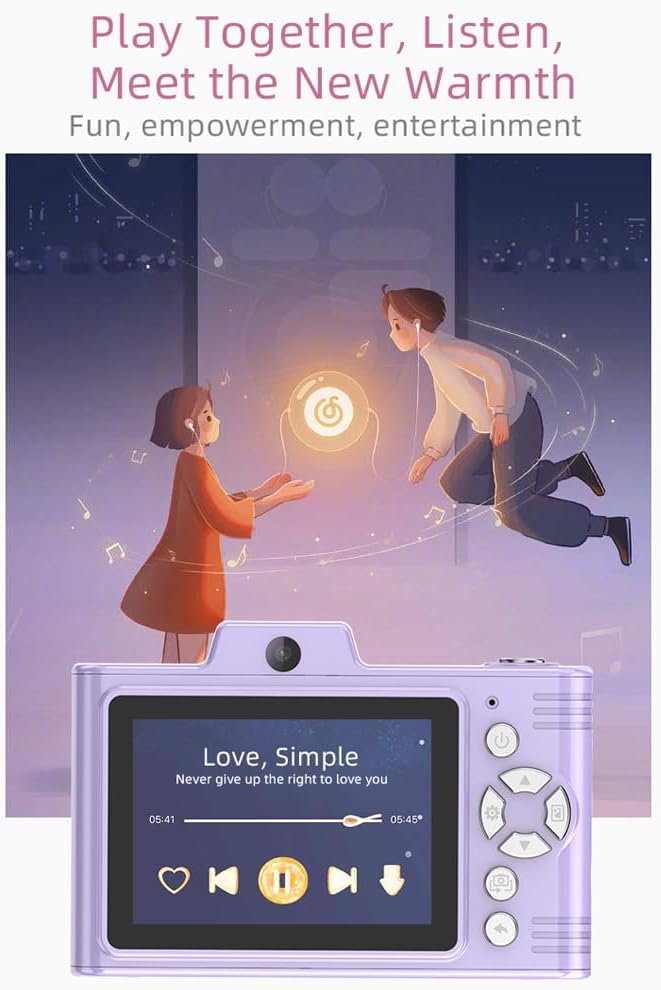
Opis slike: A purple Andoer H8 camera showing a music player interface on its screen, with song title "Love, Simple" and playback controls, indicating its music playback capability.
6.7. Connecting to a Computer / Transferring Files
You can transfer photos and videos to a computer or phone.
- Connect the camera to your computer using the Type-C cable.
- The camera should appear as a removable disk.
- Povleci in spusti files na vaš računalnik.
- For phone transfer, use an OTG adapter (not included) if your phone supports OTG functionality.
7. Vzdrževanje
- Čiščenje: Use a soft, dry cloth to clean the camera body. For the lens, use a specialized lens cleaning cloth.
- Shranjevanje: Store the camera in a cool, dry place away from direct sunlight and dust. Remove the battery if storing for extended periods.
8. Odpravljanje težav
| Težava | Možna rešitev |
|---|---|
| Kamera se ne vklopi. | Ensure the battery is charged. Reinsert the battery. |
| Fotografiranje/snemanje videoposnetkov ni mogoče. | Check if a TF card is inserted and has sufficient space. Ensure camera is in the correct mode. |
| Slike so zamegljene. | Clean the lens. Ensure adequate lighting. Hold the camera steady. |
| Kamera se zamrzne. | Za ponastavitev fotoaparata odstranite in ponovno vstavite baterijo. |
9. Specifikacije
| Funkcija | Podrobnost |
|---|---|
| Model izdelka | H8 |
| Zaslon zaslona | 2.8 palčni IPS |
| Foto Pixel | Do 48MP |
| Video ločljivost | 1080P HD |
| Digitalni zoom | 8x |
| File Oblika | JPG/AVI/MP3 |
| Čas polnjenja | Pribl. 2-4 ur |
| Kapaciteta baterije | 700 mAh, 3.7 V |
| Teža izdelka | 110 g |
| Velikost izdelka | 105.5 x 72 x 46 mm |
| Polnjenje Voltage | DC5V 1A |
| Podpora za pomnilnik | TF card (max 32GB) |
| Posebne lastnosti | 40 Head Stickers, 26 Photo Frames, 6 Filters |
| Povezljivost | USB (vrsta C) |
| Stabilizacija slike | Digitalno |
| Vrsta senzorja | CMOS |
| Stopnja spretnosti | Novinec |
10. Garancija in podpora
For warranty information and technical support, please refer to the documentation provided with your purchase or contact Andoer customer service directly. Keep your proof of purchase for warranty claims.