
1. Uvod
Thank you for choosing the Pomya 1080P Body Camera. This compact and versatile device is designed for reliable video and photo capture, offering features such as Full 1080P video recording, 12MP photo resolution, infrared night vision, and continuous loop recording. With its 1000mAh battery, it provides up to 5 hours of continuous operation, making it suitable for various applications including law enforcement and security monitoring.
2. Izdelek je končanview
Familiarize yourself with the components of your Pomya Body Camera.
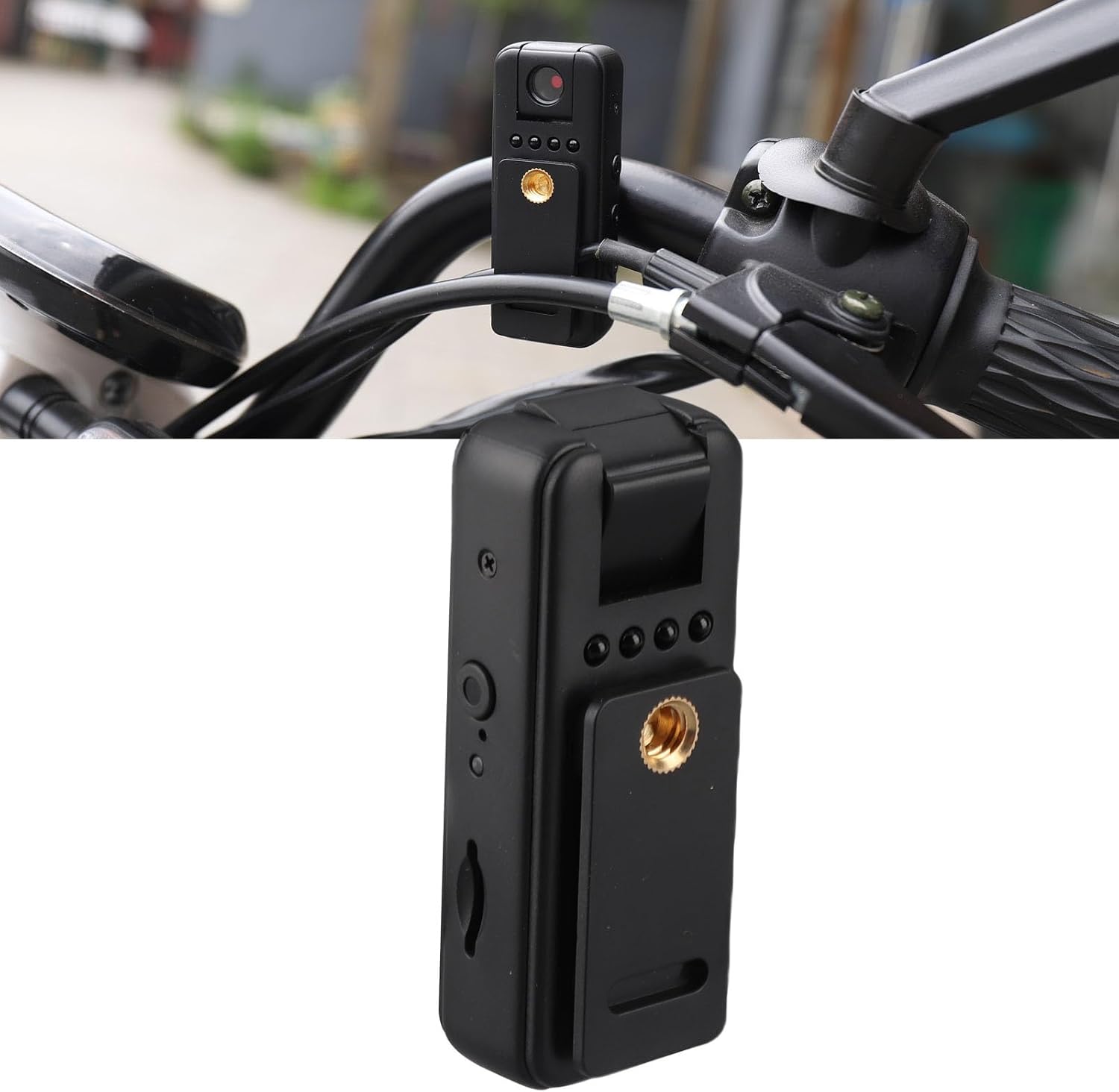
Figure 2.1: The Pomya 1080P Body Camera shown mounted, highlighting its compact design.
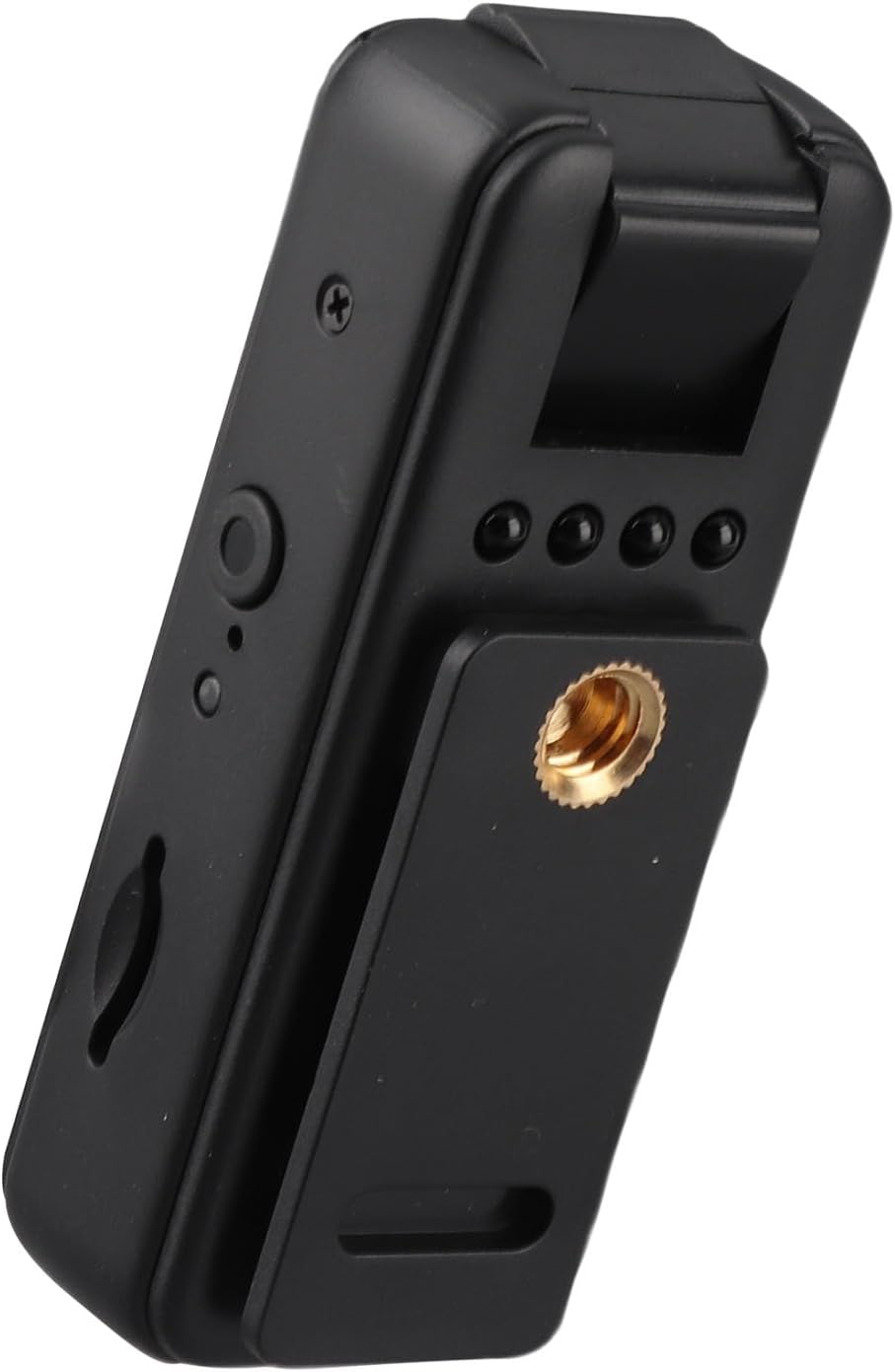
Slika 2.2: stran view of the camera, illustrating the control buttons and the memory card slot.

Slika 2.3: Spodaj view of the camera, featuring the USB-C charging port.

Slika 2.4: Zadaj view of the camera, showing the rotating clip, tripod mount, and the included USB-C charging cable.
Video 2.1: Overview of the Pomya 1080P Body Camera, demonstrating its features and compact size.
3. Nastavitev
- Vstavite pomnilniško kartico: The camera requires a Micro Storage Card (not included) for recording. Locate the memory card slot on the side of the device (refer to Figure 2.2) and insert the card until it clicks into place. The camera supports up to 256GB Micro Storage cards.
- Napolnite baterijo: Before first use, fully charge the camera. Connect the included USB-C cable to the camera's USB-C port (refer to Figure 2.3) and the other end to a USB power adapter (not included) or a computer. The charging indicator light will show the charging status. A full charge provides up to 5 hours of continuous video recording.
4. Navodila za uporabo
4.1 Vklop/izklop
- Vklop: Pritisnite in držite gumb za vklop nekaj sekund, dokler se ne prižge indikatorska lučka.
- Ugasniti: Ponovno pritisnite in držite gumb za vklop, dokler se indikatorska lučka ne izklopi.
4.2 Video snemanje
- To start 1080P video recording, press the Video Record button once. The indicator light will change to confirm recording has begun.
- To stop recording, press the Video Record button again. The indicator light will revert to standby mode.
4.3 Zajem fotografij
- To take a 4K resolution photo, press the Photo Capture button once. The camera will briefly flash or indicate a successful capture.
4.4 Nočni vid
- The camera supports infrared night vision for clear recording in low-light conditions. The night vision feature activates automatically or can be manually toggled via a dedicated button (refer to product diagram for exact button location).
4.5 Zančno snemanje
- The camera features loop recording. When the memory card reaches its storage capacity, the camera will automatically overwrite the oldest video files to save new recordings. Ensure important footage is backed up regularly.
4.6 Avdio snemanje
- The camera supports one-touch audio recording with an intelligent noise reduction chip, enhancing sound clarity.
5. Vzdrževanje
- Objektiv fotoaparata vzdržujte čist z mehko krpo, ki ne pušča vlaken.
- Avoid exposing the camera to extreme temperatures, direct sunlight for prolonged periods, or excessive moisture.
- Ko fotoaparata ne uporabljate, ga hranite na hladnem in suhem mestu.
- Regularly back up your recorded data to prevent loss.
6. Odpravljanje težav
| Težava | Možna rešitev |
|---|---|
| Kamera se ne vklopi | Prepričajte se, da je baterija napolnjena. Priključite na vir napajanja in poskusite znova. |
| Ni mogoče snemati videoposnetkov/fotografirati | Check if a memory card is inserted and if it has sufficient free space. Format the memory card if necessary (this will erase all data). |
| Slaba kakovost videa/fotografij | Ensure the lens is clean. Check lighting conditions; activate night vision if in a dark environment. |
| Kamera zamrzne ali se ne odziva | Perform a soft reset by pressing and holding the Power button until the device powers off, then restart. |
7. Specifikacije
| Funkcija | Podrobnost |
|---|---|
| Video format | AVI |
| Format fotografije | JPG |
| Format snemanja | WAV 512kbps |
| Pixel | 12 Million (Effective Still Resolution) |
| USB vmesnik | USB2.0 tipa C |
| Podpora za shranjevanje | Up to 256GB Micro Storage Card (not included) |
| Kapaciteta baterije | 1000 mAh litijeva baterija |
| Delovni čas | Up to 5 hours continuous video recording |
| Ločljivost zajema videa | 1080P (Full HD) |
| Nočni vid | Supported (Infrared) |
| Snemanje v zanki | Podprto |
| Zmanjšanje hrupa | Intelligent chip for improved sound clarity |
| Številka modela | Pomyag4mqnk79cy |
| Znamka | Pomya |
8. Garancija in podpora
For warranty information or technical support, please refer to the product packaging or contact Pomya customer service through the retailer where the product was purchased. Keep your purchase receipt for warranty claims.
Za dodatno pomoč lahko obiščete Pomya Store on Amazon.