
1. Uvod
The SHX SHXA700 Infrared Heating Panel is designed to provide efficient and comfortable heating for your living spaces. Featuring a modern, frameless design with a white carbon crystal surface, it seamlessly integrates into any room. This 700W panel offers WiFi connectivity, remote control operation, and a programmable thermostat for optimal energy saving and comfort. This manual provides essential information for the safe and effective use of your heating panel.

Figure 1: SHX SHXA700 700W WiFi Infrared Heating Panel, front view. A clean, white rectangular infrared heating panel, showcasing njegovo minimalistično zasnovo.
2. Varnostna navodila
Pred namestitvijo in uporabo natančno preberite vsa varnostna navodila. Neupoštevanje teh navodil lahko povzroči električni udar, požar ali telesne poškodbe.
- Prepričajte se, da je napajalnik voltage se ujema z nalepko z nazivnimi vrednostmi na napravi.
- Grelnika ne uporabljajte s poškodovanim kablom ali vtičem. Če je kabel poškodovan, ga mora zamenjati proizvajalec, njegov serviser ali podobno usposobljena oseba, da se izognete nevarnosti.
- Do not cover the heater. Covering the heater can cause overheating.
- Maintain a minimum distance of 100 cm from the front of the heater to any objects, and 20 cm from the sides and top to walls or other surfaces.
- This appliance is rated IP44, making it suitable for use in bathrooms. However, it must not be installed directly above a bath, shower, or swimming pool.
- V odprtine grelnika ne vstavljajte nobenih predmetov.
- The heater is equipped with overheating protection. If the heater overheats, it will automatically shut off. Unplug the heater and allow it to cool down before restarting.
- Med delovanjem grelnika naj otroci in hišni ljubljenčki ne bodo v bližini.
- Always unplug the heater before cleaning or maintenance.
3. Vsebina paketa
Škatlo previdno vzemite iz embalaže in se prepričajte, da so vsi predmeti prisotni in nepoškodovani. Če kateri koli predmet manjka ali je poškodovan, se obrnite na prodajalca.
- Infrardeča grelna plošča
- Uporabniški priročnik
- Daljinski upravljalnik
- Screws and Dowels for wall mounting
- Optional Feet for freestanding placement
4. Značilnosti izdelka
The SHX SHXA700 Infrared Heating Panel offers a range of features designed for convenience and efficiency:
- Zmogljiva izhodna moč 700 W: Provides effective heating for rooms up to 14 m².
- Integrated WiFi Functionality: Control your heater remotely via a smartphone app.
- Daljinski upravljalnik: Convenient operation with the included remote.
- 24-urni časovnik: Program specific operating times for energy saving.
- Nastavljiv termostat: Vzdržujte želeno sobno temperaturo.
- Zaščita pred pregrevanjem: Izboljšana varnostna funkcija.
- IP44 ocena: Primeren za uporabo v damp okolja, kot so kopalnice.
- Sodoben dizajn: Frameless white carbon crystal surface for aesthetic integration.
- LCD zaslon: Clear display for settings and status.

Figure 2: SHX Infrared Heating Panel features. An infographic highlighting the main features of the SHX SHXA700 infrared heating panel, including WiFi connectivity, remote control, 24-hour timer, adjustable thermostat, and overheating protection. It also indicates suitability for up to 14m² rooms.
5. Nastavitev in namestitev
The SHX SHXA700 heating panel can be installed either wall-mounted or freestanding using the optional feet.
5.1 Montaža na steno
- Choose a suitable location on a wall, ensuring sufficient clearance from other objects (refer to Safety Instructions).
- Mark the drilling points on the wall using the provided template or by measuring the panel's mounting holes.
- Drill holes and insert the provided dowels.
- Pritrdite nosilce na steno s priloženimi vijaki.
- Carefully hang the heating panel onto the mounting brackets, ensuring it is securely seated.
- Priključite napajalni kabel v ustrezno električno vtičnico.
5.2 Samostoječa postavitev
- Attach the optional feet to the bottom of the heating panel using the provided screws.
- Place the panel on a stable, level surface, ensuring it is not easily tipped over.
- Ensure sufficient clearance from other objects (refer to Safety Instructions).
- Priključite napajalni kabel v ustrezno električno vtičnico.

Figure 3: SHX Infrared Heating Panel in various room settings. A collage of four images demonstrating the SHX infrared heating panel's versatile placement options in different rooms: a living room, a bedroom, a bathroom, and an office, illustrating its modern design integration.

Figure 4: SHX SHXA700 Infrared Heating Panel dimensions. A diagram illustrating the physical dimensions of the SHX SHXA700 infrared heating panel, showing its width (1200mm), height (500mm), and depth (45mm), along with its weight (2.9 kg).
6. Navodila za uporabo
The heating panel can be operated using the integrated control panel on the back or the included remote control.
6.1 Konec nadzorne ploščeview
The control panel is located on the back of the unit and includes buttons for power, WiFi, temperature adjustment, timer, and an LCD display.
6.2 Osnovna operacija
- Vklop/izklop: Pritisnite gumb za vklop na nadzorni plošči ali daljinskem upravljalniku, da vklopite ali izklopite grelec.
- Prilagoditev temperature: Use the '+' and '-' buttons to set your desired temperature. The LCD display will show the current and target temperatures.
- Funkcija časovnika: Press the timer button to activate and set the 24-hour timer. Follow the on-screen prompts to program the desired operating duration.

Figure 5: SHX Infrared Heating Panel control panel and remote control. A close-up view of the heating panel's integrated control unit on the side, featuring power, WiFi, LCD display, 24-hour timer, and indicator light buttons, alongside the included remote control for easy operation.
7. WiFi Connectivity & App Control
The SHX SHXA700 heating panel features integrated WiFi, allowing for smart control via your smartphone.
- Prenesite aplikacijo: Download the "Tuya Smart" app from your smartphone's app store (available for iOS and Android).
- Registracija/Prijava: Ustvarite račun ali se prijavite v svoj obstoječi račun Tuya Smart.
- Dodaj napravo: Follow the in-app instructions to add your SHX heating panel. This typically involves putting the heater into pairing mode (refer to the app's guide for specific steps, usually by holding the WiFi button on the control panel).
- Povežite se z WiFi: Select your home WiFi network and enter the password.
- Nadzor: Once connected, you can control the heater's power, temperature, timer, and other settings directly from the app.
- Integracija pametnega doma: The Tuya Smart app supports integration with voice assistants like Amazon Alexa and Google Home, allowing for voice control of your heating panel.

Figure 6: SHX Infrared Heating Panel WiFi and integrated timer features. An image showing the heating panel's WiFi symbol and a smartphone displaying the "Tuya Smart" app interface, along with logos for Alexa and Google Home, indicating smart home compatibility and a 24-hour timer function.
8. Vzdrževanje
Regular cleaning and maintenance will ensure the longevity and optimal performance of your heating panel.
- Čiščenje: Always unplug the heater and allow it to cool completely before cleaning. Wipe the surface with a soft, damp krpo. Ne uporabljajte abrazivnih čistil, topil ali agresivnih kemikalij, saj lahko poškodujejo površino.
- Shranjevanje: Če grelec shranjujete dlje časa, se prepričajte, da je čist in suh. Shranjujte ga na hladnem in suhem mestu, po možnosti v originalni embalaži.
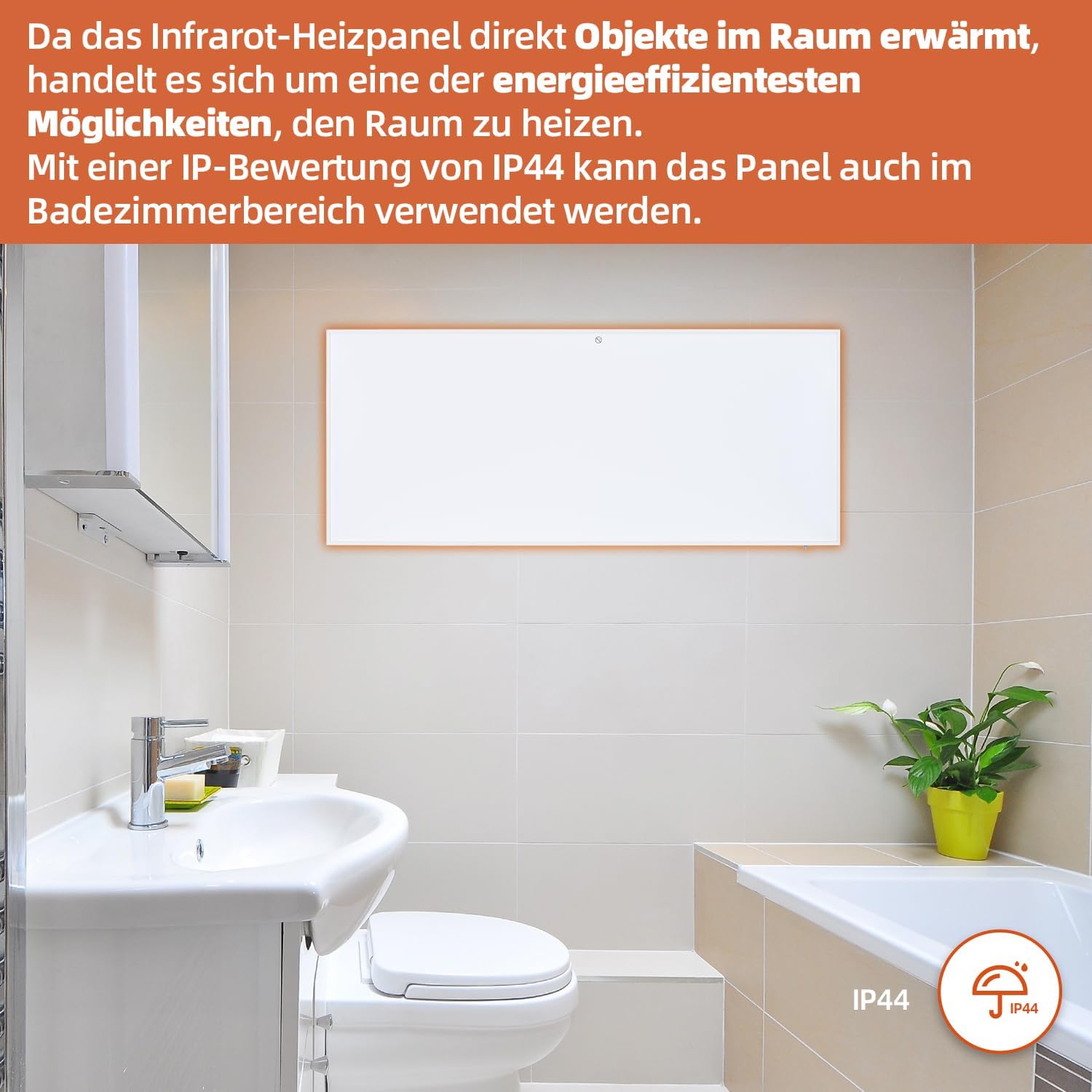
Figure 7: SHX Infrared Heating Panel with IP44 rating. The infrared heating panel mounted in a modern bathroom setting, emphasizing its IP44 water resistance rating, making it safe for use in damp okoljih.
9. Odpravljanje težav
If you encounter any issues with your SHX heating panel, refer to the following common problems and solutions:
| Težava | Možen vzrok | rešitev |
|---|---|---|
| Grelec se ne vklopi. | No power supply. Overheating protection activated. | Check if the power cord is securely plugged in and the outlet is functional. Unplug the heater, allow it to cool for 30 minutes, then plug it back in. |
| Povezava z omrežjem Wi-Fi ne uspe. | Incorrect WiFi password. Heater not in pairing mode. Router issues. | Ensure correct WiFi password. Put the heater into WiFi pairing mode (refer to app instructions). Restart your WiFi router. Ensure the heater is within WiFi range. |
| Daljinski upravljalnik ne deluje. | Batteries are dead or incorrectly inserted. Obstruction between remote and heater. | Replace the batteries in the remote control (requires 2 AAA batteries). Ensure there is a clear line of sight between the remote and the heater's receiver. |
| Grelec ne greje učinkovito. | Temperature setting too low. Room size exceeds heater capacity. Drafts. | Increase the target temperature. Ensure the room size is within the recommended range (up to 14 m²). Seal any drafts in the room. |
10. Specifikacije
| Specifikacija | Vrednost |
|---|---|
| Znamka | SHX |
| Številka modela | SHXA700-WiFi |
| barva | Bela |
| Mere izdelka (D x Š x V) | 120 x 50 x 4.5 cm |
| Teža | 2.9 kilogramov |
| Moč | 700 vatov |
| voltage | 220 voltov (AC) |
| Razred energijske učinkovitosti | A do G |
| Nivo hrupa | 1 decibelov |
| Posebne lastnosti | WiFi Compatible, Overheating Protection, Programmable Thermostat, Remote Control, Energy Efficient |
| Vir napajanja | Električni na kabel |
| Metoda ogrevanja | Radiant |
| Priporočena uporaba | Notranji, Dom |
| Vrsta namestitve | Wall Mount, Floor Mount (with optional feet) |
| Za daljinski upravljalnik so potrebne baterije | 2 AAA bateriji |
| Država izvora | Kitajska |
11. Garancija in podpora
The SHX SHXA700 Infrared Heating Panel comes with a 2-letna garancija od datuma nakupa. Prosimo, shranite dokazilo o nakupu za uveljavljanje garancije.
For technical support, warranty claims, or any questions regarding your product, please contact your retailer or the manufacturer's customer service. Contact information can typically be found on the product packaging or the manufacturer's official webmesto.


