
Uvod
Thank you for choosing the ROCAM Digital Projection Alarm Clock, Model CR1024. This device combines a digital alarm clock with a 270° rotatable projection feature, FM radio, dual alarm settings, and a USB charging port. Please read this manual carefully to ensure proper use and to fully enjoy all its features.

Image: The ROCAM Digital Projection Alarm Clock displaying time, date, temperature, and humidity, positioned on a bedside table next to a cup of coffee and a notebook.
Lastnosti izdelka
- 270° Rotatable Projection: Project time onto your wall or ceiling with adjustable angle and focus.
- 5-Level Dimmable LED Display: Adjust the brightness of the main display to your preference.
- FM Radio & Sleep Timer: Enjoy your favorite radio stations and set a sleep timer for automatic shutdown.
- Dual Alarm with Weekend/Weekday Mode: Set two independent alarms with customizable schedules (Mon-Sun, Mon-Fri, Sat-Sun, One-Time).
- USB-C Power Input & USB-A Charging Output: Power the clock via USB-C and charge external devices like smartphones via USB-A.
- Varnostno kopiranje baterije: Ohranja nastavitve časa in alarma med izpadom električne energijetag(baterije niso priložene).
- Prikaz temperature in vlažnosti: Shows indoor temperature (°C/°F) and humidity.
- Funkcija nočne luči: Integrated night light for soft illumination.
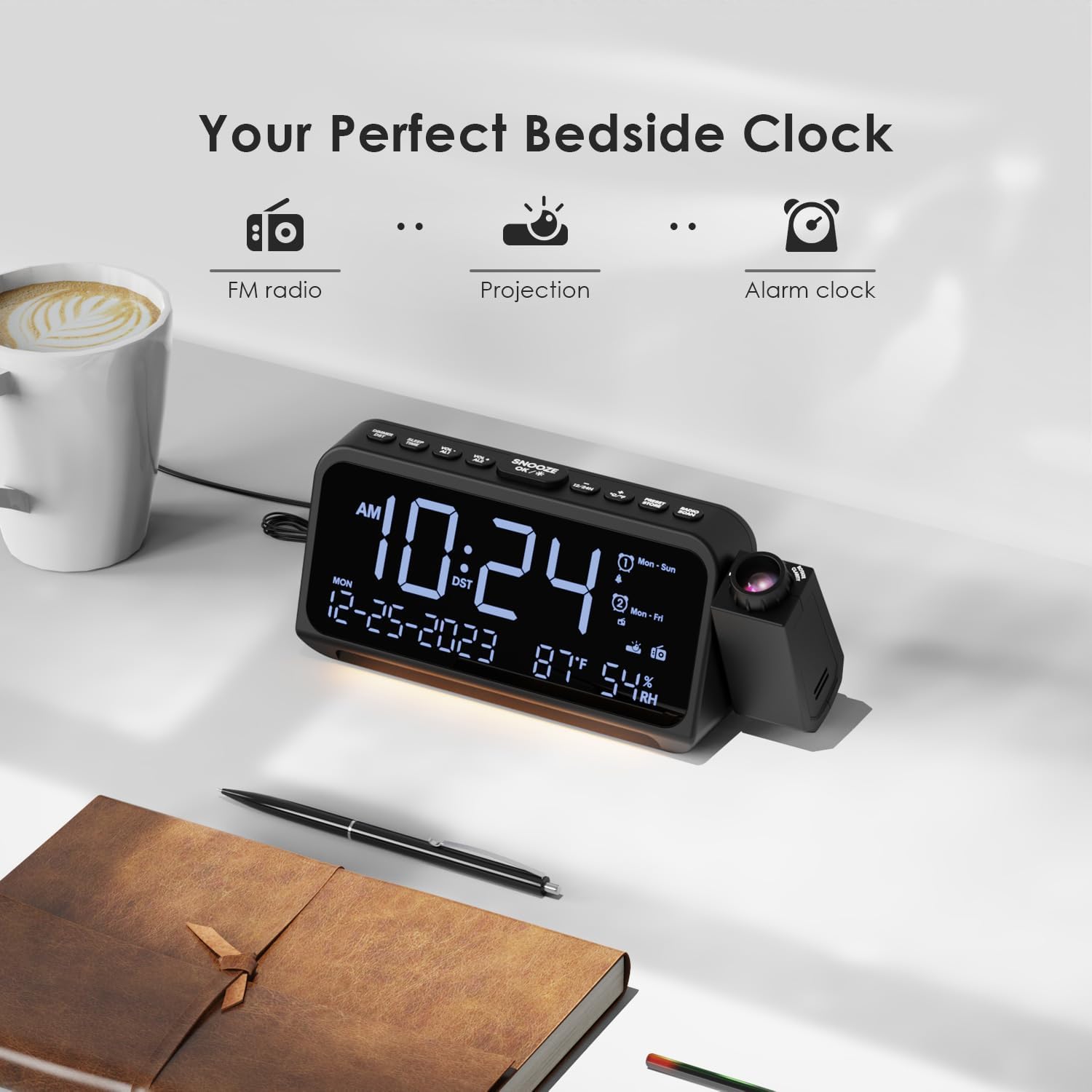
Image: Visual representation of the clock's main functions: FM radio, projection, and alarm clock.
Vsebina paketa
Prosimo, preverite paket za naslednje artikle:
- ROCAM Digital Projection Alarm Clock (CR1024)
- Napajalni kabel USB Type-C
- Napajalni adapter
- Uporabniški priročnik
Note: 1 CR2 battery is required for backup functionality and is not included in the package.

Image: The alarm clock, USB-C cable, power adapter, and user manual laid out, with product dimensions (20cm x 8.7cm x 3.81cm) and weight (240g) indicated.
Konec izdelkaview
Gumbi na zgornji plošči:
- SNOOZE/OK/*: Snooze alarm, confirm settings, or activate night light.
- VOL-/AL1: Decrease volume, set Alarm 1.
- VOL+/AL2: Increase volume, set Alarm 2.
- 12/24H: Preklopite med 12-urnim in 24-urnim zapisom časa.
- °C/°F: Preklapljanje med prikazom temperature v Celziju in Fahrenheitu.
- PRESET/STORE: Save FM radio presets.
- RADIO/SCAN: Turn FM radio on/off, scan for stations.
- ČAS NASTAVLJEN: Enter time setting mode.
- NASTAVLJEN ALARM: Vstopite v način nastavitve alarma.
Side Panel & Rear:
- Projekcijski objektiv: Projects time onto a surface.
- Kolo za ostrenje: Prilagodi jasnost projicirane slike.
- Vrtenje projekcije: Allows 270° adjustment of the projection angle.
- Gumb DIM: Adjusts projection brightness.
- Gumb za vklop: Turns the projection on/off.
- Type-C Input (5V-2A): Main power connection.
- USB-A Output (5V-1A): Za polnjenje zunanjih naprav.
- FM antena: Extend for better radio reception.
- Predal za baterije: For CR2 backup batteries.

Slika: Podrobna view of the top control buttons and the projection unit, highlighting the dual alarm settings.

Image: The back of the alarm clock, illustrating the Type-C power input and the USB-A output port for charging other devices.
Nastavitev
1. Napajalni priključek:
- Connect the provided USB Type-C cable to the Type-C input port on the back of the alarm clock.
- Plug the other end of the USB cable into the power adapter, then plug the adapter into a standard wall outlet.
- Zaslon se bo prižgal, kar pomeni, da je ura vklopljena.

Image: The alarm clock is shown connected to a wall outlet via its USB-C power cable and adapter.
2. Battery Backup Installation:
- Poiščite predal za baterije na spodnji strani ure.
- Odprite pokrov predala.
- Insert 1 CR2 battery (not included) according to the polarity markings (+/-).
- Close the battery compartment cover. This battery will preserve time and alarm settings during a power outage.

Image: The bottom of the alarm clock with the battery compartment open, showing where to insert CR2 batteries.
Navodila za uporabo
1. Nastavitev časa in datuma:
- Pritisnite in držite ČAS NAST button. The hour digits will start flashing.
- Uporaba GLASNOST+ or ZV.- gumbe za nastavitev ure. Pritisnite ČAS NAST ponovno za potrditev.
- Postopek ponovite za minute, leto, mesec in dan.
- Pritisnite 12/24H to switch between 12-hour and 24-hour format.
- Pritisnite ° C / ° F za preklop med Celzijem in Fahrenheitom za prikaz temperature.
2. Setting Alarms (Alarm 1 & Alarm 2):
- Pritisnite in držite ALARM NASTAVLJEN button. The Alarm 1 icon and hour digits will flash.
- Uporaba GLASNOST+ or ZV.- za nastavitev želene ure budilke. Pritisnite ALARM NASTAVLJEN za potrditev.
- Ponavljajte nekaj minut.
- Select alarm mode (Mon-Sun, Mon-Fri, Sat-Sun, One-Time) using GLASNOST+ or ZV.-. Pritisnite ALARM NASTAVLJEN za potrditev.
- Choose alarm sound: buzzer or FM radio. Use GLASNOST+ or ZV.- izbrati. Pritisnite ALARM NASTAVLJEN za potrditev.
- To set Alarm 2, briefly press ALARM NASTAVLJEN again and repeat the steps.
- To activate/deactivate an alarm, briefly press AL1 or AL2Ikona alarma se bo prikazala/izginila na zaslonu.
Image: The clock display showing options for setting two alarms with different ringtone choices and day modes (Mon-Sun, Mon-Fri, Sat-Sun, One-Time).
3. Funkcija dremeža:
Ko se oglasi alarm, pritisnite DREMEZ/V REDU/* button to temporarily silence it for 9 minutes. The alarm will sound again after the snooze period.
4. Display Brightness (Dimmer):
Pritisnite DREMEZ/V REDU/* button repeatedly to cycle through 5 levels of display brightness (L-1 to L-5) or turn the display off.

Image: The clock display showing five different brightness levels (L-1 to L-5) for the main LED screen.
5. Projection Settings:
- Vklop/izklop: Pritisnite Gumb za vklop on the side of the projection unit to turn the projection on or off.
- Prilagodi svetlost: Pritisnite DIM button on the side of the projection unit to cycle through 5 levels of projection brightness.
- Prilagodi kot: Rotate the projection unit up to 270° to direct the time onto your desired surface (wall or ceiling).
- Prilagodi fokus: Zavrtite Kolo za fokus on the projection unit to sharpen the projected image.

Image: The digital time '10:24' projected in red onto a dark wall, demonstrating the projection feature.

Image: The projection unit rotating 270 degrees, showing how the projected time can be adjusted for optimal viewing.

Image: The projected time showing five distinct brightness levels, from level 1 (dimmest) to level 5 (brightest).
6. Delovanje FM radia:
- Za boljši sprejem raztegnite FM anteno.
- Pritisnite RADIO/SKENIRANJE button to turn the FM radio on.
- Pritisnite in držite RADIO/SKENIRANJE za samodejno iskanje in shranjevanje razpoložljivih postaj.
- Uporaba GLASNOST+ or ZV.- to manually tune to a station or cycle through saved presets.
- Pritisnite PREDNASTAVITEV/SHRANITEV to save the current station as a preset.
- Pritisnite RADIO/SKENIRANJE again to turn the FM radio off.

Image: The clock displaying an FM radio frequency (108.0 MHz) and options for a sleep timer (OFF, 15, 30, 60, 90 minutes).
7. Časovnik za spanje:
Ko je FM-radio vklopljen, pritisnite DREMEZ/V REDU/* button repeatedly to set a sleep timer (15, 30, 60, 90 minutes, or OFF). The radio will automatically turn off after the selected duration.

Image: A hand pressing a button on the clock, with sleep timer options (P01, P06, P12, P15, P20) displayed, indicating timed radio playback.
8. USB Charging Output:
Connect your smartphone or other USB-powered device to the USB-A output port (5V-1A) on the back of the clock to charge it. Ensure the alarm clock is powered via its USB-C input.
Vzdrževanje
- Čiščenje: Uro obrišite z mehko, suho krpo. Ne uporabljajte abrazivnih čistil ali topil.
- Zamenjava baterije: If the clock loses time during a power outage, replace the CR2 backup battery.
- Umestitev: Avoid placing the clock in direct sunlight, high temperatures, or high humidity.
Odpravljanje težav
| Težava | rešitev |
|---|---|
| Prikaz ure je prazen. | Ensure the USB-C power cable is securely connected to both the clock and a working power outlet. Check if the display brightness is set to OFF. |
| Alarm se ne oglasi. | Verify that the alarm is activated (alarm icon visible). Check the alarm volume. Ensure the alarm mode (Mon-Sun, Mon-Fri, etc.) is correctly set for the current day. |
| Projekcija je zamegljena. | Zavrtite Kolo za fokus on the projection unit until the image is clear. Ensure the projection surface is within optimal range. |
| Slab sprejem FM radia. | Fully extend the FM antenna. Try repositioning the clock to improve signal. Perform an auto-scan to find stronger stations. |
| Vrata za polnjenje USB ne delujejo. | Ensure the alarm clock is powered by the USB-C input. Check the charging cable and the device being charged. |
Specifikacije
- Številka modela: CR1024
- Dimenzije: 20 x 3.81 x 8.7 cm (D x Š x V)
- Teža: 240 g
- Vhodna moč: USB tipa C, 5 V – 2 A
- USB izhod: USB Type-A, 5V-1A
- Varnostno kopiranje baterije: 1 x CR2 battery (not included)
- FM frekvenčni razpon: 87.5 - 108 MHz
Garancija in podpora
ROCAM products are designed for reliability and performance. This product comes with a standard manufacturer's warranty. For specific warranty details, please refer to the warranty card included in your package or contact ROCAM customer support.
If you encounter any issues or have questions regarding your ROCAM Digital Projection Alarm Clock, please contact our customer support team. Contact information can typically be found on our official webspletnem mestu ali na embalaži izdelka.


