
1. Uvod
The TECLAST M50 is a 10.1-inch Android 13 tablet designed for versatile use, from entertainment to productivity. It features an Octa-Core processor, 12GB RAM, 128GB internal storage expandable up to 1TB, and supports Dual SIM 4G LTE connectivity. This manual provides essential information for setting up, operating, maintaining, and troubleshooting your device.
2. Kaj je v škatli
Upon unboxing your TECLAST M50 tablet, please ensure all the following items are present:
- TECLAST M50 Tablet
- Napajalnik (polnilnik)
- USB Type-C kabel
- Orodje za izmet kartice SIM
- Uporabniški priročnik
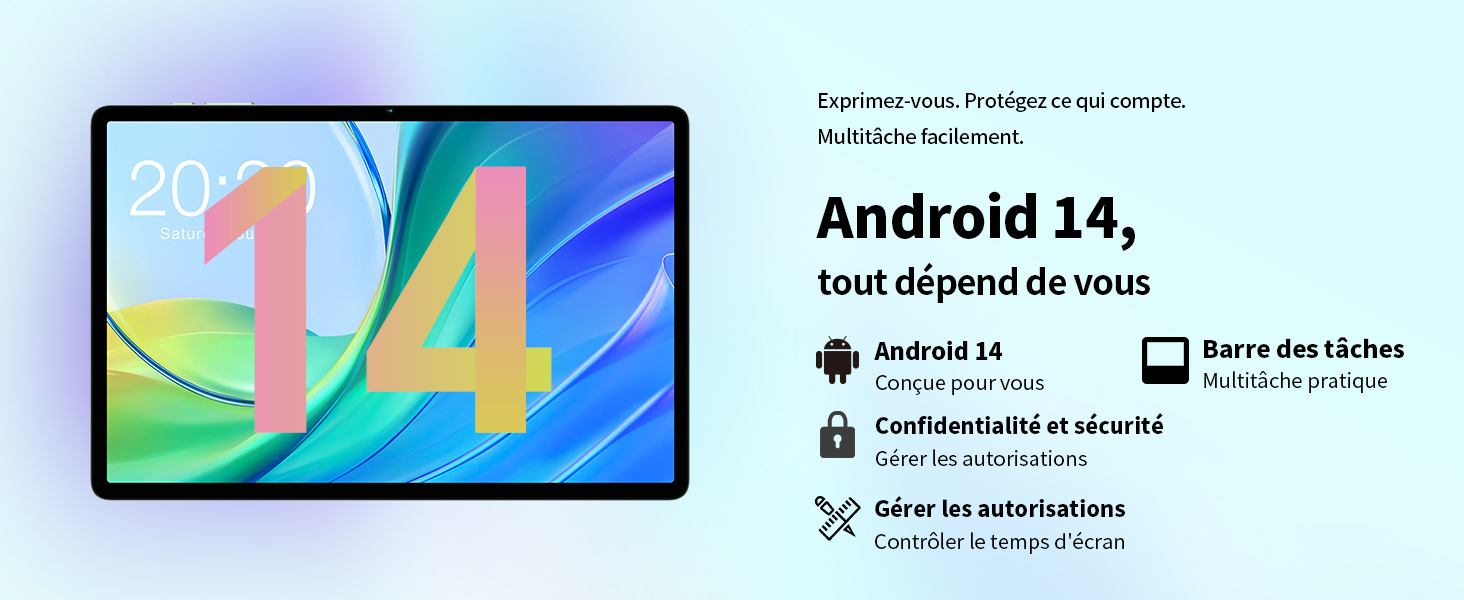
Image: Contents of the TECLAST M50 tablet box, showing the tablet, power adapter, USB cable, SIM ejector tool, and user manual.
3. Izdelek je končanview
The TECLAST M50 tablet features a sleek design with a 10.1-inch display and a lightweight build of approximately 460 grams. It measures 23L x 20l x 1Ép centimeters. Familiarize yourself with the tablet's physical components:

Image: TECLAST M50 tablet from various angles, illustrating the location of the power button, volume controls, USB-C port, 3.5mm headphone jack, and speaker grilles.
Ključne komponente:
- Gumb za vklop: Nahaja se ob strani in se uporablja za vklop/izklop ali preklop naprave v stanje pripravljenosti/spanja.
- Gumbi za glasnost: Prilagodite glasnost zvoka.
- Vrata USB Type-C: Za polnjenje in prenos podatkov.
- 3.5 mm priključek za slušalke: Priključite žične slušalke.
- Rešetke zvočnikov: Four stereo speakers for enhanced audio output.
- Sprednja kamera: 5MP camera for video calls and facial unlock.
- Zadnja kamera: 13MP kamera za fotografije in videoposnetke.
- Reža za kartico SIM/MicroSD: Insert SIM cards for cellular connectivity and a MicroSD card for expanded storage.
4. Nastavitev
4.1 Začetno polnjenje
Before first use, it is recommended to charge the TECLAST M50 tablet for at least 30 minutes. Connect the USB Type-C cable to the tablet's charging port and the power adapter to a wall outlet. The battery icon on the screen will indicate charging status.
4.2 Vklop/izklop
- Za vklop: Press and hold the Power button until the TECLAST logo appears.
- Za izklop: Pritisnite in držite gumb za vklop, dokler se ne prikaže meni z možnostmi napajanja, nato izberite »Izklopi«.
- Za ponovni zagon: Pritisnite in držite gumb za vklop, nato izberite »Ponovni zagon«.
4.3 Vstavljanje kartic SIM in MicroSD
The TECLAST M50 supports dual SIM cards for 4G LTE connectivity and a MicroSD card for storage expansion up to 1TB.
- Poiščite pladenj za kartico SIM/MicroSD na strani tabličnega računalnika.
- Vstavite orodje za izmet SIM kartice v majhno luknjo poleg pladnja in nežno pritisnite, da pladenj izskoči.
- Carefully place your Nano-SIM cards and/or MicroSD card into the designated slots on the tray. Ensure the gold contacts are facing down and the cards are correctly oriented.
- Pladenj nežno potisnite nazaj v tablični računalnik, dokler se ne zaskoči.

Image: Illustration of inserting SIM cards and a MicroSD card into the tablet's tray.
4.4 Začetna namestitev Androida
After powering on for the first time, follow the on-screen prompts to complete the initial setup process. This includes selecting your language, connecting to a Wi-Fi network, signing in with your Google account, and setting up security features like facial unlock.
5. Navodila za uporabo
5.1 Funkcije zaslona
The TECLAST M50 features a 10.1-inch TDDI HD display with a resolution of 1280x800 pixels. The TDDI technology integrates touch sensors directly into the LCD, providing a more responsive touch experience. It also supports Widevine L1, allowing for high-definition streaming from platforms like Disney+ and Amazon Prime Video.

Image: Visual representation of the TECLAST M50's 10.1-inch HD display with 1280x800 resolution and IPS wide viewvhodni kot.
5.2 Zmogljivost in shranjevanje
Powered by an Octa-Core UNISOC T606 processor and Mali-G57 GPU, the M50 delivers efficient performance. It comes with 6GB of RAM, expandable to 12GB using virtual memory technology, and 128GB of internal storage. Storage can be further expanded up to 1TB via a MicroSD card.

Image: Details of the UNISOC T606 Octa-Core processor and Mali-G57 graphics processor.

Image: Information on RAM and ROM capacity, including expandable storage options.
5.3 Povezljivost
Stay connected with the TECLAST M50's comprehensive connectivity options:
- Dual SIM 4G LTE: Supports TD-LTE and FDD-LTE networks for mobile data and VoLTE calls.
- Dvopasovni Wi-Fi: Connect to 2.4GHz and 5GHz Wi-Fi networks (802.11ac).
- Bluetooth 5.0: Za priključitev brezžične dodatne opreme, kot so slušalke in tipkovnice.
- GPS navigacija: Supports GPS, BeiDou, GLONASS, and Galileo for accurate positioning.

Slika: Konecview of Wi-Fi, Bluetooth, and 4G LTE capabilities.

Image: Tablet showing GPS navigation in use.
Funkcionalnost kamere 5.4
The M50 is equipped with a 13MP rear camera and a 5MP front camera. The rear camera features AI-based auxiliary optimization for improved focus and image results, especially in low-light conditions. The 5MP front camera supports facial unlock for convenient device access.

Image: Details of the tablet's front and rear cameras.
5.5 Avdio sistem
Experience immersive sound with the M50's Momentum III audio system, featuring four stereo speakers and a Smart K amplifier for clear and rich audio output.

Image: Representation of the tablet's 4-speaker audio system.
5.6 Funkcije Androida 13
The tablet runs on Android 13, offering enhanced privacy controls, a convenient taskbar for multitasking, and improved permission management. It also includes features for parental controls to manage screen time and application access.

Image: Android 13 interface showcasing privacy and multitasking features.

Image: Parental control interface for managing tablet usage.
6. Vzdrževanje
6.1 Skrb za baterije
The TECLAST M50 is equipped with a 6000mAh battery, providing up to 15 hours of usage. To maximize battery life:
- Izogibajte se ekstremnim temperaturam.
- Uporabite priloženi polnilnik in kabel.
- Izogibajte se pogostemu popolnemu praznjenju baterije.
- Za dolgotrajno shranjevanje tablico napolnite do približno 50 % in jo izklopite.

Image: Battery capacity and charging method.
6.2 Čiščenje
Za čiščenje tabličnega računalnika uporabite mehko krpo, ki ne pušča vlaken. Za trdovratne madeže rahlo obrišiteampKrpo obrišite z vodo ali čistilom za zaslone, posebej zasnovanim za elektroniko. Izogibajte se uporabi agresivnih kemikalij ali abrazivnih materialov.
6.3 Posodobitve programske opreme
Periodically check for system updates to ensure your tablet has the latest features and security patches. Navigate to Nastavitve > Sistem > Posodobitev sistema za preverjanje in namestitev razpoložljivih posodobitev.
7. Odpravljanje težav
If you encounter issues with your TECLAST M50 tablet, try the following basic troubleshooting steps:
- Naprava se ne vklopi: Prepričajte se, da je baterija napolnjena. Priključite polnilnik in počakajte nekaj minut, preden poskusite znova vklopiti napravo.
- Zaslon se je zamrznil ali se ni odzival: Pritisnite in držite gumb za vklop približno 10-15 sekund, da prisilite ponovni zagon.
- Težave s povezljivostjo Wi-Fi/Bluetooth: Try toggling Wi-Fi/Bluetooth off and on. Restart your tablet and/or your router/Bluetooth device.
- Aplikacije se sesuvajo: Počistite predpomnilnik in podatke problematične aplikacije (Nastavitve > Aplikacije > [Ime aplikacije] > Pomnilnik > Počisti predpomnilnik/Počisti podatke). Če težava ne izgine, odstranite in znova namestite aplikacijo.
- Počasna zmogljivost: Close unnecessary background apps. Clear cached data. Consider performing a factory reset as a last resort (back up your data first).
- SIM kartica ni bila zaznana: Ensure the SIM card is correctly inserted and activated with your carrier. Restart the tablet.
For more complex issues, refer to the official TECLAST support resources.
8. Specifikacije
| Funkcija | Specifikacija |
|---|---|
| Ime modela | TECLAST M50 |
| Operacijski sistem | Android 13 |
| Procesor | UNISOC T606 Octa-Core (1.6 GHz) |
| Grafični procesor | Mali-G57 MP1 |
| RAM | 12 GB (6 GB fizičnega pomnilnika + 6 GB razširitvenega pomnilnika) |
| Notranji pomnilnik | 128 GB |
| Razširljiv prostor za shranjevanje | MicroSD do 1 TB |
| Velikost zaslona | 10.1 palcev |
| Ločljivost zaslona | 1280x800 Pixels (TDDI, IPS) |
| Zadnja kamera | 13 MP |
| Sprednja kamera | 5 MP |
| Kapaciteta baterije | 6000 mAh (22 Wh) |
| Življenjska doba baterije (povprečna) | 15 uri |
| Povezljivost | 4G LTE (Dual SIM), Wi-Fi (802.11ac), Bluetooth 5.0 |
| Navigacija | GPS, BeiDou, GLONASS, Galileo |
| Avdio | 4 Stereo Speakers (Momentum III) |
| Pristanišča | 1x USB Type-C, 1x 3.5mm Headphone Jack |
| Teža | 460 gramov |
| Dimenzije (D x Š x V) | 23 x 20 x 1 cm |
9. Garancija in podpora
9.1 Informacije o garanciji
The TECLAST M50 tablet comes with a manufacturer's warranty of 1 leto od datuma nakupa. Ta garancija krije napake v materialu in izdelavi pri normalni uporabi. Prosimo, shranite dokazilo o nakupu za uveljavljanje garancije.
9.2 Podpora strankam
For any questions, technical assistance, or warranty inquiries, please contact TECLAST customer support. Our team provides professional advice and aims to respond to all inquiries within one working day. You can find contact information on the official TECLAST webspletnem mestu ali prek vašega prodajalca.
Spletni viri: For additional support and FAQs, please visit the official TECLAST webspletno mesto: TECLAST Brand Store


