
Uvod
This manual provides essential instructions for setting up, operating, and maintaining your KALOC Fitness Tracker. Please read this guide thoroughly to ensure proper use and to maximize the device's features.
Kaj je v škatli
Po razpakiranju preverite, ali so prisotni vsi elementi:
- KALOC Fitness Tracker (main unit)
- Watch Band
- Polnilni kabel
- Uporabniški priročnik
Nastavitev
1. Polnjenje naprave
Before first use, fully charge your fitness tracker. Connect the charging cable to the charging port on the back of the device and to a USB power source. The screen will indicate charging status.

Image: The KALOC Fitness Tracker displaying a '100% Fully charged' message while connected to its charging cable.
2. Namestitev in seznanjanje aplikacij
To utilize all features and synchronize data, download the companion application to your smartphone. The app is compatible with Android 6.0 and iOS 12.0 or above, and requires Bluetooth 4.0.
- Scan the QR code in the quick guide or search for the app name (usually mentioned in the quick guide or packaging) in your phone's app store.
- Namestite aplikacijo.
- Open the app and follow the on-screen instructions to create an account and pair your fitness tracker via Bluetooth. Ensure Bluetooth is enabled on your phone.
- Allow necessary permissions for the app to function correctly (e.g., location, notifications).
Navodila za uporabo
Zaslon in navigacija
The KALOC Fitness Tracker features a 1.58-inch AMOLED touch display. Navigate through menus and functions by swiping up, down, left, or right, and tapping to select options.

Image: The 1.58-inch AMOLED screen of the KALOC Fitness Tracker, highlighting its resolution and brightness capabilities.
Osnovne funkcije
- Čas in datum: Automatically synchronizes with your paired smartphone.
- Obrazi za gledanje: Customize your watch face through the companion app or directly on the device.

Slika: npramples of personalized watch faces available for the KALOC Fitness Tracker.
Funkcije sledenja zdravju
The KALOC Fitness Tracker provides comprehensive health monitoring throughout the day.
- Spremljanje srčnega utripa: Neprekinjeno spremlja vaš srčni utrip. View podatki v realnem času na napravi ali podrobni trendi v aplikaciji.
- Merjenje krvnega kisika (SpO2): Meri raven nasičenosti krvi s kisikom.
- Spremljanje spanja: Analizira vaše vzorce spanja, vključno z globokim spanjem, lahkim spanjem in časom budnosti.
- Sledenje ravni stresa: Monitors your stress levels and provides insights into your mental well-being.
- Pedometer in sledilnik kalorij: Records daily steps, distance covered, and estimated calories burned.

Image: The KALOC Fitness Tracker displaying 24-hour health tracking data, including heart rate, sleep, and stress.

Image: The KALOC Fitness Tracker tracking daily fitness data, including steps, distance, calories, and activity time.
Športni načini
The fitness tracker supports over 100 sports modes to accurately track your workouts. Select the appropriate mode before starting an activity for precise data collection.
- Examples include outdoor walking, running, cycling, strength training, yoga, and various ball games.
- Access sports modes from the device menu and select your desired activity.
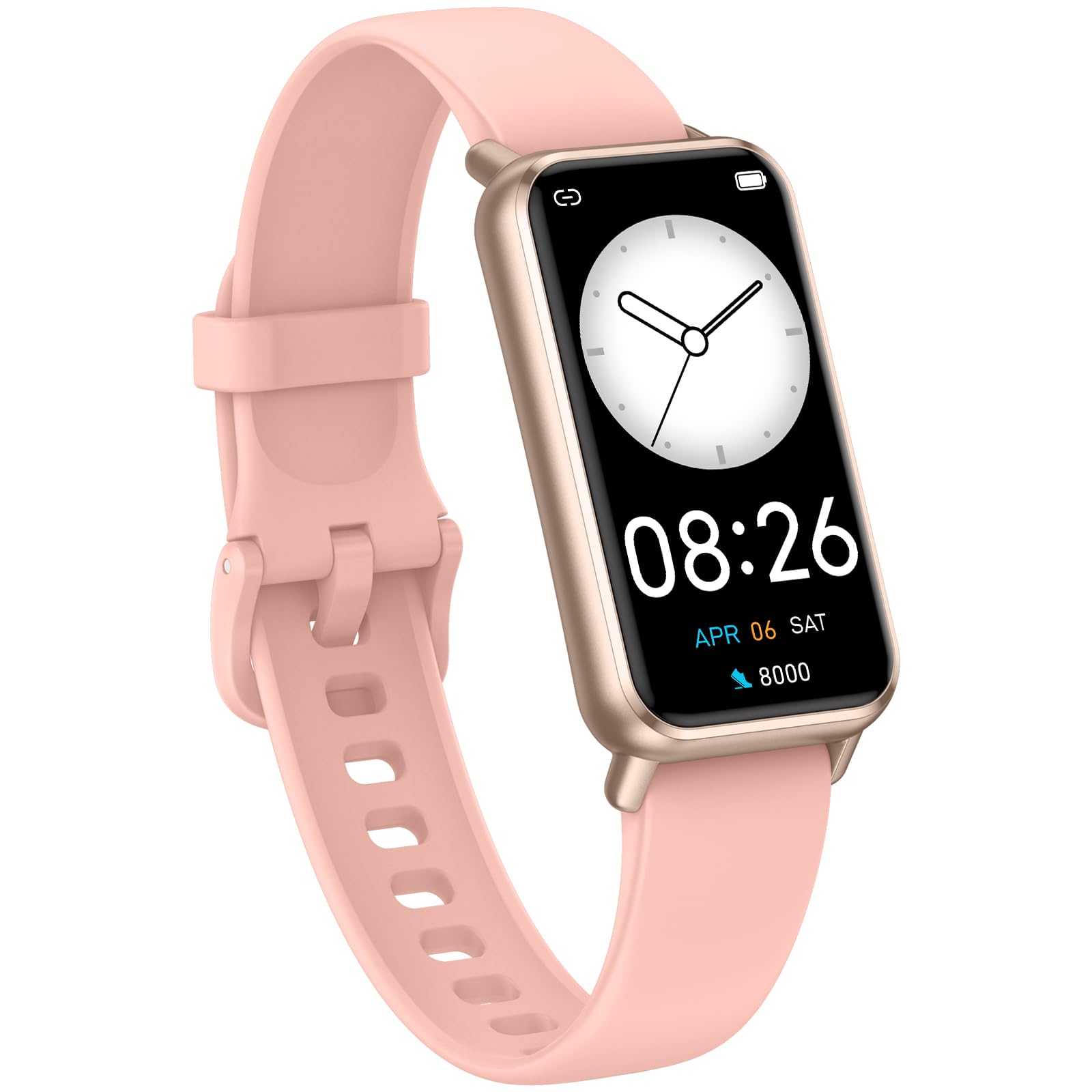
Image: The KALOC Fitness Tracker highlighting its support for over 100 sports modes.
Vodoodpornost
The KALOC Fitness Tracker is 50-meter waterproof, making it suitable for various water activities.
- Suitable for washing hands, showering, swimming, and shallow water activities.
- Not recommended for diving, hot water activities, or high-pressure water exposure.

Image: The KALOC Fitness Tracker demonstrating its 50-meter waterproof feature during swimming.
Življenjska doba baterije
The device offers an extended battery life, providing up to 14 days of typical use or 30 days of standby time on a single charge.

Image: The KALOC Fitness Tracker highlighting its 14-day battery life.
Pametna obvestila
Receive notifications for calls, messages, and app alerts directly on your wrist when paired with your smartphone.

Image: The KALOC Fitness Tracker receiving smart notifications from various applications.
Druge funkcije
The KALOC Fitness Tracker includes several additional useful features:
- Nadzor kamere: Daljinsko upravljajte kamero telefona.
- Nadzor glasbe: Manage music playback on your paired phone.
- Vremenska napoved: View trenutne vremenske razmere in napovedi.
- Opomnik za pitje: Nastavite si opomnike za ohranjanje hidracije.
- Sedeči opomnik: Opozarja vas, da se premaknete po obdobjih neaktivnosti.
- Budilka: Set alarms directly on your device.
- Trening dihanja: Vodene dihalne vaje za pomoč pri obvladovanju stresa.

Image: The KALOC Fitness Tracker showcasing its multiple functions.
Vzdrževanje
To ensure the longevity and optimal performance of your KALOC Fitness Tracker, follow these maintenance guidelines:
- Čiščenje: Redno čistite napravo in pašček z mehko krpoamp krpo. Izogibajte se agresivnim kemikalijam ali abrazivnim materialom.
- Polnjenje: Use only the provided charging cable. Do not expose the charging contacts to water or corrosive liquids.
- Shranjevanje: Napravo shranjujte na hladnem in suhem mestu, ko je ne uporabljate. Izogibajte se ekstremnim temperaturam.
- Izpostavljenost vodi: While waterproof, it is advisable to dry the device thoroughly after exposure to water to prevent skin irritation and ensure proper sensor function.
Odpravljanje težav
If you encounter issues with your KALOC Fitness Tracker, refer to the following common solutions:
- Naprava se ne vklopi: Prepričajte se, da je naprava popolnoma napolnjena. Priključite jo na polnilnik za vsaj 30 minut.
- Seznanjanje s telefonom ni mogoče:
- Prepričajte se, da je Bluetooth omogočen v vašem telefonu.
- Prepričajte se, da je sledilnik v dosegu Bluetooth povezave vašega telefona.
- Restart both your phone and the fitness tracker.
- Check if the app has the necessary permissions.
- Netočni podatki:
- Ensure the tracker is worn snugly on your wrist, about one finger's width from your wrist bone.
- Očistite senzorje na zadnji strani naprave.
- Update the device firmware via the app if available.
- Neprejeta obvestila:
- Verify that notifications are enabled in both the tracker's app and your phone's settings.
- Prepričajte se, da aplikacija deluje v ozadju.
If problems persist, consult the support section of the companion app or contact customer support.
Specifikacije
| Številka modela | 529d841c-3537-4f97-bf0f-2a0c001c6b1e |
| Velikost zaslona | 1.58 palca AMOLED |
| Vodoodpornost | 50 metrov |
| Življenjska doba baterije | Do 14 dni (običajna uporaba) |
| Povezljivost | Bluetooth 4.0 |
| Združljivost | Android 6.0+ / iOS 12.0+ |
| Teža predmeta | 2.82 unč |
| Dimenzije izdelka | 6.4 x 3 x 0.7 palcev |
Garancija in podpora
For warranty information and customer support, please refer to the documentation included with your purchase or visit the official KALOC webspletnega mesta. Račun shranite kot dokazilo o nakupu za uveljavljanje garancije.