
Uvod
Thank you for choosing the Coby Pro Fitness True Wireless Earbuds. These earbuds are designed to provide a high-quality audio experience with features tailored for an active lifestyle. They offer a secure fit, sweat resistance, noise isolation, HD audio, and seamless connectivity with Bluetooth 5.3. This manual will guide you through the setup, operation, and maintenance of your new earbuds.
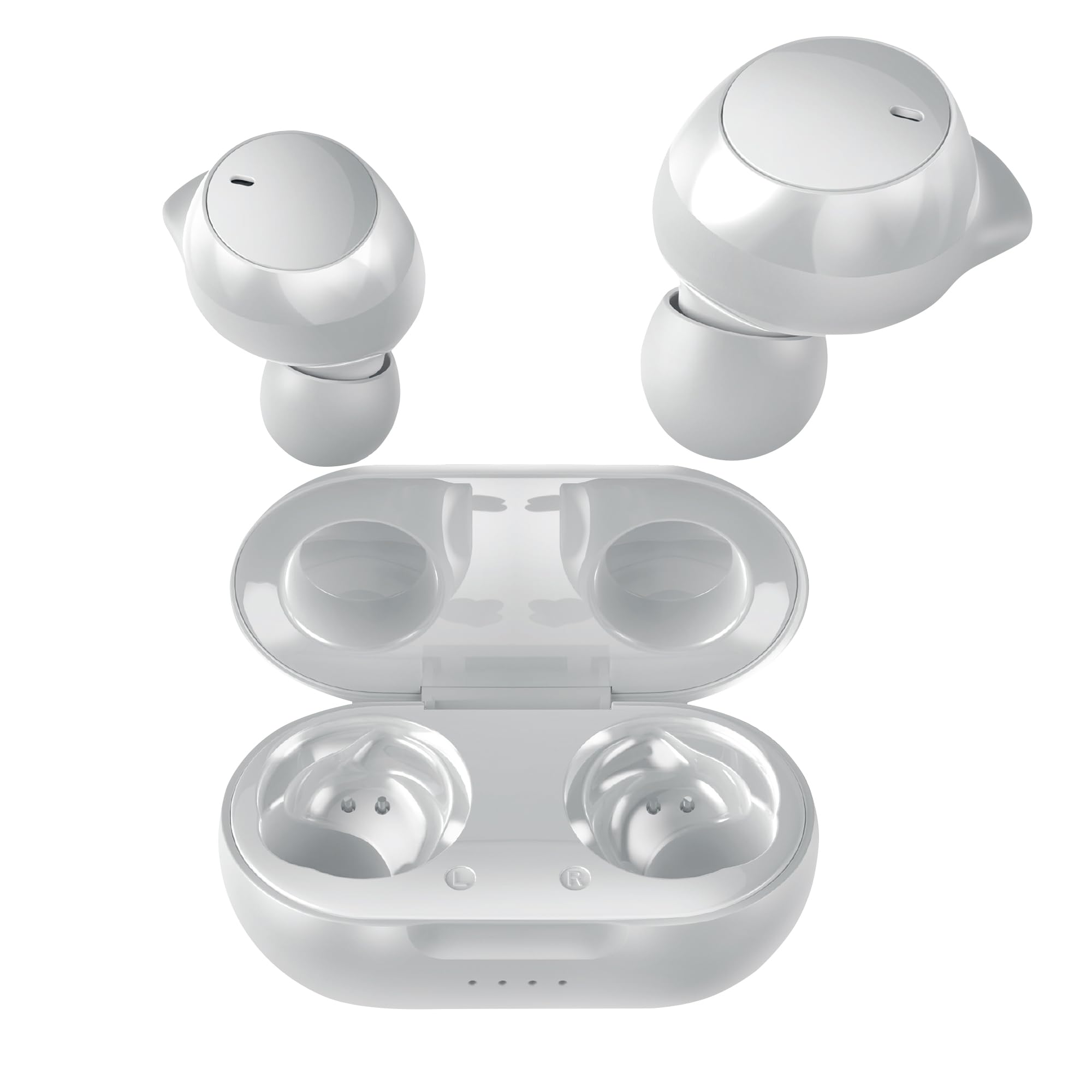
Image: Coby Pro Fitness True Wireless Earbuds and their charging case.
Nastavitev
Vsebina paketa
- Coby Pro Fitness True Wireless Earbuds (Left and Right)
- etui za polnjenje
- USB polnilni kabel
- Silikonski ušesni nastavki različnih velikosti
- Uporabniški priročnik
Polnjenje slušalk in etuija
- Place the earbuds into the charging case, ensuring they are correctly seated in their respective slots.
- Priključite polnilni kabel USB v polnilno vtičnico na ohišju, drugi konec pa v vir napajanja USB (npr. stenski adapter, vrata USB računalnika).
- The indicator lights on the charging case will illuminate to show charging status. A full charge typically takes approximately 1-2 hours for the earbuds and 2-3 hours for the case.
- Ko je naprava popolnoma napolnjena, se bodo indikatorske lučke spremenile ali ugasnile. Odklopite polnilni kabel.
Začetno seznanjanje
Follow these steps to pair your earbuds with your device for the first time:
- Ensure the earbuds are charged. Open the charging case. The earbuds will automatically enter pairing mode, indicated by a flashing LED light on one or both earbuds.
- Na pametnem telefonu, tabličnem računalniku ali drugi napravi, ki podpira Bluetooth, pojdite v nastavitve Bluetooth.
- Iskanje available devices. You should see "Coby CETW553" or a similar name appear in the list.
- Select "Coby CETW553" to connect. Once connected, you will hear an audio prompt, and the earbud LED lights will stop flashing.

Image: Illustration of earbuds automatically pairing with a smartphone.
Nošenje ušesnih čepkov
For optimal sound quality and a secure fit, choose the correct size ear tips and insert the earbuds properly:
- Experiment with the different sizes of silicone ear tips provided to find the pair that creates a comfortable and snug seal in your ear canal. A good seal is crucial for noise isolation and bass response.
- Gently insert each earbud into your ear, twisting slightly until it feels secure and comfortable. The earbuds are ergonomically designed to stay in place during physical activity.

Image: A woman demonstrating the snug and secure fit of the ear tips.
Upravljanje slušalk
Vklop/izklop
- Vklop: Odprite polnilno ohišje in slušalke se bodo samodejno vklopile. Lahko pa pritisnete in 3 sekunde držite območje za upravljanje na dotik na obeh slušalkah.
- Ugasniti: Place the earbuds back into the charging case and close the lid. They will automatically power off. Alternatively, press and hold the touch control area on both earbuds for 5 seconds.
Predvajanje glasbe
- Predvajanje/pavza: Enkrat se dotaknite območja za upravljanje na dotik na kateri koli slušalki.
- Naslednja skladba: Dvakrat tapnite območje za upravljanje na dotik na desni slušalki.
- Prejšnja skladba: Dvakrat tapnite območje za upravljanje na dotik na levi slušalki.
- Povečaj glasnost: Trikrat tapnite območje za upravljanje na dotik na desni slušalki.
- Znižaj glasnost: Trikrat tapnite območje za upravljanje na dotik na levi slušalki.
Upravljanje klicev
- Sprejmi/končaj klic: Enkrat se dotaknite območja za upravljanje na dotik na kateri koli slušalki.
- Zavrni klic: Pritisnite in držite območje za upravljanje na dotik na kateri koli slušalki 2 sekundi.
Glasovni pomočnik
The earbuds are compatible with Siri and Google Assistant. To activate your device's voice assistant:
- Aktiviranje glasovnega pomočnika: Pritisnite in držite območje za upravljanje na dotik na kateri koli slušalki 2 sekundi (ko ne kličete).

Image: Earbuds shown with compatibility logos for Siri and Google Assistant.
Vzdrževanje
Čiščenje
- Regularly clean the earbuds and charging case to ensure optimal performance and hygiene.
- Use a soft, dry, lint-free cloth to wipe the exterior surfaces of the earbuds and case.
- For ear tips, remove them from the earbuds and wash with mild soap and water. Rinse thoroughly and allow them to dry completely before reattaching.
- Gently remove any earwax or debris from the earbud mesh using a clean, dry cotton swab or a small, soft brush. Avoid using sharp objects.
Shranjevanje
- Ko slušalk ne uporabljate, jih vedno shranite v polnilno škatlico, da jih zaščitite pred poškodbami in jih napolnite.
- Store the charging case and earbuds in a cool, dry place, away from extreme temperatures, humidity, and direct sunlight.
Odpravljanje težav
| Izdaja | rešitev |
|---|---|
| Slušalke se ne seznanijo z napravo |
|
| Deluje samo ena slušalka |
|
| Brez zvoka ali nizke glasnosti |
|
| Polnilna torbica se ne polni |
|
Specifikacije
| Funkcija | Podrobnost |
|---|---|
| Številka modela | COBY-CETW553 |
| Tehnologija povezljivosti | Brezžično (Bluetooth) |
| Različica Bluetooth | 5.3 |
| Namestitev ušesa | V ušesu |
| Nadzor hrupa | Zvočna izolacija |
| Stopnja vodoodpornosti | Vodoodporno (odporno na znoj) |
| Povprečna življenjska doba baterije (slušalke) | 5 ur (na polnjenje) |
| Frekvenčno območje | 20 Hz - 20,000 Hz |
| Vrsta zvočnega gonilnika | Dinamični gonilnik |
| Nadzorna metoda | Glas, dotik |
| Združljive naprave | Smartphones, Tablets, Smart Speakers, Laptops, Desktops |
| Material | Silikonski (ušesni nastavki) |
| Teža predmeta | 1.4 unč |
Informacije o garanciji
The Coby Pro Fitness True Wireless Earbuds (Model CETW553) come with a 90-dnevna garancija proizvajalca. This warranty covers defects in materials and workmanship under normal use. Please retain your proof of purchase for warranty claims. For specific terms and conditions, or to initiate a warranty claim, please refer to the official Coby webspletno mesto ali se obrnite na podporo strankam.
Podpora
If you encounter any issues not covered in this manual or require further assistance, please visit the official Coby website for FAQs, support resources, and contact information. You can typically find support details on the product page or in the 'Support' section of the Coby brand webmesto.