
BrosTrend AX300
BrosTrend AX300 USB WiFi 6 Linux Adapter User Manual
Model: AX300 | Brand: BrosTrend
1. Uvod
This manual provides detailed instructions for the installation, operation, and maintenance of your BrosTrend AX300 USB WiFi 6 Linux Compatible Adapter. The AX300 is designed to upgrade your Linux devices with WiFi 6 connectivity, offering enhanced wireless performance on the 2.4GHz band.

Image: The BrosTrend AX300 USB WiFi 6 Linux Adapter, a compact black USB dongle.
2. Ključne značilnosti
- WiFi 6 Connectivity for Linux: Upgrades Linux devices with WiFi 6 technologies including OFDMA, Beamforming, and BSS Color for improved performance. Operates exclusively on the 2.4GHz band.
- Broad Linux Compatibility: Supports Kernels up to 6.14 and a wide range of Linux distributions such as Ubuntu (all flavors), Raspberry Pi OS 8-12, Debian 8-13, Linux Mint 18-22, LMDE 1-6, Zorin, MX Linux, Linux Lite, elementary OS, and more.
- Reliable 2.4GHz Performance: Delivers wireless speeds up to 286Mbps on the 2.4GHz band, suitable for browsing and video streaming. 5GHz band is not supported.
- Enhanced WiFi Range: Utilizes Beamforming technology to receive focused signals from compatible routers, providing broader and more consistent coverage.
- Izjemno kompakten dizajn: Measures approximately 0.83 × 0.59 × 0.28 inches, ensuring it does not obstruct adjacent USB ports and is ideal for portability.
- WPA3 Encryption Support: Provides enhanced security for your wireless connection.
- Podpora za strojno opremo: Compatible with x86_64/x86_32 PCs and aarch64/armhf devices like Raspberry Pi 2+.
3. Vsebina paketa
The BrosTrend AX300 package includes the following items:
- 1 x BrosTrend AX300 Nano Linux WiFi 6 USB Adapter
- 1 x Instruction Script for Linux OS
4. Sistemske zahteve in združljivost
4.1 Podprti operacijski sistemi
The BrosTrend AX300 is compatible with various Linux distributions and kernels:
- Linux Kernels up to 6.14
- Ubuntu 16.04 to 24.10 (all flavors including Kubuntu, Lubuntu, Xubuntu, Mate, GNOME, Studio, Budgie, Unity, Cinnamon, Kylin)
- Raspberry Pi OS 8 to 12
- Debian 8 to 13
- Linux Mint 18 to 22
- LMDE 1 to 6
- Zorin OS, MX Linux, Linux Lite, elementary OS, KDE neon, SparkyLinux, Peppermint OS, Q4OS, Parrot OS, Devuan, PureOS, Bodhi Linux

Image: Visual representation of various Linux distribution logos indicating compatibility.
4.2 Nepodprti operacijski sistemi
The following distributions are currently ni združljivo with the BrosTrend AX300:
- Arch Linux, Fedora Workstation, Kali Linux, deepin, Pop! OS, antiX, Manjaro, RHEL, CentOS, openSUSE Leap, OpenWrt, Guix, Puppy, Tails, Endless OS, LibreELEC, OSMC, SteamOS.
4.3 Združljivost strojne opreme
The adapter supports:
- x86_64/x86_32 architectures (e.g., standard PCs)
- aarch64/armhf architectures (e.g., Raspberry Pi 2 and newer models)
5. Namestitev in namestitev gonilnikov
Proper driver installation is essential for the BrosTrend AX300 to function correctly on your Linux system. Please follow these steps carefully:
- Do not plug in the WiFi adapter yet.
- Ensure an active internet connection: For initial driver installation, your Linux device must have an existing internet connection (e.g., via Ethernet or another working WiFi adapter).
- Locate the Linux Driver Installation Guide: Refer to the instruction script included in your product package for detailed steps on how to download and install the driver.
- Install the Linux driver: Follow the instructions provided in the guide to install the necessary drivers for your specific Linux distribution.
- Plug in the WiFi adapter: Once the driver installation is complete, insert the BrosTrend AX300 USB WiFi adapter into an available USB 2.0 port on your computer or Raspberry Pi.
- Preveri povezavo: After plugging in, your system should detect the adapter, and you can then connect to a 2.4GHz WiFi network.
Pomembna opomba:
- ⚠ Internet connection is required for the initial driver download.
- ⚠ Install the Linux driver BEFORE plugging in your WiFi adapter.
Video: An introductory video demonstrating the BrosTrend AX300 Linux WiFi 6 USB Adapter and its features.
6. Navodila za uporabo
Once the driver is installed and the adapter is plugged in, your Linux system should recognize the BrosTrend AX300 as a network device.
- Povežite se z omrežjem WiFi: Use your system's network manager to scan for available WiFi networks.
- Select 2.4GHz Network: Choose a 2.4GHz network from the list. The AX300 operates only on this frequency band.
- Vnesite geslo: If prompted, enter the WiFi password for your chosen network.
- Preverite povezavo: Confirm that your device is successfully connected to the internet.
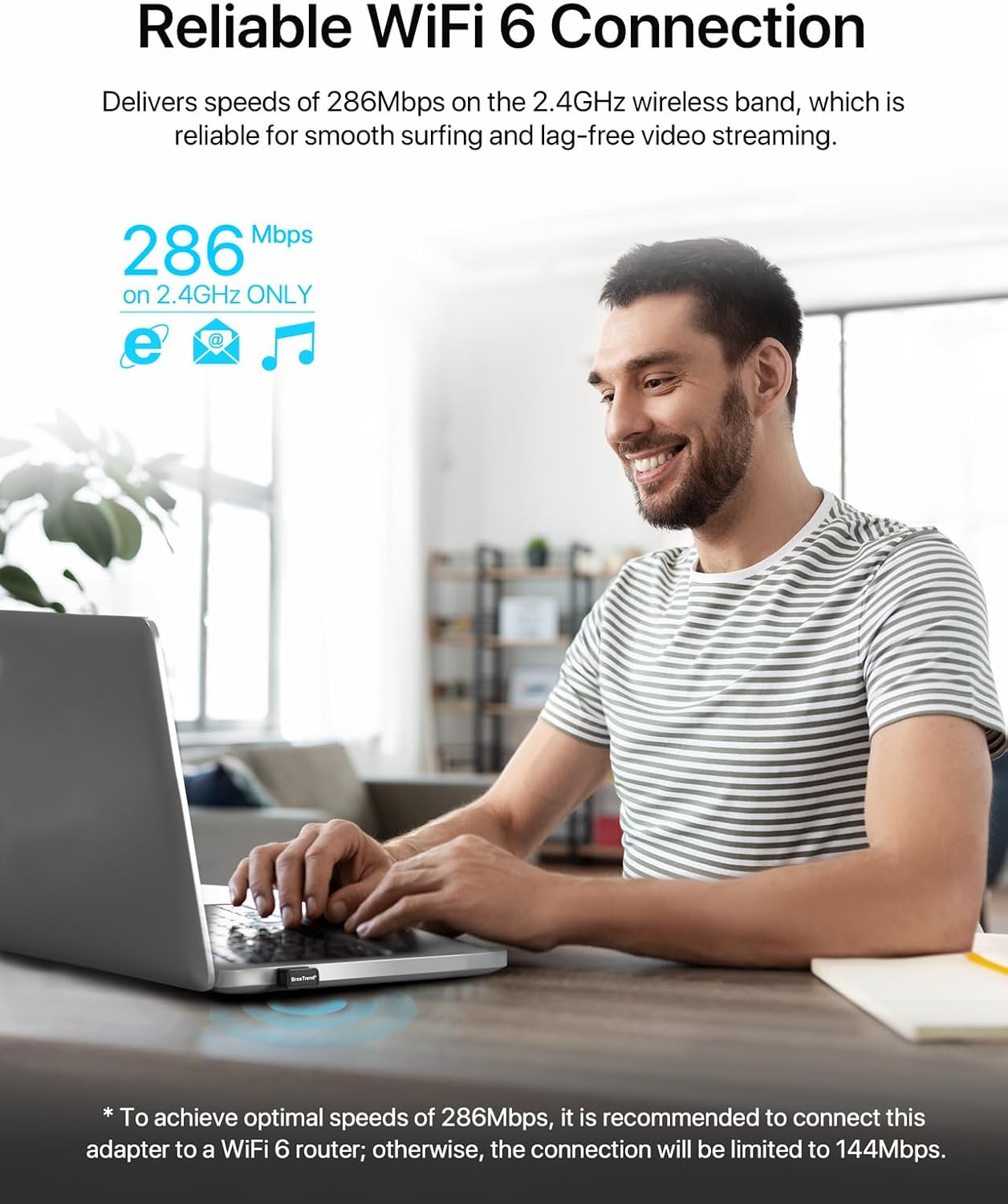
Image: A person using a laptop with the BrosTrend AX300 adapter, illustrating seamless WiFi connection.
6.1 Optimizacija zmogljivosti
- For optimal speeds of 286Mbps, connect the adapter to a WiFi 6 compatible router. Otherwise, the connection speed may be limited to 144Mbps.
- Position your device within a reasonable range of your WiFi router to benefit from Beamforming technology and maintain a strong signal.

Image: Diagram illustrating how Beamforming technology directs WiFi signals for better range and consistency.
7. Vzdrževanje
To ensure the longevity and optimal performance of your BrosTrend AX300 adapter:
- Adapter naj bo čist in brez prahu.
- Adapterja ne izpostavljajte ekstremnim temperaturam ali vlagi.
- Naprave ne poskušajte razstaviti ali popraviti sami.
- Store in a safe place when not in use, especially given its ultra-small size.

Image: The BrosTrend AX300 adapter shown next to an SD card, highlighting its compact dimensions.
8. Odpravljanje težav
8.1 Adapter Not Detected / No WiFi Connection
- Namestitev gonilnika: Ensure the Linux driver has been correctly installed as per Section 5. A common issue is plugging in the adapter before installing the driver.
- Internet Connection for Driver: Remember that an internet connection is required to download the driver initially. If you lack internet access, you may need to download the driver on another device and transfer it via USB.
- Vrata USB: Poskusite priključiti adapter v drug USB vhod.
- Ponovni zagon sistema: Sometimes a system reboot after driver installation can resolve detection issues.
- Različica jedra: Verify your Linux kernel version is supported (up to 6.14).
- Unsupported OS: Confirm your Linux distribution is listed as supported in Section 4.2.
8.2 Slow Connection Speeds
- Združljivost usmerjevalnika: For maximum speeds (286Mbps), ensure your router is WiFi 6 compatible. Otherwise, speeds may be capped at 144Mbps.
- 2.4 GHz pas: The AX300 operates only on the 2.4GHz band. Ensure you are connected to a 2.4GHz network and not a 5GHz network (if your router offers both).
- Motnje: Reduce interference from other electronic devices (microwaves, cordless phones) and physical obstructions (walls, large furniture).
- Oddaljenost od usmerjevalnika: Za izboljšanje moči signala se premaknite bližje usmerjevalniku WiFi.
9. Specifikacije
| Znamka | BrosTrend |
| Številka modela | AX300 |
| Strojni vmesnik | USB 2.0 |
| Brezžični standard | WiFi 6 (IEEE 802.11ax) |
| Frekvenčni pas | 2.4GHz (5GHz NOT supported) |
| Hitrost prenosa podatkov | Up to 286 Mbps (on 2.4GHz) |
| Protokol podatkovne povezave | IEEE802.11a |
| Dimenzije izdelka | 0.83 x 0.59 x 0.28 palcev (2.1 x 1.5 x 0.7 cm) |
| Teža predmeta | 1.06 unče (30 gramov) |
| Varnost | WPA3 encryption support |
| Compatible OS Family | Linux (specific distributions listed in Section 4) |
Note: The data link protocol listed as IEEE 802.11a in the source data typically refers to 5GHz operation, while this device operates on 2.4GHz and supports WiFi 6 (802.11ax).
10. Garancija in podpora
BrosTrend products typically come with a manufacturer's warranty. Please refer to the warranty information provided in your product packaging or on the official BrosTrend website for details regarding warranty duration and terms.
For technical support, driver assistance, or any inquiries, please contact BrosTrend customer support. Contact information can usually be found on the BrosTrend webspletnem mestu ali v dokumentaciji, ki je priložena vašemu izdelku.
You can also visit the official BrosTrend store on Amazon for more information and support resources: Trgovina BrosTrend Amazon
Ask a question about this manual
Ask about setup, troubleshooting, compatibility, parts, safety, or missing instructions. Manuals+ will review the question and use this page’s manual context to help answer it.