
Uvod
The Anderic RR1004 is a universal TV remote control designed for simplicity and ease of use, particularly beneficial for seniors, individuals in assisted living, or anyone seeking a straightforward television control experience. Its large, glow-in-the-dark buttons and minimalist layout reduce complexity, focusing on essential functions for effortless TV operation.
This manual provides comprehensive instructions for setting up, operating, and maintaining your Anderic RR1004 remote control.
Ključne značilnosti
- Large, Glow-in-the-Dark Buttons: Designed for enhanced visibility and ease of use in various lighting conditions.
- Simplified Layout: Features only essential controls (Power, Volume, Channel, Mute, Closed Captioning) to prevent confusion.
- Broad IR Compatibility: Works with most standard IR (infrared) TVs, including major brands like LG, Samsung, and Sony.
- Funkcija učenja: Allows copying functions from an existing IR remote for customized control, such as input or streaming buttons.
- Pre-programmed for LG TVs: Ready to use with LG televisions right out of the box.
- Trajna zasnova: Built for reliability in various environments, including hospitality and healthcare settings.
- Wrist Lanyard Attachment: Provides a convenient way to keep the remote accessible and prevent loss.
Vsebina paketa
- Anderic RR1004 Big Button TV Remote Control
- Navodila za uporabo (ta dokument)
- Opomba: Potrebne so 2 baterije AAA, ki niso priložene.
Nastavitev
1. Namestitev baterije
Daljinski upravljalnik Anderic RR1004 za delovanje potrebuje dve (2) bateriji AAA. Pri vstavljanju baterij pazite na pravilno polarnost.
- Poiščite pokrov prostora za baterije na zadnji strani daljinskega upravljalnika.
- Potisnite pokrov navzdol, da odprete predal.
- Vstavite dve bateriji AAA, pri čemer se pozitivni (+) in negativni (-) pol ujemata, kot je označeno v notranjosti predala.
- Potisnite pokrov nazaj na mesto, dokler se ne zaskoči.

Slika: Zadaj view of the Anderic RR1004 remote control, highlighting the easy-removable battery cover and the small wrist lanyard attachment point. This design helps prevent battery loss and keeps the remote accessible.

Slika: The Anderic RR1004 remote control displayed alongside two AAA batteries, illustrating the battery type required. The image also shows the remote's dimensions: 5.75 inches in length, 2 inches in width, and 1 inch in thickness, emphasizing its compact yet easy-to-handle size.
2. Initial TV Programming
The RR1004 is pre-programmed for LG TVs and may work immediately. For other TV brands, follow the steps below to program the remote.
Automatic Code Search (3-Step Modification)
This method allows the remote to scan through its internal code database to find a compatible code for your TV.
- Vklopite televizor želite nadzorovati.
- Pritisnite in držite MOČ gumb in CH+ button simultaneously for approximately three seconds. The remote's indicator light will illuminate, signifying it is in programming mode.
- While pointing the remote at the TV, press and release either the CH+ or CH- button repeatedly. Each press sends a new code. Stop when the TV turns off.
- Ko se televizor izklopi, pritisnite NASTAVI gumb za shranjevanje kode. Indikatorska lučka bo ugasnila.
Test the remote's functions (Power, Volume, Channel). If not all functions work correctly, repeat the process, stopping at a different code when the TV turns off.
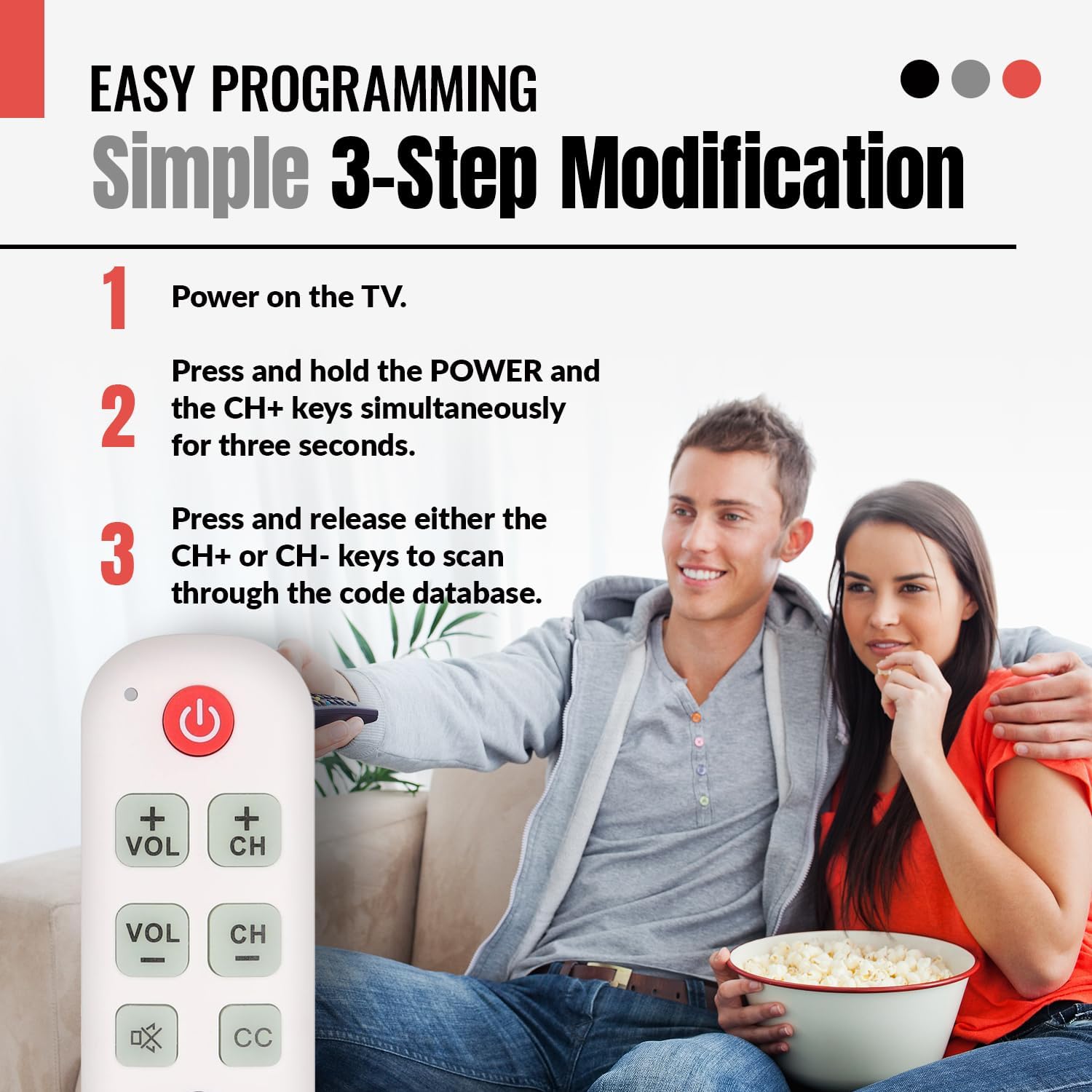
Slika: A visual guide illustrating the simple 3-step programming process for the Anderic RR1004 remote control. It shows a user pressing the POWER and CH+ buttons, then repeatedly pressing CH+ or CH- to find the correct code for their TV.

Slika: The Anderic RR1004 remote control in use with an LG HDTV, demonstrating its instant plug-and-play setup for LG models. This image highlights the convenience for users with LG televisions, requiring no programming.
3. Learning Function (Copying from Original Remote)
The learning function allows the RR1004 to copy infrared signals from your existing IR remote control. This is useful for adding functions not present on the RR1004, such as an "Input" button or specific streaming service buttons, provided your original remote is IR-based.
Pomembno: The learning function does not work with RF (Radio Frequency) or Bluetooth remotes. Ensure both remotes have fresh batteries and are pointed directly at each other during the learning process. Perform learning in a low-light environment to avoid interference.
- Place the Anderic RR1004 and your original remote control on a flat surface, facing each other, with their IR emitters aligned and approximately 1-2 inches apart.
- Pritisnite in držite NASTAVI button on the RR1004 for approximately three seconds until the indicator light illuminates steadily.
- Press the button on the RR1004 that you wish to program (e.g., the MOČ button if you want to learn a different power code). The indicator light will flash slowly.
- Press and hold the corresponding button on your original remote control (e.g., its Power button). The indicator light on the RR1004 will flash rapidly, then turn solid, indicating successful learning.
- Ponovite koraka 3 in 4 za vse druge gumbe, ki jih želite programirati.
- After programming all desired buttons, press the NASTAVI button on the RR1004 to exit learning mode. The indicator light will turn off.
Test the newly programmed buttons. If a button does not work, repeat the learning process for that specific button.

Slika: An illustration showing the Anderic RR1004 remote control connected via a dashed line to a cable box, which in turn is connected to a TV. This demonstrates the remote's capability to control both a TV and a cable box, especially through its learning function for cable box commands.
Navodila za uporabo
The Anderic RR1004 remote control features a minimalist design with clearly labeled, large buttons for essential TV functions.

Slika: Jasna fronta view of the Anderic RR1004 Big Button TV Remote Control, showcasing its large, distinct buttons for Power, Volume Up/Down, Channel Up/Down, Mute, Closed Captioning, and the SET button for programming. The remote is white with green and red buttons, and features a small wrist lanyard.

Slika: The Anderic RR1004 remote control with a red circle highlighting the glow-in-the-dark keys for Volume, Channel, Mute, and Closed Captioning. This feature enhances accessibility and ease of use in low-light conditions, making it ideal for seniors.
- MOČ Gumb: Vklopi ali izklopi TV.
- VOL + / VOL- Gumbi: Increases or decreases the television's volume.
- CH+ / CH- Gumbi: Spremeni televizijski kanal navzgor ali navzdol.
- MUTE Button (Speaker with X): Utiša ali vklopi zvok televizorja.
- CC Gumb: Vklopi ali izklopi podnapise.
- NASTAVI Gumb: Used for programming the remote control. Not for daily TV operation.
Vzdrževanje
- Čiščenje: Daljinski upravljalnik obrišite z mehko, suho krpo. Ne uporabljajte tekočih čistil ali abrazivnih materialov.
- Zamenjava baterije: Replace batteries when the remote's performance diminishes or the indicator light does not respond. Always replace both AAA batteries simultaneously with new ones.
- Shranjevanje: Daljinski upravljalnik shranjujte na hladnem in suhem mestu, stran od neposredne sončne svetlobe in ekstremnih temperatur.
Odpravljanje težav
| Težava | Možen vzrok | rešitev |
|---|---|---|
| Daljinec ne deluje. |
|
|
| Nekateri gumbi po programiranju ne delujejo. |
|
|
| Learning function does not work. |
|
|
Specifikacije
- Model: RR1004
- Dimenzije: 5.75 x 2 x 1 inches (Length x Width x Thickness)
- Teža artikla: 1.76 unč (brez baterij)
- vir energije: 2 x AAA baterije (niso priložene)
- Združljivost: Most IR (Infrared) TVs (LG, Samsung, Sony, etc.)
- Posebne lastnosti: Glow-in-the-dark buttons, Learning Function, Simplified Layout
- Proizvajalec: Dan's Electronics Etc., Inc.
Garancija in podpora
For warranty information or technical support regarding your Anderic RR1004 remote control, please contact the manufacturer, Dan's Electronics Etc., Inc., or refer to the official Anderic webspletnega mesta. Račun shranite kot dokazilo o nakupu za morebitne garancijske zahtevke.
Proizvajalec: Dan's Electronics Etc., Inc.
Za dodatno pomoč obiščite Trgovina Anderic na Amazonu.