
1. Uvod
This manual provides instructions for the proper setup, operation, and maintenance of your Tera 3106-2 1D USB Wired Barcode Scanner. Please read this manual thoroughly before using the device to ensure optimal performance and longevity.
2. Izdelek je končanview
The Tera 3106-2 is a high-speed, accurate 1D barcode scanner designed for various applications including retail, small businesses, libraries, and warehouses. It features a plug-and-play USB connection and supports multiple customization options.

Slika 2.1: The Tera 3106-2 scanner is designed to be eye-safe, operating without a visible laser.
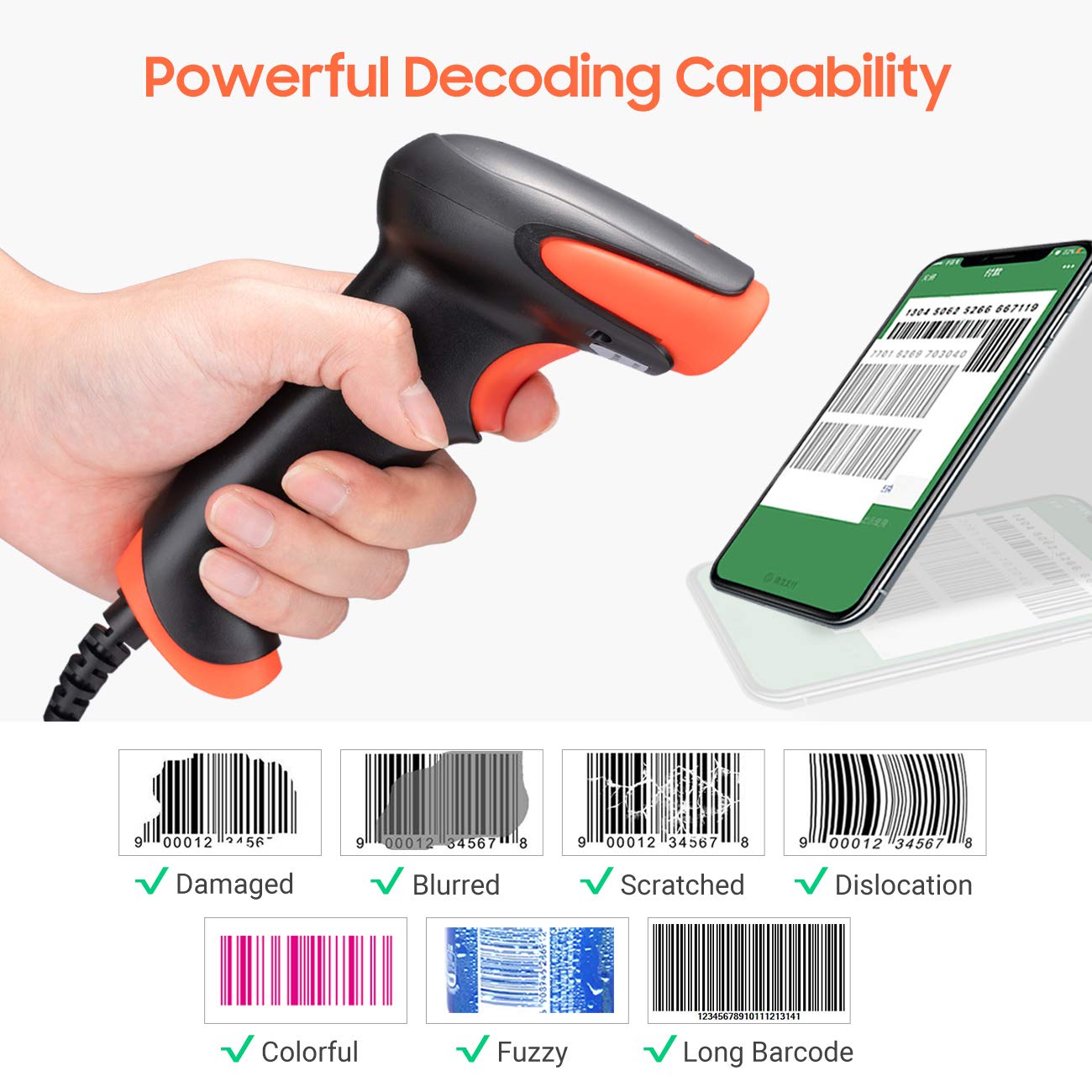
Slika 2.2: The scanner offers powerful decoding capabilities, accurately reading damaged, blurred, scratched, dislocated, colorful, fuzzy, and long 1D barcodes.
3. Vsebina paketa
- Tera 3106-2 Barcode Scanner x1
- Uporabniški priročnik x1
4. Nastavitev
The Tera 3106-2 barcode scanner is designed for simple plug-and-play operation. No additional drivers or software installation is required for most systems.
- Priključite USB kabel: Plug the USB cable of the scanner into an available USB 2.0 port on your computer (desktop or laptop).
- Prepoznavanje sistema: Your operating system (Windows, Linux, macOS, iOS, Android) will automatically detect and install the necessary device drivers. This process may take a few moments.
- Pripravljeno za uporabo: Once the system indicates that the device is ready, the scanner can be used with applications such as Word, Excel, Novell, or other common software that accepts keyboard input.

Slika 4.1: The scanner is compatible with various devices and operating systems, including Windows, Linux, macOS, iOS, and Android.
5. Navodila za uporabo
5.1 Osnovno skeniranje
To scan a barcode, aim the scanner's light beam at the center of the barcode. A successful scan will typically be indicated by an audible beep and/or a visual confirmation (e.g., LED indicator). The decoded data will appear in the active input field on your connected device.
5.2 Načini skeniranja
Skener podpira dva glavna načina skeniranja:
- Ročno skeniranje: Press the trigger button to initiate a scan. This is the default mode.
- Auto Continuous Scanning: The scanner continuously emits a scan beam, automatically reading barcodes presented to it without needing to press the trigger.
To switch between these modes, refer to the configuration barcodes provided in the supplementary user guide or quick start sheet that came with your scanner. Scan the appropriate barcode to change the mode.
6. Možnosti prilagajanja
The Tera 3106-2 scanner offers various customization settings to adapt to your specific needs. These settings are typically configured by scanning special barcodes found in the included user guide.
- Predpona/pripona: Dodajte znake po meri pred ali za skenirane podatke.
- obseg: Prilagodite glasnost potrditvenega piska za skeniranje.
- Terminator: Configure the character sent after the barcode data (e.g., Carriage Return, Tab).
- Upper/Lower Case: Convert scanned data to all uppercase or all lowercase.
- Jezik tipkovnice: Select the appropriate keyboard layout for your region. Supported languages include English, Spanish, German, French, Italian, Japanese, and more.
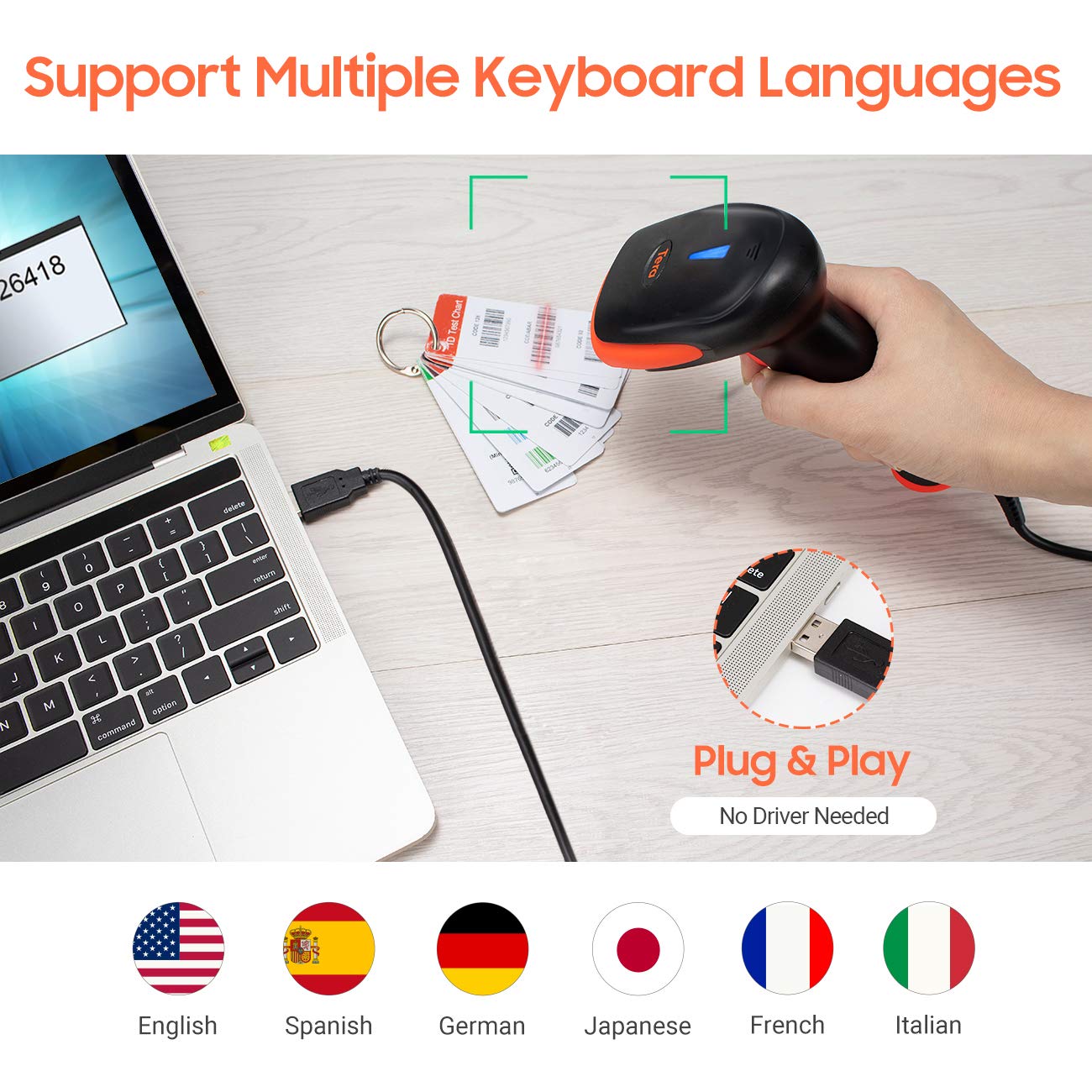
Slika 6.1: The scanner supports multiple keyboard languages for diverse international use.

Slika 6.2: Customize barcode output by adding prefixes, suffixes, or hiding specific digits.
7. Supported Barcodes
This scanner is compatible with a wide range of 1D barcode symbologies, including but not limited to:
- UPC&EAN (UPC-A, UPC-E, EAN-8, EAN-13)
- Koda 39, KODA 32, Koda 93, KODA 11, Koda 128, UCC-EAN128
- ISSN, ISBN
- CODABAR, MSI
- Interleaved 2 of 5, Matrix 2 of 5, Industrial 2 of 5
- In več.
The scanner also supports reading 1D barcodes directly from digital screens.
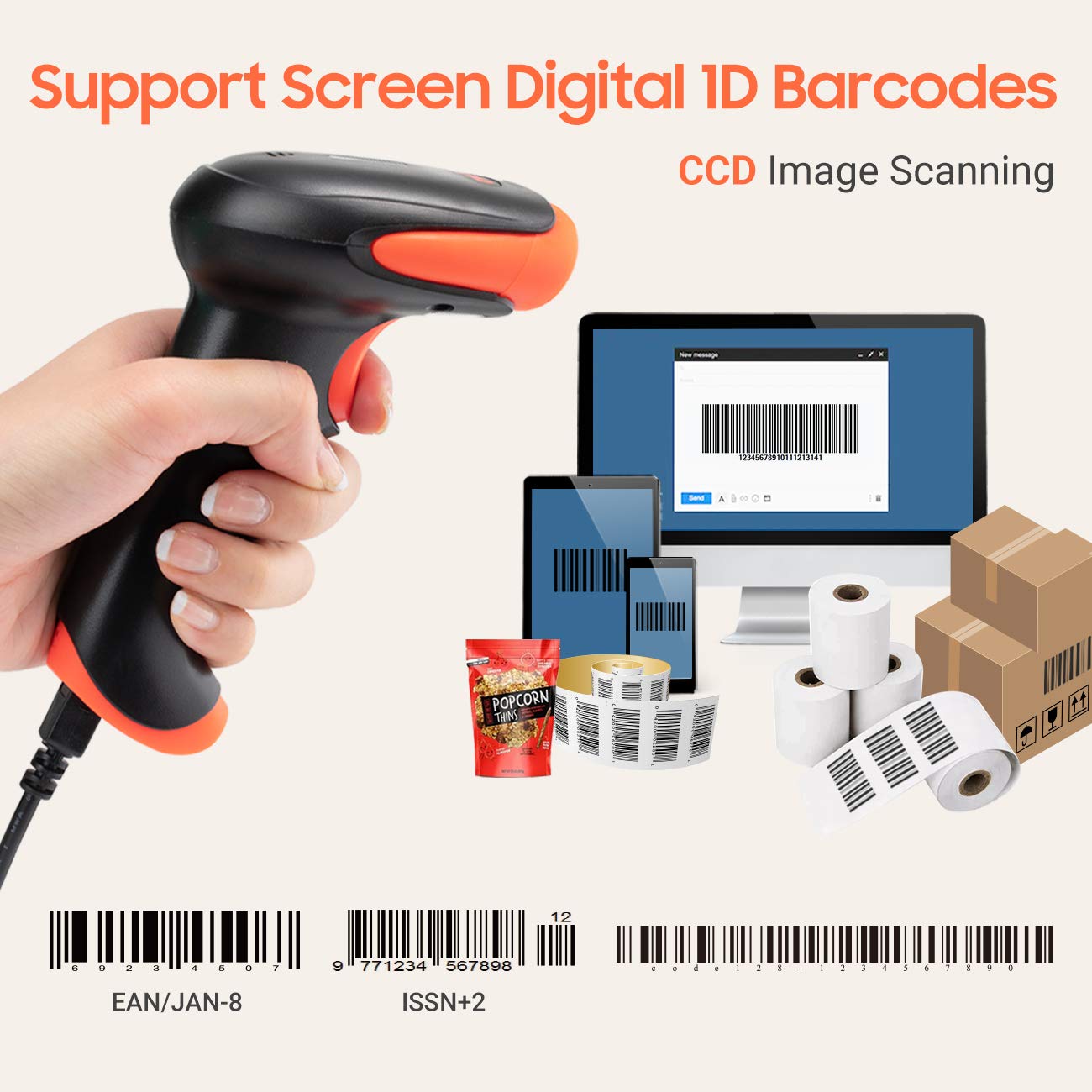
Slika 7.1: The scanner supports reading 1D barcodes from various sources, including digital screens and printed labels.
8. Vzdrževanje
- Čiščenje: Use a soft, dry cloth to clean the scanner's exterior. For the scanning window, use a soft, lint-free cloth lightly dampz vodo ali blagim, neabrazivnim čistilom. Izogibajte se agresivnim kemikalijam.
- Shranjevanje: Skener shranjujte na hladnem in suhem mestu, stran od neposredne sončne svetlobe in ekstremnih temperatur.
- Ravnanje: Avoid dropping the scanner or subjecting it to strong impacts. Do not attempt to disassemble the device.
9. Odpravljanje težav
| Težava | Možen vzrok | rešitev |
|---|---|---|
| Skener se ne vklopi ali ne odziva. | Kabel USB ni pravilno priključen ali pa so vrata USB okvarjena. | Prepričajte se, da je kabel USB varno priključen tako v optični bralnik kot v računalnik. Poskusite z drugim vhodom USB. |
| Scanner reads barcodes slowly or inaccurately. | Barcode is damaged, blurred, or poorly printed. Insufficient lighting. Scanner window is dirty. | Ensure the barcode is clear and well-lit. Clean the scanner window. Try scanning from a different angle or distance. |
| Scanner does not read barcodes from digital screens. | Screen brightness is too low or glare is present. | Increase screen brightness. Adjust the angle of the scanner to minimize glare. Ensure the barcode is fully displayed on the screen. |
| Scanned data appears incorrectly (e.g., wrong characters, missing digits). | Incorrect keyboard language setting. Prefix/suffix or other data formatting settings are active. | Verify the keyboard language setting matches your computer's keyboard layout. Review and adjust prefix/suffix or other data formatting settings using the configuration barcodes. |
| Optični bralnik piska, vendar se podatki ne prenašajo. | Application not in focus or not accepting input. | Ensure the cursor is in the desired input field of your application. Test with a simple text editor like Notepad. |
10. Specifikacije
| Funkcija | Podrobnost |
|---|---|
| Model | 3106-2 |
| Vrsta skeniranja | 1D Laser (Eye Safe) |
| Povezljivost | USB Wired (USB 2.0) |
| Hitrost skeniranja | Up to 300 scans per second |
| Stopnja napak | 1 in 5 million scans |
| Združljive naprave | Namizni računalnik, prenosni računalnik |
| Združljivi sistemi | Windows, Linux, macOS, iOS, Android |
| Vir napajanja | Električni z žico (prek USB-ja) |
| Mere izdelka (D x Š x V) | 7.9 x 19.3 x 10.4 centimetrov |
| Supported 1D Barcodes | UPC&EAN, UPC-A, UPC-E, Code 39, CODE32, Code 93, CODE11, Code 128, UCC-EAN128, EAN-8, EAN-13, ISSN, ISBN, CODABAR, MSI, Interleaved 2 of 5, Matrix 2 of 5, Industrial 2 of 5, etc. |
11. Garancija in podpora
For warranty information, technical support, or service inquiries, please refer to the contact details provided with your purchase documentation or visit the official Tera webspletnega mesta. Prosimo, shranite dokazilo o nakupu za uveljavljanje garancije.