
1. Uvod
Hvala za nakupasing the Herneum 0202B-BK1 Bluetooth CD Player Boombox. This device offers versatile audio playback options including CD, Bluetooth, FM radio, USB, and Aux-in. It features a built-in rechargeable battery for portability and comes with a remote control for convenient operation. Please read this manual carefully before using the product to ensure proper operation and to maximize its lifespan.
2. Varnostne informacije
- Do not expose the unit to rain, moisture, or direct sunlight.
- Izogibajte se postavljanju enote v bližino virov toplote, kot so radiatorji, grelniki, štedilniki ali druge naprave (vključno amplifiers), ki proizvajajo toploto.
- Uporabljajte samo priključke/dodatke, ki jih je določil proizvajalec.
- Izklopite napravo med nevihtami ali ko je dlje časa ne uporabljate.
- Ne blokirajte prezračevalnih odprtin. Namestite v skladu z navodili proizvajalca.
- Zaščitite napajalni kabel, da se po njem ne pohodi ali stisne, zlasti pri vtičih, vtičnicah in na mestu, kjer izstopa iz naprave.
- Za vse servise se obrnite na usposobljeno servisno osebje. Servis je potreben, če je bil aparat kakor koli poškodovan, na primer poškodovan je napajalni kabel ali vtič, je bila polita tekočina ali so v aparat padli predmeti, je bil aparat izpostavljen dežju ali vlagi, ne deluje normalno , ali je bil opuščen.
- Pomembno: Before playing a CD, ensure you remove any protective cardboard or film covering the CD reader laser lens. Failure to do so may prevent the CD player from functioning correctly.
3. Vsebina paketa
Prosimo, preverite paket za naslednje artikle:
- Herneum CD Player Boombox
- Daljinski upravljalnik
- Napajalni adapter
- 3.5 mm avdio kabel
- Navodila za uporabo (ta dokument)

Image: Herneum Boombox and its accessories, including the remote, power adapter, and cables.
4. Izdelek je končanview (Controls and Ports)
Familiarize yourself with the various controls and connection ports on your boombox.

Slika: Zgoraj view of the boombox, highlighting the CD lid and main control buttons.
Kontrole na sprednji/zgornji plošči:
- Gumb za prižig: Vklopi ali izklopi enoto.
- Gumb MODE: Switches between CD, Bluetooth, FM, USB, and AUX modes.
- PLAY/PAUSE Button (►/❚❚): Zažene ali zaustavi predvajanje.
- Gumb STOP (■): Ustavi predvajanje.
- Gumb PREJŠNJE/NAZAJ (◀◀): Med predvajanjem preskoči na prejšnjo skladbo ali previje nazaj.
- Gumb NAPREJ/HITRO PREVIJAJANJE NAPREJ (►►): Preskoči na naslednjo skladbo ali hitro previje naprej med predvajanjem.
- Gumb ODPRTO/ZAPRTJE: Opens the CD compartment lid.
- Zaslon: Shows current mode, track number, FM frequency, etc.
Side/Rear Panel Ports:
- AUX IN priključek: Zunanje avdio naprave priključite s 3.5 mm avdio kablom.
- Vrata USB: Priklopi USB ključke za predvajanje MP3 datotek.
- Priključek za slušalke (3.5 mm): Priklopi slušalke za zasebno poslušanje.
- Vrata DC IN: Connects the power adapter for charging and AC power.
- FM antena: Raztegljiva antena za sprejem FM radia.
Slika: Stran view of the boombox, detailing the Aux-in, USB-in, and headphones jack.
5. Nastavitev in polnjenje
Začetno polnjenje:
The boombox features a built-in 2000mAh rechargeable battery. Before first use, it is recommended to fully charge the device.
- Connect the provided power adapter to the DC IN port on the boombox.
- Plug the power adapter into a standard AC power outlet.
- The charging indicator light (if available) will illuminate. The unit is fully charged when the indicator changes color or turns off (refer to specific product behavior).
- Popolno napolnjenost zagotavlja približno 5 ure predvajanja.
Image: Illustration showing the internal rechargeable battery of the boombox.
Vklop/izklop:
- Pritisnite MOČ button on the unit to turn it on.
- Pritisnite MOČ ponovno gumb, da ga izklopite.
6. Navodila za uporabo
Izbira načina:
Pritisnite NAČIN button repeatedly to cycle through the available modes: CD, Bluetooth, FM, USB, and AUX.
Predvajanje CD-ja:
- Pritisnite ODPRTO/ZAPRI button to open the CD compartment lid.
- Pomembno: Ensure any protective cardboard or film covering the CD laser lens is removed before inserting a CD.
- Place a CD (standard CD, CD-R/RW, MP3 CD, or audiobook CD) onto the spindle with the label side facing up.
- Gently close the CD compartment lid.
- Pritisnite NAČIN button to select CD mode. The display will show "CD" and begin reading the disc.
- Playback will start automatically. Use the PREDVAJAJ/PAVZA, STOP, PREJŠNJE/NAZAJ, in NAPREJ/HITRO NAPREJ gumbi za nadzor predvajanja.
- The boombox supports random play, repeat play (single track/all tracks), and resume play functions. Refer to the remote control section for specific button functions.
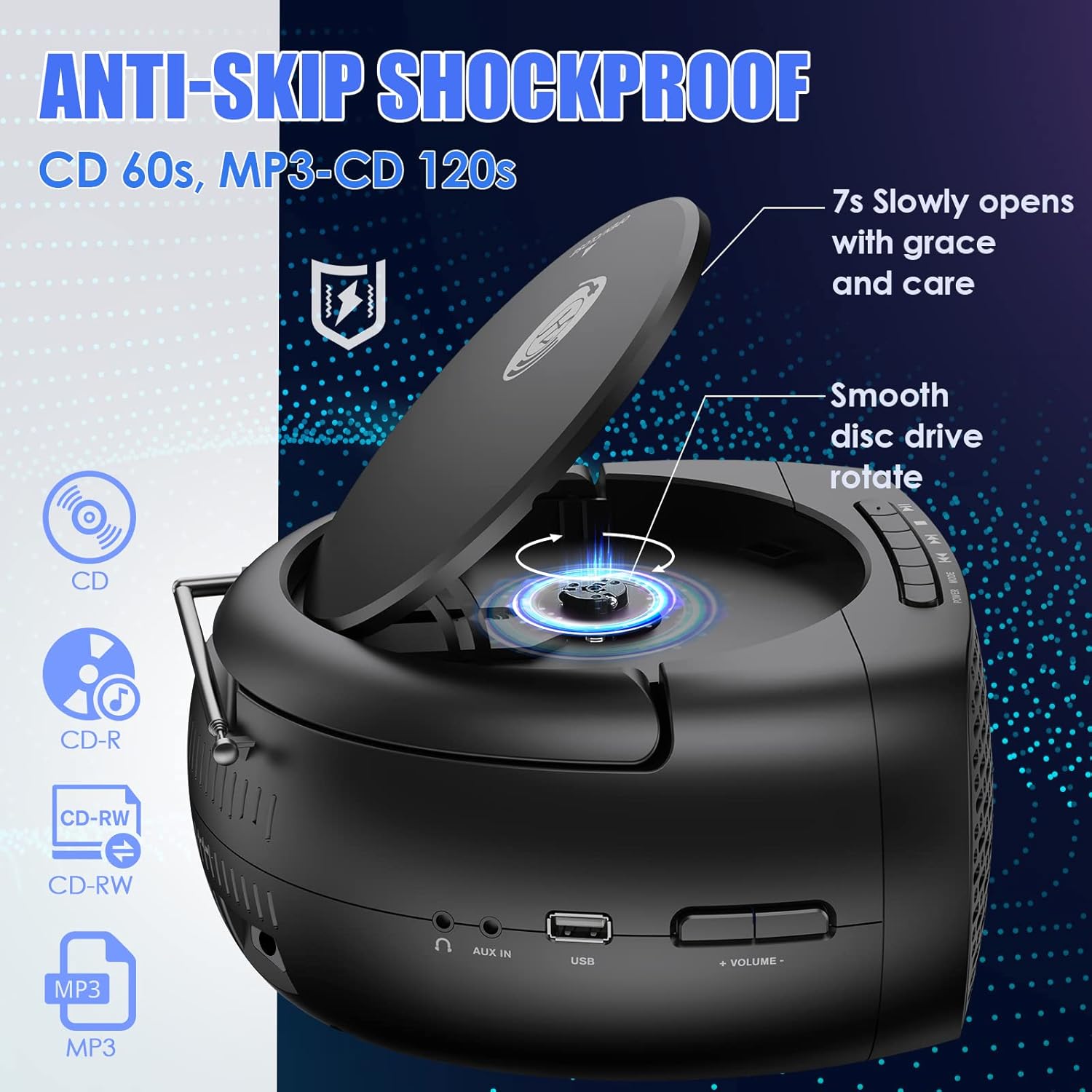
Image: The boombox with its CD lid open, illustrating the smooth disc rotation and compatibility with various CD formats.
Način Bluetooth:
- Pritisnite NAČIN button to select Bluetooth mode. The display will show "BT" or a Bluetooth icon, and the unit will enter pairing mode.
- V napravi, ki podpira Bluetooth (pametni telefon, tablični računalnik itd.), omogočite Bluetooth in poiščite razpoložljive naprave.
- Select "Herneum Boombox" (or similar name) from the list of devices.
- Once paired, the boombox will emit a confirmation sound, and the display will indicate a successful connection.
- You can now stream audio from your device to the boombox. Use your device or the boombox controls for playback.

Image: The boombox connected via Bluetooth 5.1 to a smartphone, illustrating wireless audio streaming.
Način FM radia:
- Za optimalen sprejem popolnoma izvlecite FM anteno.
- Pritisnite NAČIN button to select FM radio mode. The display will show the FM frequency.
- To auto-scan and save stations: Press and hold the PREDVAJAJ/PAVZA button. The unit will scan for available stations and save them automatically.
- Za ročno uglaševanje: Uporabite PREJŠNJE/NAZAJ in NAPREJ/HITRO NAPREJ gumbe za natančno nastavitev frekvence.
- To navigate saved stations: Briefly press the PREJŠNJE/NAZAJ or NAPREJ/HITRO NAPREJ gumbi.
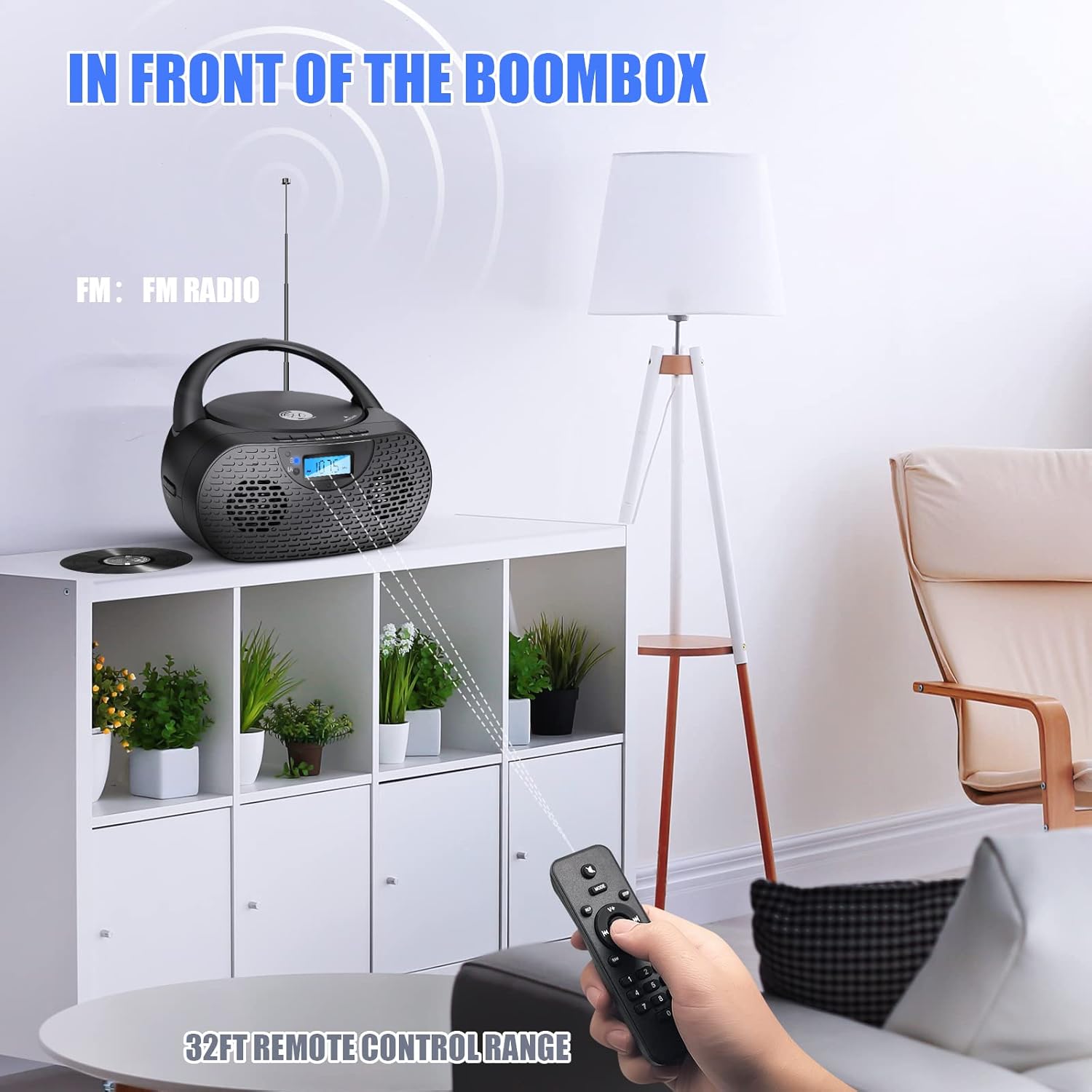
Image: The boombox receiving FM radio signals, with the remote control being used.
Način predvajanja USB:
- Vstavite USB-ključ z zvočno datoteko MP3 files v vrata USB.
- Pritisnite NAČIN gumb za izbiro načina USB. Enota bo samodejno zaznala in začela predvajati datoteke MP3. files pogona USB.
- Use the playback control buttons (PLAY/PAUSE, NEXT, PREVIOUS) to manage your music.
AUX vhodni način:
- Connect one end of the 3.5mm audio cable to the AUX IN jack on the boombox.
- Connect the other end of the 3.5mm audio cable to the headphone jack or audio output of your external audio device (e.g., MP3 player, smartphone).
- Pritisnite NAČIN gumb za izbiro načina AUX.
- Start playback on your external device. Audio will be routed through the boombox speakers.
- Volume can be controlled via the boombox or your external device.
Uporaba slušalk:
- Plug your 3.5mm headphones into the Headphones Jack on the boombox.
- Audio will automatically switch from the speakers to the headphones.
- Prilagodite glasnost na udobno raven poslušanja.
Daljinsko upravljanje:
The included remote control allows for convenient operation from a distance. Ensure the remote has working AAA batteries (included) and is pointed towards the front of the boombox.
- moč: Turns the unit on/off (Note: Some units may require manual power on/off from the device itself).
- način: Preklopi med vhodnimi viri.
- Glasnost +/-: Prilagodi raven glasnosti.
- Play/Pause, Stop, Next, Previous: Nadzira predvajanje predstavnosti.
- Ponavljanje/Naključno: Cycles through repeat modes (repeat one, repeat all) or enables random playback for CDs/USB.
- Številčni gumbi: For direct track selection on CD/USB or direct station input on FM (if supported).
7. Vzdrževanje
- Čiščenje: Za čiščenje zunanjosti boomboxa uporabite mehko, suho krpo. Ne uporabljajte abrazivnih čistil ali topil.
- Nega CD leč: If CD playback issues occur, use a specialized CD lens cleaner disc to clean the laser lens. Do not touch the lens directly.
- Shranjevanje: When not in use for extended periods, store the boombox in a cool, dry place. Remove batteries from the remote control if storing for a long time.
- Vzdrževanje baterije: Da podaljšate življenjsko dobo baterije, se izogibajte pogostemu popolnemu praznjenju baterije. Redno polnite napravo, tudi če je ne uporabljate.
8. Odpravljanje težav
| Težava | Možen vzrok | rešitev |
|---|---|---|
| Enota se ne vklopi. | Baterija je prazna; napajalnik ni priključen ali je pokvarjen. | Charge the battery; Ensure power adapter is securely connected and working. |
| CD se ne predvaja ali preskakuje. | CD is dirty, scratched, or inserted incorrectly; Protective cardboard not removed; CD lens is dirty. | Clean or replace CD; Insert CD correctly; Remove protective cardboard; Use a CD lens cleaner. |
| Povezava Bluetooth se ne vzpostavi. | Boombox not in Bluetooth mode; Device too far; Device already connected to another unit. | Switch to Bluetooth mode; Move device closer; Disconnect from other devices and try again. |
| Slab sprejem FM radia. | Antena ni iztegnjena; Območje šibkega signala. | Popolnoma raztegnite in prilagodite FM anteno; poskusite premakniti enoto na drugo lokacijo. |
| Ni zvoka iz zvočnikov. | Glasnost je prenizka; Slušalke so priključene; Izbran je napačen način. | Increase volume; Disconnect headphones; Ensure correct mode is selected. |
| Daljinski upravljalnik ne deluje. | Baterije so prazne ali nepravilno vstavljene; Ovira med daljinskim upravljalnikom in enoto. | Replace batteries; Ensure correct polarity; Remove obstructions; Point remote directly at the unit. |
9. Specifikacije
| Funkcija | Podrobnost |
|---|---|
| Številka modela | 0202B-BK1 |
| Mere izdelka (D x Š x V) | 10 x 9 x 5.1 palcev |
| Teža predmeta | 2.79 funtov |
| Tehnologija povezljivosti | Bluetooth 5.1, pomožni, USB |
| Vrsta zvočnika | Stereo (5W output) |
| Združljivost s CD-ji | CD, CD-R/RW, MP3 CD, Audiobook CD |
| Baterija | 1 litij-ionska baterija (2000 mAh, priložena) |
| Play Time (on battery) | Približno 5 ur |
| FM radio | Yes, with extendable antenna |
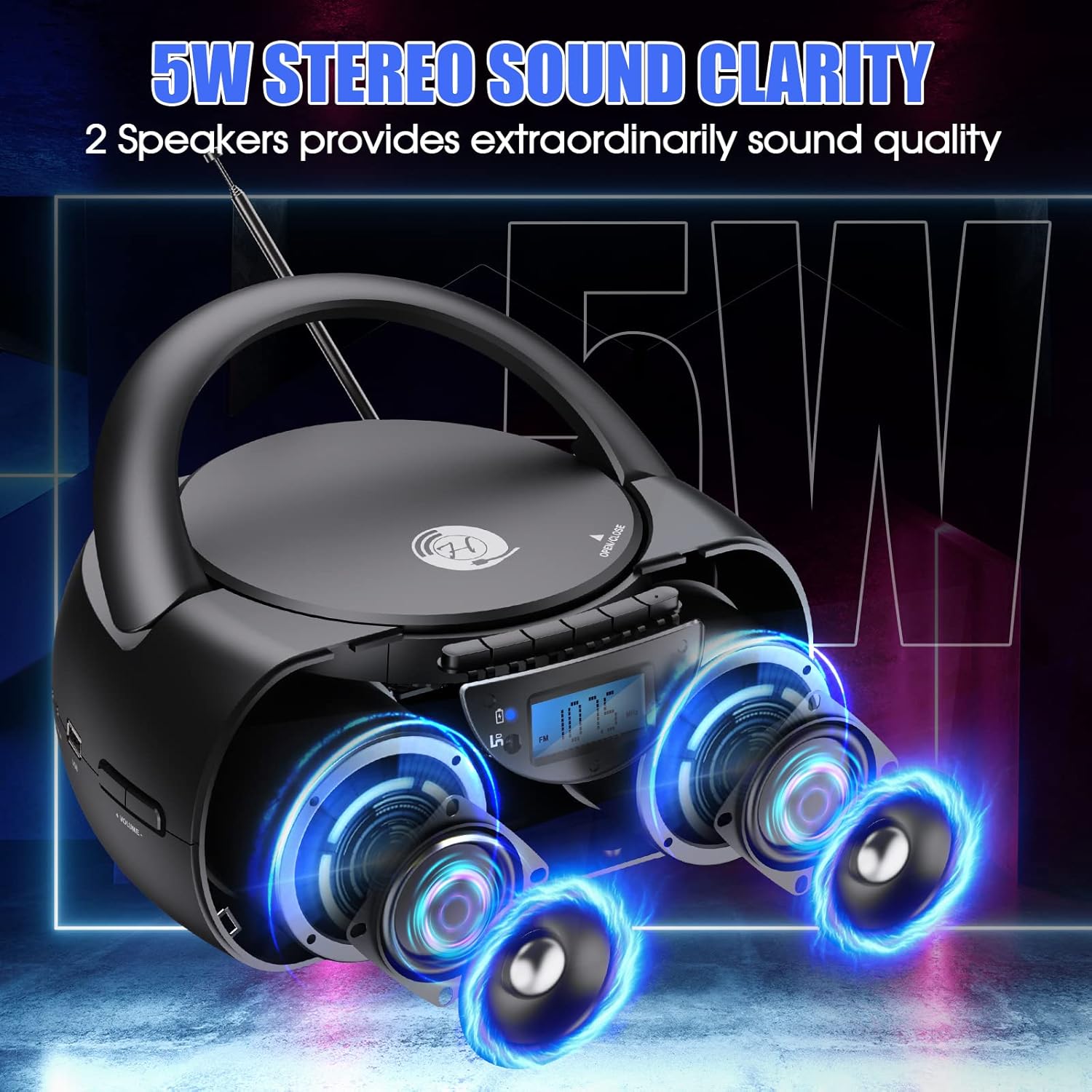
Image: The boombox showcasing its 5W stereo sound system.
10. Videoposnetek izdelkaview
Video: General čezview of the Herneum Bluetooth CD Player Boombox, demonstrating its features and design.
11. Garancija in podpora
Herneum products are designed for reliability and performance. For warranty information, technical support, or any questions regarding your Herneum 0202B-BK1 Bluetooth CD Player Boombox, please refer to the contact information provided with your purchase documentation or visit the official Herneum webmesto.
Za garancijske zahtevke shranite dokazilo o nakupu.