
1. Uvod
This manual provides essential instructions for the installation, operation, and maintenance of your PureLink Vuelogic VB200 Huddle Space Videobar. Please read this manual thoroughly before using the product to ensure proper functionality and to prevent damage.
The PureLink Vuelogic VB200 is an all-in-one conferencing solution designed for huddle spaces and small to medium meeting rooms. It integrates a 4K camera, multiple microphones, and stereo speakers to provide a comprehensive audio and video experience.
2. Varnostne informacije
Da preprečite poškodbe naprave in zagotovite varnost uporabnika, upoštevajte naslednje varnostne ukrepe:
- Naprave ne izpostavljajte vodi, vlagi ali ekstremnim temperaturam.
- Naprave ne postavljajte v bližino virov toplote ali na neposredno sončno svetlobo.
- Uporabljajte samo napajalnik, ki je priložen napravi.
- Naprave ne poskušajte odpirati ali popravljati sami. Vsa servisna dela prepustite usposobljenemu osebju.
- Med delovanjem zagotovite ustrezno prezračevanje okoli naprave.
3. Izdelek je končanview
The PureLink Vuelogic VB200 combines a high-quality camera, microphone array, and speakers into a single, compact unit for streamlined video conferencing.
3.1. Vsebina paketa
Preverite, ali so v paketu prisotni vsi elementi:
- PureLink Vuelogic VB200 Videobar
- Napajalni adapter
- USB kabel
- Montažni nosilec (če je priložen)
- Vodnik za hiter začetek

Figure 3.1: The retail packaging for the PureLink Vuelogic VB200 Videobar, indicating it is an all-in-one conferencing solution.

Slika 3.2: Podrobno view of the product packaging, showing the model number VL-VB200 and UPC 4251364736913.
3.2. Komponente naprave
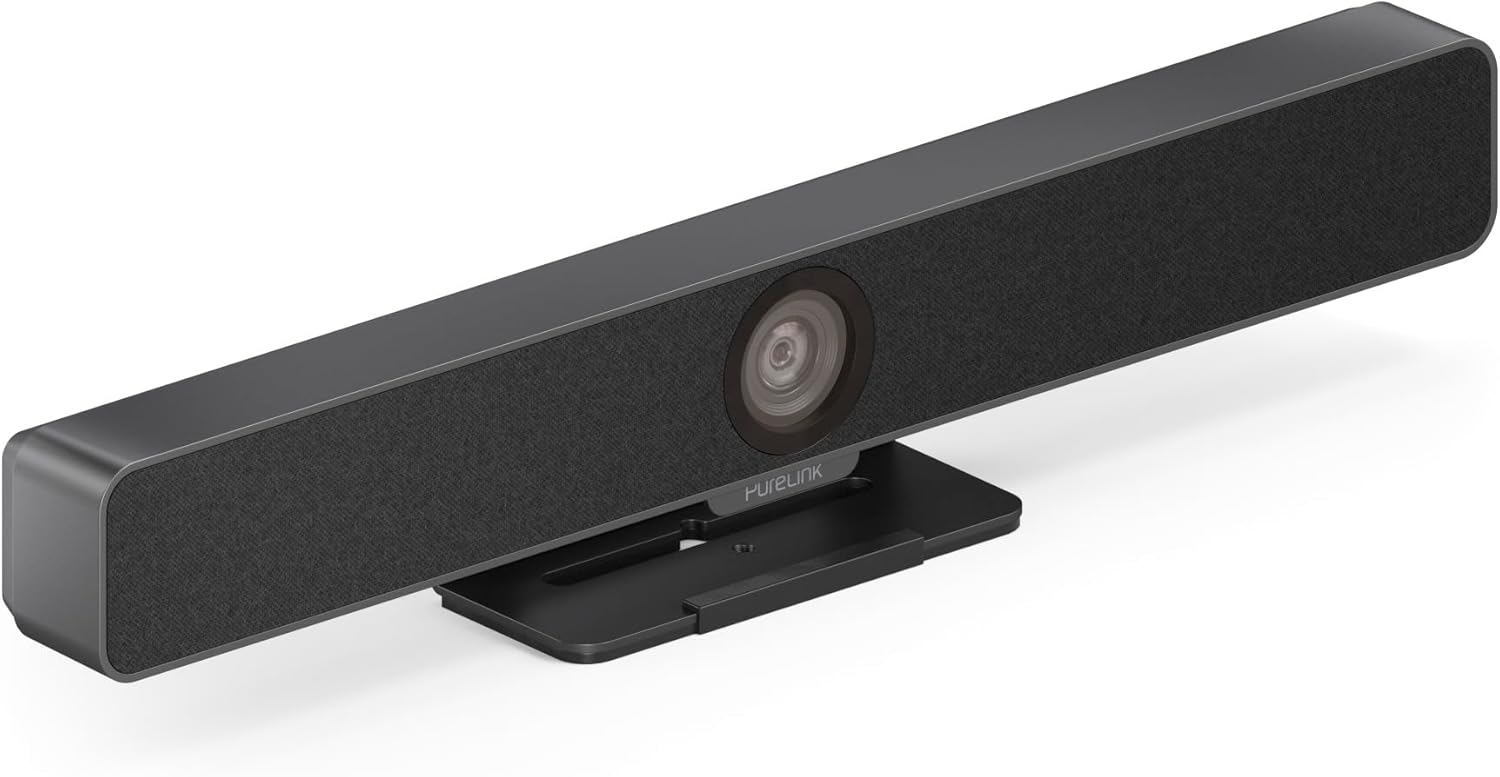
Slika 3.3: Spredaj view of the PureLink Vuelogic VB200 Huddle Space Videobar, showcasing the integrated camera and speaker grille.

Slika 3.4: Spredaj in zadaj views of the videobar. The rear view displays the power input, USB-C port, and other connectivity options.
- Spredaj: Integrated 4K camera, speaker grille, PureLink branding.
- Zadaj: Power input, USB-C port for data and power, HDMI output (if applicable), mounting points.
4. Nastavitev
Follow these steps to set up your PureLink Vuelogic VB200 Videobar:
- Umestitev: Position the videobar on a stable surface, such as a table or monitor, ensuring the camera has a clear view of the meeting participants. The integrated stand allows for flexible placement.
- Napajalni priključek: Connect the provided power adapter to the videobar's power input and then to a wall outlet.
- USB povezava: Connect the videobar to your computer using the supplied USB-C cable. The device is plug-and-play and should be recognized automatically by your operating system.
- Optional HDMI Connection: If your setup requires video output to a display, connect an HDMI cable from the videobar's HDMI output (if available) to your display.
- Prepoznavanje programske opreme: Once connected, your computer's operating system (Windows, macOS, etc.) should detect the device. You may need to select the "PureLink Vuelogic VB200" as your preferred camera, microphone, and speaker in your video conferencing application settings (e.g., Zoom, Microsoft Teams, WebPrimer).

Figure 4.1: The videobar positioned on a surface, demonstrating its flexible mounting options for various work environments.
5. Navodila za uporabo
The PureLink Vuelogic VB200 is designed for ease of use with popular video conferencing platforms.
5.1. Starting a Meeting
- Ensure the videobar is connected and powered on.
- Open your preferred video conferencing application (e.g., Zoom, Microsoft Teams, WebEx, Google Meet, Skype, Slack, GoToMeeting).
- In the application's audio and video settings, select "PureLink Vuelogic VB200" as your camera, microphone, and speaker device.
- Start or join your meeting.

Figure 5.1: The videobar is compatible with leading communication platforms such as Zoom, Slack, GoToMeeting, Google Hangouts, Skype, Microsoft Teams, and Google Meet.
5.2. Ključne značilnosti
- Kakovost videa 4K: The 120° wide-angle lens captures sharp, high-resolution video, suitable for small to medium rooms.
- Intelligent Auto Framing and Tracking: The camera automatically adjusts its frame to keep all participants visible and can track the active speaker, ensuring optimal framing during dynamic meetings.
- High-Quality Audio Capture: Equipped with 4 MEMS digital microphone arrays, offering a 3-5m range and 180° coverage. Features like Acoustic Echo Cancellation (AEC), Automatic Gain Control (AGC), and Automatic Noise Suppression (ANS) ensure clear communication.
- Hi-Fi Stereo Speakers: Two 3W stereo speakers with bass boost provide clear and powerful audio output for an immersive sound experience.
6. Vzdrževanje
To ensure the longevity and optimal performance of your videobar:
- Čiščenje: Use a soft, dry cloth to clean the exterior of the device. For the camera lens, use a lens cleaning cloth and solution specifically designed for optics. Do not use abrasive cleaners or solvents.
- Shranjevanje: Ko naprave dalj časa ne uporabljate, jo shranite na hladnem in suhem mestu, stran od neposredne sončne svetlobe.
- Posodobitve vdelane programske opreme: Periodically check the PureLink website for any available firmware updates to ensure your device has the latest features and performance enhancements.
7. Odpravljanje težav
If you encounter issues with your PureLink Vuelogic VB200, refer to the following common problems and solutions:
| Težava | Možen vzrok | rešitev |
|---|---|---|
| No video output / Camera not detected | Ohlapna povezava USB, napačne nastavitve programske opreme, težave z gonilnikom. |
|
| Ni zvoka iz zvočnikov / Mikrofon ne deluje | Incorrect audio settings, muted device. |
|
| Auto-framing not functioning correctly | Poor lighting, obstruction, software glitch. |
|
8. Specifikacije
| Funkcija | Podrobnost |
|---|---|
| Znamka | PureLink |
| Številka modela | VL-VB200 |
| Dimenzije | 20.47 x 7.87 x 5.12 palcev |
| Teža | 2.2 funtov |
| barva | Črna |
| Ločljivost zajema videa | 4K |
| Optični zoom | 5x |
| Tehnologija foto senzorja | CMOS |
| Posebne lastnosti | Auto Framing and Tracking |
| Vrsta mikrofona | 4 MEMS Digital Microphone Arrays |
| Domet mikrofona | 3-5m, 180° coverage |
| Avdio funkcije | AEC, AGC, ANS |
| Zvočniki | Two 3W Stereo Speakers with Bass Boost |
| Tehnologija povezljivosti | HDMI, USB |
| Podprt zvočni format | AAC, MP3 |
| Podprt video format | MP4 |
| Združljivost | Windows, macOS, Zoom, WebEx, Tencent Meeting, Teams, etc. |
9. Garancija in podpora
PureLink products are designed for reliability and performance. For specific warranty information, please refer to the warranty card included with your product or visit the official PureLink webmesto.
For technical support, troubleshooting assistance, or to inquire about service, please contact PureLink customer support through their official channels. Keep your purchase receipt and product model number (VL-VB200) handy when contacting support.
Official PureLink Webspletno mesto: www.purelink.de