
HiFuture EVENT
Uporabniški priročnik za Bluetooth zvočnik HiFuture EVENT
Model: EVENT | Brand: HiFuture
Uvod
Thank you for choosing the HiFuture EVENT Bluetooth Speaker. This powerful and portable speaker is designed to deliver exceptional audio quality with vibrant RGB lighting, making it perfect for any event or gathering. This manual provides detailed instructions to help you set up, operate, and maintain your speaker for optimal performance.
Konec izdelkaview

Slika 1: Spredaj view of the HiFuture EVENT Bluetooth Speaker, showcasing its sleek black design and dynamic RGB light ring.

Figure 2: An illustrative diagram highlighting the main features of the HiFuture EVENT speaker, including dual DSP, multiple audio inputs, dual-directional sound system, 50W woofer + 30W tweeter, RGB lights, TWS connection option, bass boost function, and power bank functionality.

Slika 3: Bližnji posnetek view of the speaker's internal components, specifically pointing out the 50W Woofer and 30W Tweeter, which contribute to its powerful 80W sound output.

Figure 4: An internal diagram demonstrating the speaker's optimized acoustic design for deep and impactful bass, including the bass port and vibration suppression features.
Ključne značilnosti
- Zmogljiv zvočni izhod: Equipped with a 50W woofer and 30W tweeter for a total of 80W RMS output, with a maximum peak power of 180 Watts, delivering rich and clear stereo sound.
- Bluetooth povezljivost: Brezhibna brezžična povezava z vašimi napravami.
- Dinamična RGB osvetlitev: Enhance your listening experience with vibrant, rhythm-synced RGB lights.
- Dual DSP & Multiple Audio Inputs: Advanced Digital Signal Processing for optimized sound and versatile connectivity options.
- True Wireless Stereo (TWS) Support: Connect two EVENT speakers for an immersive stereo sound experience.
- Funkcija ojačanja nizkih tonov: Dedicated feature to amplify low frequencies for deeper bass.
- Funkcionalnost Power Bank: Use the speaker to charge your other devices on the go.
- Prenosna zasnova: Durable acrylic material and table-mount type for easy placement and transport, designed for parties and various events.
Vodnik za namestitev
1. Razpakiranje in začetno plačilo
- Previdno vzemite zvočnik in vso dodatno opremo iz embalaže.
- Inspect the speaker for any signs of damage.
- Before first use, fully charge the speaker using the provided charging cable. The battery life is approximately 4 hours on a full charge.
2. Vklop/izklop
- To power on, press and hold the Power button (location typically on the back or top panel) for a few seconds until you hear an audible prompt or see the indicator lights illuminate.
- Za izklop zvočnika ponovno pritisnite in držite gumb za vklop, dokler se ta ne izklopi.
Navodila za uporabo
1. Bluetooth seznanjanje
- Ensure the speaker is powered on and in Bluetooth pairing mode (usually indicated by a blinking LED light). If not, press the Bluetooth button to activate pairing mode.
- V napravi (pametnem telefonu, tablici, računalniku) pojdite v nastavitve Bluetooth in omogočite Bluetooth.
- Iskanje available devices. You should see "HiFuture EVENT" in the list.
- Select "HiFuture EVENT" to connect. Once connected, the speaker will provide an audible confirmation, and the LED light will become solid.
- Zdaj lahko predvajate zvok iz naprave prek zvočnika.
2. Združevanje s pravim brezžičnim stereo sistemom (TWS)
To pair two HiFuture EVENT speakers for a stereo experience:
- Prepričajte se, da sta oba zvočnika vklopljena in nista povezana z nobeno drugo napravo Bluetooth.
- On one speaker (this will be the primary speaker), press and hold the TWS button (refer to your speaker's button layout if unsure).
- Primarni zvočnik bo poiskal sekundarni zvočnik. Ko je vzpostavljena povezava, bosta oba zvočnika oddala zvočno potrditev.
- Now, connect your device to the primary speaker via Bluetooth as described in the "Bluetooth Pairing" section. Audio will play in stereo through both speakers.
3. Kontrole in funkcije
- Nadzor glasnosti: Use the volume buttons (+/-) on the speaker or your connected device.
- Predvajanje/pavza: Za predvajanje ali začasno ustavitev zvoka enkrat pritisnite gumb Predvajaj/Pavza.
- Preskoči skladbe: Double-press the Next Track button to skip forward, or the Previous Track button to skip backward.
- Nadzor osvetlitve RGB: Press the Light button to cycle through different lighting modes or turn the lights off.
- Ojačanje nizkih tonov: Press the Bass Boost button to activate or deactivate the enhanced bass mode.
- Funkcija Power Bank: Connect your device to the speaker's USB output port to charge it.

Figure 5: The HiFuture EVENT speaker displaying its vibrant RGB lighting, which can be controlled to match your mood or music.
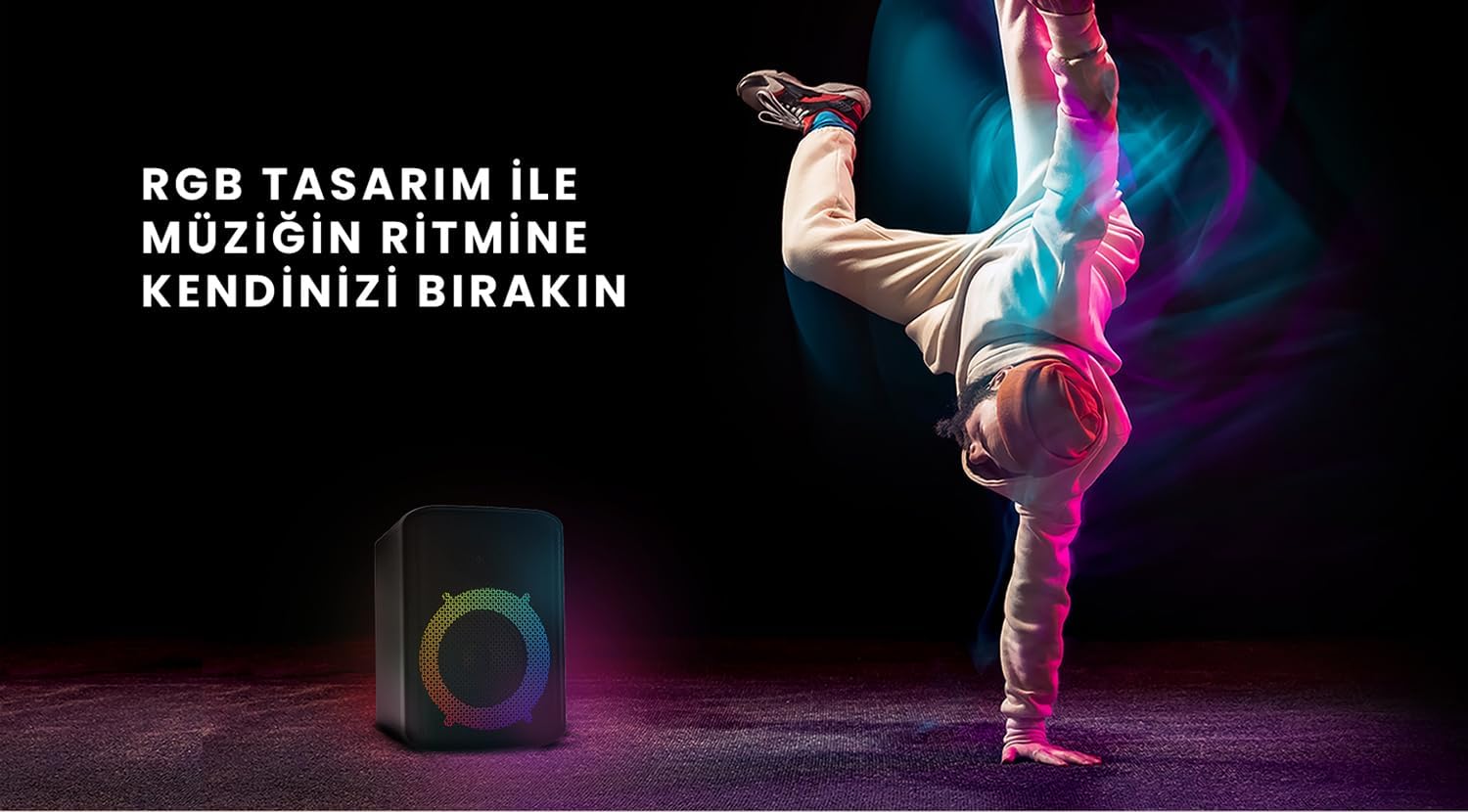
Figure 6: The HiFuture EVENT speaker in a dynamic setting, emphasizing how its RGB lighting enhances the atmosphere for parties and events.
Vzdrževanje
- Čiščenje: Za brisanje površine zvočnika uporabite mehko, suho krpo. Ne uporabljajte abrazivnih čistil ali topil.
- Shranjevanje: Zvočnik shranjujte na hladnem in suhem mestu, stran od neposredne sončne svetlobe in ekstremnih temperatur.
- Vzdrževanje baterije: Da podaljšate življenjsko dobo baterije, se izogibajte pogostemu popolnemu praznjenju baterije. Redno jo polnite, tudi če je dalj časa ne uporabljate.
- Vodoodpornost: While designed for portability, avoid exposing the speaker to excessive moisture or submerging it in water unless explicitly stated as waterproof.
Odpravljanje težav
| Težava | Možna rešitev |
|---|---|
| Zvočnik se ne vklopi. | Prepričajte se, da je zvočnik popolnoma napolnjen. Priključite ga na vir napajanja in poskusite znova. |
| Seznanitev prek Bluetootha ni mogoča. |
|
| Ni zvoka ali nizka glasnost. |
|
| RGB luči ne delujejo. | Press the Light button to cycle through modes or turn them on. Ensure the speaker is powered on. |
Specifikacije
| Funkcija | Podrobnost |
|---|---|
| Znamka | HiFuture |
| Model | DOGODEK |
| Največja izhodna moč zvočnika | 180 Watts (Peak), 80W RMS (50W Woofer + 30W Tweeter) |
| Tehnologija povezljivosti | Bluetooth |
| Način avdio izhoda | Stereo |
| Vrsta namestitve | Namizni nosilec |
| Material | Akril |
| Vrsta zvočnika | Multimedija |
| Združljive naprave | Bluetooth-enabled devices (e.g., smartphones, tablets) |
| barva | Črna |
| Življenjska doba baterije | Do 4 ur |
Garancija in podpora
The HiFuture EVENT Bluetooth Speaker comes with a standard manufacturer's warranty. Please refer to the warranty card included in your product packaging for specific terms and conditions. For technical support, troubleshooting assistance, or warranty claims, please contact HiFuture customer service through their official webspletno mesto ali prodajalec, kjer ste izdelek kupili.
Ask a question about this manual
Ask about setup, troubleshooting, compatibility, parts, safety, or missing instructions. Manuals+ will review the question and use this page’s manual context to help answer it.