
Uvod
This manual provides essential information for setting up, operating, maintaining, and troubleshooting your Motorola Moto G84 5G smartphone. Please read this guide thoroughly to ensure proper use and to maximize your device's capabilities.
Nastavitev
1. Razpakiranje in prvi pregled
Previdno vzemite vse predmete iz embalaže. Škatla mora vsebovati:
- Pametni telefon Motorola Moto G84 5G
- USB kabel
- Ovitek za telefon
- Orodje za izmet kartice SIM
Pred nadaljevanjem preverite napravo glede morebitnih fizičnih poškodb.
2. Namestitev kartice SIM
The Moto G84 5G supports Dual SIM functionality using Nano SIM cards.
- Poiščite pladenj za kartico SIM na strani naprave.
- Insert the SIM eject tool into the small hole on the SIM tray. Press firmly until the tray pops out.
- Vstavite kartico(-e) Nano SIM v predvidene reže na pladnju in pazite, da so zlati kontakti obrnjeni navzdol.
- Previdno potisnite pladenj za SIM kartico nazaj v telefon, dokler se ne zaskoči.

Slika 1: stran view of the Motorola Moto G84 5G, illustrating the location of the SIM card tray for installation.
3. Začetni vklop
Press and hold the Power button located on the side of the device until the Motorola logo appears. Follow the on-screen prompts to complete the initial setup, including language selection, Wi-Fi connection, and Google account setup.

Slika 2: stran view of the Motorola Moto G84 5G, highlighting the power and volume buttons for device control.
4. Polnjenje naprave
Before first use, it is recommended to fully charge your device. The Moto G84 5G features a 5000 mAh battery and supports 30W TurboPower charging.
- Kabel USB priključite na vrata USB-C na spodnji strani telefona.
- Connect the other end of the USB cable to a compatible power adapter (sold separately) and plug it into a power outlet.
- Indikator polnjenja se bo prikazal na zaslonu.
Navodila za uporabo
1. Zaslon
The Moto G84 5G features a 6.55-inch pOLED FHD+ display with a 120 Hz refresh rate, offering vibrant colors and smooth scrolling.
- Navigacija z zaslonom na dotik: Interact with the device using touch gestures such as tap, swipe, pinch-to-zoom.
- Prilagoditev svetlosti: Adjust screen brightness from the Quick Settings panel or Display settings.
- Hitrost osveževanja: The 120 Hz refresh rate provides a fluid visual experience. This can be adjusted in display settings to optimize battery life.
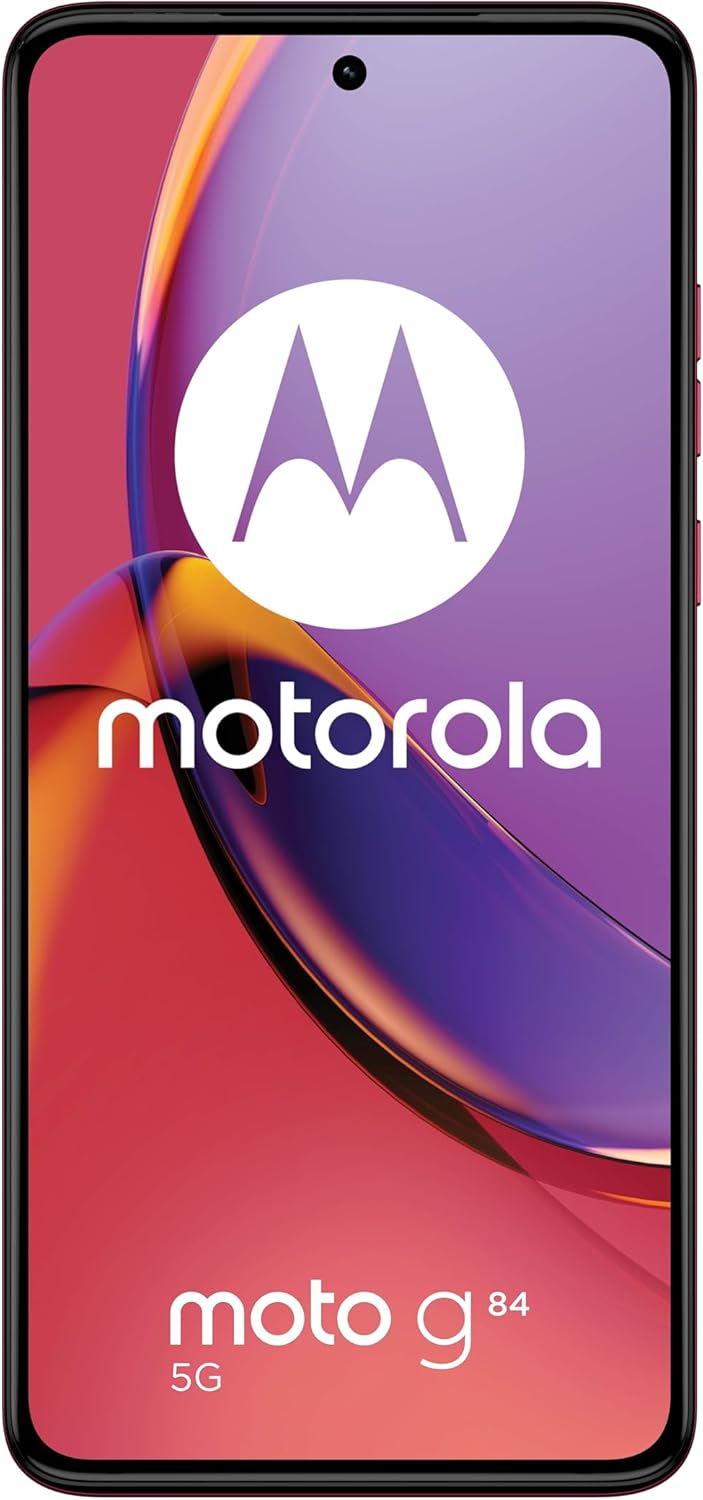
Slika 3: Spredaj view Motorola Moto G84 5G, razstavaasing its vibrant pOLED display.
2. Kamera
The device is equipped with a 50 MP Ultra Pixel main camera with Optical Image Stabilization (OIS) and an 8 MP ultra-wide/macro lens on the rear, and a front-facing camera for selfies.
- Fotografirati: Odprite aplikacijo Kamera, uokvirite posnetek in tapnite gumb zaklopa.
- Snemanje videa: Switch to video mode in the Camera app. The device supports 4K video recording at 30 fps.
- Načini kamere: Explore various modes such as Portrait, Night Vision, Panorama, and Pro mode for advanced controls.

Slika 4: Zadaj view of the Motorola Moto G84 5G, highlighting the 50MP Ultra Pixel camera system.
3. Zvok
Experience immersive audio with Dolby Atmos, Motorola Spatial Audio, and Hi-Res Audio support through stereo speakers.
- Nadzor glasnosti: Use the volume buttons on the side of the device or the on-screen volume slider.
- Nastavitve zvoka: Prilagodite zvočnega profesionalcafiles and Dolby Atmos settings in the Sound & Vibration menu.
4. Povezljivost
The Moto G84 5G offers comprehensive connectivity options.
- Omrežje 5G: Connect to 5G networks for faster data speeds (requires 5G service plan).
- Wi-Fi: Connect to wireless networks via Wi-Fi settings.
- Bluetooth: Združite z napravami Bluetooth, kot so slušalke ali zvočniki.
- NFC: Za brezstična plačila in hitro seznanjanje z združljivimi napravami uporabite tehnologijo Near Field Communication.
5. Biometric Features
The device supports biometric identification for enhanced security.
- Senzor prstnih odtisov: Za hitro in varno odklepanje registrirajte svoje prstne odtise v varnostnih nastavitvah.
- Odklepanje z obrazom: Nastavite prepoznavanje obraza za priročno odklepanje.
6. Programska oprema
The Moto G84 5G runs on Android 13, offering a clean user interface and access to a wide range of applications via the Google Play Store.
- Sistemske posodobitve: Redno preverjajte in nameščajte posodobitve sistema, da zagotovite optimalno delovanje in varnost.
- Upravljanje aplikacije: Install, uninstall, and manage applications through the Settings menu or Google Play Store.
Vzdrževanje
1. Čiščenje naprave
To keep your phone clean, gently wipe the screen and body with a soft, lint-free cloth. Avoid using harsh chemicals or abrasive materials.
2. Vodoodpornost
The Moto G84 5G has an IP52 rating, meaning it is resistant to dust and splashing water. It is not waterproof. Avoid submerging the device in water or exposing it to high-pressure water jets.
Odpravljanje težav
Pogoste težave in rešitve
- Naprava se ne vklopi: Prepričajte se, da je baterija napolnjena. Telefon priključite na polnilnik in počakajte nekaj minut, preden ga poskusite znova vklopiti.
- Težave s polnjenjem: Check the USB cable and charger for damage. Try a different cable or power outlet. Ensure the charging port is clean and free of debris.
- Slab omrežni signal: Move to an area with better network coverage. Check if your SIM card is properly inserted. Restart the device.
- Aplikacije se sesuvajo ali zamrzujejo: Close and reopen the app. Clear the app's cache and data in Settings > Apps. If the issue persists, uninstall and reinstall the app.
- Zaslon se ne odziva: Izvedite prisilni ponovni zagon tako, da približno 10–15 sekund držite gumb za vklop.
Specifikacije
| Funkcija | Specifikacija |
|---|---|
| Ime modela | Moto G84 5G |
| Operacijski sistem | Android 13 |
| Procesor | Snapdragon 695 (up to 2.2 GHz) |
| RAM | 12 GB |
| Notranji pomnilnik | 256 GB |
| Zaslon | 6.55-inch pOLED FHD+ (1080x2400), 120 Hz |
| Zadnja kamera | 50 MP Ultra Pixel (OIS) + 8 MP Ultra-wide/Macro |
| Sprednja kamera | 1 |
| Kapaciteta baterije | 5000 mAh |
| Polnjenje | 30W TurboPower |
| Povezljivost | 5G, Wi-Fi, Bluetooth, NFC |
| Vrsta kartice SIM | Dvojna nano SIM kartica |
| Vodoodpornost | IP52 (odporen na škropljenje) |
| Dimenzije | 16 x 7.4 x 0.8 cm |
| Teža | 160 gramov |
| Vključeno v škatli | USB Cable, Phone Case, SIM Eject Tool |
Garancija in podpora
Informacije o garanciji
Your Motorola Moto G84 5G comes with a 2-year manufacturer's warranty. Please retain your proof of purchase for warranty claims. The warranty covers manufacturing defects but typically excludes damage caused by misuse, accidents, or unauthorized repairs.
Podpora uporabnikom
For further assistance, technical support, or warranty service, please visit the official Motorola support website or contact their customer service. Refer to the documentation included with your device for specific contact details in your region.
Pomembne varnostne informacije
Always follow basic safety precautions when using your phone to reduce the risk of fire, electric shock, and injury. Do not disassemble the device. Use only approved accessories. Avoid extreme temperatures. Dispose of the device and battery responsibly according to local regulations.