
1. Uvod
Thank you for choosing the EVOLAND Vibration Platform Fitness machine. This manual provides essential information for the safe and effective operation, maintenance, and troubleshooting of your new fitness equipment. Please read this manual thoroughly before use and keep it for future reference.
2. Varnostne smernice
WARNING: Consult your physician before starting any new exercise program, especially if you have pre-existing medical conditions. Do not use if pregnant, have a pacemaker, or suffer from severe osteoporosis, epilepsy, or acute thrombosis.
- Prepričajte se, da je platforma postavljena na stabilno, ravno površino.
- Otroci in hišni ljubljenčki naj se med delovanjem ne približujejo stroju.
- Ne prekoračite največje dovoljene nosilnosti 150 kg (330 lbs).
- Always hold onto a stable support if you feel unsteady during exercise.
- Napravo izključite iz električne vtičnice, ko je ne uporabljate ali pred čiščenjem.
- Stroja ne uporabljajte, če je napajalni kabel ali vtič poškodovan.
3. Vsebina paketa
Označite polje za naslednje elemente:
- 1 x EVOLAND Vibration Platform
- 2 x odporni trakovi
- 1 x daljinski upravljalnik
- 1 x napajalni kabel
- 1 x uporabniški priročnik
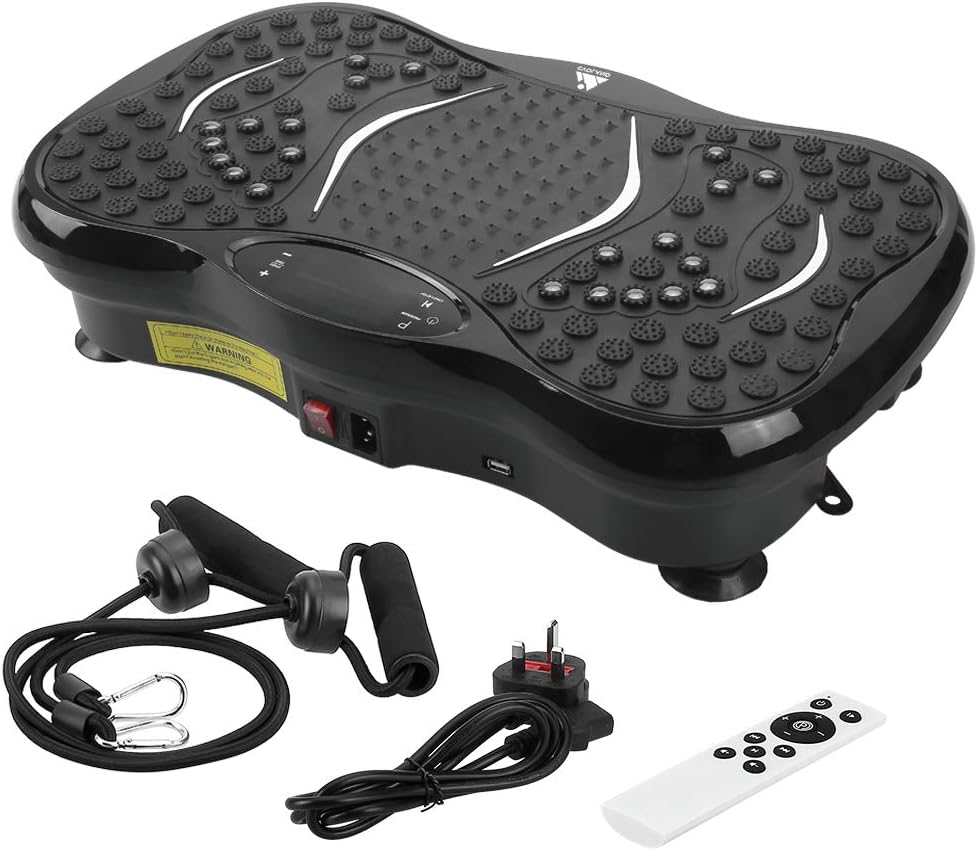
Image: All components included in the EVOLAND Vibration Platform package.
4. Izdelek je končanview in komponente
Familiarize yourself with the main parts of your vibration platform:
- Vibracijska platforma: Main unit with textured surface for foot placement.
- LCD zaslon: Shows time, speed, program, and Bluetooth status.
- Nadzorna plošča: Buttons for power, program selection, speed adjustment.
- Stikalo za vklop: Nahaja se na strani enote.
- Vhod za napajanje: Za priključitev napajalnega kabla.
- Pritrdilne točke za elastiko za odpornost: Rings on the bottom for resistance bands.
- Zvočnik Bluetooth: Integrated for audio playback.

Image: Close-up of the control panel, power switch, and USB port on the vibration platform.

Slika: Konecview of the vibration platform showing its dimensions and included accessories like the remote control, power plug, and resistance bands.
5. Nastavitev
Follow these steps to set up your EVOLAND Vibration Platform:
- Pritrditev upornih trakov: If desired, fasten the two resistance bands to the rings located on the bottom of the platform.
- Priključite napajanje: Plug the power cord into the power inlet on the platform, then plug the other end into a standard wall outlet.
- Vklopi: Locate the main power switch on the side of the unit and flip it to the 'ON' position. The LCD display will illuminate.

Image: Visual guide demonstrating how to attach resistance bands, connect the power cord, and turn on the unit.
6. Navodila za uporabo
6.1. Osnovno delovanje
- Vklop/izklop: Use the main power switch on the side or the power button on the remote/control panel.
- Start/Stop: Press the 'START/STOP' button on the control panel or remote to begin or pause vibration.
- Prilagodi hitrost: Use the '+' and '-' buttons to increase or decrease the vibration intensity (99 levels available).
- Nastavi čas: The machine has an automatic timer (1-15 minutes adjustable).
6.2. Programs and Modes
The platform offers 5 pre-set programs (P1-P5) and a manual mode:
- Ročni način: Allows you to manually adjust speed and time.
- Pre-set Programs (P1-P5): Each program offers a unique combination of vibration patterns and intensity changes. Press the 'PROGRAM' button to cycle through them.
6.3. Bluetooth povezljivost
Če želite napravo povezati prek povezave Bluetooth:
- Prepričajte se, da je vibracijska ploščad vklopljena.
- Omogočite Bluetooth na pametnem telefonu, tabličnem računalniku ali drugi napravi.
- Iskanje 'EVOLAND' or a similar device name in your device's Bluetooth settings.
- Pair with the platform. Once connected, you can play music through the integrated speaker.
6.4. Uporaba daljinskega upravljalnika
The remote control provides convenient access to all functions:
- Vklop/izklop
- Start/Stop
- Izbira programa
- Prilagoditev hitrosti (+/-)
- Music Playback Controls (if applicable)

Slika: Konecview of the LCD display and the remote control, highlighting various functions and buttons.
7. Smernice za vadbo
The EVOLAND Vibration Platform can be used for various exercises to target different muscle groups. A typical session of 10-15 minutes is recommended.
- Stoji: Stand with feet shoulder-width apart, knees slightly bent. Adjust foot position for different intensity levels (wider stance for more intense vibration).
- Počepi: Perform squats while standing on the platform to engage leg and glute muscles.
- Sklece: Place hands on the platform for an intensified upper body workout.
- Uporaba uporovnih trakov: Attach the bands and perform exercises like bicep curls, tricep extensions, or shoulder presses while standing on the platform.
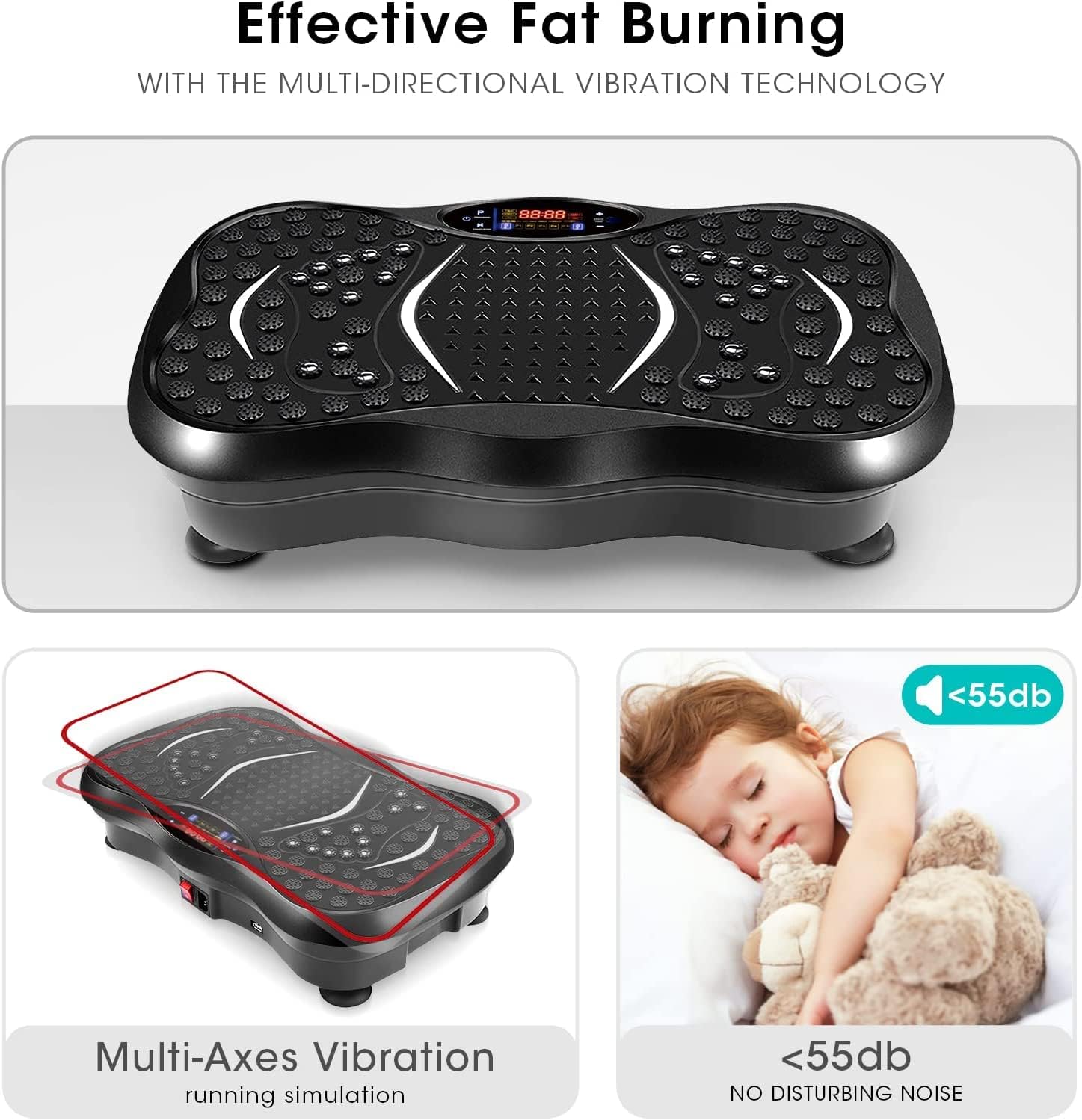
Image: A user demonstrating an exercise on the vibration platform while utilizing the included resistance bands for an upper body workout.
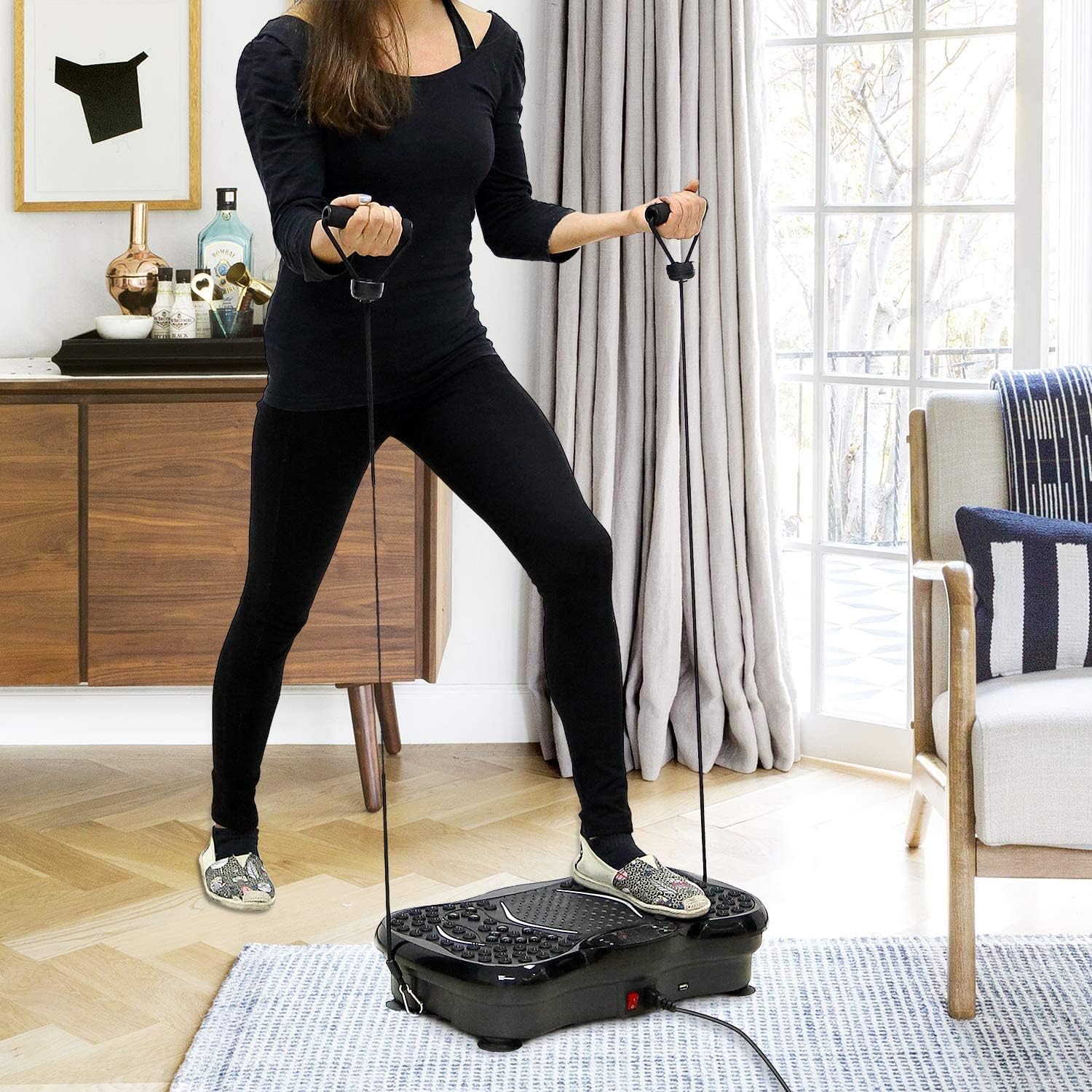
Image: Illustrates the potential benefits of using the vibration platform, comparing 15 minutes of vibration to the equivalent of other common exercises like riding, swimming, running, yoga, push-ups, and sit-ups.
8. Vzdrževanje
- Čiščenje: Površino ploščadi obrišite z mehko krpoamp krpo. Ne uporabljajte abrazivnih čistil ali topil. Pred čiščenjem se prepričajte, da je naprava izklopljena iz električnega omrežja.
- Shranjevanje: Stroj hranite na hladnem in suhem mestu, stran od neposredne sončne svetlobe in vlage.
- Pregled: Občasno preverite napajalni kabel in vse priključke glede morebitnih znakov obrabe ali poškodb.
9. Odpravljanje težav
If you encounter any issues, refer to the table below:
| Težava | Možen vzrok | rešitev |
|---|---|---|
| Stroj se ne vklopi | Napajalni kabel ni pravilno priključen; Glavno stikalo je izklopljeno; Težava z vtičnico. | Ensure power cord is securely plugged in; Flip main power switch to 'ON'; Test power outlet with another device. |
| Brez vibracij | Machine is paused; Program not selected; Speed set to 0. | Press 'START/STOP'; Select a program or adjust speed using '+' button. |
| Bluetooth se ne povezuje | Bluetooth on device is off; Incorrect device selected. | Ensure Bluetooth is enabled on your device; Select the correct 'EVOLAND' device from the list. |
| Nenavaden hrup med delovanjem | Loose components; Uneven surface. | Check for any loose parts; Ensure the platform is on a flat, stable surface. If noise persists, discontinue use and contact support. |

Image: Highlights the multi-axes vibration technology and the quiet operation (below 55dB) of the EVOLAND Vibration Platform, indicating a smooth user experience.
10. Specifikacije
| Znamka | EVOLAND |
| Model | B0CCXMG7XT |
| Vrsta zaslona | LCD |
| Vrsta materiala | Akrilonitril butadien stiren (ABS), kovina |
| Vključene komponente | Vibracijska platforma |
| Mere izdelka (D x Š x V) | 57.4 x 41.91 x 16.51 cm (22.6 x 16.5 x 6.5 palca) |
| Teža | 8.54 kg (18.8 lbs) |
| barva | Črna |
| Največja priporočena teža | 150 kg (330 lbs) |
| Vrsta nadzora | Daljinski upravljalnik |
| Moč | 200 W |
| voltage | 220 V |
| Stopnje hitrosti | 1-99 |
| Načini | Automatic + 5 Manual Programs |
| Samodejno merjenje časa | 1-15 minutes adjustable |
11. Garancija in podpora
EVOLAND products are manufactured to high-quality standards. For warranty information or technical support, please refer to the contact details provided with your purchase documentation or visit the official EVOLAND website. Please have your model number (B0CCXMG7XT) ready when contacting support.