
Uvod
Thank you for choosing the HOCO W40 Bluetooth Headphones. These wireless headphones are designed to provide a high-quality audio experience with deep bass, clear calls, and comfortable wear. This manual will guide you through the setup, operation, and maintenance of your new headphones.
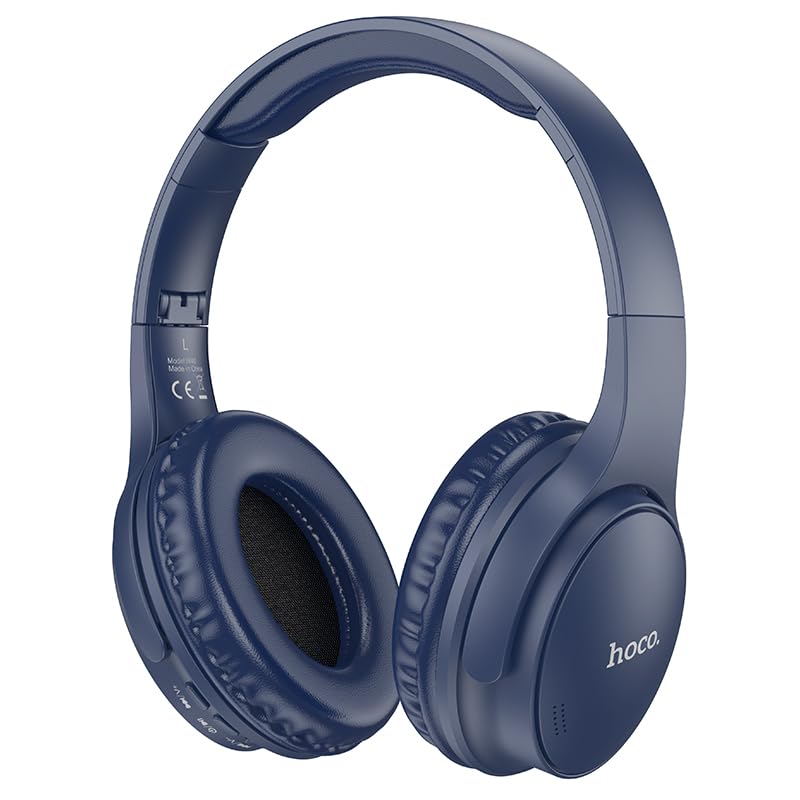
Image: HOCO W40 Bluetooth Headphones in a folded position, showcasing the earcups and headband. The headphones are blue.
Kaj je v škatli
Prosimo, preverite vsebino paketa in se prepričajte, da so prisotni vsi elementi:
- HOCO W40 Bluetooth Headphones
- Ušesne blazinice
- Naglavni trak (integriran s slušalkami)
The package includes the HOCO W40 Bluetooth Headphones, along with ear cushions and the integrated headband for comfortable use.
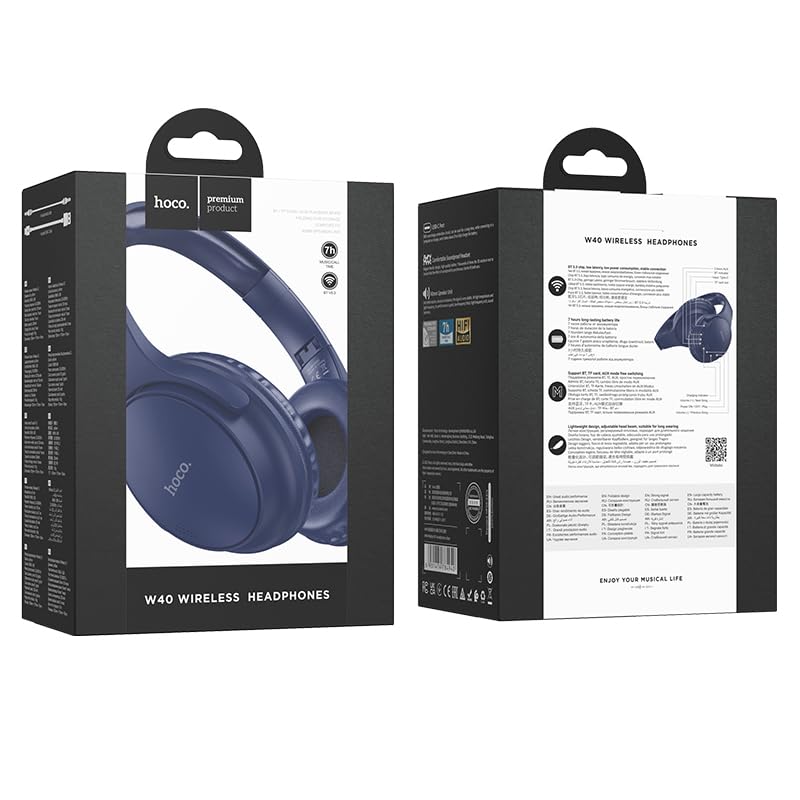
Image: Retail packaging for the HOCO W40 Wireless Headphones, showing the product image and some features on the box.
Konec izdelkaview
Familiarize yourself with the various parts and controls of your HOCO W40 headphones.
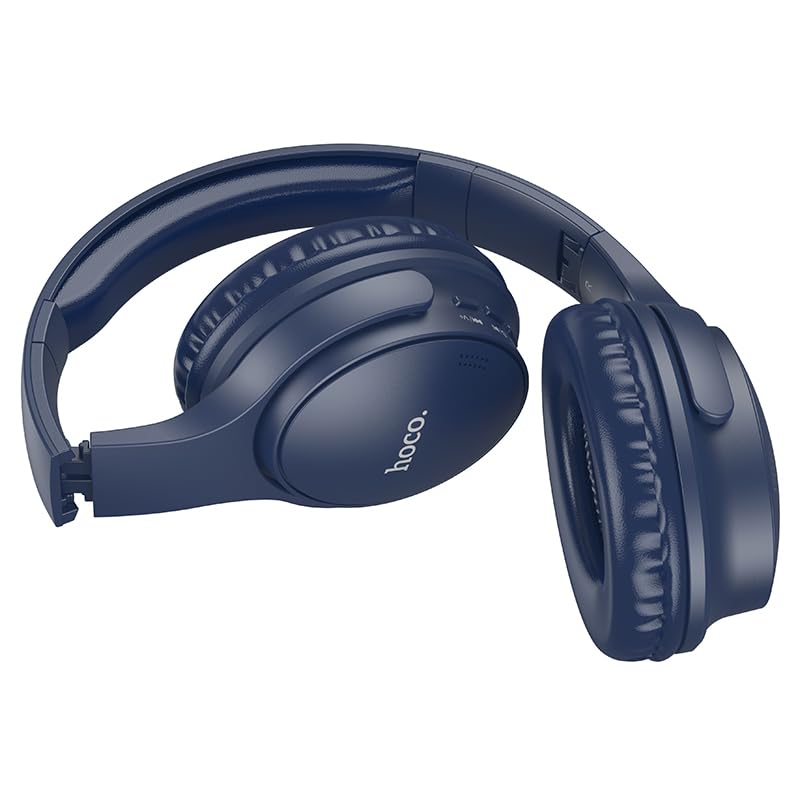
Slika: Stran view of the HOCO W40 Bluetooth Headphones, highlighting the earcup and headband design. The controls are visible on the right earcup.
Kontrole in indikatorji:
- Gumb za vklop: Used to power the headphones on/off and initiate pairing.
- Nadzor glasnosti: Adjusts the listening volume using touch controls.
- Večfunkcijski gumb (MFB): For play/pause, answer/end calls.
- Mikrofon: Vgrajeno za prostoročne klice.
- Vrata za polnjenje: Za priklop polnilnega kabla.
- LED indikator: Shows power status, pairing mode, and charging status.
The headphones feature touch controls for volume adjustment and other functions, along with a built-in microphone for clear communication.
Nastavitev
1. Polnjenje slušalk
Before first use, fully charge your headphones. A full charge takes approximately 1 ur.
- Connect the charging cable (not included in the JSON's 'whats_in_the_box' but typically provided) to the charging port on the headphones.
- Drugi konec kabla priključite na vir napajanja USB (npr. računalnik, stenski adapter).
- The LED indicator will show the charging status (e.g., red while charging, blue/off when fully charged).
Once fully charged, the headphones provide up to 12 uri of continuous playtime.
2. Seznanjanje z napravo Bluetooth
The HOCO W40 headphones use Bluetooth 5.3 for stable and seamless connectivity. They are compatible with smartphones, tablets, laptops, and other Bluetooth-enabled devices (iOS, Android).
- Prepričajte se, da so slušalke izklopljene.
- Press and hold the Power Button until the LED indicator flashes rapidly (usually blue and red alternately), indicating pairing mode.
- V svoji napravi omogočite Bluetooth in poiščite razpoložljive naprave.
- Select "HOCO W40" from the list of found devices.
- Once paired, the LED indicator will stop flashing and may turn solid blue or off, depending on the model.
- The headphones have a wireless range of up to 10 metrov.
If pairing is unsuccessful, turn off both devices, wait a few seconds, and repeat the steps.
Navodila za uporabo
Vklop/izklop
- Vklop: Pritisnite in držite gumb za vklop približno 3 sekunde, dokler se ne prižge LED indikator.
- Ugasniti: Pritisnite in držite gumb za vklop približno 5 sekund, dokler se LED indikator ne izklopi.
Nadzor glasbe
- Predvajanje/pavza: Na kratko pritisnite večfunkcijski gumb (MFB).
- Povečaj glasnost: Tap the designated touch control area for volume up.
- Znižaj glasnost: Tap the designated touch control area for volume down.
- Naslednja skladba: Double-tap the MFB or use the designated touch control.
- Prejšnja skladba: Triple-tap the MFB or use the designated touch control.
Note: Specific touch control gestures may vary slightly. Refer to the quick start guide included with your product for precise details.
Nadzor klicev
- Sprejmi/končaj klic: Na kratko pritisnite večfunkcijski gumb (MFB).
- Zavrni klic: Pritisnite in držite MFB 2 sekunde.
- Ponovno klicanje zadnje številke: Double-press the MFB when not on a call.
Vzdrževanje
Proper care will extend the life of your HOCO W40 headphones.
- Čiščenje: Za čiščenje slušalk uporabljajte mehko, suho krpo. Ne uporabljajte abrazivnih čistil ali topil.
- Shranjevanje: Slušalke shranjujte na hladnem in suhem mestu, stran od neposredne sončne svetlobe in ekstremnih temperatur.
- Vodoodpornost: The headphones are water resistant, making them suitable for workouts and outdoor activities. However, they are not designed for submersion in water. Avoid prolonged exposure to heavy rain or direct water jets.
- Vzdrževanje baterije: Da bi podaljšali življenjsko dobo baterije, slušalke redno polnite, tudi če jih ne uporabljate pogosto. Izogibajte se dolgotrajnemu praznjenju baterije.
Odpravljanje težav
| Težava | Možna rešitev |
|---|---|
| Slušalke se ne vklopijo. | Ensure the headphones are charged. Connect them to a power source and try again after a few minutes. |
| Seznanitev z napravo ni mogoča. |
|
| Ni zvoka ali nizka glasnost. |
|
| Kakovost klicev je slaba. |
|
Specifikacije
| Model | W40 |
| Znamka | HOCO |
| Tehnologija povezljivosti | Brezžično (Bluetooth 5.3) |
| Bluetooth obseg | 10 metrov |
| Življenjska doba baterije | Do 12 uri |
| Čas polnjenja | Približno 1 uro |
| Vrsta zvočnega gonilnika | Dinamični gonilnik |
| Nadzor hrupa | Zvočna izolacija |
| Stopnja vodoodpornosti | Vodoodporen |
| Vrsta nadzora | Nadzor glasnosti (na dotik) |
| Vgrajen mikrofon | Yes, for Hands-Free Calls |
| Združljive naprave | Smartphones, Tablets, Laptops (Universal Compatibility) |
| Material | Plastika |
| Teža predmeta | 180 g |
Uradni videoposnetek izdelka
Za vizualno predstavitev si oglejte uradni videoposnetek izdelkaview of the HOCO W40 Bluetooth Headphones and their key features.
Video: Uradni izdelek je končanview of the HOCO W40 Bluetooth Headphones, demonstrating its features, battery life, design, and device compatibility.
Garancija in podpora
For warranty information and customer support, please refer to the documentation included with your purchase or visit the official HOCO webspletnega mesta. Shranite dokazilo o nakupu za morebitne garancijske zahtevke.
Za dodatno pomoč se lahko obrnete tudi na prodajalca, kjer ste izdelek kupili.