
1. Uvod
Thank you for choosing the ieGeek 5MP Solar WiFi Outdoor PTZ Security Camera. This manual provides essential information for the proper installation, operation, and maintenance of your device. Please read it thoroughly before use and retain it for future reference.
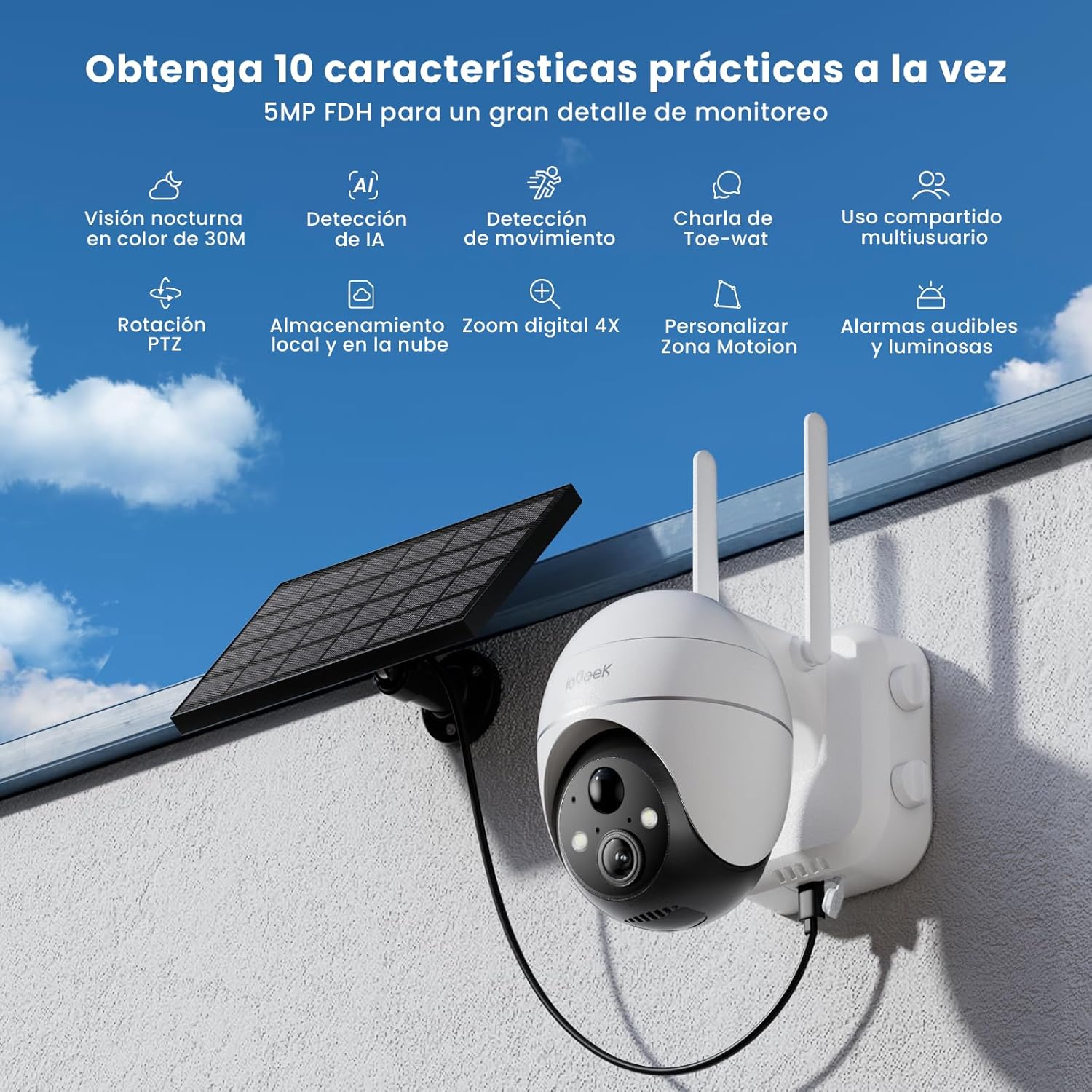
Figure 1: ieGeek 5MP Solar WiFi Outdoor PTZ Security Camera with solar panel, highlighting key features.
2. Izdelek je končanview
2.1 Ključne lastnosti
- 5MP Ultra-Clear Resolution: Provides superior visual images with 4x digital zoom for detailed viewing.
- Solar Power & Long-Lasting Battery: Operates using solar panels, eliminating power cables. The rechargeable battery lasts up to 60 days on a single charge.
- 355° panoramsko in 120° nagibno vrtenje: Ponuja široko področje view, ensuring comprehensive surveillance without blind spots.
- PIR Human Detection & Instant Alarms: Detects human shapes and sends alarm notifications within 2 seconds.
- Barvni nočni vid: Equipped with motion-activated spotlights for full-color details day and night.
- Dvosmerni zvok: Enables real-time listening and speaking through the camera via the app.
- Lokalno in oblačno shranjevanje: Supports up to 128GB Micro SD card and offers 7 days of free cloud service.
- Alexa Smart Function: Upravljajte kamero in view footage using Alexa Smart Voice.
- Vodoodpornost IP65: Designed for outdoor use, resistant to rain, snow, and varying temperatures (-20°C to 50°C).
2.2 Vsebina paketa

Slika 2: Dimenzije izdelka in vsebina paketa.
- ieGeek 5MP PTZ Security Camera x 1
- Solar Panel with Bracket x 1
- Uporabniški priročnik x 1
- Solar Panel User Manual x 1
- Mounting Screws and Expansion Screws x 7 sets
3. Navodila za namestitev
3.1 Polnjenje baterije
Before initial use, fully charge the camera's internal battery using the provided USB cable. The solar panel will maintain the charge during outdoor operation.
3.2 Prenos aplikacije in ustvarjanje računa
Download the 'ieGeek Cam' app from the Google Play Store or Apple App Store. Follow the in-app instructions to create an account and log in.

Figure 3: Download the 'ieGeek Cam' app.
3.3 Združevanje kamer
- Vklopite kamero.
- Open the 'ieGeek Cam' app and tap 'Add Device'.
- Follow the on-screen prompts to connect the camera to your 2.4GHz Wi-Fi network.
- Skenirajte QR kodo, prikazano na telefonu, s kamero.
- Ko je povezava vzpostavljena, poimenujte kamero in dokončajte nastavitev.
3.4 Namestitev
Choose a location with good Wi-Fi signal and direct sunlight exposure for the solar panel. Use the provided screws and bracket to securely mount the camera and solar panel.

Figure 4: Flexible disassembly and easy installation.

Figure 5: Wireless setup with solar panel connection.
4. Navodila za uporabo
4.1 V živo View in upravljanje PTZ
Access the live feed through the 'ieGeek Cam' app. Use the on-screen controls to pan 355° horizontally and tilt 120° vertically, adjusting the camera's view po potrebi.

Figure 6: Remote PTZ control via smartphone app.
4.2 Zaznavanje gibanja in opozorila
The camera features PIR human detection. When motion is detected, you will receive an instant alarm notification on your smartphone. Customize motion detection zones and sensitivity settings within the app to reduce false alerts.

Figure 7: Customizable motion detection zones.
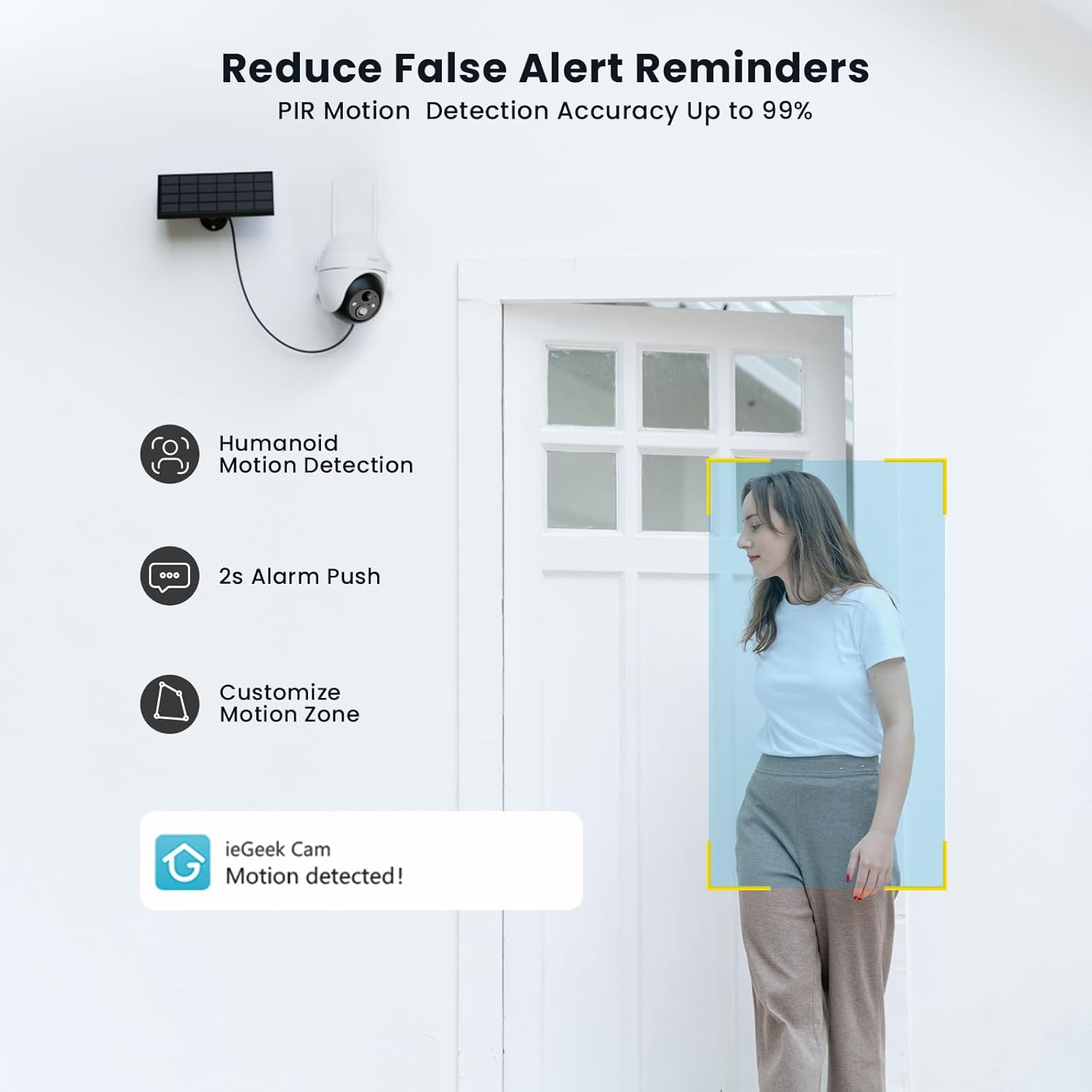
Figure 8: PIR Humanoid Motion Detection.
4.3 Dvosmerni zvok
Utilize the two-way audio feature to communicate with visitors or deter intruders. Tap the microphone icon in the app to speak, and listen through the camera's speaker.

Slika 9: Dvosmerna zvočna komunikacija.
4.4 Možnosti shranjevanja
The camera supports local storage via a Micro SD card (up to 128GB, purchased separately) and offers 7 days of free cloud storage. Recorded events can be accessed and reviewed preko aplikacije.

Figure 10: Micro SD card slot for local storage.

Figure 11: Cloud storage options.
5. Vzdrževanje
- Očistite lečo: Lečo fotoaparata redno obrišite z mehko, suho krpo, da zagotovite jasno kakovost slike.
- Čista sončna plošča: Keep the solar panel free of dust, dirt, and debris to maximize charging efficiency.
- Preverite nivo baterije: Monitor the battery status via the app and ensure the solar panel receives adequate sunlight.
- Posodobitve vdelane programske opreme: Keep the camera firmware updated through the app for optimal performance and security.
6. Odpravljanje težav
| Težava | Možen vzrok | rešitev |
|---|---|---|
| Kamera se ne povezuje z Wi-Fi | Napačno geslo za Wi-Fi; Kamera je predaleč od usmerjevalnika; Podpira samo Wi-Fi 2.4 GHz. | Verify password; Move camera closer to router or use a Wi-Fi extender; Ensure your router is set to 2.4GHz. |
| Slaba kakovost slike | Dirty lens; Low light conditions; Network issues. | Clean the lens; Ensure adequate lighting or rely on color night vision; Check Wi-Fi signal strength. |
| Baterija se ne polni | Solar panel obstructed or dirty; Insufficient sunlight; Faulty cable. | Clear obstructions and clean solar panel; Relocate panel to receive more direct sunlight; Check cable connections. |
| Ni opozoril za zaznavanje gibanja | Motion detection disabled; Incorrect sensitivity settings; App notifications blocked. | Enable motion detection in app; Adjust sensitivity; Check phone notification settings for the 'ieGeek Cam' app. |
7. Specifikacije
| Funkcija | Podrobnost |
|---|---|
| Ime modela | ieGeek ZS-GX4S |
| Resolucija | 5 MP |
| Povezljivost | Brezžično (Wi-Fi 2.4 GHz) |
| Vir napajanja | Battery, Solar Power |
| Kapaciteta baterije | 2000 mAh |
| Območje vrtenja/nagiba | 355° Pan, 120° Tilt |
| Digitalni zoom | 4x |
| Nočni vid | Color Night Vision (Infrared) |
| Zaznavanje gibanja | PIR zaznavanje ljudi |
| Avdio | Dvosmerni zvok |
| Shranjevanje | Micro SD (do 128 GB), shranjevanje v oblaku |
| Ocena vremenske odpornosti | IP65 |
| Delovna temperatura | -20°C do 50°C |
| Dimenzije | 18 x 17 x 12 centimetrov |
| Material | Plastika |
| Združljivo z | Amazon Alexa |
8. Garancija in podpora
ieGeek is committed to providing reliable products and excellent customer service.
- 2-letna garancija: Your ieGeek camera is covered by a 2-year warranty from the date of purchase.
- 30-dnevna garancija vračila denarja: Če z nakupom niste zadovoljni, ga lahko v 30 dneh vrnete za celotno povračilo kupnine.
- Doživljenjska tehnična podpora: ieGeek offers lifetime technical assistance for all its products.
For support, please contact us via email. Our customer service team is available 24/7 to assist you.

Figure 12: ieGeek Customer Support.