
Uvod
This manual provides detailed instructions for the EKSA H1 Plus Bluetooth Trucker Headset. Please read thoroughly to ensure proper setup, operation, and maintenance of your device. This headset is designed for clear communication in various environments, featuring advanced noise-cancelling technology and versatile connectivity options.
Vsebina paketa
- H1 Plus Headset
- Zaščitna torbica
- Replacement Ear Pad (Mesh breathable)
- Polnilni kabel tipa C
- USB Dongle (PC Adapter)
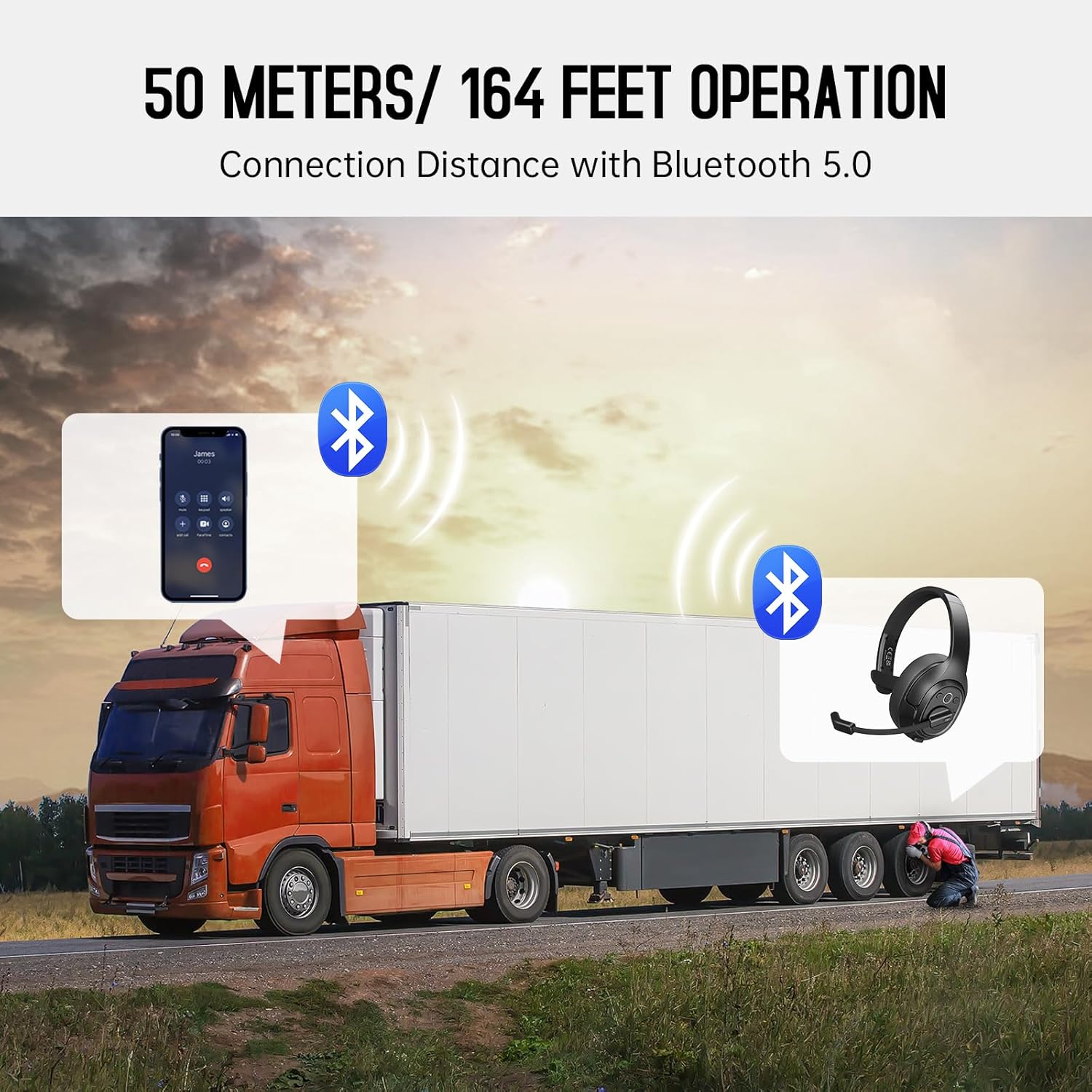
Image: The EKSA H1 Plus headset, USB dongle, and charging cable as typically found in the product packaging.
Nastavitev
1. Polnjenje slušalk
Before first use, fully charge the headset. Connect the provided Type-C charging cable to the headset's charging port and the other end to a USB power source. The charging indicator will show the charging status. A full charge takes approximately 1.5 hours.

Image: Visual representation of the headset's battery life and charging duration.
2. Vklop/izklop
Press and hold the Multi-Function Button (MFB) for 3 seconds to power on or off the headset. A voice prompt will indicate the status.
3. Združevanje prek Bluetootha (za mobilne naprave)
- Prepričajte se, da so slušalke izključene.
- Press and hold the MFB for 5-7 seconds until the LED indicator flashes blue and red alternately, indicating pairing mode.
- On your mobile device, enable Bluetooth and search for "EKSA-H1PLUS".
- Select "EKSA-H1PLUS" to connect. The LED will turn solid blue once connected.
4. Connecting with USB Dongle (for PC/Mac without Bluetooth)
- Priključite USB-ključek v prosta USB-vrata na računalniku.
- Vklopite slušalke. Samodejno se bodo poskušale povezati s ključkom.
- The LED on the dongle and headset will turn solid blue when connected.
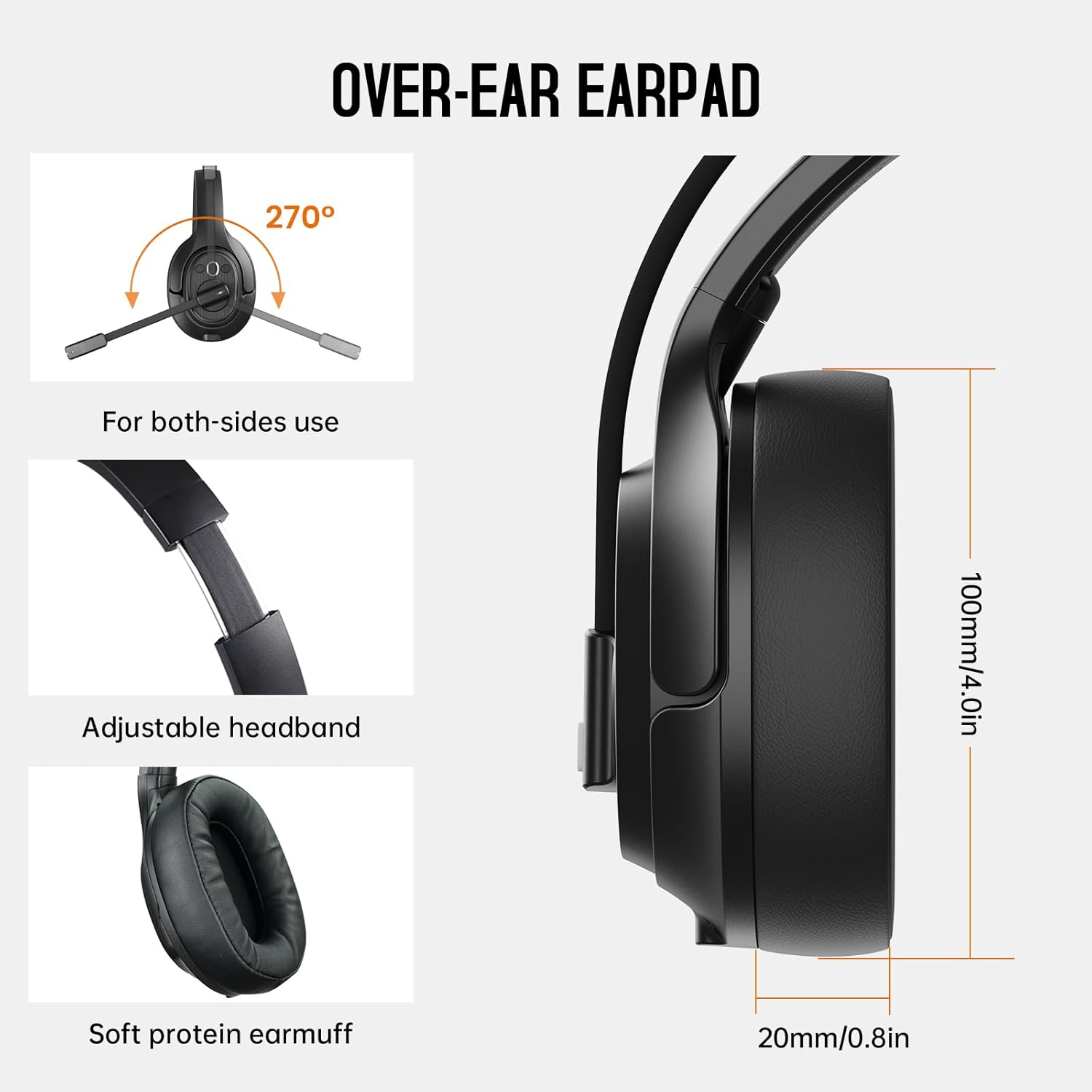
Image: The headset demonstrating simultaneous connection to a phone via Bluetooth and a laptop via USB dongle.
Navodila za uporabo
1. Nadzor nadview
Slušalke imajo intuitivne kontrole, ki se nahajajo na ušesni školjki:
- Večfunkcijski gumb (MFB): Vklop/izklop, predvajanje/začasna ustavitev glasbe, sprejemanje/končanje klicev.
- Povečanje glasnosti (+): Povečaj glasnost.
- Znižaj glasnost (-): Zmanjšajte glasnost.
- Gumb za izklop zvoka: Izklop/vklop mikrofona med klici.
- AI Assistant Button: Aktivirajte glasovnega pomočnika v napravi.

Slika: Bližnji posnetek view of the headset's control buttons and ports.
2. Klicanje in sprejemanje klicev
- Sprejmi/končaj klic: Kratek pritisk na MFB.
- Zavrni klic: Pritisnite in držite MFB 2 sekunde.
- Ponovno klicanje zadnje številke: Dvakrat pritisnite MFB.
- Izklop/vklop mikrofona: Short press the dedicated mute button on the microphone arm.
3. Microphone and Wearing Adjustments
The headset is designed for comfort and versatility:
- Nastavljiv naglavni trak: Naglavni trak raztegnite ali zvijte, da se udobno prilega vaši glavi.
- Vrtljiv mikrofon: The microphone arm can rotate 270 degrees, allowing it to be worn on either the left or right ear. Position the microphone close to your mouth for optimal voice pickup.
- Udobne ušesne školjke: The over-ear design with soft ear pads ensures comfort during extended use.

Image: Features illustrating the ergonomic design of the headset, including adjustable headband and rotatable microphone.
4. Environmental Noise Cancelling (ENC) Microphone
The AI-Powered ENC microphone filters out up to 99.8% of ambient noise, ensuring your voice is transmitted clearly even in noisy environments like call centers, construction sites, or trucks.

Image: A visual explanation of the ENC microphone's function, demonstrating noise reduction.
5. Povezava z več napravami
The headset supports simultaneous connection to two different devices, such as a smartphone and a computer, allowing seamless switching between calls and other audio sources.

Image: Illustration of the headset's ability to connect to two devices concurrently.
6. Extended Wireless Range
Utilizing Bluetooth 5.0 technology, the headset offers a stable wireless connection up to 30 meters (99 feet). In unobstructed environments, the range can extend up to 50 meters (164 feet).

Image: Visualizing the headset's long-range wireless capabilities in an outdoor setting.
Vzdrževanje
- Čiščenje: Za čiščenje slušalk uporabljajte mehko, suho krpo. Izogibajte se uporabi agresivnih kemikalij ali abrazivnih materialov.
- Zamenjava ušesnih blazinic: The headset comes with a replacement mesh breathable ear pad. To replace, gently twist and pull off the existing ear pad, then align and press the new ear pad into place.
- Shranjevanje: Store the headset in its protective case when not in use to prevent damage.

Image: Demonstrating the detachable ear pads and the two types included for different comfort levels.
Odpravljanje težav
| Težava | rešitev |
|---|---|
| Slušalke se ne vklopijo. | Ensure the headset is fully charged. Press and hold the MFB for 3 seconds. |
| Seznanitev prek Bluetootha ni mogoča. | Ensure the headset is in pairing mode (flashing blue/red LED). Turn off and on Bluetooth on your device. Move closer to the device. |
| Ni zvoka ali slaba kakovost zvoka. | Check volume levels on both the headset and connected device. Ensure the headset is selected as the audio output device. Re-pair the headset. |
| Mikrofon ne deluje. | Ensure the microphone is not muted. Check microphone settings on your connected device. Adjust microphone position. |
| USB ključek se ne poveže. | Ensure the dongle is fully inserted. Try a different USB port. Restart your computer. |
Specifikacije
| Funkcija | Podrobnost |
|---|---|
| Ime modela | EKSA-H1PLUS |
| Tehnologija povezljivosti | Brezžično (Bluetooth 5.0) |
| Različica Bluetooth | 5.0 |
| Bluetooth obseg | 30 Meters (99 feet), up to 50 Meters (164 feet) unobstructed |
| Mikrofon | AI-Powered Environmental Noise Cancelling (ENC) |
| Življenjska doba baterije (čas pogovora) | Do 30 uri |
| Življenjska doba baterije (čas predvajanja glasbe) | Do 57 uri |
| Čas polnjenja | Pribl. 1.5 ure |
| Oblika slušalke | Nad ušesi |
| Vrsta nadzora | Volume Control, Mute, AI Assistant |
| Teža | 1.01 funta (približno 458 g) |
Uradni videoposnetki izdelkov
EKSA H1 Plus Wireless Bluetooth Headset Overview
Video: Uradnik nadview of the EKSA H1 Plus Wireless Bluetooth Headset, highlighting its key features and design.
EKSA H1Plus Bluetooth Trucker Headset Features
Video: A detailed look at the features and benefits of the EKSA H1Plus Bluetooth Trucker Headset.
Garancija in podpora
EKSA products are designed for durability and performance. For warranty information and customer support, please refer to the official EKSA website or contact their customer service directly. Optional protection plans are available for extended coverage.
Za dodatno pomoč obiščite: www.eksa.net