
ClocTeck ClocTeck-CL01
ClocTeck Transparent Digital Alarm Clock
Model: ClocTeck-CL01
Brand: ClocTeck
Uvod
This manual provides detailed instructions for the setup, operation, and maintenance of your ClocTeck Transparent Digital Alarm Clock. Please read this manual thoroughly before using the product to ensure proper function and longevity.
Varnostne informacije
- Naprave ne izpostavljajte ekstremnim temperaturam, neposredni sončni svetlobi ali visoki vlažnosti.
- Izogibajte se padcem ali izpostavljanju naprave močnim udarcem.
- Napravo hranite ločeno od vode in drugih tekočin.
- Naprave ne poskušajte razstavljati ali popravljati sami. Za servis se obrnite na usposobljeno osebje.
- Use only the specified Type-C charging cable for power.
Vsebina paketa
Po razpakiranju preverite vsebino paketa:
- ClocTeck Transparent Digital Alarm Clock (Gold)
- Polnilni kabel USB tipa C
- Uporabniški priročnik (ta dokument)
Konec izdelkaview
The ClocTeck Transparent Digital Alarm Clock features a clear LCD display that shows time, date, day of the week, temperature, humidity, and a weather icon. It is designed with a sleek aluminum alloy case.
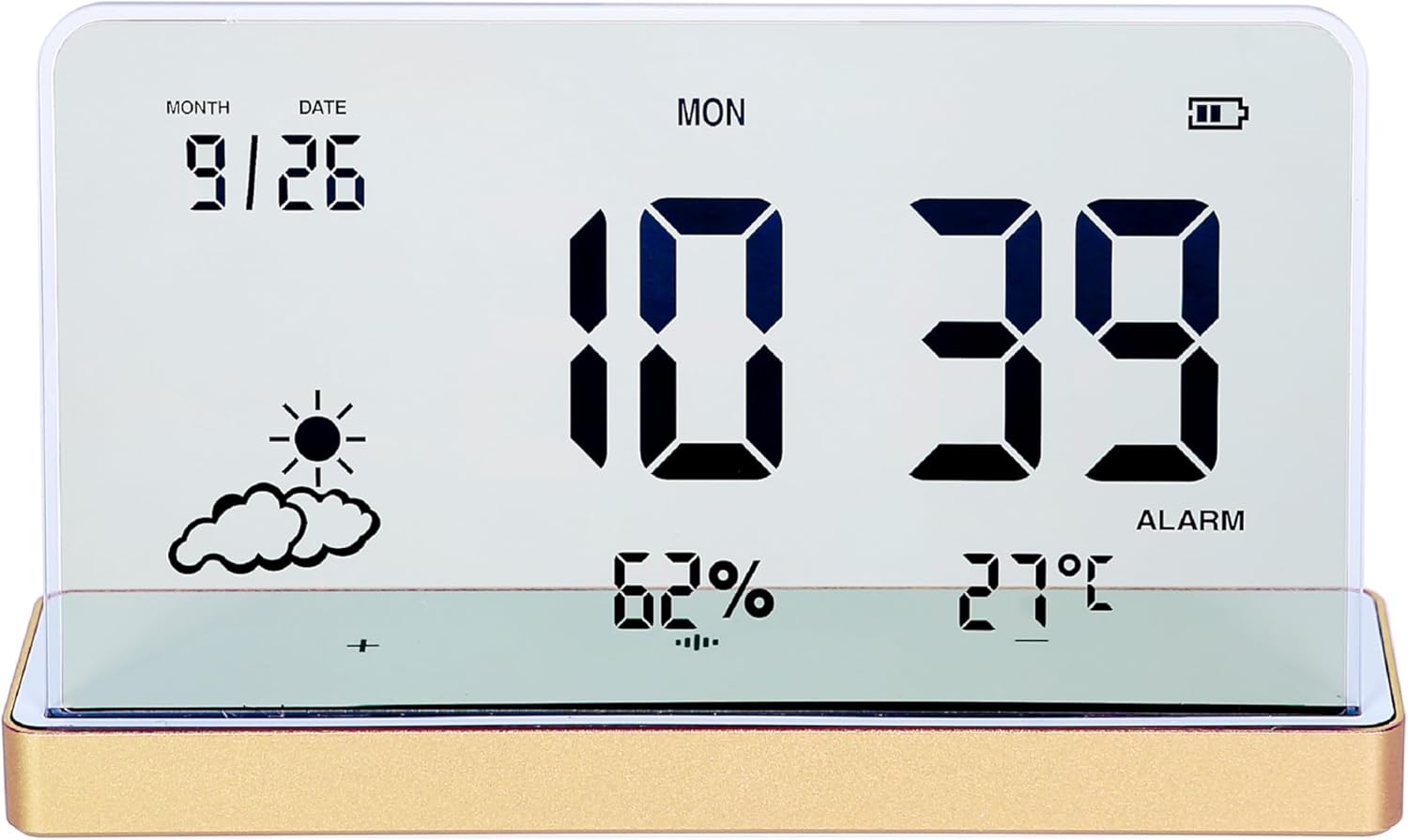
Slika 1: Spredaj view of the ClocTeck Transparent Digital Alarm Clock. The display shows the current time (10:39), date (9/26), day (MON), humidity (62%), temperature (27°C), and a partly cloudy weather icon. A battery indicator is visible in the top right corner.
Ključne značilnosti:
- Transparent LCD Display
- Time, Date, and Day Display
- Spremljanje temperature in vlažnosti v zaprtih prostorih
- Up to 3 Programmable Alarms
- Rechargeable Battery with long standby time
- Trpežno ohišje iz aluminijeve zlitine
Nastavitev
1. Vklop in polnjenje
The clock is powered by a built-in rechargeable battery. Before first use, or if the battery indicator is low, connect the provided Type-C USB charging cable to the charging port on the back or side of the clock and plug the other end into a standard USB power adapter (not included).
- A full charge provides approximately 75 days of operation.
- Indikator baterije na zaslonu bo prikazoval stanje polnjenja.
2. Začetna namestitev
Place the clock on a stable, flat surface. For accurate temperature and humidity readings, avoid placing it near heat sources, direct sunlight, or in areas with extreme drafts.
Navodila za uporabo
The clock features several buttons, typically located on the back or bottom, for setting time, alarms, and other functions. Refer to the specific button labels on your device.
1. Nastavitev časa in datuma
- Pritisnite NASTAVI gumb za vstop v način nastavitve časa.
- Uporabite UP in DOL gumbe za nastavitev ure. Pritisnite NASTAVI za potrditev in premik na minute.
- Repeat for minutes, year, month, and date.
- Pritisnite NASTAVI ponovno za izhod iz nastavitvenega načina.
2. Nastavitev alarmov
The clock supports up to 3 independent alarms.
- Pritisnite ALARM button to cycle through Alarm 1, Alarm 2, Alarm 3, and alarm off modes.
- When an alarm is selected, press and hold the ALARM button to enter alarm setting mode for that specific alarm.
- Uporabite UP in DOL buttons to set the alarm hour and minutes. Press ALARM za potrditev vsakega koraka.
- After setting the time, you may be prompted to set the alarm's activation days (e.g., weekdays, weekends, daily). Use UP/DOL in ALARM izbrati.
- Za vklop ali izklop alarma na kratko pritisnite ALARM button until the alarm icon appears or disappears next to the corresponding alarm number on the display.
3. Prikaz temperature in vlažnosti
The clock continuously displays indoor temperature and humidity. The temperature range is -20°C to 65°C, and the humidity range is 10% to 99%.
- Temperature is displayed in Celsius (°C).
- Humidity is displayed as a percentage (%).
4. Funkcija dremeža
When an alarm sounds, press any button (other than the alarm off button, if present) to activate the snooze function. The alarm will sound again after a short interval (typically 5-10 minutes).
5. Prilagoditev svetlosti zaslona
The clock may feature automatic brightness adjustment or manual control. Consult the device's physical buttons for a dedicated brightness control button or a combination of buttons to adjust display intensity.
Vzdrževanje
- Za čiščenje zaslona in casing, uporabite mehko, suho krpo. Ne uporabljajte abrazivnih čistil ali topil.
- Prepričajte se, da je polnilna vrata brez prahu in umazanije.
- Store the clock in a cool, dry place when not in use for extended periods.
Odpravljanje težav
| Težava | Možen vzrok | rešitev |
|---|---|---|
| Zaslon je prazen ali temen. | Low battery or power saving mode. | Charge the device using the Type-C cable. Check brightness settings. |
| Alarm se ne oglasi. | Alarm ni aktiviran ali pa je glasnost prenizka. | Ensure the alarm is set and activated (alarm icon visible). Check if there's a volume setting. |
| Napačne odčitke temperature/vlažnosti. | Device placed in an unsuitable environment. | Relocate the clock away from direct heat, cold, or high drafts. Allow time for readings to stabilize. |
| Gumbi se ne odzivajo. | Začasna napaka v programski opremi ali prazna baterija. | Recharge the device. If issue persists, try a soft reset (refer to manual for reset procedure, if available, or let battery drain and recharge). |
Specifikacije
- Model: ClocTeck-CL01
- Dimenzije: Approximately 12.5 cm (Width) × 3.2 cm (Depth) × 8 cm (Height)
- Telesna teža: Približno 0.13 kg
- Material ohišja: Aluminijeva zlitina
- Vrsta zaslona: Transparent LCD Digital Display
- Temperaturno območje: -20°C do 65°C
- Razpon vlažnosti: 10 % do 99 %
- vir energije: Polnilna baterija (polnjenje prek USB-C)
- Življenjska doba baterije: Approximately 75 days on a full charge
- Alarmi: 3 programabilnih alarmov

Figure 2: Dimensions of the ClocTeck Transparent Digital Alarm Clock. The image shows the clock with labels indicating a height of 8cm and a width of 12.5cm.
Garancija in podpora
ClocTeck provides a 12-month refund and exchange guarantee od datuma nakupa. Ta garancija krije proizvodne napake in težave, ki nastanejo zaradi normalne uporabe.
If you encounter any problems or have questions regarding your ClocTeck Transparent Digital Alarm Clock, please do not hesitate to contact our customer support team. We are committed to providing assistance and ensuring your satisfaction.
For support, please refer to the contact information provided on the product packaging or the seller's page where you purchased the item.
Ask a question about this manual
Ask about setup, troubleshooting, compatibility, parts, safety, or missing instructions. Manuals+ will review the question and use this page’s manual context to help answer it.