
1. Uvod in konecview
The Buffbee Sound Machine & Alarm Clock is a versatile 2-in-1 device designed to enhance your sleep and wake-up experience. It combines a high-quality sound machine with a precise digital alarm clock, offering a range of features to create a peaceful environment and ensure timely waking.

Image 1.1: The Buffbee device highlighting its dual functionality as a sound machine and an alarm clock.
Ključne značilnosti:
- Funkcionalnost 2 v 1: Combines a sound machine and a digital alarm clock in one compact unit.
- 18 pomirjujočih zvokov: Includes 5 white noises, 3 fan sounds, and 10 nature sounds (ocean, lullaby, waves, rain, thunderstorm, stream, croaks, bird chirps, summer night, campfire) to aid sleep and relaxation.
- Nastavljiva svetlost zaslona: Clock face brightness can be dimmed from 0% to 100% to suit your preference.
- Natančen nadzor glasnosti: Offers 30 levels of volume adjustment for optimal sound output.
- Časovnik spanja: Set the sound machine to automatically turn off after 15, 30, 60, 90, or 120 minutes, or allow continuous play.
- 7-barvna nočna lučka: Features a soothing colored light at the base with 7 color options and ON/OFF functionality.
- Visokokakovosten zvočnik: Equipped with a 5W speaker for rich, detailed sound.

Slika 1.2: Spredaj view of the Buffbee Sound Machine & Alarm Clock, displaying the time and the top control panel.
2. Nastavitev
2.1 Razpakiranje in vsebina
Carefully remove the Buffbee Sound Machine & Alarm Clock from its packaging. Verify that all components are present:
- Buffbee Sound Machine & Alarm Clock unit
- Power Adapter (USB cable and wall adapter)
- Uporabniški priročnik (ta dokument)
2.2 Napajalni priključek
The device is powered by an electrical cable.
- Insert the small end of the USB power cable into the DC IN port on the back of the Buffbee unit.
- Plug the larger end of the USB cable into the provided wall adapter.
- Priključite stenski adapter v standardno električno vtičnico.
The device will power on automatically, and the digital display will illuminate.
2.3 Nastavitev časa
Upon initial power-on or after a power outage, you may need to set the correct time.
- Pritisnite in držite Nastavitev časa button (usually indicated by a clock icon) on the top panel until the hour digits begin to flash.
- Uporabite +/- buttons (or arrow buttons) to adjust the hour.
- Pritisnite Nastavitev časa ponovno pritisnite gumb, da preklopite na nastavitev minut.
- Uporabite +/- gumbe za nastavitev minut.
- Pritisnite Nastavitev časa še enkrat pritisnite gumb za potrditev in izhod iz načina nastavitve časa.
3. Navodila za uporabo
3.1 Sound Machine Function
The Buffbee Sound Machine offers 18 soothing sounds to help you relax and sleep.

Slika 3.1: Notranje view illustrating the upward-firing speaker for enhanced sound quality.
Predvajanje zvokov:
- Pritisnite Zvočni način button (often a music note icon) to cycle through the available sound categories (White Noise, Fan Sounds, Nature Sounds).
- Uporabite Next/Previous Sound buttons (arrow icons) to select a specific sound within the chosen category.
- The sound will begin playing automatically.
Prilagoditev glasnosti:
The device features 30 levels of precise volume control.
- Pritisnite Povečanje glasnosti (+) or Znižaj glasnost (-) gumbe za povečanje ali zmanjšanje glasnosti zvoka.

Image 3.2: Illustration of the auto-off timer and 30-level precise volume control features.
Nastavitev časovnika za spanje:
The sleep timer allows the sound machine to turn off automatically after a set duration.
- Pritisnite Časovnik button (often an hourglass icon) repeatedly to cycle through the available timer options: 15 minutes, 30 minutes, 60 minutes, 90 minutes, 120 minutes, or continuous play (indicated by 'ON' or no timer display).
- The selected timer duration will be displayed briefly on the screen.
3.2 Funkcija budilke
The Buffbee device functions as a digital alarm clock with customizable wake-up sounds.
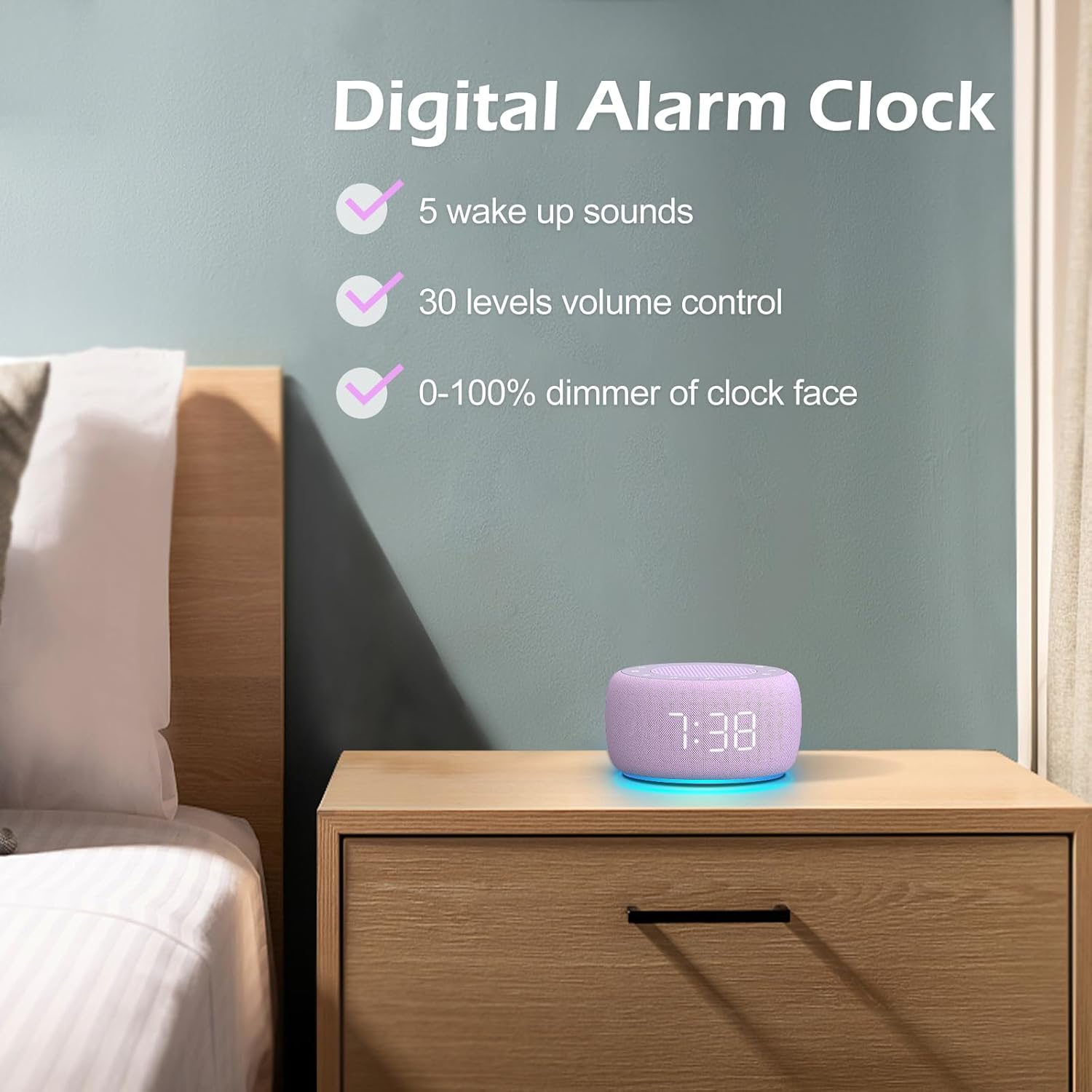
Slika 3.3: Konecview of the digital alarm clock features, including wake-up sounds, volume control, and display dimmer.
Nastavitev alarma:
- Pritisnite in držite Set alarmov button (often an alarm clock icon) until the alarm hour digits begin to flash.
- Uporabite +/- gumbe za nastavitev ure budilke.
- Pritisnite Set alarmov ponovno pritisnite gumb, da preklopite na nastavitev minut.
- Uporabite +/- gumbe za nastavitev minut alarma.
- Pritisnite Set alarmov button one more time to confirm the alarm time.
- After setting the time, you can select the wake-up sound by pressing the Izbira zvoka button (if available, or use +/- buttons while alarm sound is flashing). There are 5 wake-up sounds available.
- Pritisnite Set alarmov button again to activate the alarm. An alarm icon will appear on the display.
Funkcija dremeža:
Ko se oglasi alarm, pritisnite tipko dremež button (usually a large button on top or a dedicated snooze icon) to temporarily silence the alarm for a few minutes (typically 9 minutes). The alarm will sound again after the snooze period.
Izklop alarma:
Če želite alarm popolnoma izklopiti, pritisnite Vklop/izklop alarma button (often the same as the Alarm Set button, or a dedicated toggle). The alarm icon will disappear from the display.
3.3 Display & Light Functions
Prilagajanje svetlosti zaslona:
The digital display brightness can be adjusted from 0% (completely dark) to 100% (brightest).

Image 3.4: Demonstration of the 0-100% display dimmer feature, showing various brightness levels.
- Pritisnite Zatemnitev button (often a sun icon) repeatedly to cycle through different brightness levels.
- Drži Zatemnitev button to smoothly adjust the brightness from 0% to 100% and vice versa. Release the button at your desired brightness.
Uporaba nočne lučke:
The device features a colored night light at its base with 7 color options.

Image 3.5: The Buffbee device showcasing its 7-color night light feature in a bedroom setting.
- Pritisnite Svetloba button (often a light bulb icon) to turn the night light ON.
- Pritisnite Svetloba večkrat pritisnite gumb , da preklapljate med 7 razpoložljivimi barvami.
- Pritisnite Svetloba button one more time after cycling through all colors to turn the night light OFF.
4. Vzdrževanje
4.1 Čiščenje
To maintain the appearance and functionality of your Buffbee device:
- Pred čiščenjem napravo vedno izključite iz vtičnice.
- Za brisanje zunanjih površin uporabite mehko, suho krpo, ki ne pušča vlaken.
- Do not use abrasive cleaners, waxes, or solvents, as these may damage the finish.
- Izogibajte se vdoru vlage v morebitne odprtine.
4.2 Shranjevanje
Ko naprave dalj časa ne uporabljate, jo shranite na hladnem in suhem mestu, stran od neposredne sončne svetlobe in ekstremnih temperatur.
4.3 Varnostna opozorila
Upoštevajte naslednje varnostne ukrepe:
- Ta izdelek ni igrača. Hraniti izven dosega otrok.
- Handle with care to avoid electric shock. Do not expose the device to water or excessive moisture.
- Use within recommended noise exposure limits to prevent hearing damage.
- Naprave ne poskušajte razstavljati ali popravljati sami. Vsa servisna dela prepustite usposobljenemu osebju.
5. Odpravljanje težav
If you encounter issues with your Buffbee Sound Machine & Alarm Clock, please refer to the following common problems and solutions:
| Težava | Možen vzrok | rešitev |
|---|---|---|
| Naprava se ne vklopi. | Ni priključka za napajanje ali pa je adapter pokvarjen. | Ensure the power cable is securely plugged into the device and the wall outlet. Try a different outlet. |
| Brez zvoka iz zvočnika. | Volume is too low or muted. Incorrect sound selected. | Povečajte glasnost z Povečanje glasnosti (+) button. Ensure a sound is selected and not paused. |
| Alarm se ne oglasi. | Alarm is not set or not activated. Alarm volume is too low. | Verify that the alarm time is set correctly and the alarm icon is displayed. Increase the alarm volume (if separate from main volume). |
| Zaslon je pretemno ali presvetlo. | Display dimmer setting is incorrect. | Pritisnite ali držite Zatemnitev button to adjust the brightness to your preference. |
| Nočna lučka ne deluje. | Night light is turned off. | Pritisnite Svetloba button to turn on and cycle through colors. |
6. Specifikacije
Detailed technical specifications for the Buffbee Sound Machine & Alarm Clock (Model BK11):
| Funkcija | Specifikacija |
|---|---|
| Znamka | BUFFBEE |
| Številka modela | BK11 |
| barva | Vijolična |
| Material | Plastika |
| Vir napajanja | Električni na kabel |
| Dimenzije izdelka | 14.3 x 11.2 x 7.7 cm (5.6 x 4.4 x 3.0 palca) |
| Teža predmeta | 322 gramov (0.71 funta) |
| Izhod za zvočnike | 5W |
| Možnosti zvoka | 18 Soothing Sounds (5 White Noise, 3 Fan, 10 Nature) |
| Stopnje glasnosti | 30 Precise Levels |
| Zaslon zatemnitve | 0-100% Adjustable Brightness |
| Barve nočne svetlobe | 7 barv |
| Možnosti izklopnega časovnika | 15, 30, 60, 90, 120 minutes, or Continuous Play |
| Wake-up Sounds | 5 Zvoki alarma |
7. Garancija in podpora
7.1 Informacije o garanciji
This product comes with a standard manufacturer's warranty. Please refer to the product packaging or the seller's website for specific warranty terms and conditions, including duration and coverage details.
7.2 Podpora strankam
For any questions, technical assistance, or warranty claims, please contact Buffbee customer support through the retailer's platform or the official Buffbee website. Have your product model number (BK11) and purchase details ready when contacting support.