
Uvod
This manual provides detailed instructions for the setup, operation, and maintenance of your Edillas Kids Digital Alarm Clock. Please read this manual thoroughly before using the product to ensure proper function and longevity.
Lastnosti izdelka
- Nastavitve dvojnega alarma: Configure two independent alarms for weekdays, weekends, or all seven days.
- Funkcija dremeža: Provides a 5-minute snooze interval, repeatable up to three times.
- Odštevalnik: Adjustable from 1 to 59 minutes for various activities.
- Night Light with Sleep Timer: Offers a warm glow with a timer from 1 to 59 minutes.
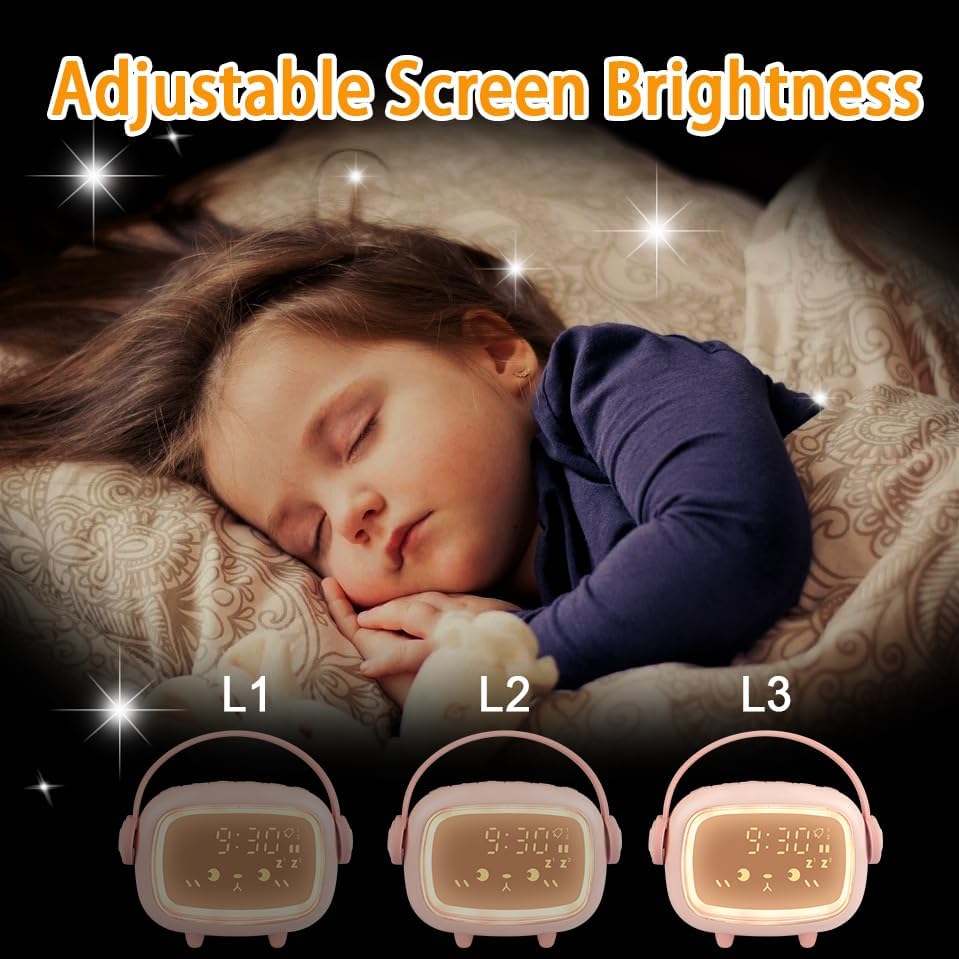
- Nastavljiva svetlost: Three display brightness levels for optimal visibility day and night.
- Six Ringtones: A selection of six distinct alarm sounds.
- Nastavljiva glasnost alarma: Customize the alarm sound level.
- Akumulatorska baterija: Built-in 2000mAh lithium battery, charged via USB.
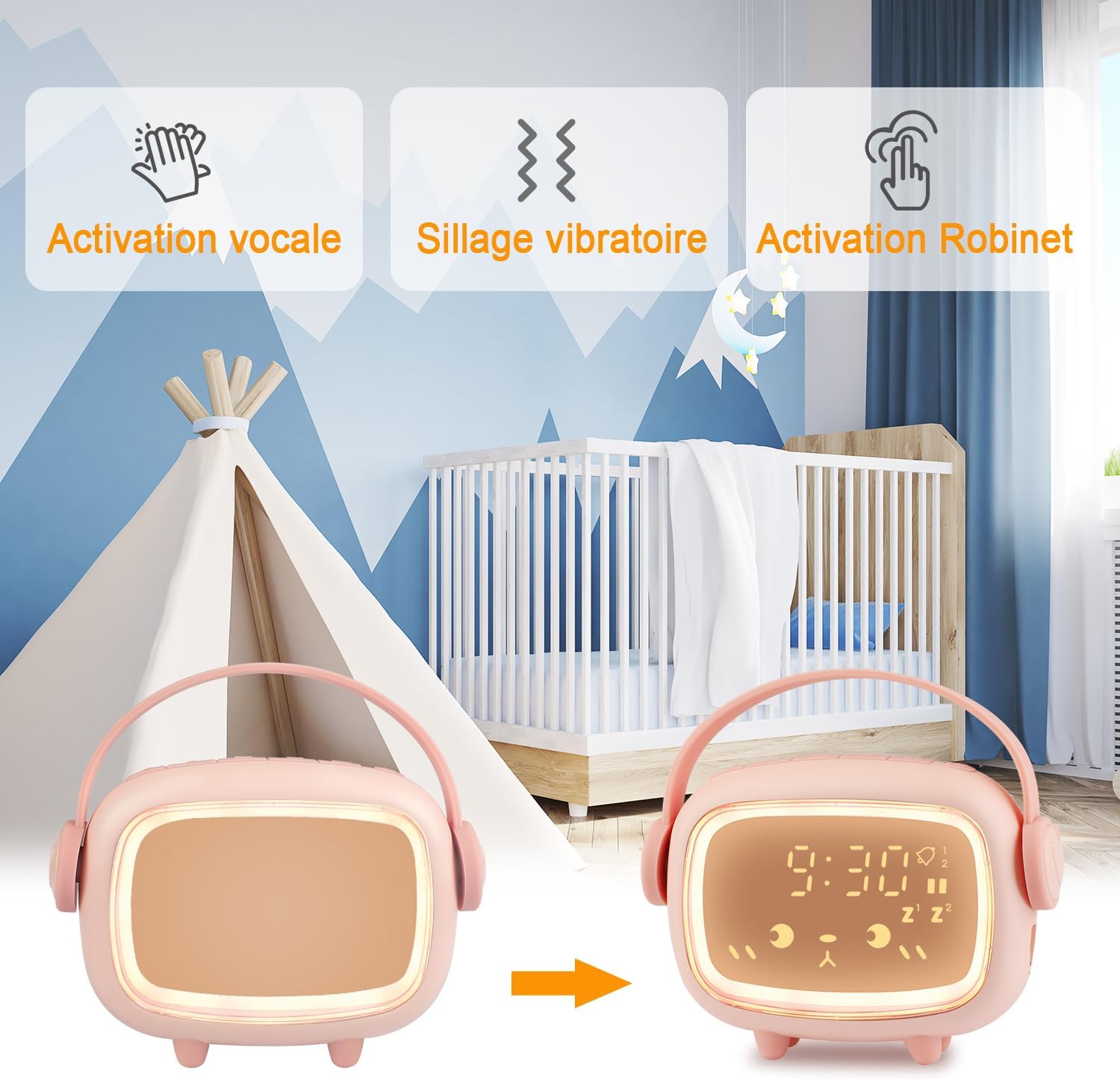
- Način varčevanja z energijo: Display activates with tap or clap.
Vsebina paketa
Prosimo, preverite paket za naslednje artikle:
- Edillas Kids Digital Alarm Clock (Model Réveil Enfants)
- USB polnilni kabel
- Uporabniški priročnik (ta dokument)
Nastavitev
1. Začetno polnjenje
Before first use, fully charge the alarm clock using the provided USB cable. Connect the USB cable to the charging port on the device and to a standard USB power adapter (not included) or a computer USB port. The charging indicator will show the charging status.
2. Vklop/izklop
Press and hold the power button (location typically on the back or bottom) to turn the device on or off.
Navodila za uporabo
1. Nastavitev časa
- Press the 'Time Set' button (refer to product diagram for exact button).
- Za nastavitev ure uporabite gumba '+' in '-'.
- Press 'Time Set' again to confirm the hour and move to minutes adjustment.
- Use the '+' and '-' buttons to adjust the minutes.
- Press 'Time Set' one more time to save the time setting.
- Select 12-hour or 24-hour format if available (refer to specific button or menu option).
2. Nastavitev alarmov (Alarm 1 in Alarm 2)
The clock supports two independent alarms. The setup process is similar for both.
- Press the 'Alarm 1' or 'Alarm 2' button. The alarm time will flash.
- Z gumboma '+' in '-' nastavite želeno uro budilke.
- Press the 'Alarm' button again to confirm the hour and move to minutes.
- Use the '+' and '-' buttons to set the desired alarm minutes.
- Press the 'Alarm' button to confirm minutes.
- Izberite frekvenco alarma:
- 1-5: Od ponedeljka do petka
- 1-6: Od ponedeljka do sobote
- 1-7: Od ponedeljka do nedelje
- Press the 'Alarm' button to save the alarm setting.
- To enable/disable an alarm, press the corresponding 'Alarm' button briefly. An icon on the display will indicate if the alarm is active.
Funkcija dremeža
When an alarm sounds, press the Night Light button to activate the 5-minute snooze. The alarm will sound again after 5 minutes. This can be repeated up to three times. To stop the alarm completely, press any other button.
3. Odštevalnik časa
The countdown timer can be set from 1 to 59 minutes.
- Press the 'Timer' button. The display will show '00'.
- Use the '+' and '-' buttons to set the desired countdown duration in minutes.
- Press the 'Timer' button again to start the countdown.
- When the countdown reaches zero, an alert will sound.
- To stop the countdown prematurely, press the 'Timer' button again.

4. Night Light Function and Brightness Adjustment
Vgrajena nočna lučka zagotavlja mehko osvetlitev.
- Aktivacija nočne luči: Press the 'Night Light' button to turn the night light on/off.
- Prilagoditev svetlosti: The display has three brightness levels (L1, L2, L3). Press the 'Brightness' button (or cycle through by pressing the Night Light button multiple times) to adjust the display brightness.
- Night Light Sleep Timer: While the night light is on, press and hold the 'Night Light' button to enter the timer setting. Use '+' and '-' to set the duration (1-59 minutes). The light will automatically turn off after the set time.
- Energy-Saving Mode Activation: The clock enters energy-saving mode by default. In this mode, the display turns off. To activate the display, tap the clock, tap the surface it rests on, or clap your hands.

5. Alarm Ringtones and Volume
- Selecting Ringtones: While in alarm setting mode (or a dedicated 'Ringtone' button), use the '+' and '-' buttons to cycle through the 6 available ringtones.
- Prilagoditev glasnosti: Use the 'Volume' button (or a combination with '+' / '-') to set the desired alarm volume level.

Vzdrževanje
- Napravo očistite z mehko, suho krpo. Ne uporabljajte abrazivnih čistil ali topil.
- Ure ne izpostavljajte ekstremnim temperaturam, neposredni sončni svetlobi ali visoki vlažnosti.
- Naprave ne potapljajte v vodo.
- Če ga dlje časa ne uporabljate, ga hranite na hladnem in suhem mestu.
Odpravljanje težav
| Težava | Možen vzrok | rešitev |
|---|---|---|
| Prikaz ure je izklopljen. | Način varčevanja z energijo je aktiven. | Tap the clock, the table, or clap your hands to activate the display. |
| Alarm se ne oglasi. | Alarm is not enabled or volume is too low. | Ensure the alarm is enabled (check display icon) and the volume is set appropriately. |
| Naprava se ne polni. | USB cable or power adapter issue. | Preverite povezavo USB-kabla. Poskusite z drugim USB-vhodom ali napajalnikom. |
| Gumbi se ne odzivajo. | Začasna napaka v programski opremi ali prazna baterija. | Recharge the device. If issue persists, try resetting the device (refer to specific reset instructions if available, otherwise let battery drain and recharge). |
Specifikacije
| Funkcija | Podrobnost |
|---|---|
| Številka modela | Réveil Enfants |
| Znamka | Edillas |
| Mere izdelka (D x Š x V) | 4.5 x 3.81 x 11.5 cm |
| Teža | 200 gramov |
| Proizvajalec | Yadelai |
| Vrsta zaslona | Digitalno |
| Vir napajanja | Built-in Rechargeable Lithium Battery (2000mAh), USB Charged |
| Material okvirja | Akrilonitril butadien stiren (ABS) |
| Posebne lastnosti | Alarm, Countdown Timer, Snooze, Night Light, Adjustable Brightness |
| barva | Pink (other colors may be available) |
| oblika | Rectangular with rounded corners (as pictured) |
Opomba: Specifikacije se lahko spremenijo brez predhodnega obvestila.
Garancija in podpora
Za informacije o garanciji in podporo strankam glejte dokumentacijo, ki ste jo prejeli ob nakupu, ali se obrnite na prodajalca. Shranite dokazilo o nakupu za morebitne garancijske zahtevke.