
DOOMAY 5293B
DOOMAY Digital Alarm Clock Instruction Manual
Model: 5293B
Blagovna znamka: DOOMAY
1. Uvod
Thank you for choosing the DOOMAY Digital Alarm Clock. This compact and modern alarm clock is designed for convenience and reliability, featuring an LCD display, adjustable volume, snooze function, weekend mode, and indoor temperature display. This manual provides detailed instructions to help you set up and operate your new alarm clock effectively.

Slika 1: Spredaj view of the DOOMAY Digital Alarm Clock.
2. Vsebina paketa
- DOOMAY Digital Alarm Clock (1 unit)
- Baterije AAA (2 kosa)
- Navodila za uporabo (ta dokument)
3. Nastavitev
3.1 Namestitev baterije
The DOOMAY Digital Alarm Clock is powered by two AAA batteries. These batteries are included in the package.
- Poiščite pokrovček predalčka za baterije na zadnji strani budilke.
- Potisnite pokrov navzdol, da odprete predal.
- Vstavite dve bateriji AAA in pri tem pazite na pravilno polarnost (+ in -), kot je označeno v notranjosti predala.
- Pokrovček predala za baterije namestite nazaj tako, da ga potisnete navzgor, dokler se ne zaskoči.

Slika 2: Zadaj view z baterijskim predalom in gumbi za upravljanje.
Opomba: When the display flashes '8888' and the clock beeps, it indicates that the batteries are low and need to be replaced.
4. Navodila za uporabo
The DOOMAY Digital Alarm Clock offers various functions for timekeeping, alarming, and environmental monitoring. Refer to the buttons on the back of the clock for settings.
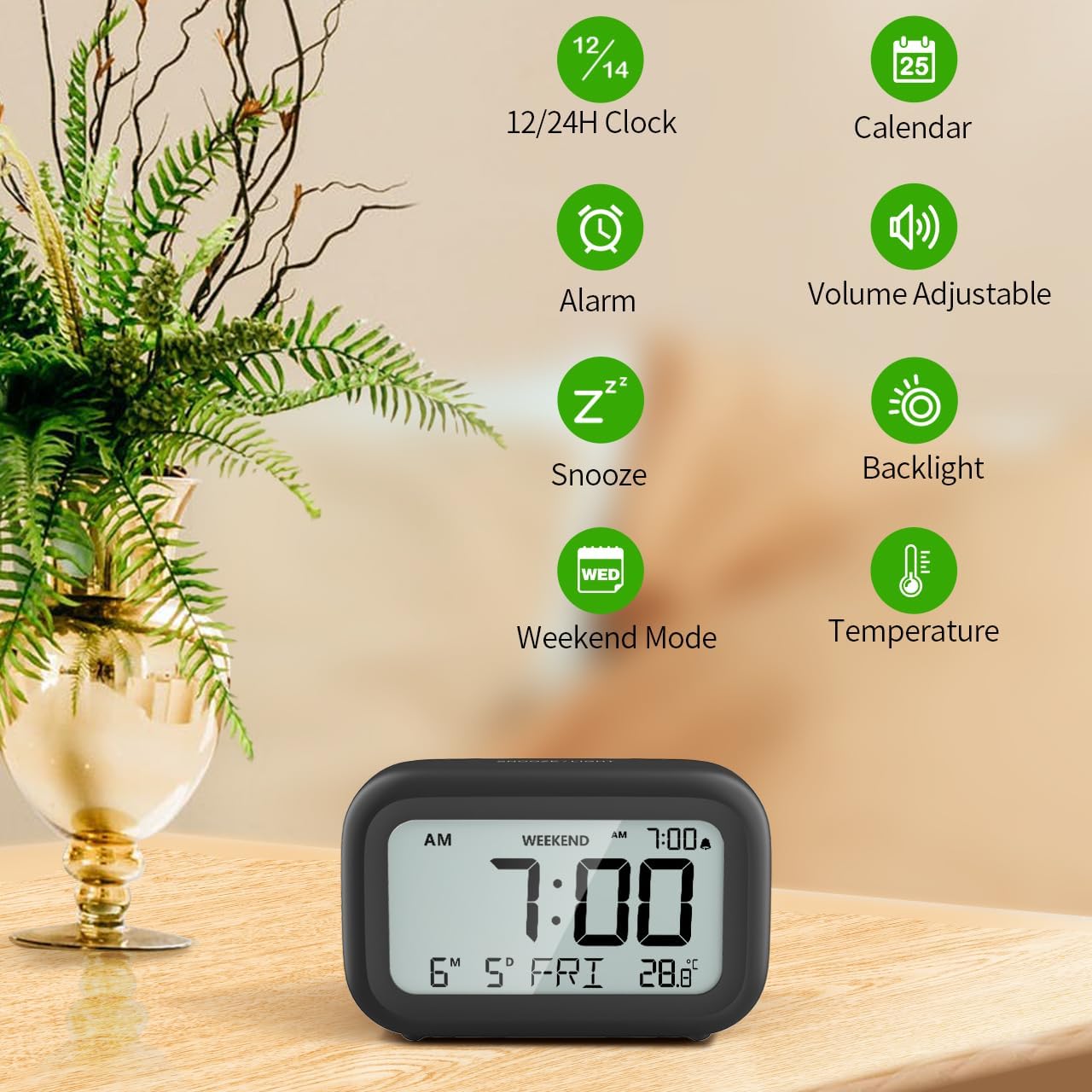
Slika 3: Konecview of clock features.
4.1 Nastavitev časa in datuma
Za nastavitev trenutnega časa in datuma:
- Pritisnite in držite NASTAVI button (usually represented by a clock icon or '12/24H' button) on the back of the clock until the numbers on the display begin to flash.
- Uporabite + in - buttons to adjust the flashing value (Year, Month, Day, Hour, Minute).
- Pritisnite NASTAVI button again to confirm the setting and move to the next value.
- Once all values are set, the display will stop flashing. The day of the week will automatically update based on the date.
For a visual guide, refer to the video below, specifically from 0:18 for Date Setting in 0:32 for Time Setting.
4.2 Nastavitev alarma
To set your alarm time:
- Pritisnite ALARM button (bell icon) on the back of the clock. The alarm time will appear and flash.
- Uporabite + in - buttons to adjust the desired alarm hour and minute.
- Pritisnite ALARM button again to confirm the alarm setting.
- To turn the alarm ON or OFF, simply press the ALARM button once. An alarm icon will appear on the display when the alarm is active.
For a visual guide, refer to the video below, specifically from 0:13 for turning alarm ON/OFF in 0:37 for Alarm Setting.
4.3 Funkcija dremeža
When the alarm sounds, gently touch the SNOOZE / LUČ button located on the top of the clock. This will activate the snooze function, providing an additional 9 minutes of sleep before the alarm sounds again. You can repeat this process multiple times.

Slika 4: Aktiviranje funkcije dremeža.
To turn off the alarm completely after it sounds, press any button on the back of the clock.
For a visual guide, refer to the video below, specifically from 0:46 for Snooze function.
4.4 Weekend Mode
The Weekend Mode allows you to set the alarm to only sound from Monday to Friday, preventing it from disturbing you on weekends.
- Pritisnite VIKEND button (calendar icon) on the back of the clock to toggle Weekend Mode ON or OFF.
- When Weekend Mode is active, 'WEEKEND' will be displayed on the screen, and the alarm will be automatically disabled on Saturday and Sunday.

Figure 5: Weekend Mode and Alarm Volume Levels.
For a visual guide, refer to the video below, specifically from 0:50 for Weekend Mode ON/OFF.
4.5 Funkcija osvetlitve ozadja
The clock features a convenient 5-second on-demand backlight for viewmeritev časa v slabih svetlobnih pogojih.
- Simply touch the SNOOZE / LUČ button on the top of the clock to activate the backlight.
- The backlight will illuminate for approximately 5 seconds and then automatically turn off to conserve battery life.

Figure 6: Backlight in use.
For a visual guide, refer to the video below, specifically from 0:54 for 5 Seconds Backlight.
4.6 Prikaz temperature
The clock displays the indoor temperature. You can switch between Celsius (°C) and Fahrenheit (°F) units.
- Pritisnite ° C / ° F button on the back of the clock to toggle between Celsius and Fahrenheit.

Figure 7: Indoor Temperature Display.
4.7 12/24-urni format časa
You can switch the time display between 12-hour (with AM/PM indicator) and 24-hour formats.
- Pritisnite 12/24H button on the back of the clock to switch between the two formats.
For a visual guide, refer to the video below, specifically from 0:58 for 12/24Hr Time Format Switchable.
4.8 Alarm Volume Adjustment
The alarm clock offers two volume levels for the alarm sound: LOW (70dB) and HIGH (85dB).
- While setting the alarm, or when the alarm is sounding, you can cycle through the volume levels by pressing the appropriate button (often the + or - button, or a dedicated volume button if available). Refer to the icons on the back of your clock.
For a visual guide, refer to the video below, specifically from 0:42 for 2 Levels of Volume Adjustable.
Operating Instructions Video Guide
Video 1: Comprehensive guide on setting up and operating the DOOMAY Digital Alarm Clock. This video demonstrates battery installation, setting time and date, alarm functions, snooze, weekend mode, backlight, and volume adjustment.
5. Vzdrževanje
- Čiščenje: Uro obrišite z mehko, suho krpo. Ne uporabljajte abrazivnih čistil ali topil.
- Zamenjava baterije: Replace batteries when the low battery indicator appears (flashing '8888' and beeping). Always use new AAA batteries.
- Shranjevanje: Če uro shranjujete dlje časa, odstranite baterije, da preprečite puščanje.
6. Odpravljanje težav
| Težava | Možen vzrok | rešitev |
|---|---|---|
| Prikaz ure je prazen ali temen. | Baterije so prazne ali nepravilno nameščene. | Baterije zamenjajte z novimi baterijami AAA in pri tem pazite na pravilno polarnost. |
| Alarm se ne oglasi. | Alarm is not activated or Weekend Mode is ON. | Press the ALARM button to activate. Check if Weekend Mode is active and disable if necessary. |
| Ura/datum ni pravilen. | Not set correctly or batteries were removed. | Za ponastavitev časa in datuma sledite navodilom v poglavju 4.1. |
| Backlight does not stay on. | To je normalno delovanje. | The backlight is designed to illuminate for 5 seconds to conserve battery life. It is not a continuous backlight. |
7. Specifikacije
- Model: 5293B
- Vrsta zaslona: Digitalni LCD
- vir energije: 2 x AAA baterije (priložene)
- Dimenzije izdelka: 4.29"W x 2.72"H (approx. 10.9cm x 6.9cm)
- Material: Akrilonitril butadien stiren (ABS)
- Lastnosti: Alarm, Snooze, Weekend Mode, Indoor Temperature (°C/°F), 12/24H Time Format, 5-second Backlight
- Glasnost alarma: 2 levels (70dB, 85dB)
- Teža artikla: 4.48 unče (približno 127 g)
8. Garancija in podpora
DOOMAY products are manufactured with high-quality materials and craftsmanship. For any questions, concerns, or technical support regarding your DOOMAY Digital Alarm Clock, please contact the seller or refer to the product listing on the platform where it was purchased. Please retain your proof of purchase for warranty claims.
Ask a question about this manual
Ask about setup, troubleshooting, compatibility, parts, safety, or missing instructions. Manuals+ will review the question and use this page’s manual context to help answer it.