
Uvod
This manual provides detailed instructions for the safe and proper installation and operation of your ONKRON R4-B Full Motion TV Wall Mount. Please read this manual thoroughly before installation and retain it for future reference. This wall mount is designed for 10-35 inch flat and curved screens weighing up to 44 lbs (20 kg). It supports VESA mounting patterns of 75x75mm and 100x100mm.
Varnostne informacije
- Ensure the mounting surface can safely support the combined weight of the mount and your display.
- Ne prekoračite največje dovoljene nosilnosti 44 kg (20 lbs).
- Use appropriate tools and follow all installation steps carefully.
- Če ste glede katerega koli dela namestitve negotovi, se posvetujte s usposobljenim strokovnjakom.
- Med namestitvijo hranite otroke in hišne ljubljenčke proč.
- Redno preverjajte vse povezave in pritrdilne elemente, da zagotovite njihovo varnost.
Vsebina paketa
Pred začetkom namestitve preverite, ali so vse komponente prisotne.
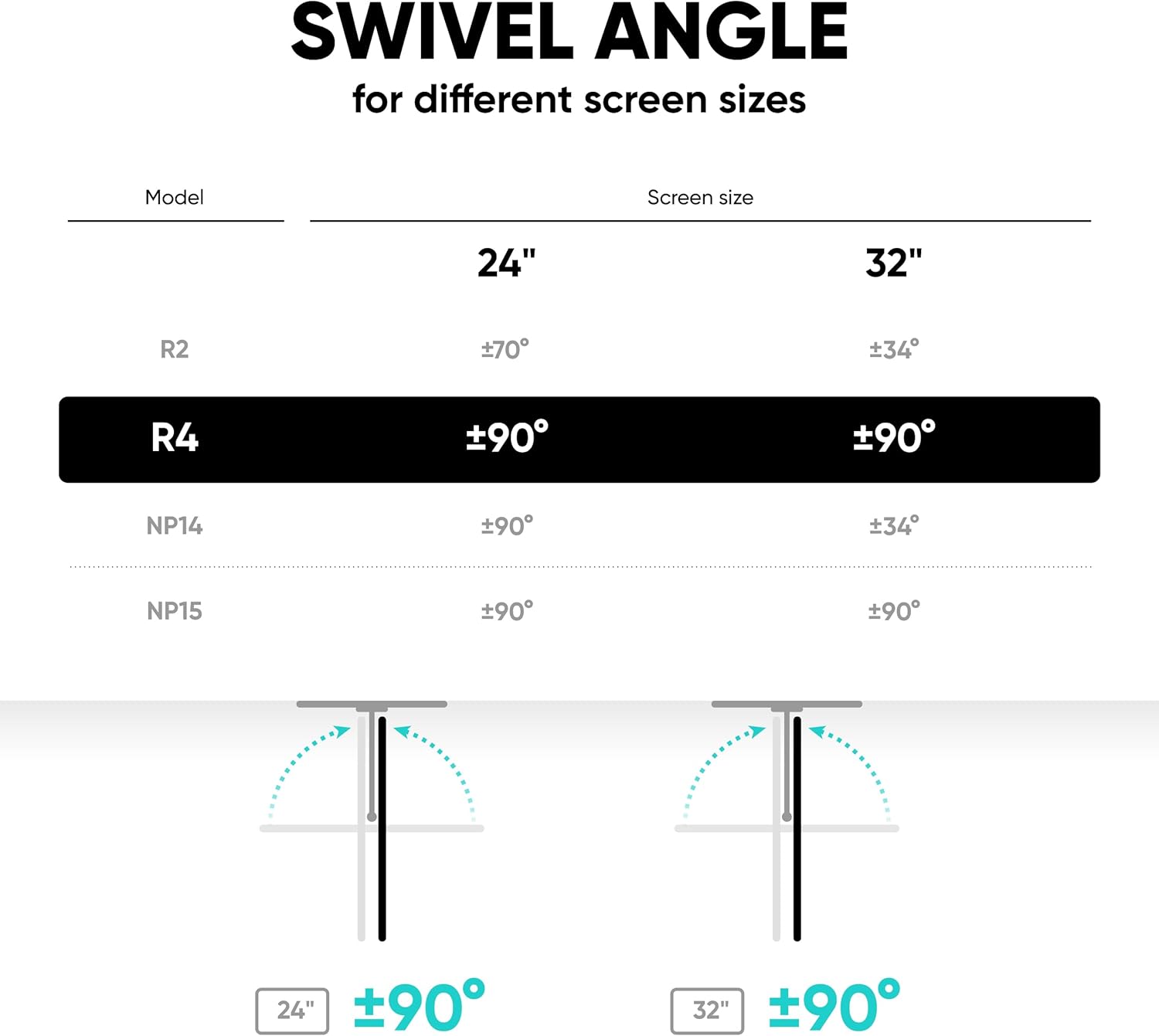
Image: All components included in the ONKRON R4-B package, including the wall mount arm, VESA plate, wall mounting kit, and TV mounting kit.
- Montaža za stensko montažo
- VESA plošča
- Stenski pritrdilni elementi (vijaki, sidra)
- TV Mounting Hardware (various VESA screws, washers, spacers)
- Šestnajsti ključ
- Posnetki za upravljanje kablov
- Decorative Pads
Nastavitev in namestitev
The following video provides a comprehensive guide to the installation process:
Video: Official ONKRON R4-B instruction video demonstrating the full installation process.
Step 1: Attach VESA Plate to TV/Monitor
Carefully place your TV or monitor face down on a soft, clean surface. Attach the VESA plate to the back of your display using the appropriate screws and washers from the TV mounting kit. Ensure the soft pads are placed between the VESA plate and the TV to prevent scratches.

Image: Close-up of the VESA plate being attached to a monitor, highlighting the soft protective pads.
Step 2: Mount the Bracket to the Wall
Locate a suitable mounting position on your wall. Use a stud finder to ensure you are drilling into a wall stud for secure installation. Mark the drill holes, drill pilot holes, and then secure the wall mount assembly using the provided wall mounting hardware. Use a level to ensure the mount is straight.

Image: The wall mount bracket being installed on a wall, with a level placed on top to ensure proper alignment.
Step 3: Attach TV/Monitor to Wall Mount
Carefully lift the TV/monitor with the attached VESA plate and hook it onto the wall mount arm. Ensure the dovetail mount engages securely. Fix the screen on the bracket with the locking screw to prevent accidental dislodgement.

Image: Close-up of the dovetail mounting mechanism, showing how the screen attaches to the arm.

Image: Illustrates the locking screw mechanism for securing the display to the mount.
4. korak: upravljanje kablov
Route all cables through the integrated cable management clips on the mount arm to maintain a tidy appearance and prevent cable damage.

Image: Shows cables neatly routed through clips on the mount arm.
Navodila za uporabo
Adjusting Swivel, Tilt, and Rotation
The ONKRON R4-B mount offers full motion flexibility for optimal viewing kotov.
- Vrtljiva: The mount allows for 180° swivel. Gently push or pull the screen to achieve the desired horizontal angle.
- Nagib: Adjust the screen tilt by ±8°. Loosen the tilt adjustment screws, set the desired angle, and then re-tighten the screws to secure the position.
- Vrtenje: The screen can be rotated 360° for portrait or landscape orientation. Simply rotate the screen to the desired mode.
- Razširitev: The monitor arm can extend from 3.1 inches to 16.5 inches from the wall.

Image: Illustrates the tilt range of ±8° and the extension range from 3.1 to 16.5 inches.
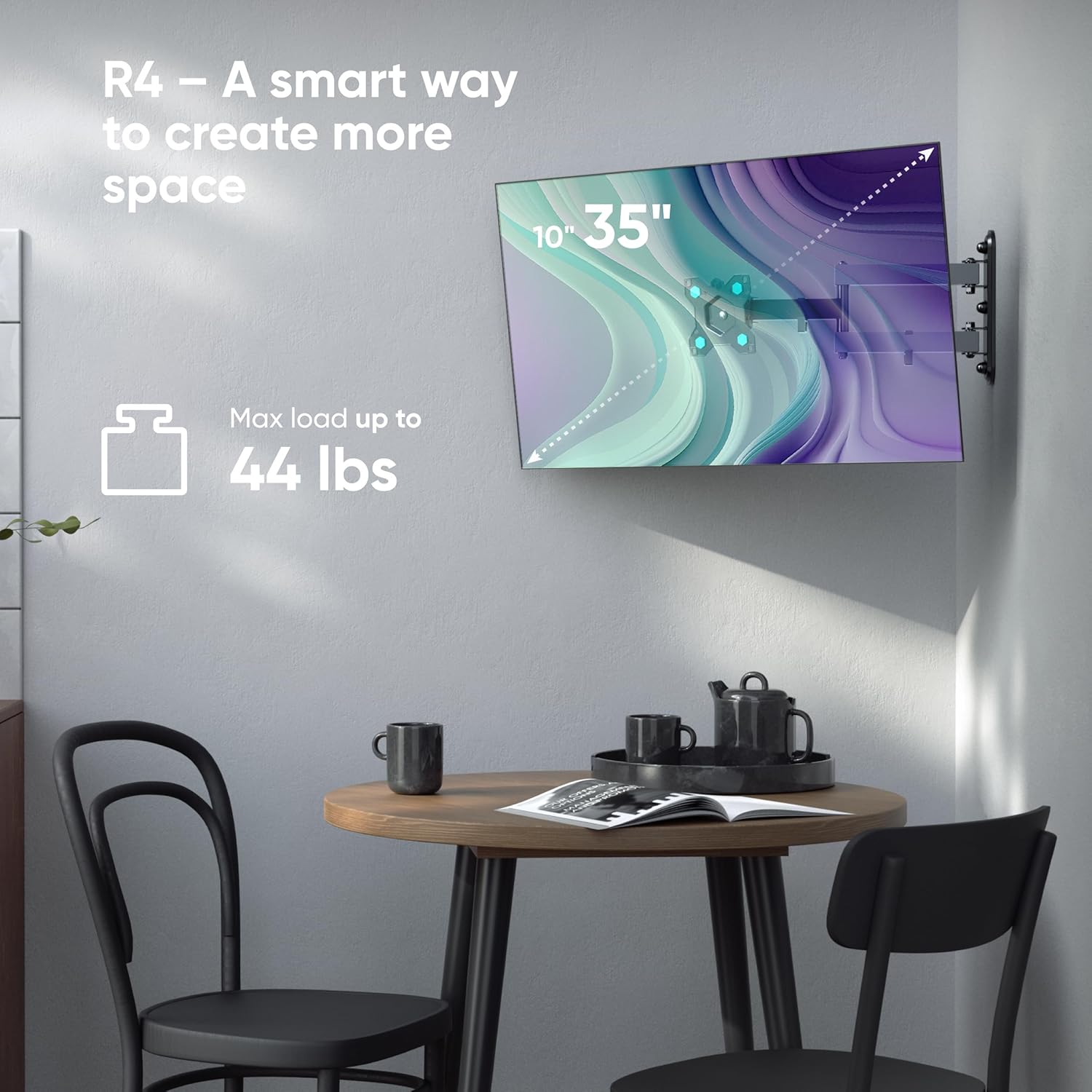
Image: Shows a monitor mounted on the R4-B, demonstrating the 360° rotation capability.

Image: Depicts a monitor swiveling up to 90 degrees, useful for corner installations or shared viewing.
Vzdrževanje
- Občasno preverite vse vijake in matico, da se prepričate, da so trdno priviti in varno priviti.
- Nosilec očistite z mehko, suho krpo. Izogibajte se abrazivnim čistilom ali topilom.
- Do not lubricate any moving parts unless specifically instructed by the manufacturer.
Odpravljanje težav
Issue: Mount feels loose or unstable.
rešitev: Re-check all wall mounting screws and TV attachment screws. Ensure they are tightened securely. Verify that the wall structure is adequate to support the weight. If mounted to drywall, ensure it is properly anchored to a stud.
Issue: Difficulty adjusting tilt or swivel.
rešitev: For tilt adjustment, ensure the adjustment screws are loosened before attempting to change the angle, then re-tighten. For swivel, ensure no cables are obstructing movement. The mount is designed for smooth movement; excessive force should not be required.
Specifikacije
| Funkcija | Specifikacija |
|---|---|
| Model | R4-B |
| Združljivost velikosti zaslona | 10 - 35 palcev |
| Zmogljivost teže | Do 44 lbs (20 kg) |
| Združljivost VESA | 75x75 mm, 100x100 mm |
| Vrsta gibanja | Artikuliranje (polno gibanje) |
| Zasučni kot | 180° |
| Kot nagiba | ±8° |
| Vrtenje | 360° |
| Razdalja od stene (podaljšek) | 3.1" - 16.5" (8 cm - 42 cm) |
| Material | Legirano jeklo |
Garancija in podpora
The ONKRON R4-B TV Wall Mount comes with a 5-year warranty. For technical support, installation assistance, or warranty claims, please contact ONKRON customer service. Contact information can typically be found on the ONKRON official webspletnem mestu ali prek vašega prodajalca.