
PELONIS PBF15T4AWW
PELONIS Bladeless Tower Fan User Manual
Model: PBF15T4AWW
Blagovna znamka: PELONIS
1. Uvod
Thank you for choosing the PELONIS Bladeless Tower Fan. This manual provides important information for the safe operation, maintenance, and troubleshooting of your new fan. Please read it thoroughly before use and retain it for future reference.

Image: The PELONIS Bladeless Tower Fan demonstrating its powerful airflow.
2. Pomembna varnostna navodila
Pri uporabi električnih naprav vedno upoštevajte osnovne varnostne ukrepe, da zmanjšate tveganje požara, električnega udara in poškodb oseb.
- Pred uporabo tega ventilatorja preberite vsa navodila.
- Ensure the power source matches the fan's requirements.
- Ne uporabljajte ventilatorjev s poškodovanim kablom ali vtičem.
- Keep the fan away from water or wet surfaces.
- Ne vstavljajte prstov ali tujih predmetov v nobene odprtine.
- Unplug the fan from the outlet when not in use or before cleaning.
- Ta naprava je samo za uporabo v zaprtih prostorih.
- Keep out of reach of children and pets. The bladeless design enhances safety.
3. Nastavitev
The PELONIS Bladeless Tower Fan requires minimal assembly.
- Carefully remove the fan and all packaging materials from the box.
- Ventilator postavite na trdno, ravno površino.
- Prepričajte se, da napajalni kabel ni preščipnjen ali poškodovan.
- Ventilator priključite v standardno električno vtičnico.
- For smart features, download the PELONIS app from your smartphone's app store and follow the in-app instructions to connect your fan to your Wi-Fi network.
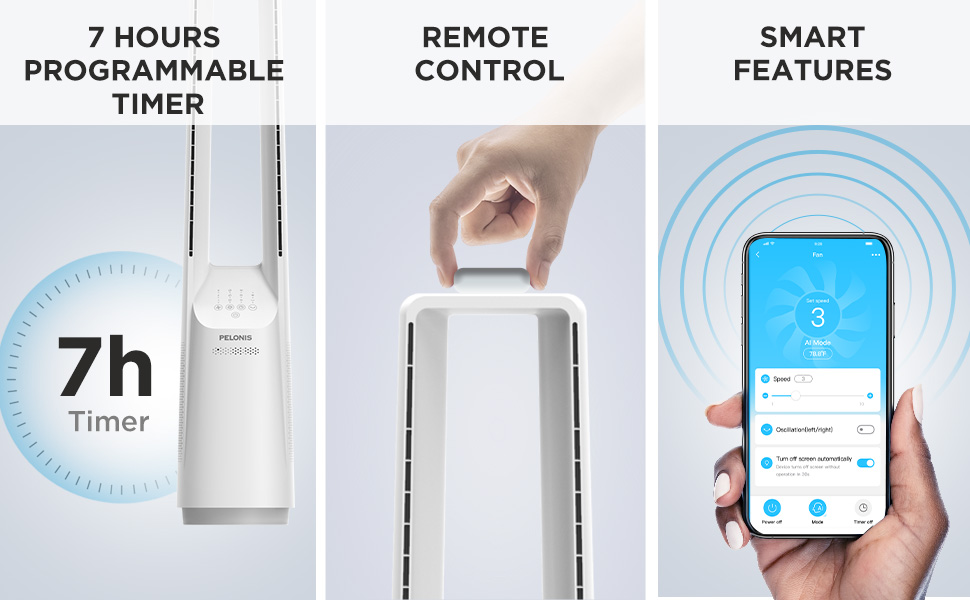
Image: The fan can be controlled via remote or a smartphone app, enabling smart features.
4. Navodila za uporabo
Your PELONIS Bladeless Tower Fan offers multiple ways to customize your cooling experience.
Nadzorna plošča in daljinski upravljalnik

Slika: Podrobna view of the fan's intuitive control panel, showing buttons for speed, modes, timer, and oscillation.
- Gumb za vklop: Pritisnite za vklop ali izklop ventilatorja.
- Speed Settings (6-Speed): Adjust the fan speed from 1 (lowest) to 6 (highest) for personalized airflow.
- Wind Modes (4 Modes): Cycle through different wind modes:
- Normalno: Konstanten pretok zraka pri izbrani hitrosti.
- Naravna: Simulates a natural breeze with varying speeds.
- Spanje: Postopoma zmanjšuje hitrost ventilatorja za tiho delovanje med spanjem.
- AI Mode (Sensi Cool Technology): Automatically adjusts fan speed based on ambient room temperature.
- Oscillation (120°): Press to activate or deactivate the 120-degree oscillation function, distributing air across a wider area.
- Timer (7-Hour): Set the fan to automatically turn off after a specified period (1, 2, 4, or 7 hours).
Smart Control (Wi-Fi and Voice Control)
This fan is compatible with Alexa and Google Assistant for convenient voice control. After connecting the fan to your Wi-Fi network via the PELONIS app, you can use voice commands such as:
- "Alexa, turn on the fan."
- "Hey Google, set the fan speed to 3."
- "Alexa, turn off oscillation on the fan."
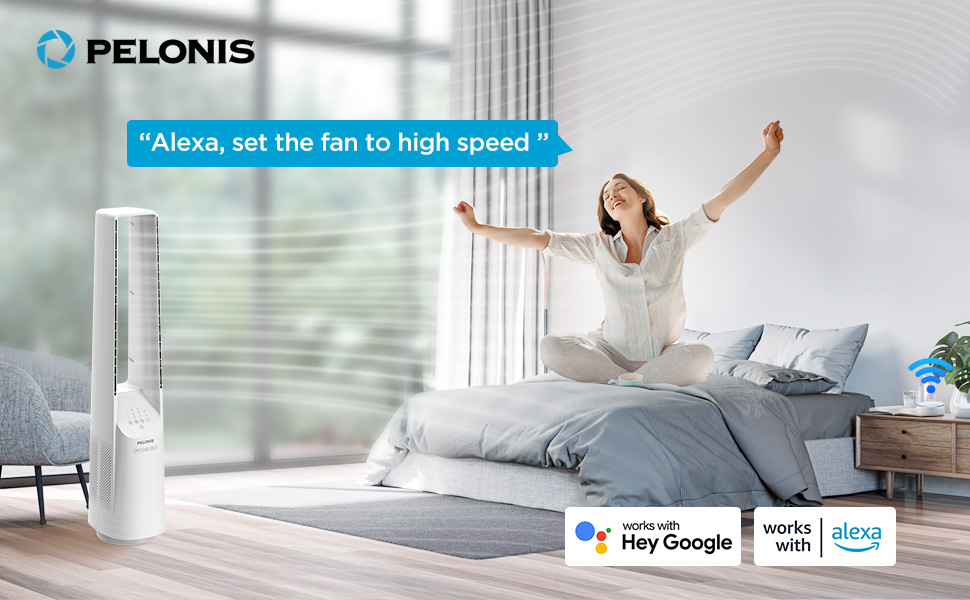
Image: The fan integrates seamlessly with smart home systems like Alexa and Google Assistant for voice-activated control.
Video: Izdelek nadview demonstrating the features and operation of the PELONIS Bladeless Tower Fan.
5. Vzdrževanje in čiščenje
Regular cleaning will help maintain your fan's performance and extend its lifespan. Always unplug the fan before cleaning.
- Čiščenje zunanjosti: Uporabite mehko, damp cloth (towel) to wipe the exterior surfaces of the fan. Do not use abrasive cleaners or solvents.
- Vhod/izhod zraka: Use a vacuum cleaner with a brush attachment to gently remove dust from the air inlet and outlet grilles. The bladeless design makes cleaning easier compared to traditional fans.
- Ventilatorja ne potapljajte v vodo in ne dovolite, da voda kaplja v ohišje motorja.
- Ko ventilatorja ne uporabljate, ga hranite na hladnem in suhem mestu.
6. Odpravljanje težav
| Težava | Možen vzrok | rešitev |
|---|---|---|
| Ventilator se ne vklopi. | Ni priključen; vtičnica ne deluje; gumb za vklop ni pritisnjen. | Ensure fan is securely plugged into a working outlet. Press the power button. |
| Šibek pretok zraka. | Low speed setting; air inlets/outlets blocked by dust. | Increase fan speed. Clean air inlets and outlets as per maintenance instructions. |
| Ventilator se nepričakovano ustavi. | Timer activated; safety auto-off feature (after 10-15 hours of no commands). | Check timer settings. This is a built-in safety feature to prevent overheating. Turn the fan back on if desired. |
| Smart features not working. | Fan not connected to Wi-Fi; incorrect app setup; Wi-Fi signal issues. | Ensure fan is connected to your home Wi-Fi via the PELONIS app. Check Wi-Fi signal strength. Refer to app instructions for troubleshooting connectivity. |
| Nenavaden hrup. | Fan not on a level surface; internal obstruction. | Place fan on a stable, flat surface. If noise persists, contact customer support. |
7. Specifikacije
- Model: PBF15T4AWW
- Znamka: PELONIS
- Dimenzije (D x Š x V): 8.07 cm x 9.76 cm x 39.76 cm
- Teža: 3.46 funtov
- Raven hrupa: 32 dB (najmanj)
- Razpon pretoka zraka: 26-33 ft
- Nastavitve hitrosti: 6
- Načini vetra: 4 (Normal, Natural, Sleep, AI Mode)
- Nihanje: 120°
- Časovnik: 7-urno programiranje
- Nadzorna metoda: Touch Panel, Remote Control, Voice (Alexa/Google), App
- vir energije: DC
- Material rezila: Plastic (Bladeless Design)
- Certifikati: UL
8. Garancija in podpora
PELONIS provides a 1-letna garancija proizvajalca z nakupom tega izdelka. Ta garancija krije napake v materialu in izdelavi pri normalni uporabi.
For warranty claims, technical support, or any questions regarding your PELONIS Bladeless Tower Fan, please contact PELONIS Customer Service. Please have your model number (PBF15T4AWW) and proof of purchase ready.
You can also refer to the official PELONIS website for additional support resources and FAQs: Obiščite trgovino PELONIS na Amazonu
Ask a question about this manual
Ask about setup, troubleshooting, compatibility, parts, safety, or missing instructions. Manuals+ will review the question and use this page’s manual context to help answer it.