
Roberts PLAY11BK
Uporabniški priročnik za prenosni radio Roberts Radio Digital Play11 DAB/DAB+/FM
Model: PLAY11BK
Uvod
Thank you for choosing the Roberts Radio Digital Play11. This portable radio offers high-quality audio with DAB, DAB+, and FM reception. Designed for ease of use, it features a headphone jack for personal listening and flexible power options. This manual provides essential information for setting up, operating, and maintaining your device.
Varnostne informacije
Pred uporabo tega izdelka preberite in razumite vsa varnostna navodila. Ta navodila shranite za poznejšo uporabo.
- Radia ne izpostavljajte dežju, vlagi ali ekstremnim temperaturam.
- Izogibajte se postavljanju enote v bližino virov toplote ali na neposredno sončno svetlobo.
- Use only the specified power supply (USB-C cable) or 4 x AA batteries.
- Ne poskušajte razstavljati ali spreminjati enote. Vsa servisna dela prepustite usposobljenemu osebju.
- Zagotovite ustrezno prezračevanje; ne prekrivajte prezračevalnih odprtin.
- Baterije odvrzite odgovorno v skladu z lokalnimi predpisi.
Kaj je v škatli
Ob razpakiranju se prepričajte, da so prisotni vsi naslednji predmeti:
- Roberts Radio Digital Play11
- Vodnik za hiter začetek
- USB-C napajalni kabel
- Varnostni in garancijski list
Konec izdelkaview
Familiarize yourself with the main components and controls of your Play11 radio.

Slika: spredaj view of the Roberts Play11 radio with labels indicating the On/Off button, Volume knob, Antenna, LCD Display, Select knob, Favourites button, Info/Menu button, Mode button, and Next/Previous buttons.
- Gumb za vklop/izklop: Vklopi ali izklopi enoto.
- Gumb za glasnost: Prilagodi izhodni nivo zvoka.
- Antena: Raztegnite za optimalen sprejem radia.
- LCD zaslon: Prikazuje informacije o postaji, čas in možnosti menija.
- Izberite gumb: Navigacija po menijih in potrditev izbir.
- Favourites (2 sec) Button: Press and hold to save a favourite station; short press to recall.
- Info | Menu Button: Displays station information; press and hold to access the main menu.
- Gumb za način: Switches between DAB, DAB+, and FM modes.
- Next | Previous Buttons: Navigacija po postajah ali možnostih menija.
- Priključek za slušalke: For private listening (3.5mm AUX Out Port).
- Vrata USB-C: Za napajanje.

Slika: Bližnji posnetek view of the Roberts Play11 radio, highlighting the 3.5mm headphone jack on the side for personal listening.
Nastavitev
1. Napajanje
The Play11 can be powered by either batteries or the included USB-C power cable.

Slika: Zadaj view of the Roberts Play11 radio, illustrating the battery compartment for 4x AA batteries (not included) and the USB-C power input port.
- Delovanje baterije: Open the battery compartment on the rear of the radio. Insert 4 x AA (LR6) batteries, ensuring correct polarity. Close the compartment securely. Batteries are not included.
- Omrežno delovanje: Connect the supplied USB-C power cable to the USB-C port on the radio and plug the other end into a suitable USB power adapter (not supplied).
2. Antena
Extend the telescopic antenna fully for optimal reception in both DAB/DAB+ and FM modes.
3. Začetni vklop
Pritisnite Vklop/izklop button to power on the radio. If this is the first time using the radio, it will automatically perform a full scan for DAB/DAB+ stations.
Navodila za uporabo
Switching Modes (DAB/DAB+/FM)
Pritisnite Način button repeatedly to cycle between DAB, DAB+, and FM radio modes.
DAB / DAB + radio
- Iskanje postaj: After initial power-on, the radio will automatically scan. To perform a manual scan, press and hold the Informacije | Meni button, navigate to "Full Scan" using the Izberite knob, and press Izberite za potrditev.
- Izbira postaj: Zavrtite Izberite knob to browse available stations. Press the Izberite knob to tune into the desired station.
- Saving Presets (Favourites): Uglasite želeno postajo. Pritisnite in držite Favourites (2 sec) gumb, dokler se ne prikaže "Preset Store". Zavrtite gumb Izberite knob to choose a preset number (1-10) and press Izberite shraniti.
- Priklic prednastavitev: Kratek pritisk na Favourites (2 sec) gumb. Zavrtite Izberite knob to choose the desired preset and press Izberite uglasiti se.
FM radio
- Iskanje postaj: V načinu FM pritisnite in držite Next | Previous gumbe za samodejno iskanje naslednje razpoložljive postaje.
- Ročna nastavitev: Zavrtite Izberite knob to manually tune to a specific frequency.
- Saving Presets (Favourites): Uglasite želeno postajo. Pritisnite in držite Favourites (2 sec) gumb, dokler se ne prikaže "Preset Store". Zavrtite gumb Izberite knob to choose a preset number (1-10) and press Izberite shraniti.
- Priklic prednastavitev: Kratek pritisk na Favourites (2 sec) gumb. Zavrtite Izberite knob to choose the desired preset and press Izberite uglasiti se.
Uporaba slušalk
Connect standard 3.5mm headphones to the headphone jack on the side of the radio for private listening. The internal speaker will automatically mute when headphones are connected.
Vzdrževanje
- Čiščenje: Radio obrišite z mehko, suho krpo. Ne uporabljajte abrazivnih čistil ali topil.
- Zamenjava baterije: When using batteries, replace all four AA batteries simultaneously when the low battery indicator appears on the display. Ensure correct polarity.
- Shranjevanje: If storing the radio for an extended period, remove the batteries to prevent leakage.
Odpravljanje težav
| Težava | Možen vzrok | rešitev |
|---|---|---|
| Brez moči | Batteries are flat or incorrectly inserted; USB-C cable not connected properly. | Replace batteries, ensuring correct polarity. Check USB-C cable connection and power adapter. |
| Slab sprejem DAB/FM | Antena ni popolnoma iztegnjena; območje šibkega signala; motnje. | Popolnoma izvlecite teleskopsko anteno. Poskusite premakniti radio. Izvedite popolno iskanje DAB postaj. |
| Brez zvoka | Volume too low; headphones connected; unit muted. | Increase volume. Disconnect headphones. Check if the unit is muted (though this model doesn't have a dedicated mute button, ensure volume is not at zero). |
| Gumbi se ne odzivajo | Začasna programska napaka. | Turn the radio off and on again. If problem persists, remove power source (batteries/USB-C) for a few minutes, then reconnect. |
Specifikacije
| Model | PLAY11BK |
| Vrsta sprejemnika | DAB, DAB+, FM |
| Prednastavitve | 10 DAB, 10 FM |
| Vir napajanja | 4 x AA batteries (not included) or USB-C (4.5 Volts) |
| Strojni vmesnik | USB tipa C |
| Priključek za slušalke | 3.5 mm |
| Vrsta zaslona | LCD |
| Dimenzije (DxŠxV) | 17.4 x 6 x 11 cm |
| Teža | 357 g |
| Material | Plastika, polikarbonat (PC) |
Garancija in podpora
Your Roberts Radio Digital Play11 comes with a 2-year warranty. Please refer to the included Safety and Warranty leaflet for detailed terms and conditions. For technical support or service inquiries, please visit the official Roberts Radio webali se obrnite na njihov oddelek za pomoč uporabnikom.
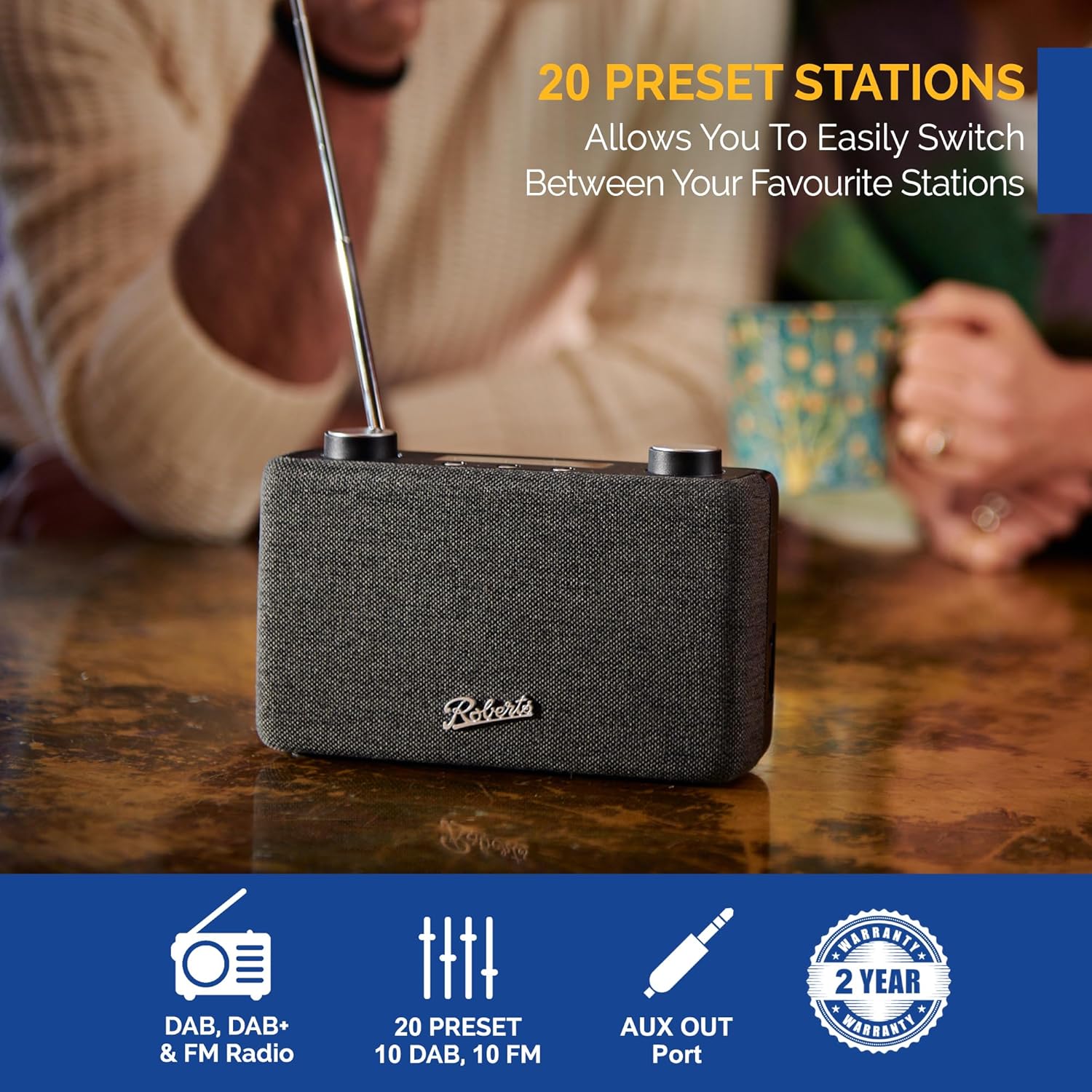
Image: The Roberts Play11 radio displayed alongside icons indicating DAB/DAB+ & FM Radio, 20 Presets, AUX Out Port, and a 2-Year Warranty badge.
Sorodni dokumentiPLAY11BK


Ask a question about this manual
Ask about setup, troubleshooting, compatibility, parts, safety, or missing instructions. Manuals+ will review the question and use this page’s manual context to help answer it.