
HOCO HB29 - Metal Grey
Hoco HB29 Multi-Function Hub Converter User Manual
Model: HB29 - Metal Grey
Uvod
Thank you for choosing the Hoco HB29 Multi-Function Hub Converter. This device is designed to expand the connectivity of your Type-C enabled notebooks, allowing you to connect to HDMI and VGA displays simultaneously. Please read this manual carefully to ensure proper use and optimal performance of your device.

Image: The Hoco HB29 Multi-Function Hub Converter, showcasing its compact design and Type-C cable, HDMI port, and VGA port.
Lastnosti izdelka
- Material: Constructed from durable aluminum alloy and ABS for longevity.
- Kompaktna velikost: Dimensions of 109*28.8*11.6mm with a wire length of 150±5mm, weighing only 40g, making it highly portable.
- Vmesnik: Features a Type-C male connector for input, and HDTV (HDMI) plus VGA ports for output.
- HDMI izhod: Supports 4K resolution at 30Hz, providing synchronized audio and video.
- VGA izhod: Supports 1080P resolution. Please note that VGA does not support audio output.
- Istočasni izhod: When both HDMI and VGA ports are used simultaneously, the output resolution is 1080P.
- Široka združljivost: Designed for Type-C notebooks and compatible with most operating systems, including Windows and Mac OS, for connection to projectors, TVs, and monitors.
Navodila za namestitev
- Povežite središče z napravo: Insert the Type-C male connector of the Hoco HB29 into the Type-C port of your notebook, laptop, or compatible smartphone.
- Connect to Display (HDMI): For HDMI connection, use a standard HDMI cable (not included) to connect the HDMI port on the Hoco HB29 to the HDMI input on your TV, monitor, or projector. Ensure the display device is powered on and set to the correct HDMI input source.
- Connect to Display (VGA): For VGA connection, use a standard VGA cable (not included) to connect the VGA port on the Hoco HB29 to the VGA input on your monitor or projector. Ensure the display device is powered on and set to the correct VGA input source.
- Hkratna povezava: You can connect both an HDMI and a VGA display simultaneously. The output resolution will be 1080P for both displays.
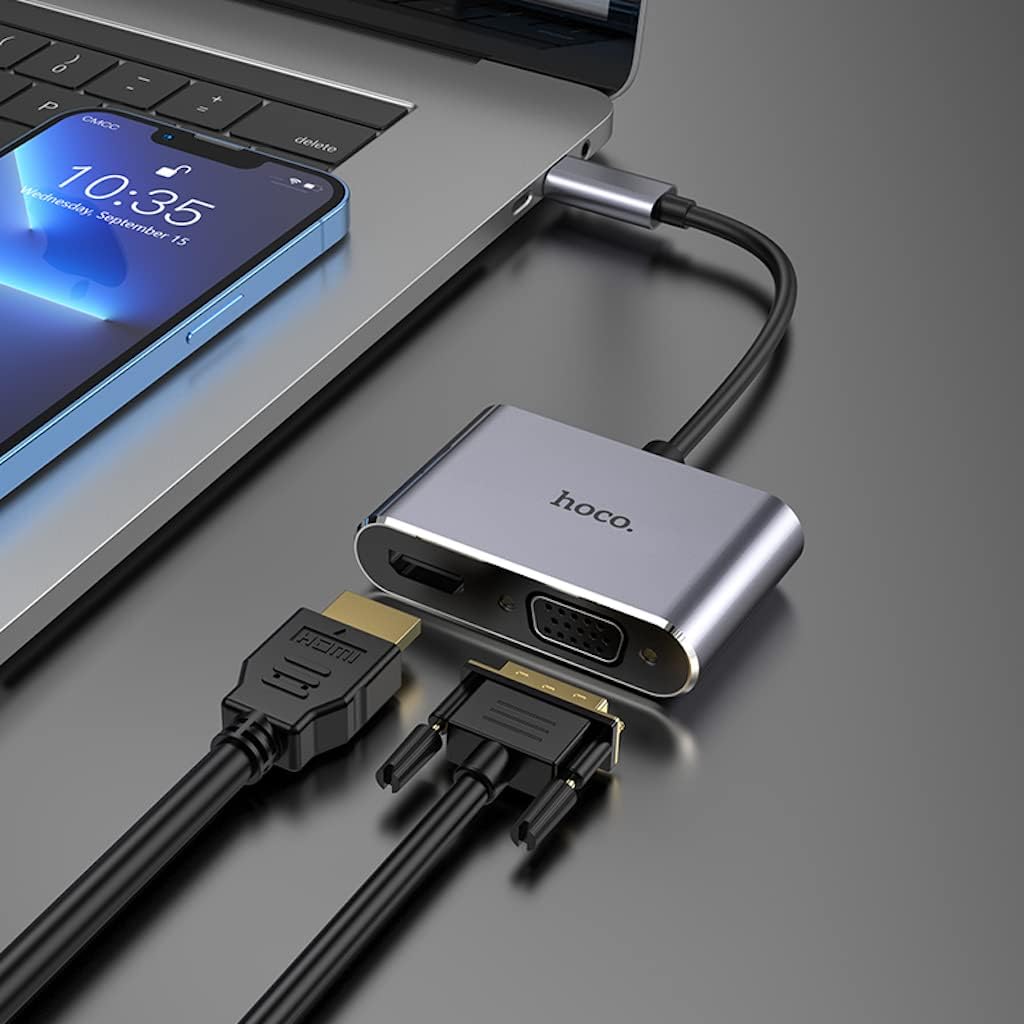
Image: The Hoco HB29 converter connected to a laptop, demonstrating how to plug in both HDMI and VGA cables for dual display output.
Navodila za uporabo
Once connected, your operating system should automatically detect the external display(s). You may need to adjust display settings within your operating system.
- OS Windows:
- Right-click on your desktop and select "Display settings" or "Screen resolution".
- You can choose to "Duplicate these displays" (mirror your primary screen), "Extend these displays" (use the external display as an extension of your desktop), or "Show only on 1/2" (use only one display).
- Po potrebi prilagodite ločljivost in orientacijo.
- MacOS:
- Pojdite na »Sistemske nastavitve« > »Zasloni«.
- In the "Arrangement" tab, you can arrange your displays, mirror them, or extend your desktop.
- In the "Display" tab, you can adjust resolution and refresh rate.

Image: A laptop connected via the Hoco HB29 converter to two external monitors, demonstrating an extended desktop setup for increased productivity.
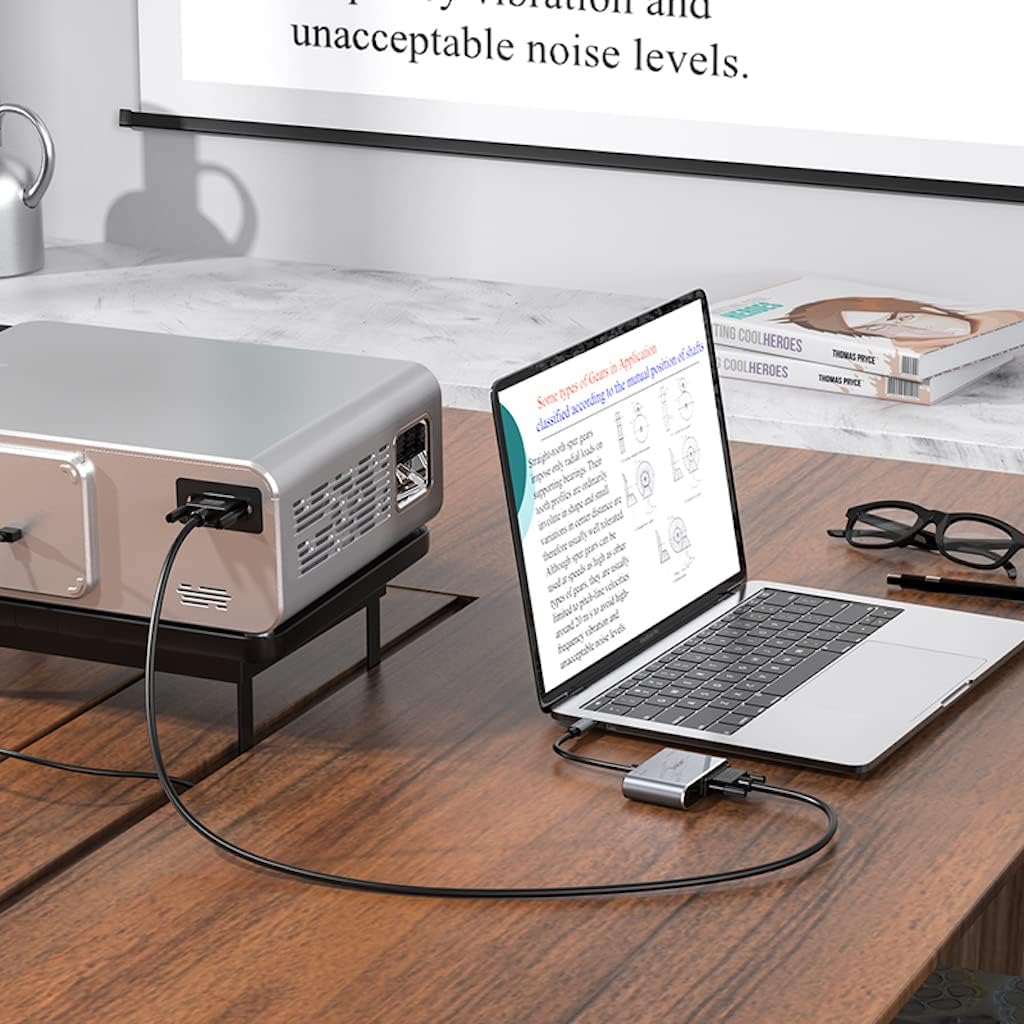
Image: The Hoco HB29 converter facilitating a connection between a laptop and a projector, ideal for presentations or larger screen viewing.
Vzdrževanje in nega
- Čiščenje: Use a soft, dry cloth to clean the surface of the converter. Avoid using liquid cleaners or aerosols.
- Shranjevanje: Napravo shranjujte na hladnem in suhem mestu, stran od neposredne sončne svetlobe in ekstremnih temperatur.
- Ravnanje: Avoid dropping the converter or subjecting it to strong impacts. Do not bend the cable excessively.
- Povezljivost: Kable vedno vstavljajte in odstranjujte previdno, da preprečite poškodbe vrat.
Odpravljanje težav
| Težava | Možen vzrok/rešitev |
|---|---|
| Ni izhoda zaslona. |
|
| No audio from HDMI. |
|
| VGA output has no audio. | VGA is a video-only interface and does not transmit audio. Audio must be routed separately from your source device. |
| Resolution is not 4K (HDMI) or 1080P (VGA). |
|
Specifikacije
| Funkcija | Podrobnost |
|---|---|
| Številka modela | HB29 - Metal Grey |
| Material | Aluminijeva zlitina + ABS |
| Dimenzije (D x Š x V) | 10.9 x 2.88 x 1.16 cm |
| Dolžina žice | 150 ± 5 mm |
| Teža | 40 g |
| Vhodni vmesnik | Moški tipa C |
| Izhodni vmesniki | HDTV (HDMI), VGA |
| HDMI Resolution Support | Up to 4K @ 30Hz (Audio and Video Sync) |
| VGA Resolution Support | Up to 1080P (Video Only, No Audio) |
| Simultaneous Output Resolution | 1080P for both HDMI and VGA |
| Združljivi operacijski sistemi | Windows, Mac OS, and other Type-C enabled systems |
| Proizvajalec | Hoco |
| Prvič na voljo | 18. maj 2023 |
Garancija in podpora
For warranty information and technical support, please refer to the official HOCO webspletno mesto ali se obrnite na prodajalca. Za uveljavljanje garancije shranite račun.
Za dodatno pomoč lahko obiščete HOCO official webmesto.
Ask a question about this manual
Ask about setup, troubleshooting, compatibility, parts, safety, or missing instructions. Manuals+ will review the question and use this page’s manual context to help answer it.