
1. Pomembne varnostne informacije
Please read all safety instructions carefully before using the BYINTEK P70 Smart WiFi Projector. Keep this manual for future reference.
- vir energije: Uporabljajte samo priloženi napajalnik. Prepričajte se, da je glasnosttage ustreza zahtevam projektorja.
- Varnost baterije: The projector contains a built-in lithium-ion battery. Do not expose to extreme temperatures, puncture, or disassemble.
- Prezračevanje: Zagotovite ustrezno prezračevanje okoli projektorja, da preprečite pregrevanje. Ne blokirajte prezračevalnih odprtin.
- Toplota: The projector may become warm during operation. This is normal. Avoid touching the lens or vents immediately after use.
- Izpostavljenost svetlobi: Ne glejte neposredno v lečo projektorja, ko jeamp je vklopljena, saj lahko močna svetloba povzroči naprezanje ali poškodbo oči.
- Voda in vlaga: Projektorja hranite stran od vode, dežja in prekomerne vlage. Ne upravljajte ga z mokrimi rokami.
- Čiščenje: Pred čiščenjem izklopite napajanje. Uporabite mehko, suho krpo. Ne uporabljajte tekočih ali aerosolnih čistil.
- otroci: Keep the projector and its accessories out of reach of children.
2. Izdelek je končanview
The BYINTEK P70 is a portable smart DLP projector designed for versatile entertainment and presentation needs. It features an 8000mAh built-in battery, Android 9.0 operating system, auto-focus, and 3D support.
2.1 Vsebina paketa
- BYINTEK P70 Projector x 1
- Daljinski upravljalnik x 1
- Napajalnik x 1
- Mini stojalo x 1
- Torba za shranjevanje x 1
- Uporabniški priročnik x 1
2.2 Ključne lastnosti
- Prenosna zasnova: Kompakten in lahek za enostaven transport.
- Vgrajena baterija: 8000mAh battery provides 1.5 to 3 hours of playback.
- Smart Android OS: Android 9.0 for app downloads, online streaming, and gaming.
- Samodejno ostrenje: Automatic focus adjustment for clear images.
- 6D trapezni popravek: Advanced keystone correction for flexible placement.
- Podpora za 3D: Enjoy immersive 3D content.
- Brezžična povezljivost: Supports wireless screen mirroring from Android, iOS, and PC devices.
- Žična povezava: USB data cable sync for iOS and select Android devices.
- Velika velikost projekcije: Do 200 palcev.
- 4K Playback: Supports up to 4K video input.
- Long LED Lamp življenje: 30,000 ure.
- Dvojni stereo zvočniki: Integrated 2x5W speakers for clear audio.

Image: Infographic detailing the BYINTEK P70's features including 4K support, DLP display, 6D keystone, 8000mAh battery, 3D, Type-C charge, 2G+32G memory, Android OS, and stereo speakers.
3. Nastavitev
3.1 Polnjenje projektorja
Before first use, fully charge the projector. Connect the provided power adapter to the projector's Type-C port and plug it into a power outlet. The charging indicator will show the charging status.

Image: The BYINTEK P70 projector connected to a power bank via a Type-C cable, illustrating its portable charging capability.
3.2 Začetna namestitev
Projektor postavite na stabilno, ravno površino. Za optimalno viewing, position it directly in front of your projection screen or wall. The included mini tripod can be used for angle adjustments.
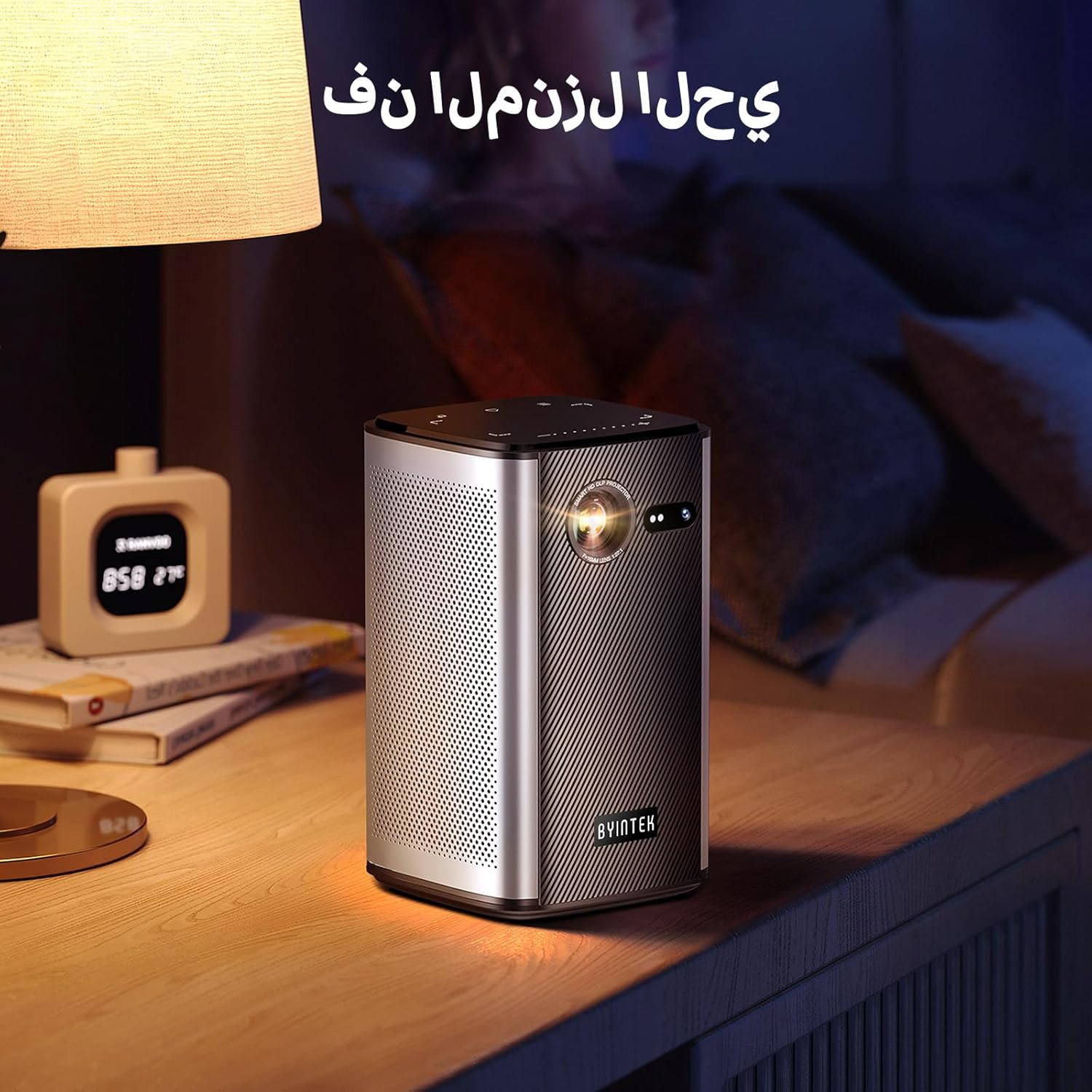
Image: The BYINTEK P70 projector placed on a bedside table, ready for indoor use.
3.3 Vklop/izklop
Press and hold the power button on the projector or remote control to turn the device on or off.
3.4 Ostrenje in korekcija trapezne slike
The BYINTEK P70 features automatic focus. For keystone correction, navigate to the settings menu using the remote control. The 6D keystone correction allows for precise image adjustment, even with side projection.

Image: A visual representation of the projector's auto-focus feature, showing a clear image projected onto a wall.
4. Navodila za uporabo
4.1 Navigacija po operacijskem sistemu Android
Use the remote control to navigate the Android 9.0 interface. The home screen provides access to pre-installed apps and settings. You can download additional applications from the app store.

Image: The projector displaying its Android operating system interface with various application icons like Miracast, Settings, AirPlay, Market, File Explorer, YouTube, and Netflix.
4.2 Brezžično zrcaljenje zaslona
The projector supports wireless screen mirroring for Android, iOS, and PC devices. Access the 'Miracast' or 'AirPlay' app on the projector's home screen and follow the on-screen instructions to connect your device.
4.3 Wired Screen Mirroring
For iOS devices and some Android devices, you can use a USB data cable for wired screen synchronization. Connect your device to the projector's USB port using its original data cable.
4.4 Predvajanje 3D-vsebin
The BYINTEK P70 supports 3D content. To enjoy 3D movies, ensure your media file is in a compatible 3D format (e.g., Blu-ray 3D, SBS, TNB) and use active shutter 3D glasses (sold separately).

Image: A family wearing 3D glasses, enjoying a 3D movie projected by the BYINTEK P70, showcasing its 3D capability.
4.5 Digitalni zoom
Adjust the image size from 50% to 100% using the digital zoom function on the remote control. This allows you to fit the image perfectly to your screen without moving the projector.
5. Vzdrževanje
5.1 Čiščenje leče
Za nežno brisanje leče projektorja uporabite mehko krpo, ki ne pušča vlaken in je posebej zasnovana za optične leče. Izogibajte se uporabi abrazivnih materialov ali agresivnih kemikalij.
5.2 Čiščenje zunanjosti
Zunanjost projektorja obrišite z mehko, suho krpo. Tekočih čistil ali razpršil ne uporabljajte neposredno na napravi.
5.3 Shranjevanje
When not in use, store the projector in a cool, dry place, away from direct sunlight and extreme temperatures. Use the provided storage bag to protect it from dust and scratches.
5.4 Skrb za baterije
Da podaljšate življenjsko dobo baterije, se izogibajte pogostemu popolnemu praznjenju baterije. Če jo shranjujete dlje časa, jo napolnite do približno 50 % in jo polnite vsakih nekaj mesecev.
6. Odpravljanje težav
| Težava | Možen vzrok | rešitev |
|---|---|---|
| Ni projicirane slike | Projector not powered on; input source not selected; cable not connected. | Ensure projector is on. Select correct input source (HDMI, USB, Wireless). Check cable connections. |
| Slika je zamegljena | Out of focus; projector too close/far from screen; lens dirty. | Allow auto-focus to adjust. Adjust projector distance. Clean the lens. |
| Daljinski upravljalnik ne deluje | Batteries low/dead; remote not paired; obstruction. | Replace remote batteries. Ensure line of sight to projector's IR receiver. Re-pair remote if necessary (refer to specific pairing instructions in the full manual). |
| Brez zvoka | Glasnost je prenizka; priključena je zunanja zvočna naprava; zvočna oblika ni podprta. | Increase projector volume. Disconnect external audio devices. Check audio format compatibility. |
| Težave z brezžičnim zrcaljenjem | Poor Wi-Fi signal; device compatibility; firewall settings. | Ensure strong Wi-Fi signal. Check device compatibility with Miracast/AirPlay. Disable firewalls temporarily for testing. |
| Projektor se pregreva | Blokirano prezračevanje; dolgotrajna uporaba v vročem okolju. | Ensure vents are clear. Operate in a well-ventilated area. Allow projector to cool down. |
7. Specifikacije
| Funkcija | Specifikacija |
|---|---|
| Znamka | BYINTEK |
| Številka modela | P70 |
| Dimenzije izdelka | 8.2 x 8.2 x 14.2 cm |
| Teža predmeta | 1.58 kilogramov |
| Baterija | 1 Lithium Ion battery (included), 8000mAh, 29.6 Wh |
| Operacijski sistem | Android |
| Ločljivost zaslona | 960 x 540 |
| Največja ločljivost zaslona | 4K Ultra HD Megapixel |
| Tehnologija povezljivosti | Wi-Fi |
| Posebne lastnosti | Auto-focus, 3D Ready, Built-in Wi-Fi Receiver |
| Priporočene uporabe | Domači kino |
| Vrsta zaslona | DLP |
| Faktor oblike | Prenosni |
| Vrsta namestitve | Nosilec za stojalo |
| Vrata USB 3.0 | 1 |
| Vrata HDMI | 1 |
| voltage | 12 volta |
| Wattage | 25 vatov |
| Vir napajanja | AC & baterija |
8. Garancija in podpora
The BYINTEK P70 Smart WiFi Projector comes with a standard manufacturer's warranty. For specific warranty details, please refer to the warranty card included in your product packaging or contact BYINTEK customer support.
If you encounter any issues or have questions regarding your projector, please contact BYINTEK customer support through their official website or the contact information provided in your product documentation. Please have your model number (P70) and purchase details ready when contacting support.