
1. Uvod
Thank you for choosing the COUGAR MX360 RGB Mid Tower Case. This manual provides essential information for the proper installation, operation, and maintenance of your new PC case. The MX360 RGB combines a sleek design with ARGB LED strips on the front panel, offering excellent cooling performance and support for a wide range of components, including up to a 360mm radiator, 315mm graphics cards, and 170mm CPU coolers. Its compact layout and full-length PSU shroud contribute to a clean and organized build.
2. Varnostne informacije
- Pred nameščanjem ali odstranjevanjem kakršnih koli komponent vedno izključite napajalnik iz stenske vtičnice.
- S komponentami ravnajte previdno, da se izognete poškodbam zaradi statične elektrike. Razmislite o uporabi antistatičnega zapestnega traku.
- Majhne dele in vijake hranite izven dosega otrok.
- Zagotovite ustrezno prezračevanje okoli ohišja, da preprečite pregrevanje.
- Ne poskušajte spreminjati ohišja ali njegovih komponent, saj lahko s tem razveljavite garancijo in predstavljate varnostna tveganja.
3. Vsebina paketa
Prosimo, preverite, ali so v vašem paketu vključeni vsi naslednji elementi:
- Ohišje COUGAR MX360 RGB Mid Tower
- Škatla s priborom (vsebuje vijake, distančnike, kabelske vezice itd.)
- Uporabniški priročnik (ta dokument)
4. Izdelek je končanview
The COUGAR MX360 RGB case features a minimalist design with integrated ARGB lighting and a tempered glass side panel for showcasing your build.

Slika 4.1: Sprednja stran view of the COUGAR MX360 RGB case, showing the interior and active RGB lighting.
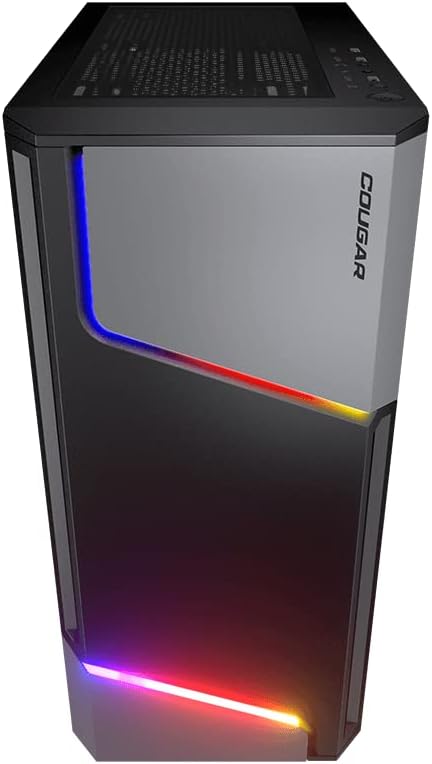
Slika 4.2: Spredaj view of the COUGAR MX360 RGB case, highlighting the integrated ARGB LED strips.
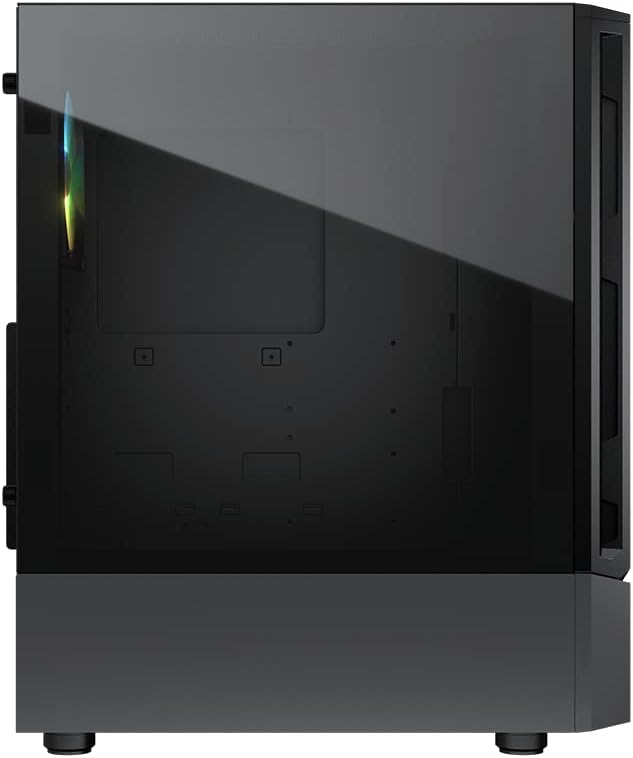
Slika 4.3: stran view of the COUGAR MX360 RGB case, featuring the tempered glass panel.

Slika 4.4: Nagnjena sprednja stran view of the COUGAR MX360 RGB case, showcasing its design and ARGB elements.
5. Nastavitev in namestitev
Follow these steps to install your components into the COUGAR MX360 RGB case.
5.1 Priprava primera
- Ohišje postavite na ravno, stabilno površino.
- Remove the tempered glass side panel by unscrewing the thumb screws at the rear of the case and carefully sliding the panel off.
- Remove the opposite metal side panel by unscrewing the thumb screws and sliding it off.
5.2 Namestitev matične plošče
- Install the I/O shield (if not pre-installed on your motherboard) into the rear opening of the case.
- Ensure the correct standoffs are installed for your motherboard form factor (ATX, Micro-ATX, Mini-ITX). Adjust or add standoffs as needed.
- Matično ploščo previdno namestite na distančnike in poravnajte luknje za vijake.
- Matično ploščo pritrdite s priloženimi vijaki.
5.3 Namestitev napajalne enote (PSU).
- Locate the PSU shroud at the bottom of the case.
- Napajalnik potisnite v za to namenjeni predal na zadnji strani ohišja.
- Napajalnik pritrdite z vijaki na zadnji strani ohišja.
- Route necessary cables through the cutouts in the PSU shroud for cable management.
5.4 Namestitev pogona za shranjevanje
The MX360 RGB supports various storage configurations.
- 3.5-palčni trdi diski: Install into the drive cage located under the PSU shroud.
- 2.5" SSDs/HDDs: Mount onto the dedicated trays or mounting points behind the motherboard tray.
5.5 Namestitev grafične kartice (GPU)
- Z zadnje strani ohišja odstranite potrebne pokrove rež PCIe.
- Vstavite grafično kartico v ustrezno režo PCIe na matični plošči.
- Secure the graphics card with screws. The case supports graphics cards up to 315mm in length.
5.6 Namestitev hladilnega sistema (ventilatorji/radiatorji)
The case supports up to six fans and a 360mm water cooling radiator.
- Spredaj: Supports up to 3 x 120mm or 2 x 140mm fans, or a 240/280/360mm radiator.
- Vrh: Supports up to 2 x 120mm or 2 x 140mm fans, or a 240/280mm radiator.
- Zadaj: Podpira 1 x 120 mm ventilator.
Install fans or radiators using the provided screws, ensuring proper airflow direction.
5.7 Priključki sprednje plošče
Connect the front panel cables (USB, Audio, Power, Reset, LED) to their corresponding headers on your motherboard. Refer to your motherboard manual for exact header locations.
5.8 ARGB Lighting Connection
The integrated ARGB LED strips on the front panel connect via a 5V/3Pin ARGB connector. Connect this cable to a compatible 5V/3Pin ARGB header on your motherboard to synchronize lighting effects with your system.
6. Upravljanje ohišja
Once all components are installed and connected, replace the side panels. Power on your system using the power button on the top I/O panel. The ARGB lighting will illuminate, controlled by your motherboard's software or a dedicated ARGB controller if you have one installed.
7. Vzdrževanje
Redno vzdrževanje pomaga zagotoviti optimalno delovanje in dolgo življenjsko dobo komponent vašega računalnika.
- Filtri za prah: The MX360 RGB includes removable dust filters (e.g., top, bottom). Periodically remove and clean these filters with compressed air or water (ensure they are completely dry before reinstallation).
- Čiščenje notranjosti: Use compressed air to remove dust from internal components like fans, heatsinks, and the motherboard.
- Čiščenje zunanjosti: Obrišite zunanje površine z mehko damp krpo. Izogibajte se abrazivnim čistilom.
8. Odpravljanje težav
Če naletite na težave, si oglejte naslednje pogoste korake za odpravljanje težav:
- Brez napajanja: Ensure all power cables (24-pin ATX, 8-pin CPU, GPU power) are securely connected. Check the PSU switch is in the 'ON' position. Verify front panel power button connection to the motherboard.
- ARGB osvetlitev ne deluje: Confirm the 5V/3Pin ARGB connector is correctly plugged into a compatible motherboard header. Check your motherboard's RGB software for control settings.
- Pregrevanje: Ensure all case fans are spinning and oriented correctly for optimal airflow. Check for dust buildup on filters and components. Verify CPU cooler and GPU cooler are properly installed.
- Ohlapne povezave: Re-seat all components (RAM, GPU, storage drives) and check all power and data cables.
9. Specifikacije
| Funkcija | Specifikacija |
|---|---|
| Znamka | PUMA |
| Ime modela | MX360 RGB |
| Številka modela artikla | CGR-5CC6G-RGB |
| Vrsta ohišja | Srednji stolp |
| Dimenzije (DxŠxV) | 14.88 x 8.27 x 18.11 palca (378 x 210 x 460 mm) |
| Teža predmeta | 10.56 funtov (4.8 kilograma) |
| Material | Tempered Glass, Fine Metal |
| barva | Črna |
| Podpora za matično ploščo | Mini ITX / Micro ATX / ATX |
| maks. Dolžina grafične kartice | 315 mm |
| maks. Višina hladilnika CPU | 170 mm |
| Podpora za PSU | Standardni ATX PS2 |
| Metoda hlajenja | Zrak / voda |
| Podpora za radiatorje | Front: 360mm / 280mm / 240mm / 140mm / 120mm Top: 280mm / 240mm / 140mm / 120mm Zadaj: 120 mm |
| Podpora oboževalcev | Spredaj: 3 x 120 mm / 2 x 140 mm Zgoraj: 2 x 120 mm / 2 x 140 mm Zadaj: 1 x 120 mm |
| Drive Bays | 3.5" HDD: 2 2.5" SSD: 2+2 (converted from 3.5" drive bays) |
| V/I plošča | USB 3.0 x 2, USB 2.0 x 1, Mic x 1, Audio x 1, RGB Button |
| Posebna funkcija | ARGB LED Strips, Full-length PSU Cover for Cable Hiding and Improved Airflow |
10. Garancija in podpora
COUGAR products are designed and manufactured to the highest quality standards. For warranty information, please refer to the warranty card included with your product or visit the official COUGAR webspletnega mesta. Shranite dokazilo o nakupu za uveljavljanje garancije.
For technical support or further assistance, please visit the official COUGAR webali se obrnite na njihov oddelek za pomoč strankam. Več informacij in virov najdete na COUGAR Store on Amazon.