
BUFFBEE AK5
Buffbee Sound Machine with Night Light User Manual
Brand: BUFFBEE | Model: AK5
Uvod
The Buffbee Sound Machine with Night Light is designed to create a soothing environment for improved sleep and relaxation. It features 20 non-looping sleep sounds, customizable glow lights with 10 colors, and can be powered by battery or AC adapter, making it suitable for various settings including nurseries, bedrooms, and travel.

Figure 1: Buffbee Sound Machine with Night Light, showcasing its teal light setting.
Varnostne informacije
For safe use of your Buffbee Sound Machine, please observe the following guidelines:
- Always inspect the power cord for any signs of fraying or damage before use. Do not use if damaged.
- Use only the recommended batteries (3 AAA, not included) or the provided AC adapter for power.
- Keep the device away from water or any liquids to prevent electric shock or damage.
- This product is not a toy. Ensure children do not play with the device or its components.
- Naprave ne razstavljajte, popravljajte ali spreminjajte sami. Za pomoč se obrnite na podporo strankam.
- Place the device on a stable, flat surface to prevent it from falling.
Nastavitev
The Buffbee Sound Machine offers flexible power options for your convenience.
Napajanje naprave:
- Napajanje AC adapterja: Connect the included AC adapter to the device's power input port and then plug it into a standard wall outlet. This is recommended for continuous use.
- Moč baterije: For portable use, insert 3 AAA batteries (not included) into the battery compartment located at the bottom of the device. Ensure correct polarity.

Figure 2: The compact design allows for easy portability, powered by batteries for on-the-go use.
Navodila za uporabo
Familiarize yourself with the control buttons on the front of the device for optimal use.

Figure 3: The sound machine offers a selection of 20 soothing sounds, including various white noises, fan sounds, and nature sounds.
Nadzor nadview:

Slika 4: Notranji view highlighting the spatial audio feature for enhanced sound quality.

Slika 5: Podrobno view of the control panel, indicating functions for each button.
- Gumb za vklop (⏻): Pritisnite za VKLOP ali IZKLOP naprave.
- Sound Selection (⏮ / ⏭): Use these buttons to cycle through the 20 available sleep sounds.
- Gumb za luč (💡): Press to turn the night light ON/OFF or to change between the 10 available colors.
- Brightness Control (☀): Adjust the brightness of the night light.
- Volume Control (🔈 / 🔊): Increase or decrease the sound volume.
- Sleep Timer (⏳): Set the device to automatically turn off after 30, 60, or 90 minutes. You can also choose continuous play.
Postopek po korakih:
- Vklopi: Press the Power button (⏻) to activate the sound machine and night light.
- Izberite zvok: Use the Sound Selection buttons (⏮ / ⏭) to browse through the 20 soothing sounds until you find your preferred one.
- Prilagodi glasnost: Use the Volume Control buttons (🔈 / 🔊) to set the desired sound level.
- Control Night Light:
- Press the Light button (💡) to turn the light on or off.
- Press the Light button repeatedly to cycle through the 10 available colors.
- Use the Brightness Control button (☀) to adjust the light intensity.
- Nastavite izklopni časovnik: Press the Sleep Timer button (⏳) to select a shut-off time (30, 60, or 90 minutes) or to enable continuous play. The indicator lights will show the selected timer setting.
- Izklopi: Press the Power button (⏻) again to turn off the device.
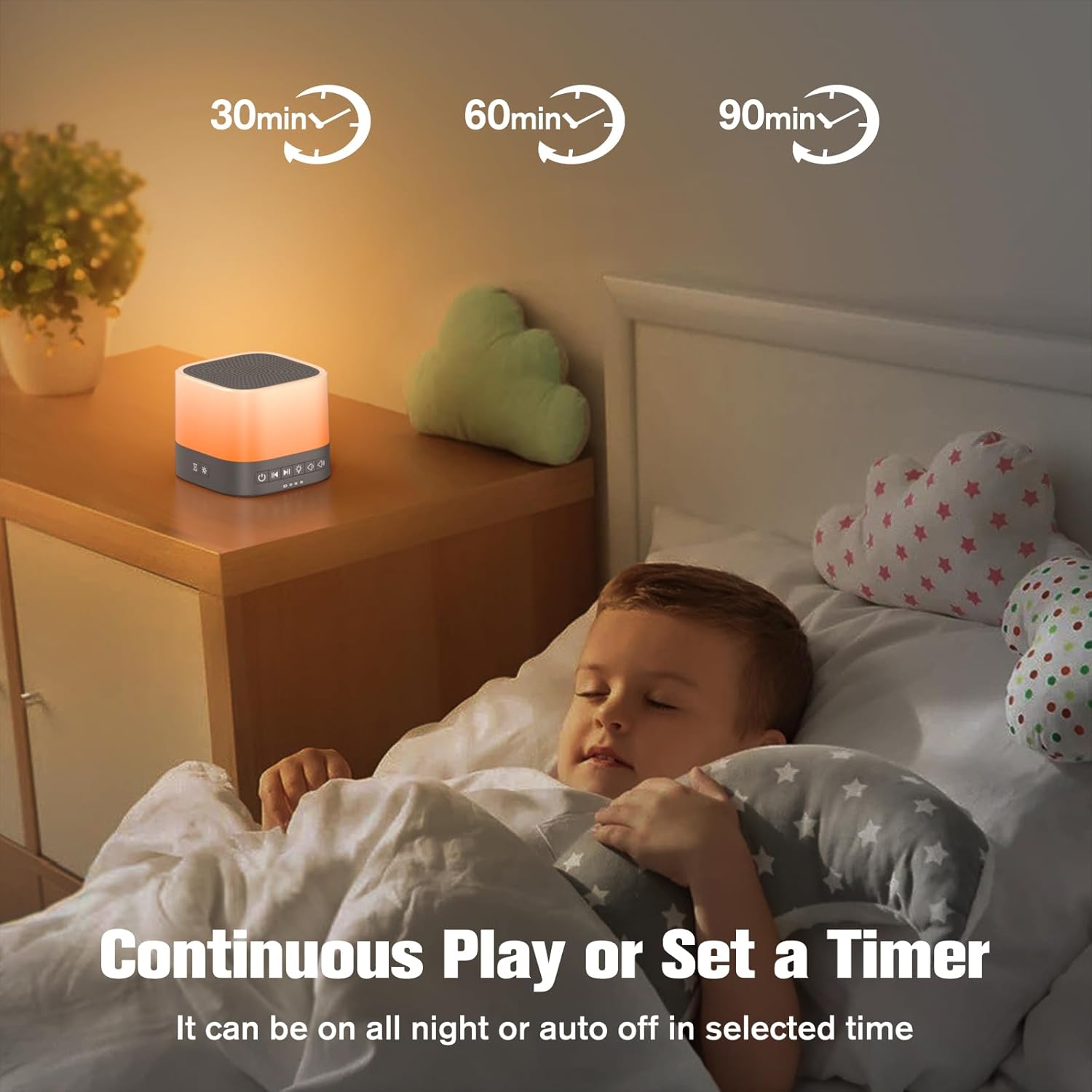
Figure 6: The sleep timer function allows for automatic shut-off after a set duration, or continuous play.
Vzdrževanje
Proper maintenance ensures the longevity and optimal performance of your sound machine.
- Čiščenje: Wipe the device with a soft, dry cloth. Do not use abrasive cleaners, solvents, or immerse in water.
- Shranjevanje: When not in use for extended periods, store the device in a cool, dry place, away from direct sunlight and extreme temperatures. Remove batteries if storing for a long time.
- Zamenjava baterije: Replace AAA batteries when the device's performance diminishes or if it fails to power on with batteries.
Odpravljanje težav
If you encounter issues with your Buffbee Sound Machine, try the following troubleshooting steps:
| Težava | Možen vzrok | rešitev |
|---|---|---|
| Naprava se ne vklopi. | No power, dead batteries, or faulty adapter. | Ensure AC adapter is securely plugged in. If using batteries, replace with fresh ones. |
| Ni zvoka ali nizka glasnost. | Volume too low or sound not selected. | Increase volume using the volume up button. Ensure a sound is selected. |
| Nočna lučka ne deluje. | Light turned off or brightness set to minimum. | Press the Light button to turn it on. Adjust brightness using the brightness control. |
| Kakovost zvoka je slaba. | Interference or device placement. | Move the device away from other electronic devices that may cause interference. Ensure it's on a stable surface. |
If the issue persists after attempting these steps, please contact Buffbee customer support for further assistance.
Specifikacije
| Funkcija | Podrobnost |
|---|---|
| Ime modela | Buffbee Sound Machine with Night Light |
| Številka modela artikla | AK5 |
| Znamka | BUFFBEE |
| Vir napajanja | Battery Powered (3 AAA, not included) or AC Adapter |
| Material | Plastika |
| Možnosti zvoka | 20 Non-Looping Soothing Sleep Sounds |
| Barve nočne svetlobe | 10 Customizable Glow Lights |
| Možnosti časovnika | 30, 60, 90 minutes, or Continuous Play |
| Dimenzije paketa | 5.47 x 4.02 x 3.46 palcev |
| Teža predmeta | 11.99 unč |
Garancija in podpora
For warranty information or technical support, please contact BUFFBEE customer service. Refer to the product packaging or the official BUFFBEE webspletno mesto za kontaktne podatke.
Spletna podpora: Visit the BUFFBEE Store on Amazon
Ask a question about this manual
Ask about setup, troubleshooting, compatibility, parts, safety, or missing instructions. Manuals+ will review the question and use this page’s manual context to help answer it.