
1. Uvod
Thank you for choosing the EBTOOLS 2.4G Wireless Keyboard and Mouse combo. This product is designed for comfortable and efficient use with its low-noise operation, adjustable DPI settings, and reliable 2.4G wireless connectivity. This manual provides detailed instructions for setup, operation, and maintenance to ensure optimal performance.
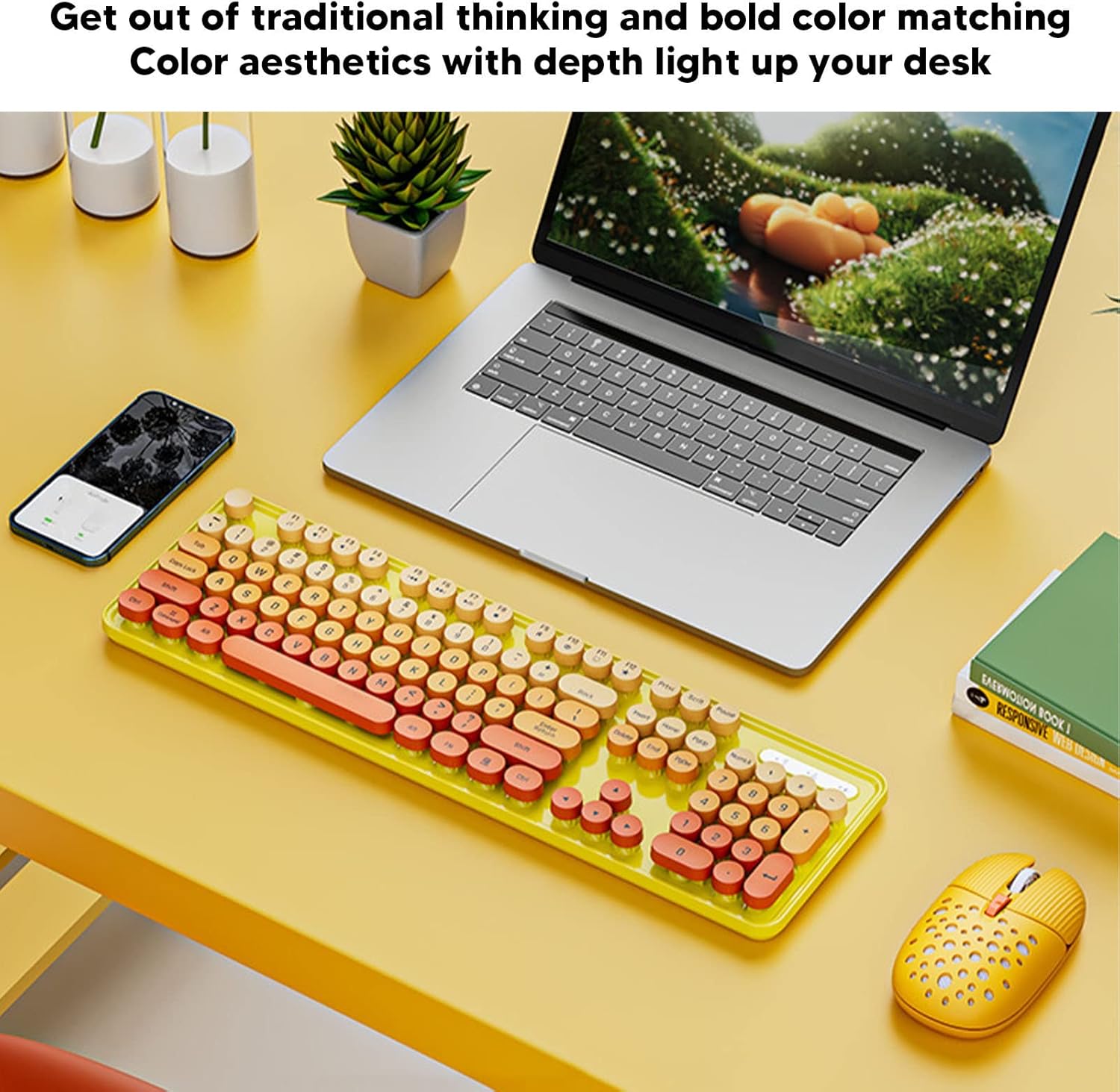
Image: The EBTOOLS 2.4G Wireless Keyboard and Mouse in mixed color yellow, displayed on a desk alongside a laptop and smartphone, showcasing its design and compact form factor.
2. Vsebina paketa
- 1 x EBTOOLS 2.4G Wireless Keyboard
- 1 x EBTOOLS 2.4G Wireless Mouse
- 1 x USB Receiver (typically stored in the mouse battery compartment)
- Uporabniški priročnik (ta dokument)
3. Navodila za nastavitev
3.1. Namestitev baterije
The keyboard and mouse require batteries for operation. Please ensure you have 1 AA battery for the keyboard and 1 AA battery for the mouse (batteries are not included).
- Poiščite predal za baterije na spodnji strani tipkovnice.
- Odprite pokrov prostora za baterije.
- Insert the AA battery according to the polarity indicators (+/-) inside the compartment.
- Trdno zaprite pokrov prostora za baterije.

Image: The underside of the EBTOOLS keyboard with the battery compartment open, showing where to insert the AA battery.
3.2. Priključitev USB-sprejemnika
The keyboard and mouse share a single 2.4G USB receiver for wireless connection.
- Locate the USB receiver. It is typically stored in the battery compartment of the mouse for safekeeping.
- Odstranite USB-sprejemnik iz reže za shranjevanje.
- Plug the USB receiver into an available USB port on your computer (desktop PC, laptop, etc.).
- The system should automatically detect and install the necessary drivers. This is a plug-and-play device.

Image: A diagram illustrating the compatibility of the keyboard and mouse with various systems, including desktop PCs, laptops, and other computers, highlighting its plug-and-play functionality.

Image: An illustration demonstrating the 2.4G wireless connection mode for the keyboard and mouse, emphasizing the ability to connect two devices wirelessly with a single receiver.
4. Navodila za uporabo
4.1. Adjusting Mouse DPI
The mouse features three adjustable DPI (Dots Per Inch) settings to suit your preference and task requirements. You can cycle through these settings by pressing the DPI button, usually located near the scroll wheel on the mouse.
- 800 DPI: Primerno za natančna opravila ali počasnejše gibanje kurzorja.
- 1600 DPI: Standardna nastavitev za splošno uporabo.
- 2400 DPI: Ideal for faster cursor movement, such as gaming or navigating large screens.
4.2. Using Multimedia Keys
The keyboard is equipped with 18 multimedia keys for quick access to various functions. These keys are typically activated by pressing the Fn key in combination with the corresponding function key (F1-F12) or dedicated multimedia keys.

Slika: Podrobna view of the EBTOOLS keyboard layout, highlighting the standard keys and the 18 multimedia keys, along with their respective functions such as volume control, media playback, and quick access to applications.
Common multimedia functions include:
- Volume Down / Up / Mute
- Play / Pause / Previous Track / Next Track
- Home / My Computer / Mail / Favorites
- Other system-specific functions
5. Vzdrževanje
5.1. Čiščenje
To maintain the longevity and appearance of your keyboard and mouse:
- Za brisanje površin uporabite mehko, suho krpo.
- Za trdovratno umazanijo rahlo dampKrpo obrišite z vodo ali blago čistilno raztopino. Izogibajte se agresivnim kemikalijam.
- Use compressed air to remove dust and debris from between the keyboard keys.
5.2. Zamenjava baterije
When the keyboard or mouse becomes unresponsive or exhibits intermittent connectivity, it may be time to replace the batteries. Follow the battery installation steps in Section 3.1.

Image: An illustration depicting the energy-saving features of the keyboard and mouse, emphasizing lower power consumption and extended battery life for continuous use.
6. Odpravljanje težav
| Težava | rešitev |
|---|---|
| Tipkovnica/miška se ne odziva |
|
| Prekinjena povezava |
|
| Kazalec miške se premika nepravilno ali ne gladko |
|
7. Specifikacije
| Funkcija | Podrobnost |
|---|---|
| Znamka | EBTOOLS |
| barva | Mixed Color Yellow |
| Tehnologija povezljivosti | 2.4G Radio Frequency Wireless |
| Posebna funkcija | Nizka raven hrupa |
| Združljive naprave | Personal Computer (Desktop PC, Laptop) |
| Operacijski sistem | Major PC Operating Systems |
| Hand Orientation (Mouse) | Obojepravni |
| Potrebne baterije | Yes (1 AA for keyboard, 1 AA for mouse) |
| Število tipk (tipkovnica) | 104 |
| Vir napajanja | Napajanje na baterije |
| Razporeditev tipkovnice | QWERTY |
| Nastavitve DPI miške | 800, 1600, 2400 (nastavljivo) |
| Material | ABS |
8. Uradni videoposnetki izdelkov
8.1. Keyboard and Mouse Overview
Video: Prekoračitevview of the EBTOOLS Keyboard and Mouse, demonstrating its features and design. This video is provided by the seller, Zhiyavex-US.
8.2. Yunseity Wireless Keyboard and Mouse Demonstration
Video: A demonstration of the Yunseity Wireless Keyboard and Mouse, showcasing its functionality and user experience. This video is provided by the seller, Zhiyavex-US.
9. Garancija in podpora
EBTOOLS products are designed for reliability and performance. For any questions, technical support, or warranty inquiries, please refer to the contact information provided with your purchase or visit the official EBTOOLS webspletnega mesta. Prosimo, shranite dokazilo o nakupu za uveljavljanje garancije.
The product comes with a standard return policy of 30 days from the date of purchase for refund or replacement, as per seller terms.