
Lexip JVASWI00101
Uporabniški priročnik za Lexip PIXMINDS Steelplay Adventure Twinpads
Comprehensive guide for your gaming experience.
Uvod
The Lexip PIXMINDS Steelplay Adventure Twinpads are designed to enhance your gaming experience on compatible systems. These controllers offer precise input and comfortable handling for extended play sessions. This manual provides essential information for setup, operation, maintenance, and troubleshooting.
Vsebina paketa
Po odprtju embalaže se prepričajte, da so prisotne vse komponente:
- Lexip PIXMINDS Steelplay Adventure Twinpads (Left and Right controllers)
- Uporabniški priročnik (ta dokument)
- Required Lithium Ion batteries (pre-installed or included)

Image: The retail packaging for the Lexip PIXMINDS Steelplay Adventure Twinpads, showing the controllers and compatibility information.
Nastavitev
The Twinpads are compatible with Nintendo Switch™ and Nintendo Switch™ OLED models. They connect wirelessly via Bluetooth.
1. Charging the Twinpads
The Twinpads come with Lithium Ion batteries. Before first use, ensure they are fully charged. The LED indicators on the controllers will show charging status.
2. Seznanjanje z vašo napravo
- Prepričajte se, da je vaša konzola Nintendo Switch vklopljena in posodobljena na najnovejšo sistemsko programsko opremo.
- V meniju DOMOV izberite »Krmilniki« > »Spremeni oprijem/vrstni red«.
- On each Twinpad, press and hold the small pairing button located on the side or back until the player LEDs begin to flash.
- Once the LEDs stop flashing and remain solid, the Twinpad is successfully paired.
- Repeat for the other Twinpad.
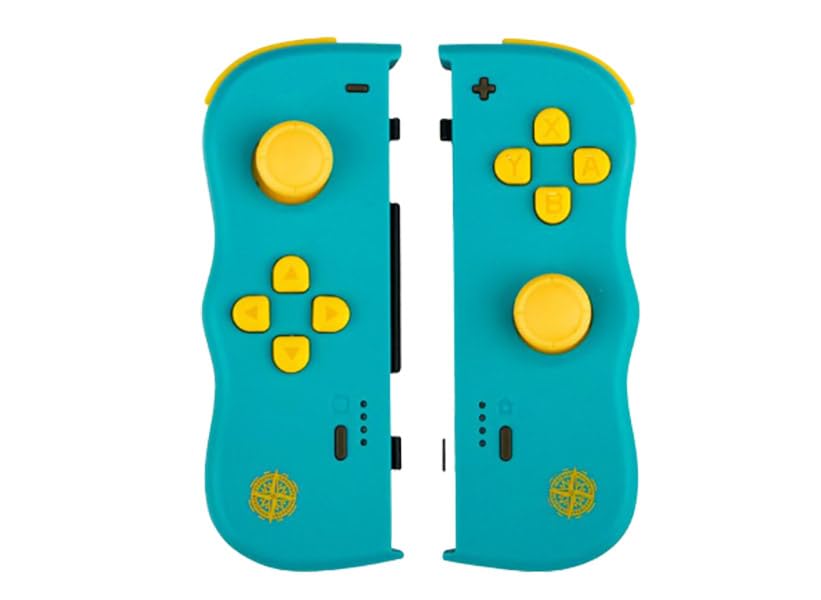
Slika: spredaj view of the Lexip PIXMINDS Steelplay Adventure Twinpads, showing the joysticks, D-pad, and action buttons.
Slika: Stran view of the Lexip PIXMINDS Steelplay Adventure Twinpads, highlighting the rail for attachment and potential pairing button location.
Slika: Nazaj view of the Lexip PIXMINDS Steelplay Adventure Twinpads, showing the ergonomic design and additional buttons.
Navodila za uporabo
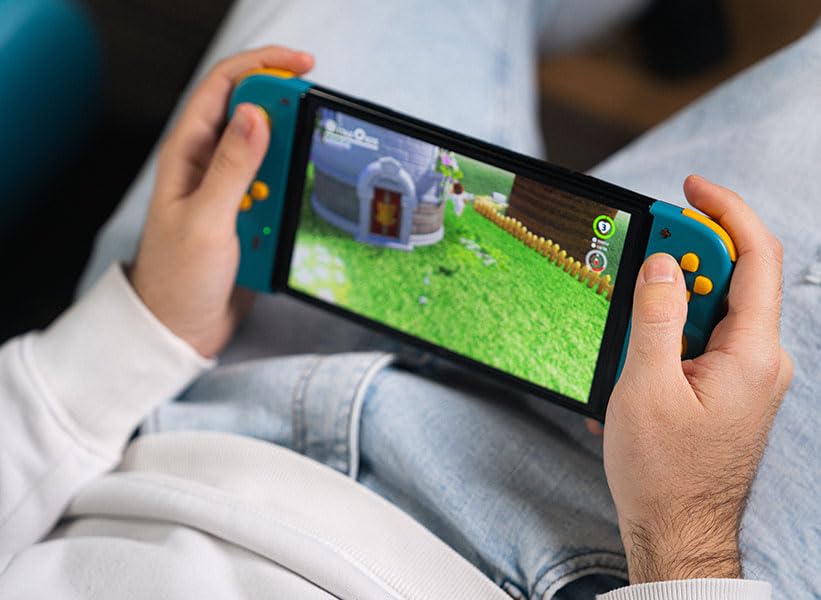
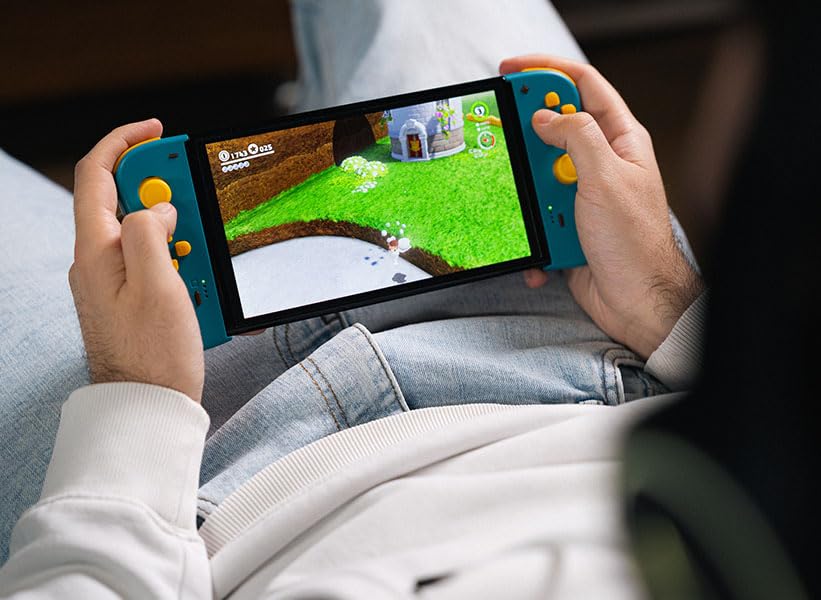
Once paired, the Twinpads function as independent left and right controllers, similar to the original Joy-Con controllers. They can be used for various games that support detached controller play.
Postavitev in funkcije gumbov
- Left Twinpad: Analog Stick, D-pad, Minus (-) Button, Screenshot Button, SL/SR Buttons (on side rail).
- Right Twinpad: Analog Stick, A/B/X/Y Buttons, Plus (+) Button, Home Button, SL/SR Buttons (on side rail).
- Note: Specific button functions may vary depending on the game.
Ponovno povezovanje
If the Twinpads disconnect or you wish to reconnect them after turning off the console, simply press any button on each Twinpad. They should automatically reconnect to the last paired console.
Vzdrževanje
Proper care will extend the lifespan of your Twinpads.
- Čiščenje: Use a soft, dry cloth to wipe the surface of the controllers. For stubborn dirt, slightly dampkrpo sperite z vodo. Izogibajte se uporabi agresivnih kemikalij ali abrazivnih čistil.
- Shranjevanje: Store the Twinpads in a cool, dry place away from direct sunlight and extreme temperatures.
- Vzdrževanje baterije: If storing for an extended period, ensure the batteries are partially charged (around 50%) to maintain battery health. Avoid fully discharging the batteries for long periods.
Odpravljanje težav
If you encounter issues with your Twinpads, try the following solutions:
- Krmilniki se ne seznanjajo:
- Ensure the Twinpads are charged.
- Verify Bluetooth is enabled on your console.
- Try re-pairing the controllers by following the "Pairing with Your Device" steps.
- Move closer to the console to ensure a strong Bluetooth signal.
- Znova zaženite konzolo Nintendo Switch.
- Vhodna zakasnitev ali prekinitev povezave:
- Ensure there are no obstructions between the controllers and the console.
- Zmanjšajte motnje zaradi drugih brezžičnih naprav.
- Preverite nivo baterije in jo po potrebi napolnite.
- Gumbi se ne odzivajo:
- Očistite okrog gumbov, da odstranite morebitne ostanke.
- Ensure the controllers are properly paired and connected.
- Test the controllers in a different game or the console's controller test menu.
Specifikacije
| Funkcija | Podrobnost |
|---|---|
| Model | JVASWI00101 |
| Znamka | Lexip, PIXMINDS, Steelplay |
| Povezljivost | Bluetooth |
| Združljivost | Nintendo Switch™, Nintendo Switch™ OLED |
| Vrsta baterije | 1 litij-ionska baterija (priložena) |
| Teža predmeta | 5.6 unč (približno 158.76 gramov) |
| Dimenzije paketa | 6.18 x 4.72 x 1.26 palca (približno 15.7 x 12 x 3.2 cm) |
| Proizvajalec | PIXMINDS |
| Datum izdaje | 1. januar 2023 |
Garancija in podpora
The Lexip PIXMINDS Steelplay Adventure Twinpads come with a 5-letna garancija, as indicated on the product packaging. To register your product and activate your warranty, please visit the official warranty registration page:
Register Your Product for Warranty
For technical support or further inquiries, please refer to the official Lexip support channels or contact your retailer.
Ask a question about this manual
Ask about setup, troubleshooting, compatibility, parts, safety, or missing instructions. Manuals+ will review the question and use this page’s manual context to help answer it.