
1. Uvod
Thank you for choosing the OQIMAX GH8013 Digital Projection Alarm Clock. This manual provides detailed instructions for the proper setup, operation, and maintenance of your device. Please read this manual thoroughly before use and retain it for future reference.
Varnostne informacije
- Naprave ne izpostavljajte ekstremnim temperaturam, neposredni sončni svetlobi ali visoki vlažnosti.
- Izogibajte se padcem ali izpostavljanju naprave močnim udarcem.
- Use only the provided power adapter or a compatible 5V USB power source.
- Hraniti izven dosega otrok.
- Naprave ne poskušajte razstavljati ali popravljati sami. V primeru težav se obrnite na podporo strankam.
2. Vsebina paketa
Prosimo, preverite paket za naslednje artikle:
- OQIMAX GH8013 Digital Projection Alarm Clock
- USB napajalni kabel
- Gumbasta baterija CR2032 (za varnostno kopiranje pomnilnika)
- Uporabniški priročnik

Image: Contents of the OQIMAX GH8013 package, including the alarm clock, USB cable, CR2032 battery, and user manual.
3. Izdelek je končanview
Familiarize yourself with the main components and controls of your alarm clock.

Slika: Zgoraj in spodaj view of the alarm clock with labels for SNOOZE/LIGHT, PROJECT, ALARM, SET, DOWN, UP buttons, Speaker, Projection lamp, Power port, and CR2032 battery compartment.
Ključne značilnosti:
- Large LED display for time and alarm.
- Adjustable display brightness (4 levels).
- Projection function with 3 brightness levels and 180° flip.
- Funkcija dremeža (1–60 minut).
- Three alarm modes (Monday-Friday, Monday-Saturday, Everyday).
- 12/24 hour time format selection.
- Prikaz temperature.
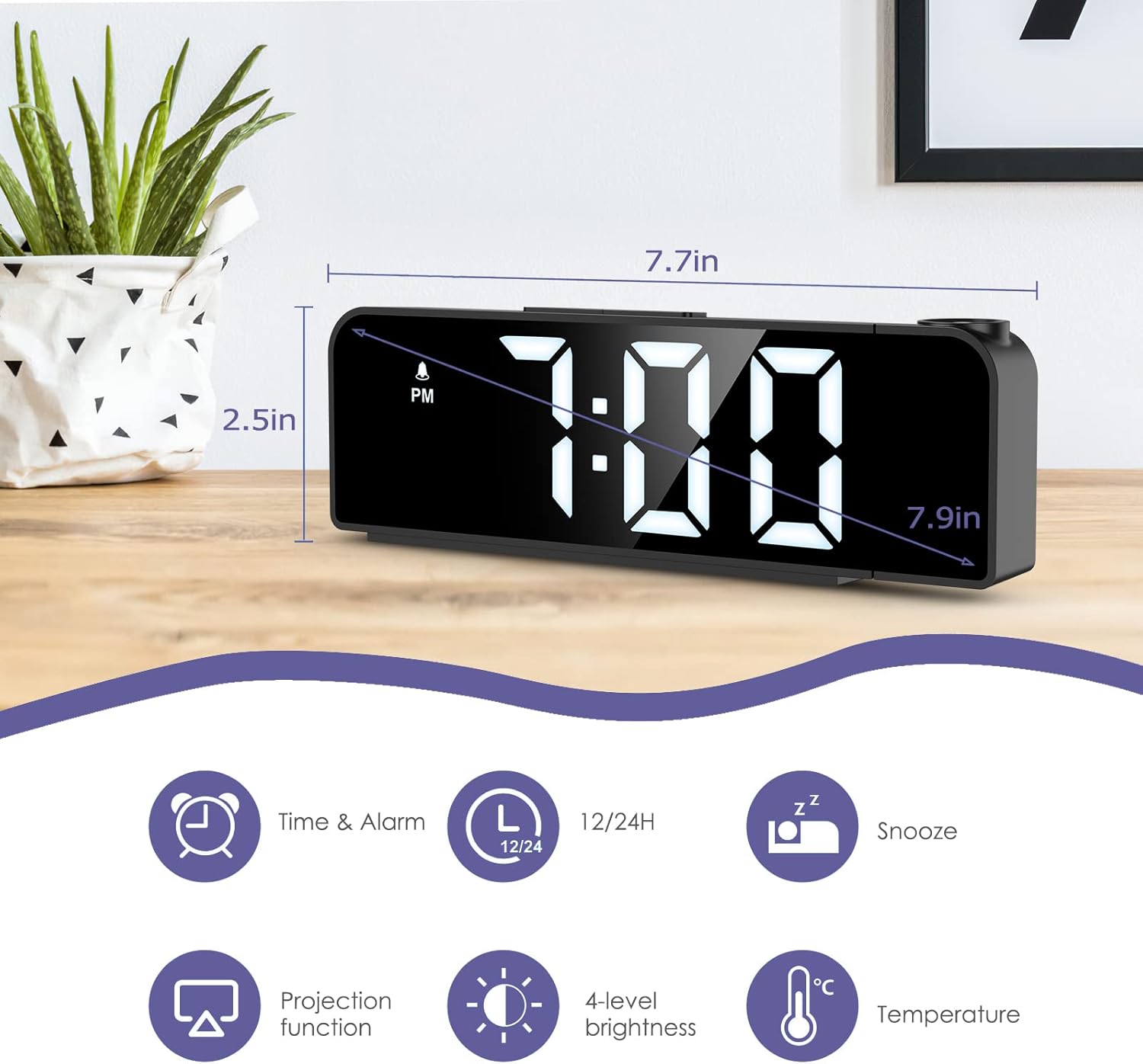
Image: The alarm clock displaying time, with icons indicating Time & Alarm, 12/24H, Snooze, Projection function, 4-level brightness, and Temperature features. Dimensions are shown as 7.7 inches length and 2.5 inches height.
4. Nastavitev
4.1 Vklop
- Insert the CR2032 button cell battery into the battery compartment on the bottom of the clock. This battery provides memory backup for time and alarm settings during power outages.
- Connect the USB power cable to the power port on the back of the alarm clock.
- Plug the other end of the USB cable into a 5V USB power adapter (not included) or a USB port. The display will light up.
4.2 Začetna nastavitev časa
- Pritisnite in držite NASTAVI 3 sekunde držite gumb , da vstopite v način nastavitve časa. Številke za ure bodo utripale.
- Uporabite UP or DOL gumbi za nastavitev ure.
- Pritisnite NASTAVI ponovno pritisnite, da potrdite uro in se premaknete na nastavitev minut. Številke minut bodo utripale.
- Uporabite UP or DOL gumbe za nastavitev minut.
- Pritisnite NASTAVI again to confirm the minute and exit time setting mode.
4.3 Izbira 12/24-urnega formata
V običajnem načinu prikaza časa pritisnite UP button to switch between 12-hour and 24-hour time formats. In 12-hour format, "PM" will be displayed for afternoon hours.
5. Navodila za uporabo
5.1 Nastavitev alarma
- Pritisnite in držite ALARM 3 sekunde držite gumb , da vstopite v način nastavitve alarma. Številke ure alarma bodo utripale.
- Uporabite UP or DOL gumbe za nastavitev ure budilke.
- Pritisnite ALARM again to confirm the alarm hour and move to alarm minute setting. The alarm minute digits will flash.
- Uporabite UP or DOL gumbe za nastavitev minute alarma.
- Pritisnite ALARM again to confirm the alarm minute and select the alarm mode.
- Uporabite UP or DOL buttons to cycle through the three alarm modes:
- 1-5: Od ponedeljka do petka
- 1-6: Od ponedeljka do sobote
- 1-7: Vsak dan
- Pritisnite ALARM again to confirm the alarm mode and exit alarm setting. The alarm icon will appear on the display, indicating the alarm is active.
To turn the alarm ON/OFF, short press the ALARM button in normal time display mode. The alarm icon will appear or disappear.

Image: The alarm clock display showing the three alarm modes: 1-5 (Monday to Friday), 1-6 (Monday to Saturday), and 1-7 (Everyday).
5.2 Funkcija dremeža
Ko se oglasi alarm, pritisnite veliko SNOOZE / LUČ button on top of the clock to activate the snooze function. The alarm will pause for a set duration (default is 9 minutes, adjustable from 1-60 minutes) and sound again later.
Če želite prilagoditi trajanje dremeža:
- While the alarm is sounding, press and hold the SNOOZE / LUČ button for 3 seconds. The snooze time will flash.
- Uporabite UP or DOL gumbe za nastavitev želenega trajanja dremeža (1–60 minut).
- Pritisnite SNOOZE / LUČ ponovno za potrditev in izhod.
Za popolno ustavitev alarma pritisnite kateri koli drug gumb (npr. ALARM, NASTAVI, UP, DOL) when it is sounding.
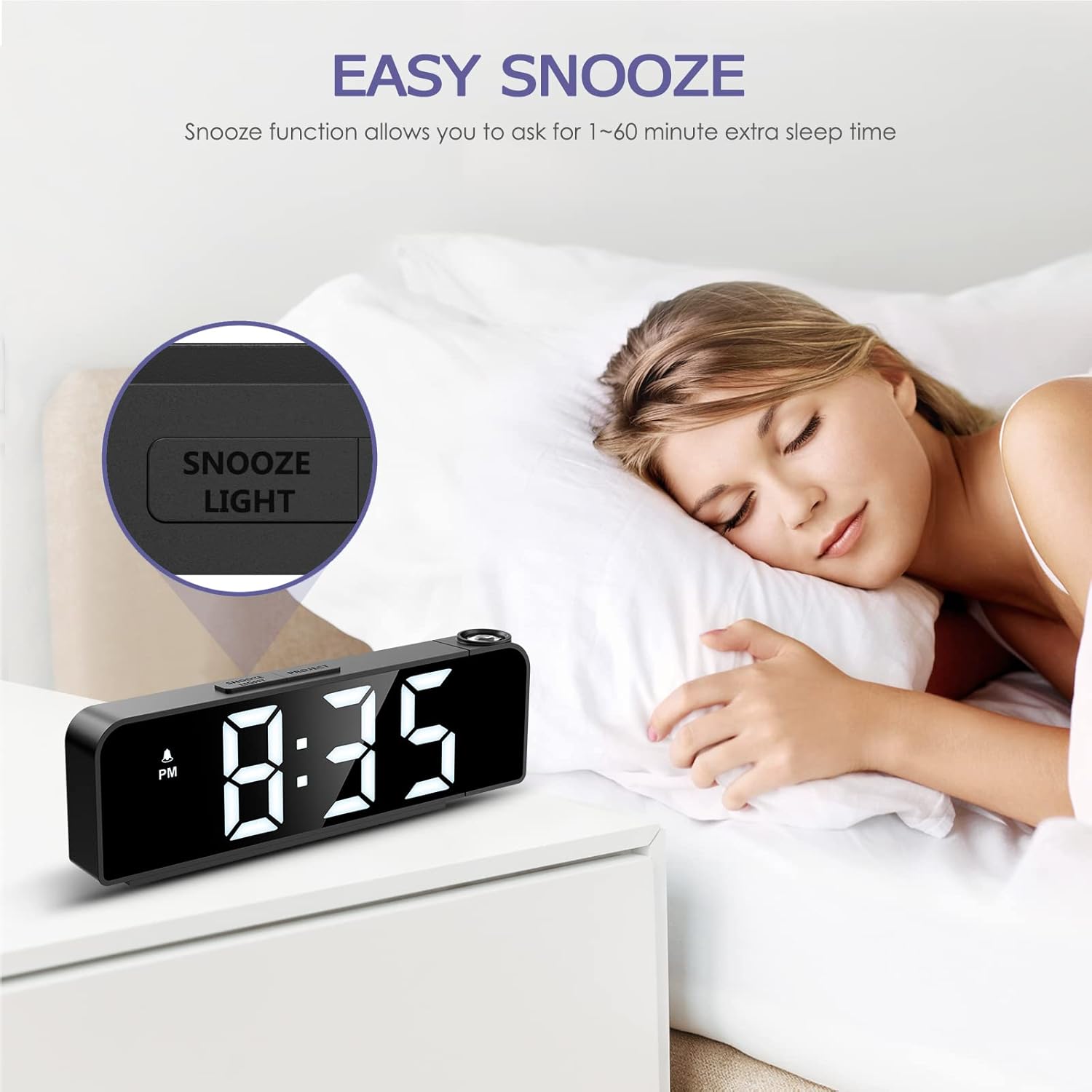
Image: A person sleeping next to the alarm clock, with the "SNOOZE/LIGHT" button highlighted, illustrating the snooze function.
5.3 Prilagoditev svetlosti zaslona
The main display has 4 adjustable brightness levels (Bright Light, Medium Light, Low Light, OFF).
In normal time display mode, short press the SNOOZE / LUČ gumb za preklapljanje med stopnjami svetlosti.

Image: The alarm clock display shown at Bright Light, Medium Light, Low Light, and OFF brightness settings.
5.4 Funkcija projekcije
Budilka lahko projicira čas na steno ali strop.
- Pritisnite PROJEKT button to turn the projection ON/OFF.
- To adjust the projection brightness (3 levels), press the PROJEKT button repeatedly while the projection is active.
- The projection can be rotated 180 degrees for optimal viewing. Manually adjust the projection lens on the side of the clock to change the angle.
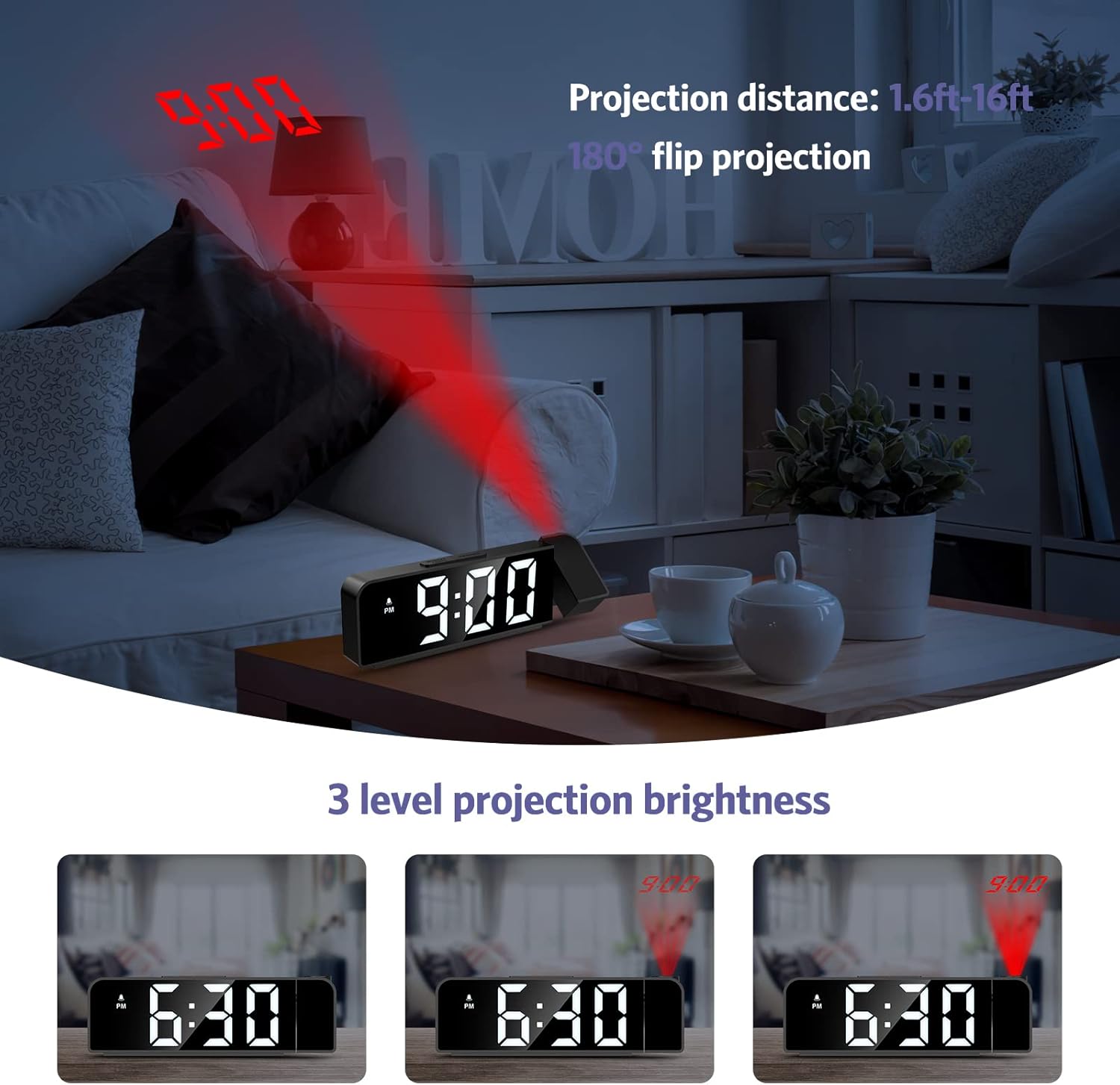
Image: The alarm clock projecting the time "9:00" onto a wall, demonstrating the projection distance (1.6ft-16ft) and 180° flip projection feature. Three levels of projection brightness are also shown.

Image: Four different scenarios showing the alarm clock projecting time onto various surfaces like a wall above a desk, a bedroom wall, and a ceiling while a person is in bed.
5.5 Prikaz temperature
The alarm clock displays the ambient temperature. This feature is automatic and does not require manual setting.
6. Vzdrževanje
- Napravo očistite z mehko, suho krpo. Ne uporabljajte abrazivnih čistil ali topil.
- Pred čiščenjem se prepričajte, da je naprava izklopljena.
- If the backup battery (CR2032) needs replacement, ensure the clock is powered on via USB to retain settings during the battery change.
7. Odpravljanje težav
| Težava | Možen vzrok | rešitev |
|---|---|---|
| Display is off or dim. | No power or display brightness set to OFF. | Ensure the USB power cable is securely connected. Press the SNOOZE / LUČ button to adjust display brightness. |
| Alarm se ne oglasi. | Alarm ni aktiviran ali je napačno nastavljen. | Check if the alarm icon is displayed. If not, short press the ALARM button to activate. Verify alarm time and mode settings. |
| Projekcija je zamegljena ali obrnjena na glavo. | Projection focus or orientation needs adjustment. | Manually rotate the projection lens to adjust the angle. The device supports 180° flip projection. |
| Time resets after power loss. | Rezervna baterija CR2032 je prazna ali manjka. | Replace the CR2032 button cell battery. Ensure it is inserted correctly. |
8. Specifikacije
- Model: GH8013
- Znamka: OQIMAX
- Material: Akrilonitril butadien stiren (ABS)
- Vrsta zaslona: Digitalna LED
- vir energije: USB Cable (DC 5V)
- Rezervna baterija: CR2032 Button Cell (included)
- Dimenzije: 20.9 x 8.4 x 4.7 cm (približno 7.7 x 3.3 x 1.85 palca)
- Teža: 200 gramov (približno 0.44 funta)
- Posebne lastnosti: Adjustable Brightness, Snooze, Projection Function, 12/24H Format, Temperature Display, Multiple Alarm Modes
9. Garancija in podpora
OQIMAX products are designed for reliability and performance. For any questions, technical support, or warranty claims, please contact OQIMAX customer service through the retailer where the product was purchased or visit the official OQIMAX webspletno mesto za kontaktne podatke.
Please have your product model (GH8013) and purchase details ready when contacting support.