
Uvod
Thank you for choosing the Cosmic Byte ARES Wireless Controller. This manual provides essential information for setting up, operating, maintaining, and troubleshooting your new controller. Please read this manual carefully before use to ensure optimal performance and longevity of your device.
The Cosmic Byte ARES Wireless Controller is designed for PC gaming, offering a reliable wireless connection, ergonomic design, and responsive controls for an enhanced gaming experience. It features pressure-sensitive analog triggers, LED-backlit buttons, and supports both Xinput and D Input modes.
Vodnik za namestitev
1. Vsebina paketa
- Cosmic Byte ARES Wireless Controller
- Brezžični ključ USB
- USB polnilni kabel
- Uporabniški priročnik
2. Polnjenje krmilnika
Before initial use, fully charge the controller. Connect the supplied USB charging cable to the USB port on the top of the controller and plug the other end into a powered USB port (e.g., PC, USB wall adapter). The LED indicator on the controller will show charging status and turn off or change color when fully charged.

Vrh view of the Cosmic Byte ARES Wireless Controller showing the USB port for charging and connection, along with the V LED and ABXY button backlighting.
3. Povezovanje z osebnim računalnikom
- Vstavite brezžični USB-ključek v prosta USB-vrata na računalniku.
- Turn on the Cosmic Byte ARES Wireless Controller by pressing the central 'Home' button.
- The controller will automatically pair with the dongle. The LED indicator on the controller will stabilize once connected.
- Your PC should automatically detect and install the necessary drivers. If not, refer to the troubleshooting section.
The controller offers a wireless range of 8-10 meters, providing flexibility during gameplay.

The Cosmic Byte ARES Wireless Controller highlighting its reliable wireless connection and 700mAh battery, providing up to 12 hours of continuous gaming.
Navodila za uporabo
1. Osnovne kontrole
The controller features standard gamepad buttons and joysticks:
- Leva analogna palica: Movement and navigation.
- Desna analogna palica: Nadzor in ciljanje s kamero.
- D-pad: Smerni vnos, navigacija po meniju.
- Gumbi ABXY: Action buttons, typically for jumping, interacting, attacking, etc. These buttons are LED-backlit.
- Ramenski gumbi (L1/R1): Quick actions.
- Sprožilci (L2/R2): Pressure-sensitive analog triggers for precise input, such as acceleration or shooting.
- START/BACK Buttons: Menu access, map, inventory, etc.
- Domov gumb: Vklopi/izklopi krmilnik, dostopa do sistemskih menijev.
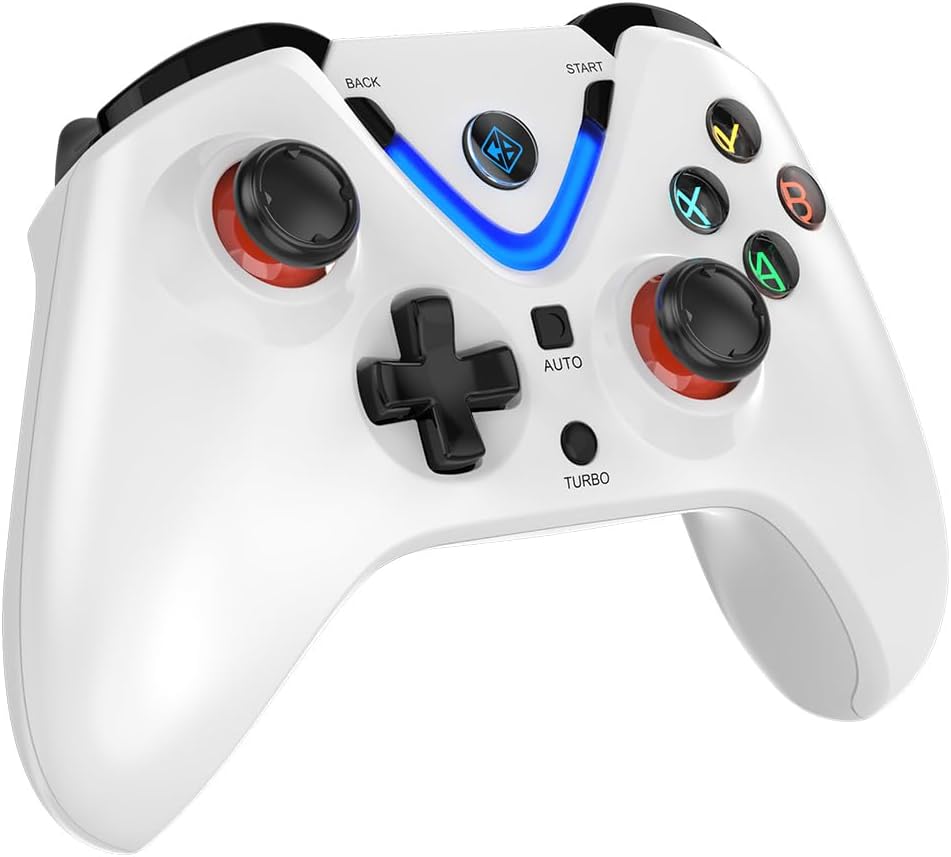
Spredaj view of the Cosmic Byte ARES Wireless Controller, showcasing the button layout, joysticks, D-pad, and central LED indicator.
2. Posebne lastnosti
- Xinput and D Input Support: The controller automatically detects and supports both Xinput and D Input modes, ensuring compatibility with a wide range of PC games.
- Vibracijske povratne informacije: Experience immersive gameplay with the built-in vibration feature, providing tactile feedback for in-game events.
- Turbo funkcija: The 'TURBO' button allows for rapid, repeated input of a selected action button. To activate, press and hold the 'TURBO' button, then press the desired action button (e.g., A, B, X, Y). To deactivate, repeat the process.
- Samodejna funkcija: The 'AUTO' button enables continuous, automatic input of a selected action button without holding it down. To activate, press and hold the 'AUTO' button, then press the desired action button. To deactivate, repeat the process.
- Sprožilci Hallovega efekta: The controller is equipped with Hall Effect Triggers, providing precise and durable input for enhanced control.
- Ergonomska oblika: The controller features ergonomic, rubberized textured sticks for improved grip and comfort during extended gaming sessions.
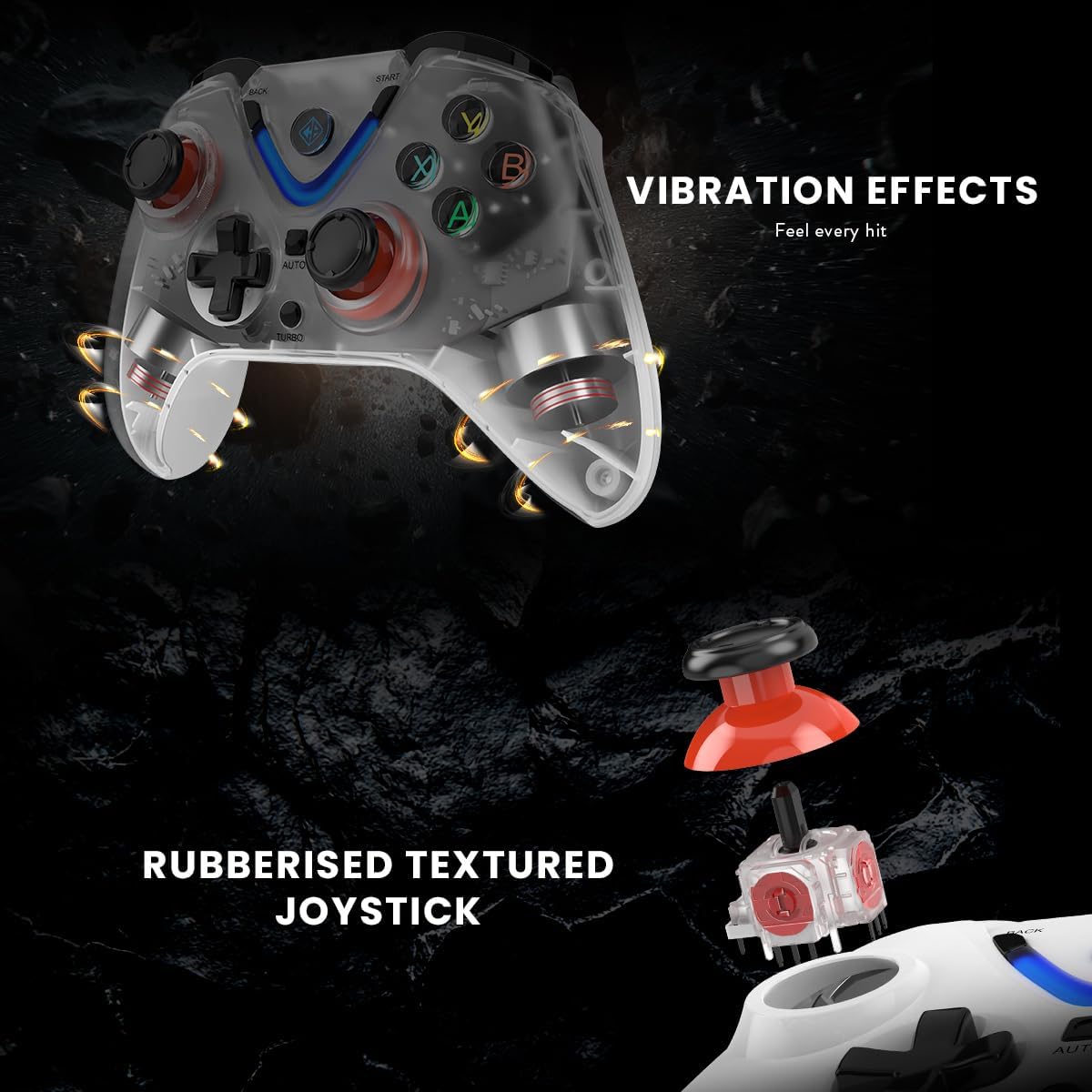
Illustration of the Cosmic Byte ARES Wireless Controller's vibration feedback feature and the design of its rubberized textured joysticks for enhanced grip.

Detail of the Cosmic Byte ARES Wireless Controller's Turbo and Auto function buttons, alongside an illustration of its Hall Effect Triggers for precise input.
Vzdrževanje
1. Čiščenje
Za čiščenje krmilnika uporabite mehko, suho krpo. Za trdovratno umazanijo rahlo obrišiteampen the cloth with water. Do not use harsh chemicals, solvents, or abrasive cleaners, as these can damage the controller's surface and internal components.
2. Skrb za baterijo
- Avoid exposing the controller to extreme temperatures (hot or cold).
- Do not leave the controller uncharged for extended periods. Charge it periodically if not in use.
- Ne poskušajte sami zamenjati notranje baterije. Če se pojavijo težave z baterijo, se obrnite na podporo.
Odpravljanje težav
1. Krmilnik se ne povezuje
- Ensure the USB wireless dongle is securely plugged into a working USB port on your PC.
- Make sure the controller is powered on and has sufficient battery charge.
- Try plugging the dongle into a different USB port on your PC.
- Restart your PC and try connecting again.
- If the issue persists, try re-pairing the controller by pressing the reset button (if available, usually a small pinhole on the back) on the controller and then the pairing button on the dongle (if applicable).
2. Buttons/Joysticks Unresponsive
- Check if the controller is properly connected to your PC.
- Ensure the game you are playing supports gamepad input.
- Test the controller with another game or a gamepad testing tool on your PC to rule out game-specific issues.
- Restart the controller and your PC.
3. Baterija se ne polni
- Verify that the USB charging cable is correctly connected to both the controller and a powered USB port.
- Try using a different USB charging cable or a different USB port/power adapter.
- Prepričajte se, da je polnilna vrata na krmilniku brez umazanije.
Specifikacije
| Funkcija | Podrobnost |
|---|---|
| Številka modela | ARES Wireless White |
| Povezljivost | Brezžično (USB ključek) |
| Brezžično Domet | 8-10 metrov |
| Baterija | 1 Lithium-polymer (included), 700mAh |
| Življenjska doba baterije | Up to 12 hours of continuous gaming |
| Združljivost | PC (Xinput & D Input) |
| Mere izdelka (D x Š x V) | 6 x 10 x 4 cm |
| Teža | 200 gramov |
| Zunanji material | Plastic and paper |
| Stopnja vodoodpornosti | Vodoodporen |
| Proizvajalec | Kozmični bajt |
Informacije o garanciji
The Cosmic Byte ARES Wireless Controller comes with a standard manufacturer's warranty. Please refer to the warranty card included in your product packaging or visit the official Cosmic Byte webZa podrobne garancijske pogoje obiščite spletno mesto. Račun shranite kot dokazilo o nakupu za morebitne garancijske zahtevke.
Podpora uporabnikom
For technical assistance, troubleshooting not covered in this manual, or warranty inquiries, please contact Cosmic Byte customer support. Contact details can typically be found on the official Cosmic Byte webspletnem mestu ali na embalaži izdelka.