
1. Uvod
The Dangbei Neo Smart Projector is a compact, portable device designed to deliver a high-quality home theater experience. Featuring official Netflix licensing, 1080P Full HD resolution, HDR10 support, and intelligent adjustment technologies, this projector offers versatile entertainment options with ease of use. This manual provides essential information for setting up, operating, and maintaining your projector.

Figure 1: Dangbei Neo Smart Projector.
2. Kaj je v škatli
Upon unboxing your Dangbei Neo Smart Projector, verify that all the following items are included:
- Pametni projektor Dangbei Neo
- Daljinski upravljalnik
- Napajalni adapter
- Napajalni kabel
- Uporabniški priročnik
- Čistilna krpa

Figure 2: Projector and included accessories.
3. Nastavitev
3.1 Začetni vklop
- Connect the power cable to the power adapter, then plug the adapter into the projector's DC input port.
- Napajalni kabel priključite v ustrezno električno vtičnico.
- Pritisnite gumb za vklop na projektorju ali daljinskem upravljalniku, da vklopite napravo.
3.2 Omrežna povezava
The projector supports 5GHz Wi-Fi and Bluetooth 5.0 for seamless connectivity.
- Na začetnem zaslonu projektorja pojdite v meni »Nastavitve«.
- Select 'Network' and choose your desired Wi-Fi network. Enter the password if prompted.
- For Bluetooth devices, select 'Bluetooth' in the 'Settings' menu and pair your device.
3.3 Intelligent Adjustment Technologies
The Dangbei Neo features 4-in-1 smart adjustment for an optimal viewizkušnje:
- Samodejno ostrenje: The projector automatically adjusts for a clear and sharp image.
- Samodejni trapezni popravek: The image is automatically adjusted to a rectangular shape, correcting for angled projections.
- Inteligentno prilagajanje zaslonu: The projector automatically aligns the image with the screen boundaries.
- Izogibanje oviram: The projection automatically adjusts to avoid obstacles in its path.
These features typically activate automatically upon startup or movement of the projector. Manual adjustments are also available in the settings menu.
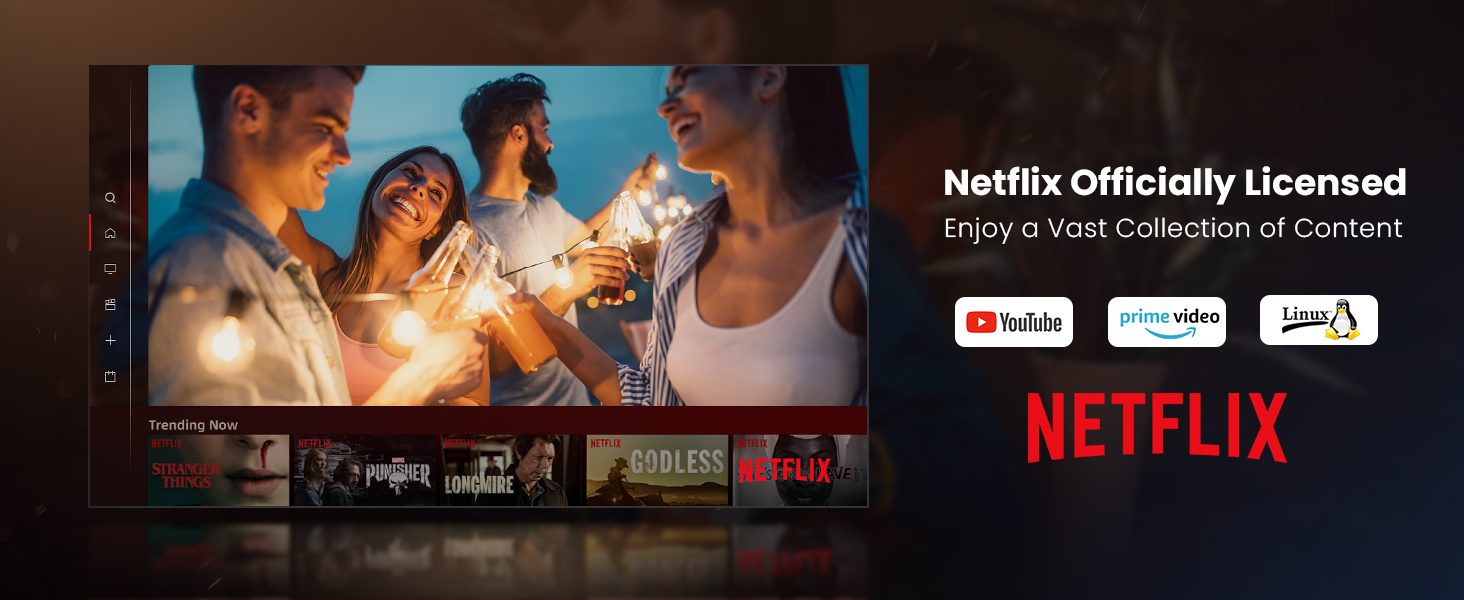
Figure 3: Visual representation of auto-focus and auto-keystone correction.
3.4 Priključitev zunanjih naprav
Projektor ponuja več možnosti povezljivosti:
- HDMI: Connect gaming consoles, laptops, or other HDMI-enabled devices. One HDMI port supports ARC for enhanced audio return.
- USB: Use the USB ports for multimedia playback from external storage devices.
- SPDIF: Za digitalni avdio izhod na združljive zvočne sisteme.
- LAN: Za žično internetno povezavo.
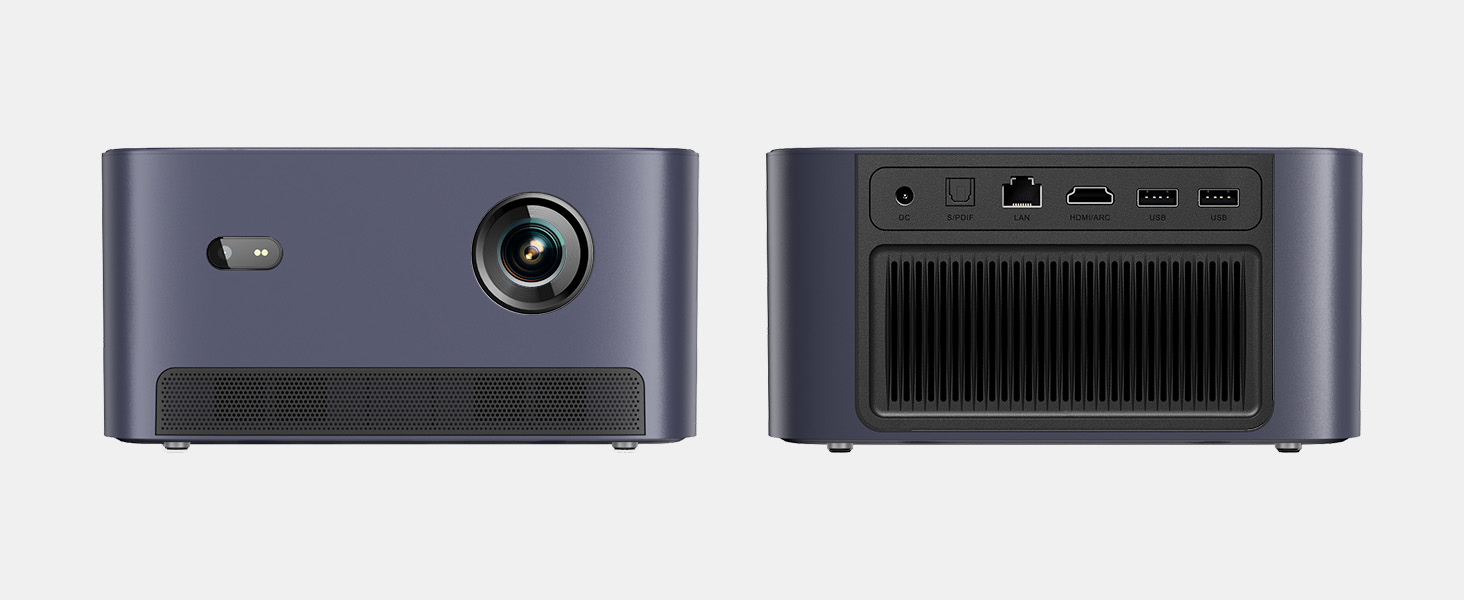
Slika 4: Zadaj view of the projector showing various input/output ports.
5. Navodila za uporabo
5.1 Navigacija po vmesniku
The projector runs on a Linux-based operating system with a user-friendly interface. Use the remote control's directional pad and 'OK' button to navigate through menus and select options.
5.2 Prednameščene aplikacije
Enjoy a variety of streaming content with pre-installed and officially licensed applications:
- Netflix: Access your Netflix subscription directly.
- YouTube: Stream videos from YouTube.
- Glavni video: Watch content from Amazon Prime Video.
- Additional apps are available through the integrated app store.

Figure 5: Projector displaying the Netflix interface.
5.3 Nastavitve slike in zvoka
Optimizirajte svoje viewizkušnje z naslednjimi funkcijami:
- Resolucija: Native 1080P Full HD with support for HDR10/HLG for sharp, crisp images.
- Velikost projekcije: Up to 120 inches for an immersive cinematic experience.
- Avdio: Integrated 2x6W speakers with Dolby Audio support provide 360° surround sound.
- Prilagoditev svetlosti z umetno inteligenco: Automatically optimizes brightness based on ambient light.

Figure 6: Large projected image from the Dangbei Neo.

Figure 7: Illustration of 360° surround sound from the projector.
6. Vzdrževanje
- Čiščenje: Use the provided cleaning cloth to gently wipe the lens and exterior surfaces. Avoid abrasive materials or harsh chemicals.
- Prezračevanje: Ensure the projector's ventilation ports are clear and unobstructed to prevent overheating.
- Lamp življenje: The laser light source has a lifespan of up to 30,000 hours, providing long-term use without frequent lamp zamenjava.
7. Odpravljanje težav
| Težava | Možen vzrok | rešitev |
|---|---|---|
| No image/blurry image | Power issue, focus/keystone incorrect, lens obstructed | Check power connection. Use auto-focus/keystone or adjust manually. Clean the lens. |
| Brez zvoka | Volume too low, audio output settings, external device issue | Increase volume. Check audio settings. Ensure external device audio is working. |
| Težave s povezljivostjo Wi-Fi/Bluetooth | Napačno geslo, naprava izven dosega, motnje | Verify password. Move closer to router/device. Reduce interference. |
| Pregrevanje projektorja | Blocked ventilation, prolonged use | Ensure vents are clear. Allow projector to cool down. |
8. Specifikacije
| Funkcija | Podrobnost |
|---|---|
| Znamka | Dangbei |
| Model | Neo |
| Ločljivost zaslona | 1920 x 1080 (1080P FHD) |
| Podpora za HDR | HDR10/HLG |
| Vir svetlobe | Laser (ALPD) |
| Lamp življenje | Do 30,000 ur |
| Svetlost | 2100 ISO lumnov |
| Kontrastno razmerje | 12,000:1 (dinamično) |
| Operacijski sistem | Linux OS |
| Vnaprej nameščene aplikacije | Netflix, YouTube, Prime Video |
| Povezljivost | 5GHz Wi-Fi, Bluetooth 5.0, HDMI (ARC), USB, SPDIF, LAN |
| Avdio | 2x6W Dolby Audio Speakers, 360° Surround Sound |
| Inteligentne funkcije | Auto Focus, Auto Keystone Correction, Intelligent Screen Fit, Obstacle Avoidance, AI Brightness Adjustment |
| Dimenzije | 7.87 x 6.18 x 3.94 palcev |
| Teža | 0.141 unč |
9. Garancija in podpora
The Dangbei Neo Smart Projector comes with a standard manufacturer's warranty. For detailed warranty information, product support, or service inquiries, please refer to the warranty card included in your package or visit the official Dangbei webmesto.
Spletna podpora: www.dangbei.com
10. Uradni videoposnetek izdelka
Za vizualno predstavitev si oglejte uradni videoposnetek izdelkaview of the Dangbei Neo Smart Projector's features and capabilities.
Video: Dangbei Neo Netflix Officially-Licensed Smart Projector. This video highlights key features and usage scenarios.