
LFF LWC150
LFF Atomic Clock User Manual
Model: LWC150
Znamka: LFF
1. Uvod
The LFF Atomic Clock (Model LWC150) is a versatile digital wall or desk clock designed for accurate timekeeping and environmental monitoring. It automatically synchronizes with the WWVB radio broadcast for precise time and features a large, easy-to-read LCD display showing time, date, day of the week, alarm status, and both indoor and outdoor temperature and humidity.
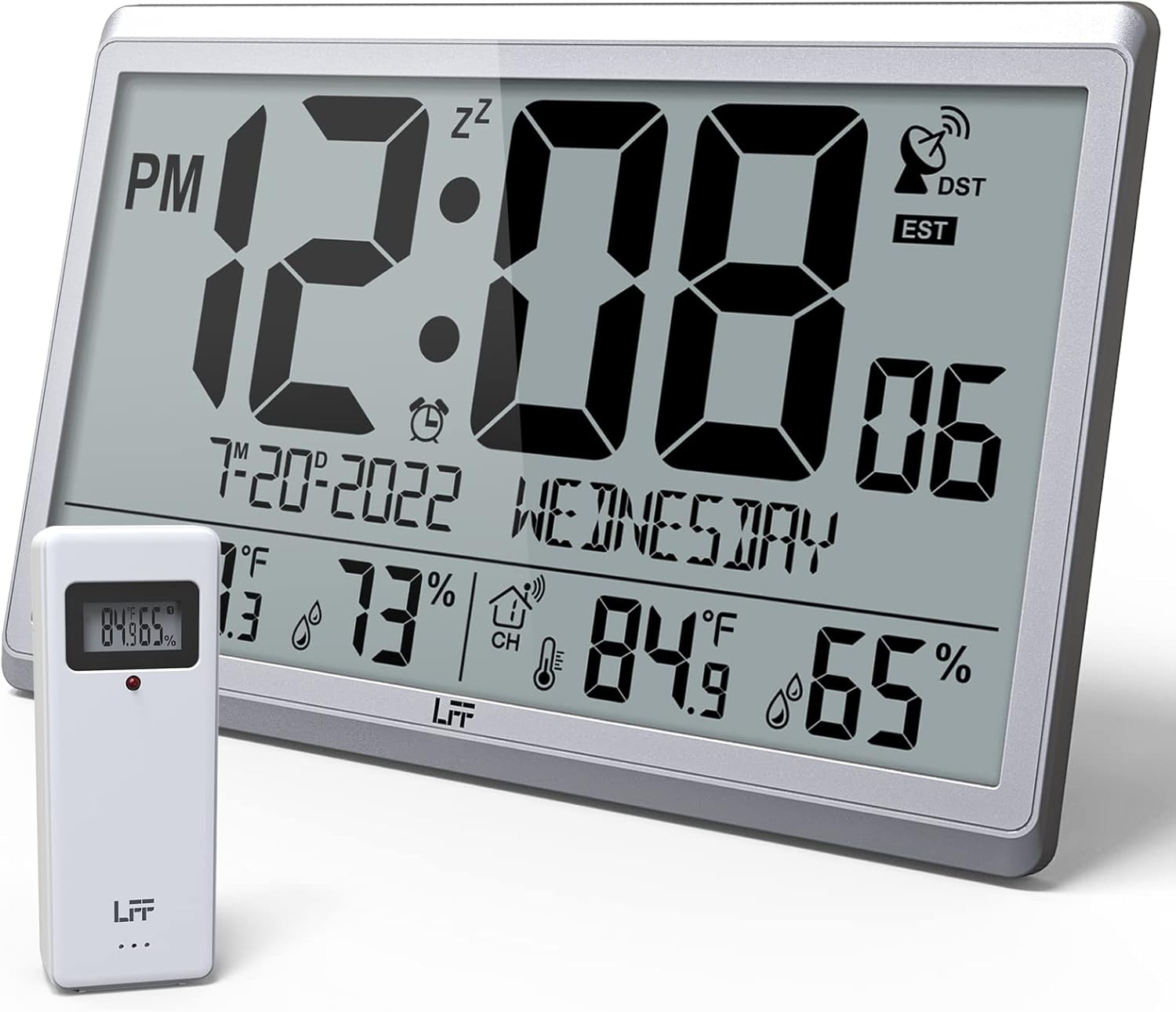
Figure 1.1: LFF Atomic Clock with its wireless outdoor sensor.
2. Lastnosti
- Accurate Atomic Clock: Built-in receiver automatically synchronizes with the WWVB radio broadcast from NIST in Fort Collins, Colorado, ensuring precise time and calendar adjustments.
- Large LCD High-Definition Display: 9.4-inch tall display with large numbers for easy readability. Displays time (12/24H), calendar, day of the week, alarm, indoor/outdoor temperature (°C/°F), and humidity simultaneously.
- Brezžični zunanji senzor: Transmits accurate outdoor temperature and humidity measurements up to 328 feet (100 meters). The sensor has an IPX4 splash-proof rating.
- Napajanje na baterije: Main clock requires 4 AA batteries (not included), and the outdoor sensor requires 2 AAA batteries (not included). No backlight display.
- Več časovnih pasov: Supports 8 time zones including EST, CST, MST, PST, AKT, HST, AST, NST.
- Prilagodljiva postavitev: Can be used as a wall clock (3 hanging holes) or a desk clock (integrated bracket).
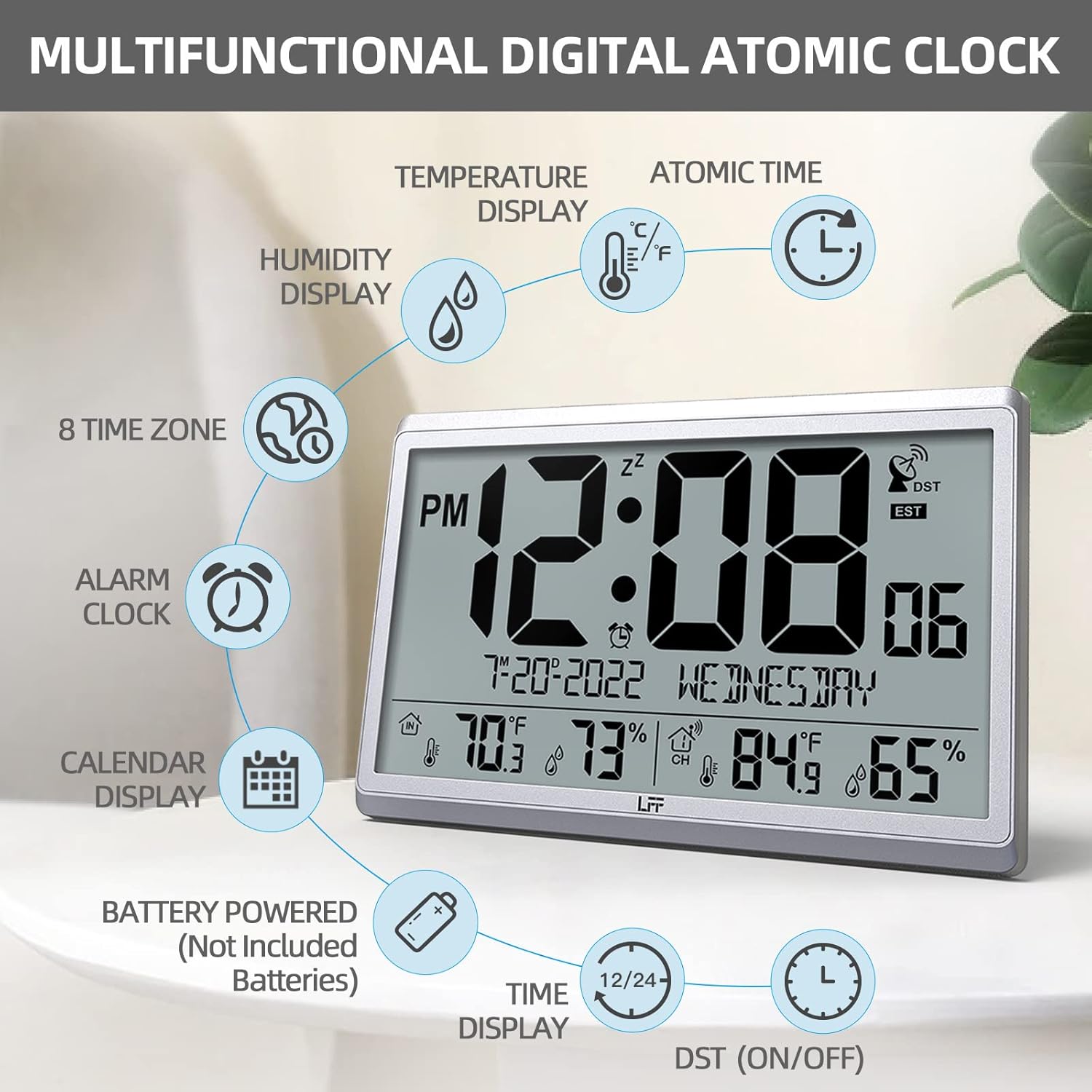
Slika 2.1: Konecview of the clock's multifunctional display and features.
3. Vsebina paketa
Po razpakiranju preverite vsebino paketa, da se prepričate, da so prisotni vsi elementi:
- 1 x LFF Atomic Clock (Main Unit)
- 1 x brezžični zunanji senzor
- 1 x uporabniški priročnik
4. Nastavitev
4.1 Namestitev baterije
The main clock unit and the outdoor sensor are battery-powered. Batteries are not included.
- For the Main Clock Unit: Open the battery compartment on the back of the clock. Insert 4 new AA batteries, ensuring correct polarity (+/-).
- Za brezžični zunanji senzor: Open the battery compartment on the back of the sensor. Insert 2 new AAA batteries, ensuring correct polarity (+/-).

Figure 4.1: Battery installation and button layout on the main clock unit.
4.2 Namestitev zunanjega senzorja
For accurate temperature and humidity readings, place the outdoor sensor in a location that is:
- Out of direct sunlight and rain.
- Away from any heat sources (e.g., vents, exhaust fans) or extreme cold sources.
- Within the wireless transmission range of 328 feet (100 meters) from the main clock unit.

Figure 4.2: Optimal placement for the wireless outdoor sensor.
4.3 Initial Atomic Time Synchronization
After battery installation, the clock will automatically attempt to synchronize with the WWVB atomic time signal. This process may take several minutes to several hours, depending on your location and signal strength. Ensure the clock is placed in an area where it can receive a clear signal, ideally near a window and away from electronic interference.

Figure 4.3: The clock synchronizes with the atomic time signal broadcast from Fort Collins, Colorado.
5. Navodila za uporabo
5.1 Ročna nastavitev časa in datuma
While the clock primarily relies on atomic synchronization, you can manually set the time and date if needed (e.g., during initial setup before signal acquisition or in areas with poor reception).
- Pritisnite in držite NASTAVI button on the back of the clock until the display flashes.
- Uporabite UP or DOWN/RCC gumbe za nastavitev utripajoče vrednosti (npr. ura, minuta, leto, mesec, dan).
- Pritisnite NASTAVI ponovno, da potrdite nastavitev in se premaknete na naslednjo vrednost.
- Ponavljajte, dokler niso konfigurirane vse želene nastavitve.
5.2 Time Zone Selection
The clock supports 8 time zones. After atomic synchronization, you may need to select your local time zone.
- Pritisnite NASTAVI button repeatedly until the time zone setting flashes.
- Uporabite UP or DOWN/RCC buttons to cycle through the available time zones (EST, CST, MST, PST, AKT, HST, AST, NST).
- Pritisnite NASTAVI da potrdite svojo izbiro.
5.3 Izbira enote za temperaturo (°C/°F)
To switch between Celsius and Fahrenheit for temperature display:
- Na kratko pritisnite DOWN/RCC button. The temperature unit will toggle between °C and °F.
5.4 Funkcija budilke
The clock includes an alarm function.
- Pritisnite ALARM gumb za view trenutni čas alarma.
- Pritisnite in držite ALARM gumb, dokler ne utripa čas alarma.
- Uporabite UP or DOWN/RCC gumbe za nastavitev želene ure in minute alarma.
- Pritisnite ALARM za potrditev vsake nastavitve.
- Za vklop/izklop alarma na kratko pritisnite ALARM button when the alarm time is displayed. An alarm icon will appear/disappear on the screen.
5.5 Prikaz informacij
Velik LCD-zaslon na prvi pogled ponuja obsežne informacije:
- Zgornji del: Current time (with AM/PM indicator), atomic signal strength, DST indicator, and time zone.
- Srednji del: Date (Month-Day-Year) and Day of the Week.
- Spodnji del: Indoor temperature and humidity, and outdoor temperature and humidity (from wireless sensor).

Figure 5.1: The LFF Atomic Clock can be placed on a desk or mounted on a wall.
6. Vzdrževanje
6.1 Zamenjava baterije
Replace batteries in both the main unit and the outdoor sensor when the display becomes dim or readings become erratic. Always replace all batteries at the same time with new ones of the same type. For temperatures below -4°F, lithium batteries are recommended for the outdoor sensor.
6.2 Čiščenje
Wipe the clock and sensor with a soft, dry cloth. Do not use abrasive cleaners or solvents, as they may damage the display or casing. Avoid getting moisture into the battery compartments or electronic components.
6.3 Nega senzorjev
Periodically check the outdoor sensor for any debris or obstructions that might affect its readings. Ensure it remains in a sheltered location to protect it from extreme weather conditions, despite its splash-proof design.
7. Odpravljanje težav
| Težava | Možen vzrok | rešitev |
|---|---|---|
| Ura se ne sinhronizira z atomskim časom. | Weak signal, interference, incorrect time zone. | Relocate the clock closer to a window or away from electronic devices. Ensure correct time zone is selected. Allow up to 24 hours for initial synchronization. |
| Zunanja temperatura/vlažnost ni prikazana ali je netočna. | Sensor out of range, low sensor batteries, sensor exposed to direct elements. | Ensure sensor is within 328 feet of the main unit. Replace sensor batteries. Reposition sensor in a shaded, dry area. Press the KANAL gumb na glavni enoti, da ponovno vzpostavite povezavo. |
| Zaslon je zatemnjen ali prazen. | Prazne baterije v glavni enoti. | Replace all 4 AA batteries in the main clock unit. |
| Čas je po sinhronizaciji napačen. | Izbran je bil napačen časovni pas. | Verify and adjust the time zone setting as described in Section 5.2. |
8. Specifikacije
| Funkcija | Podrobnost |
|---|---|
| Številka modela | LWC150 |
| Vrsta zaslona | Digitalni LCD |
| Dimenzije izdelka | 14.2 cm Š x 9.4 cm V x 1.2 cm G |
| Vir napajanja (glavna enota) | 4 x AA baterije (niso vključene) |
| Vir napajanja (zunanji senzor) | 2 x AAA baterije (niso vključene) |
| Notranji temperaturni razpon | 14.1°F do 122.0°F (-9.9°C do 50.0°C) |
| Območje zunanje temperature | -58.0°F do 158.0°F (-50.0°C do 70.0°C) |
| Razpon vlažnosti v zaprtih prostorih | 1 % do 99 % |
| Razpon zunanje vlažnosti | 1 % do 99 % |
| Domet brezžičnega prenosa | Do 100 metrov (328 čevljev) na odprtem prostoru |
| Outdoor Sensor Waterproof Rating | IPX4 (odporen na škropljenje) |
| Material | Plastika (okvir iz akrilonitril butadien stirena) |
| Teža predmeta | 2.7 funtov (1.23 kilograma) |
9. Garancija in podpora
LFF products are designed for reliability and performance. For any questions, technical support, or warranty claims, please contact LFF customer service through the retailer's platform or the official LFF webspletnega mesta. Za namene garancije shranite dokazilo o nakupu.
Ask a question about this manual
Ask about setup, troubleshooting, compatibility, parts, safety, or missing instructions. Manuals+ will review the question and use this page’s manual context to help answer it.