
1. Varnostne informacije
Please read this manual carefully before using the camera to ensure safe and proper operation. Keep this manual for future reference.
- Fotoaparata ne izpostavljajte vodi ali vlagi.
- Pazite, da vam fotoaparat ne pade na tla ali da ga ne izpostavljate močnim udarcem.
- Do not attempt to disassemble or modify the camera. Repairs should only be performed by qualified personnel.
- Fotoaparat hranite stran od neposredne sončne svetlobe in visokih temperatur.
- Uporabljajte samo predpisano vrsto baterije in polnilni kabel.
- Baterije zavrzite v skladu z lokalnimi predpisi.
- Clean the camera lens and screen with a soft, dry cloth.
2. Vsebina paketa
Preverite, ali so v vašem paketu priloženi vsi spodaj navedeni elementi:
- Andoer Digital Camera Body
- Lithium Battery (3.7V 550mAh)
- USB polnilni kabel
- Torba za nošenje
- Uporabniški priročnik (ta dokument)

Image: Contents of the Andoer Digital Camera package, showing the camera, wrist strap, USB charging cable, carry bag, and user manual.
3. Izdelek je končanview
3.1 Spredaj View

Slika: spredaj view of the Andoer Digital Camera, displaying the lens, built-in flash, and indicating 2.7" TFT screen and 18 Megapixels.
3.2 zadaj View (Zaslon in upravljanje)
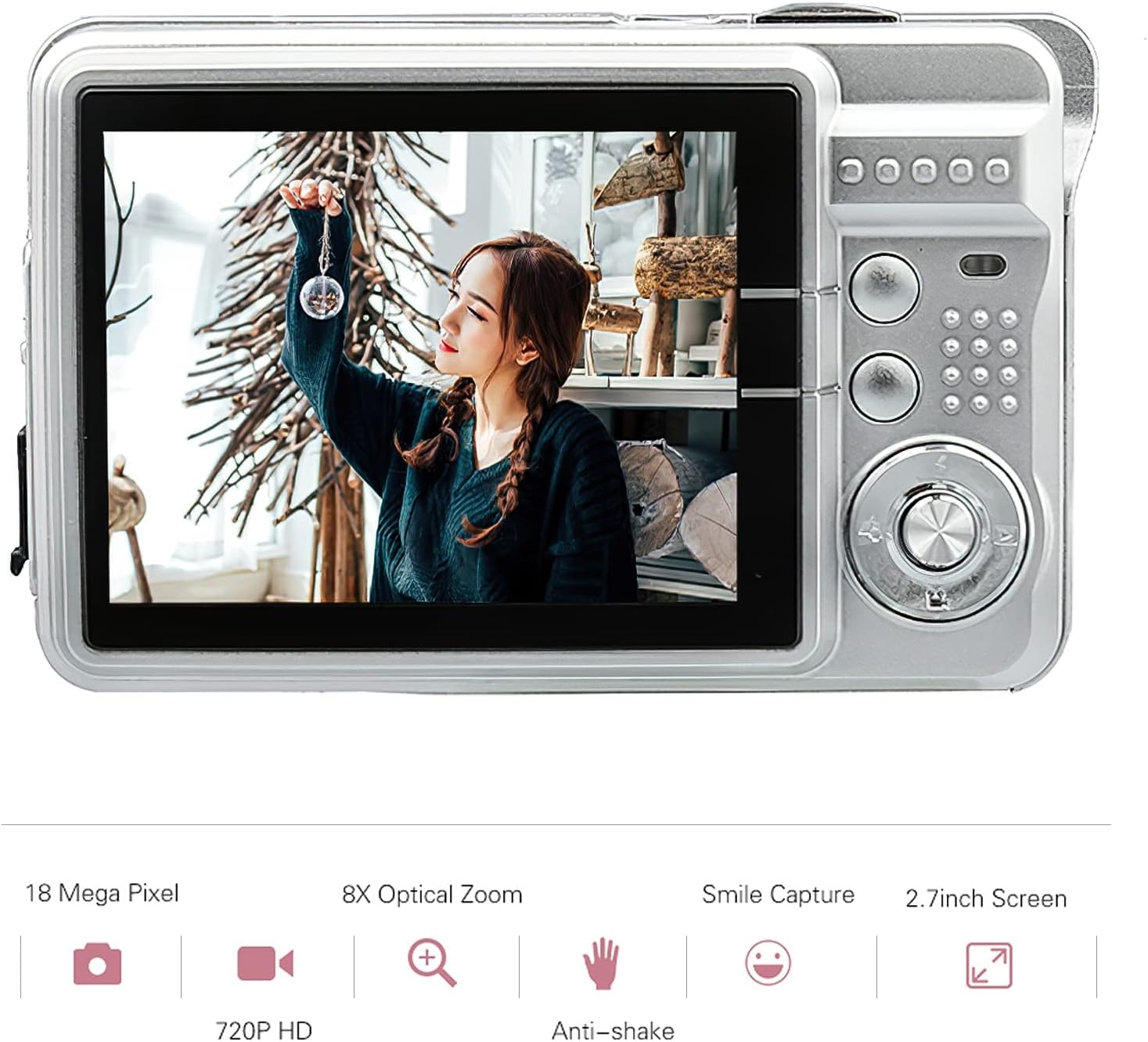
Slika: Zadaj view of the Andoer Digital Camera, featuring the 2.7-inch TFT display and various control buttons on the right side.
The camera features a 2.7-inch TFT display for viewing photos and videos, along with intuitive controls for navigation and settings adjustment.
4. Nastavitev
4.1 Polnjenje baterije
- Odprite pokrov predalčka za baterije na strani fotoaparata.
- Insert the provided Lithium battery (3.7V 550mAh) into the compartment, ensuring correct polarity.
- Trdno zaprite pokrov prostora za baterije.
- Connect the camera to a USB power source (e.g., computer, USB wall adapter) using the supplied USB charging cable.
- The charging indicator light will illuminate. Charging is complete when the light turns off or changes color (refer to camera display for battery status).
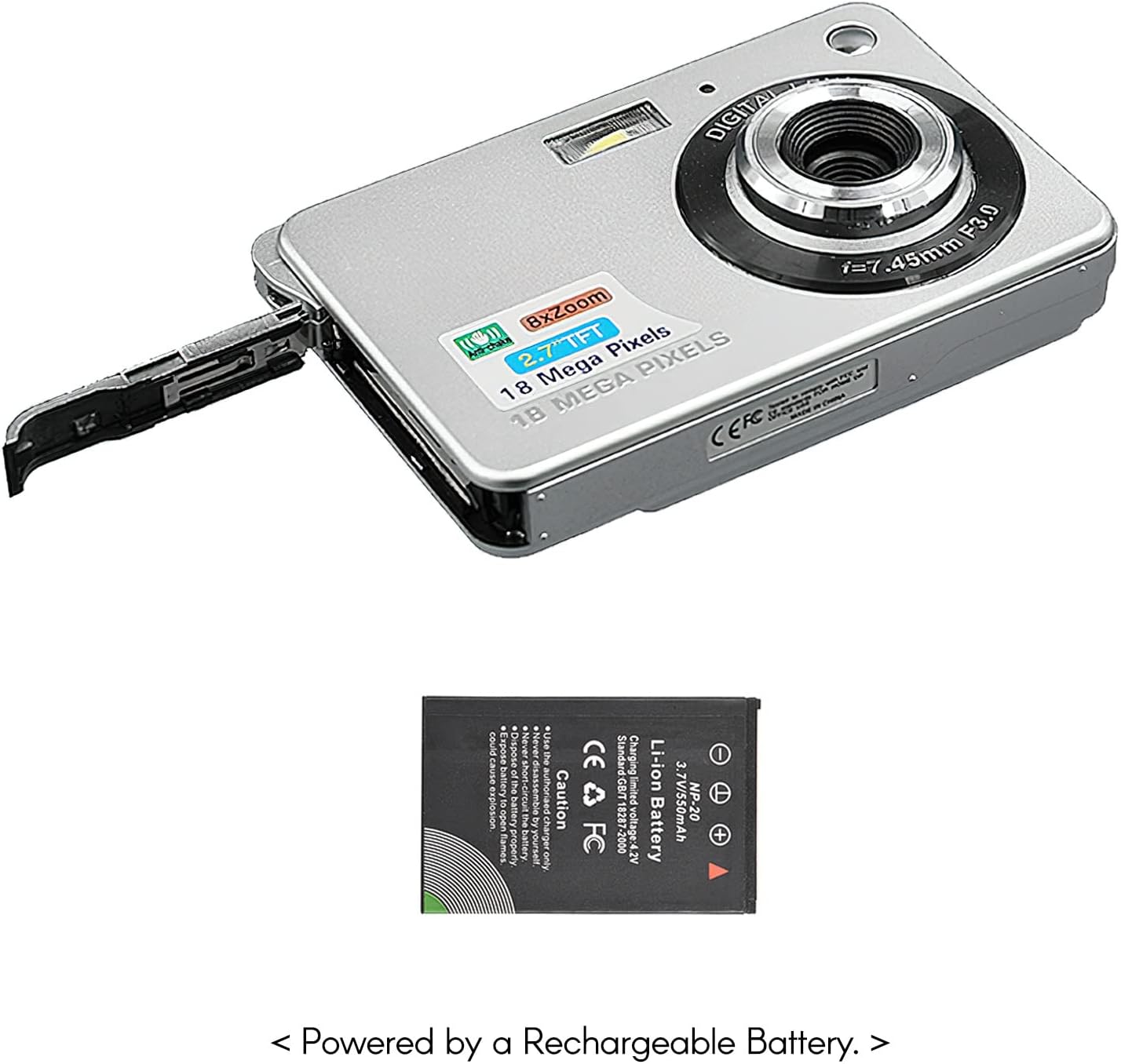
Slika: Stran view of the camera with the battery compartment open, illustrating how to insert the rechargeable lithium battery.
4.2 Inserting a Memory Card (Not Included)
This camera supports SD memory cards up to 32GB. A memory card is required to save photos and videos.
- Poiščite režo za pomnilniško kartico, običajno blizu predala za baterijo.
- Vstavite SD kartico s kovinskimi kontakti obrnjenimi navzdol (ali kot je prikazano na diagramu blizu reže), dokler se ne zaskoči.
- Za odstranitev kartico nežno potisnite navznoter, dokler ne izskoči.
5. Navodila za uporabo
5.1 Vklop/izklop
Pritisnite in držite gumb za vklop (običajno se nahaja na vrhu ali ob strani), da vklopite ali izklopite kamero.
5.2 Fotografiranje
- Vklopi kamero.
- Frame your shot using the 2.7-inch TFT display.
- Press the Shutter button (typically on top) halfway down to focus, then press fully to capture the image.

Image: The camera's screen showing a captured image, demonstrating the 18 Megapixel photo capability.
5.3 Snemanje videoposnetkov
- Vklopi kamero.
- Switch to video recording mode (usually via a mode button or menu option).
- Press the Record button (often marked with a red dot) to start recording. Press again to stop.

Image: The camera's screen displaying a video playback, illustrating its 720P high-definition video recording function.
5.4 Digitalni zoom
The camera features 8X digital zoom. Use the zoom buttons (often labeled 'W' for Wide and 'T' for Telephoto) to adjust the zoom level.

Image: A visual representation of the 8x digital zoom capability, showing a scene at 1x magnification and then zoomed in at 8x.
5.5 Navigacija po meniju
Press the 'Menu' button to access camera settings. Use the directional buttons to navigate and the 'OK' or 'Set' button to confirm selections. Available settings include:
- Samosprožilec: Off/ 2 sec/ 5 sec/ 10 sec
- Izpostavljenost: EV-3 to EV+3
- Ravnovesje beline: Auto/ Daylight/ Cloudy/ Incandescent/ Fluorescent
- Scenski načini: Auto/ Night Portrait/ Night Scenery/ Portrait/ Scenery/ Sport/ Party/ Beach/ High sensitivity
- Druge lastnosti: Anti-Shake, Face Detect, Smile Capture
6. Vzdrževanje
6.1 Čiščenje fotoaparata
- Za čiščenje ohišja fotoaparata uporabite mehko krpo, ki ne pušča vlaken.
- For the lens and screen, use a specialized lens cleaning cloth and solution if necessary. Avoid abrasive materials.
- Do not use organic solvents to clean the camera.
6.2 Skrb za baterije
- Pred prvo uporabo popolnoma napolnite baterijo.
- Če fotoaparata ne boste uporabljali dlje časa, odstranite baterijo.
- Baterije hranite na hladnem in suhem mestu.
7. Odpravljanje težav
| Težava | Možen vzrok | rešitev |
|---|---|---|
| Kamera se ne vklopi. | Baterija je prazna ali nepravilno vstavljena. | Napolnite baterijo. Prepričajte se, da je baterija vstavljena s pravilno polarnostjo. |
| Fotografiranje/snemanje videoposnetkov ni mogoče. | Pomnilniška kartica ni vstavljena ali pa je kartica polna/poškodovana. | Insert a compatible SD card. Delete unnecessary fileali formatirajte kartico (s tem boste izbrisali vse podatke). |
| Slike so zamegljene. | Objektiv je umazan, ni dovolj svetlobe ali pa se fotoaparat trese. | Clean the lens. Use the flash in low light. Hold the camera steady or use anti-shake feature. |
| Kamera se zamrzne ali se ne odziva. | Začasna programska napaka. | Za ponastavitev fotoaparata odstranite in ponovno vstavite baterijo. |
8. Specifikacije
| Funkcija | Podrobnost |
|---|---|
| Model | IAT4319650447530BC |
| Slikovni senzor | CMOS senzor |
| Zaslon | 2.7 palčni TFT LCD |
| Ločljivost fotografij | Do 18 milijonov slikovnih pik |
| Video ločljivost | 1280x720 (720P), 720x480, 640x480 (VGA), 320x240 (QVGA) |
| Digitalni zoom | 8X |
| Stabilizacija slike | Digitalni anti-tresenje |
| Izravnava osvetlitve | EV-3 to EV+3 |
| Ravnovesje beline | Auto/ Daylight/ Cloudy/ Incandescent/ Fluorescent |
| File Oblika | JPEG (Photo), AVI (Video) |
| Mediji za shranjevanje | SD kartica (do 32 GB, ni priložena) |
| Napajalnik | 1 * Lithium battery (3.7V 550mAh) |
| Podprti sistem | Windows XP, VISTA, WIN7, MAC |
| Velikost predmeta | 9 * 6 * 2 cm / 3.5 * 2.4 * 0.8 palcev |
| Teža predmeta | 90 g / 3.2 oz |
9. Garancija in podpora
Andoer products are designed and manufactured to the highest quality standards. For warranty information and customer support, please refer to the documentation provided at the time of purchase or visit the official Andoer webmesto.
If you encounter any issues not covered in this manual, please contact Andoer customer service for assistance.
Opomba: Specifikacije se lahko spremenijo brez predhodnega obvestila.