
BUFFBEE BK11
BUFFBEE Sound Machine & Alarm Clock
Model: BK11 - User Manual
Uvod
Thank you for choosing the BUFFBEE Sound Machine & Alarm Clock. This versatile 2-in-1 device combines a high-quality sound machine with a fully functional alarm clock, designed to help you achieve restful sleep and wake up refreshed. Its intuitive controls and customizable features make it an essential addition to any bedroom.

Image: The Buffbee Sound Machine and Alarm Clock highlighting its dual functionality as both a sound machine and an alarm clock.
Varnostne informacije
- Naprave ne izpostavljajte vodi ali prekomerni vlagi.
- Hranite ločeno od virov toplote in neposredne sončne svetlobe.
- Uporabljajte samo priloženi napajalnik.
- Naprave ne poskušajte sami razstaviti ali popraviti. Za pomoč se obrnite na podporo strankam.
- Poskrbite, da bo naprava postavljena na stabilno in ravno površino.
Vsebina paketa
- BUFFBEE Sound Machine & Alarm Clock (Model: BK11)
- Napajalni adapter
- Uporabniški priročnik
Konec izdelkaview
Seznanite se s komponentami in krmilnimi elementi naprave:

Image: A detailed diagram illustrating the top panel controls (Alarm, Volume Control, Sound Machine, Night Light) and the rear panel (Display Dimmer, Adapter port).
- Kontrolniki zgornje plošče: Alarm button, Timer button, Volume Up/Down, Previous/Next Sound, Sound Machine button, Night Light button.
- Sprednji zaslon: Prikaz digitalne ure.
- Spodnja luč: Integrated colored light.
- Zadnja stran: DC 5V Adapter port, 0-100% Display Dimmer knob.
Nastavitev
- Umestitev: Place the device on a stable surface, such as a nightstand or desk.
- Napajalni priključek: Insert the power adapter into the DC 5V port on the rear of the device, then plug it into a standard electrical outlet.
- Začetni vklop: Prikaz ure se bo prižgal.
- Nastavi čas: Refer to the 'Operating Instructions' section for setting the current time.
Navodila za uporabo
Nastavitev časa
- Pritisnite in držite Čas button (clock icon) on the top panel until the hour digits flash.
- Uporabite Prejšnja (◀︎) or Naprej (▶︎) buttons to adjust the hour.
- Pritisnite Čas ponovno pritisnite gumb , da potrdite uro in se premaknete na nastavitev minut.
- Uporabite Prejšnja (◀︎) or Naprej (▶︎) buttons to adjust the minutes.
- Pritisnite Čas button one more time to confirm the minutes and exit time setting.
Nastavitev alarma
- Pritisnite in držite Alarm button (bell icon) on the top panel until the alarm hour digits flash.
- Uporabite Prejšnja (◀︎) or Naprej (▶︎) buttons to adjust the alarm hour.
- Pritisnite Alarm button again to confirm the hour and move to alarm minute setting.
- Uporabite Prejšnja (◀︎) or Naprej (▶︎) buttons to adjust the alarm minutes.
- Pritisnite Alarm button one more time to confirm the minutes. The alarm icon will appear on the display, indicating the alarm is set.
- Če želite izklopiti alarm, pritisnite Alarm enkrat pritisnite gumb. Ikona alarma bo izginila.
Using the Sound Machine
The device offers 18 soothing sounds, including 5 white noises, 3 fan sounds, and 10 nature sounds (ocean, lullaby, waves, rain, thunderstorm, brook, croaking, bird chirping, summer night, and campogenj).
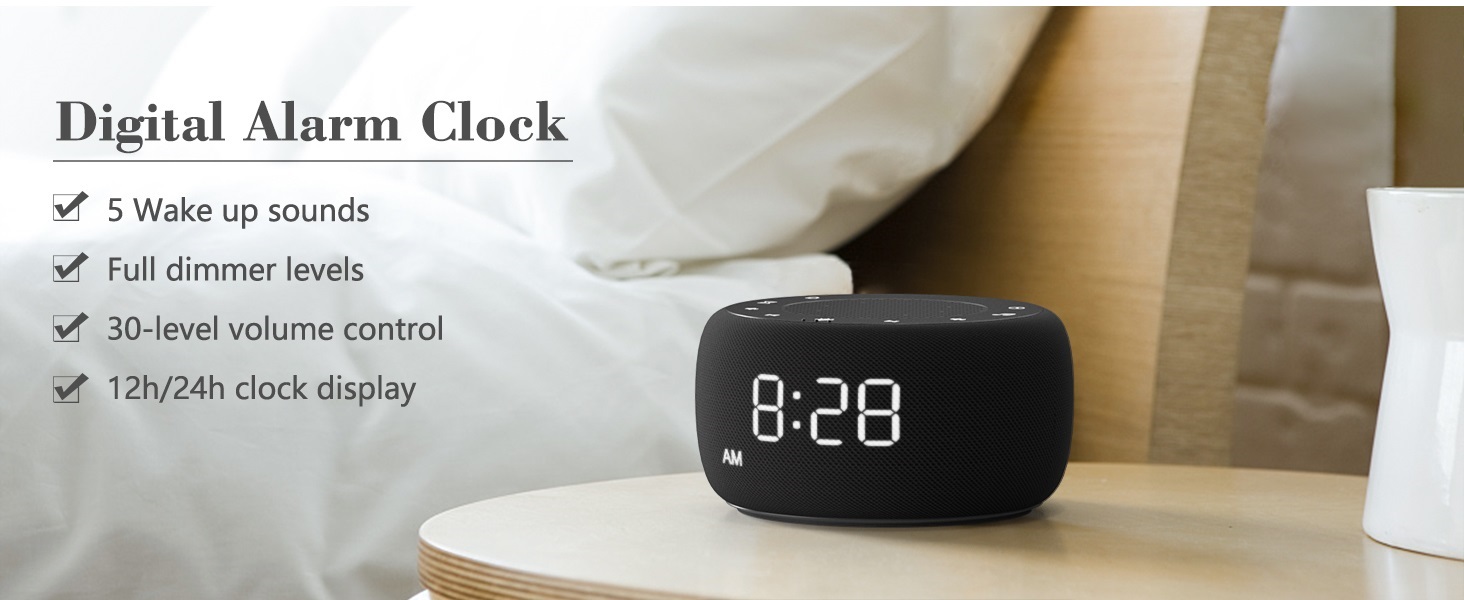
Image: An infographic displaying the 18 soothing sounds categorized into 3 fan sounds, 5 white noises, and 10 nature sounds, including ocean, lullaby, waves, rain, thunderstorm, brook, croaking, bird chirping, summer night, and campogenj.
- Pritisnite Zvočni stroj button (music note icon) to cycle through the available sounds.
- Uporabite Glasnost (▲) in Zmanjšanje glasnosti (▼) buttons to adjust the volume (30 levels).
- To turn off the sound, press the Zvočni stroj button until no sound is playing.
Časovnik za izklop
Set a timer for the sound machine to automatically turn off.

Image: The top panel of the Buffbee Sound Machine, highlighting the Auto-Off Timer button and the Volume Control buttons.
- Pritisnite Časovnik button (hourglass icon) to cycle through timer options: 15, 30, 60, 90, 120 minutes, or continuous play.
- The selected timer duration will be displayed on the screen.
Adjusting Clock Face Brightness
The clock display brightness can be adjusted from 0% (completely dark) to 100%.

Image: The Buffbee Sound Machine demonstrating its 0-100% display dimmer feature, showing the clock face at 0%, partial, and 100% brightness.
- Poiščite Zaslon zatemnitve gumb na zadnji strani naprave.
- Rotate the knob to increase or decrease the brightness of the clock display to your preference.
Using the Bottom Colored Light
The device features a bottom light with 7 color options to create a relaxing ambiance.

Image: The Buffbee Sound Machine displaying its bottom colored light feature, showing various color options and the ability to turn it on or off.
- Pritisnite Nočna luč button (light bulb icon) to cycle through the 7 color options.
- Continue pressing the button to turn the light off.
Vzdrževanje
- Čiščenje: Napravo obrišite z mehko, suho krpo. Ne uporabljajte abrazivnih čistil ali topil.
- Shranjevanje: Ko naprave dalj časa ne uporabljate, jo shranite na hladnem in suhem mestu.
Odpravljanje težav
| Težava | Možen vzrok | rešitev |
|---|---|---|
| Naprava se ne vklopi. | Napajalnik ni pravilno priključen ali pa je težava z vtičnico. | Prepričajte se, da je napajalnik varno priključen v napravo in delujočo električno vtičnico. Poskusite z drugo vtičnico. |
| Clock display is too bright/dim. | Display dimmer setting needs adjustment. | Adjust the 0-100% Display Dimmer knob on the rear of the device. |
| Zvok ni dovolj glasen. | Glasnost je nastavljena prenizko. | Pritisnite Glasnost (▲) button to increase the volume. The device has 30 volume levels. |
| Alarm se ne oglasi. | Alarm is not set or is turned off. | Ensure the alarm is set correctly and the alarm icon is visible on the display. |
Specifikacije
| Funkcija | Podrobnost |
|---|---|
| Številka modela | BK11 |
| Dimenzije | 5.63 x 4.57 x 3.03 palcev |
| Teža | 11.64 unč |
| Vir napajanja | Napajanje z baterijo (za rezervno napajanje) / napajalnik |
| Izhod za zvočnike | 5W |
| Možnosti zvoka | 18 (5 white noises, 3 fan sounds, 10 nature sounds) |
| Stopnje glasnosti | 30 |
| Časovnik za izklop | 15, 30, 60, 90, 120 minutes, or continuous |
| Svetlost prikaza ure | 0-100% nastavljivo |
| Bottom Light Colors | 7 možnosti |
| Material | Plastika, akrilonitril butadien stiren (ABS) |
Garancija in podpora
For warranty information and customer support, please refer to the contact details provided on the product packaging or visit the official BUFFBEE webmesto. Shranite račun za garancijske zahtevke.
Ask a question about this manual
Ask about setup, troubleshooting, compatibility, parts, safety, or missing instructions. Manuals+ will review the question and use this page’s manual context to help answer it.