
Uvod
The Datalogic QuickScan QD2590 is a high-performance, handheld 2D barcode imager designed for various point-of-sale (POS) and general-purpose applications. This device offers fast and reliable scanning of 1D and 2D barcodes, ensuring efficient data capture. Its durable design and flexible connectivity options (USB, RS-232) make it suitable for diverse environments. This manual provides essential information for setting up, operating, maintaining, and troubleshooting your QD2590 scanner.
Nastavitev
1. Razpakiranje skenerja
Previdno odstranite vse komponente iz embalaže. Preverite, ali so prisotni vsi elementi, navedeni v razdelku »Kaj je v škatli«.
- QuickScan QD2590 Portable 1D/2D Barcode Reader (Black)
2. Priključitev skenerja
The QD2590 scanner supports USB and RS-232 connectivity. Connect the appropriate cable to the scanner's interface port and then to your host device (computer, POS system).
Za povezavo USB: Plug the USB cable into an available USB port on your computer. The scanner will typically be recognized automatically, and necessary drivers will be installed by the operating system.
For RS-232 Connection: Connect the RS-232 cable to a serial port on your host device. Ensure proper configuration of the serial port settings on your host system to match the scanner's default settings (e.g., baud rate, data bits, parity, stop bits).
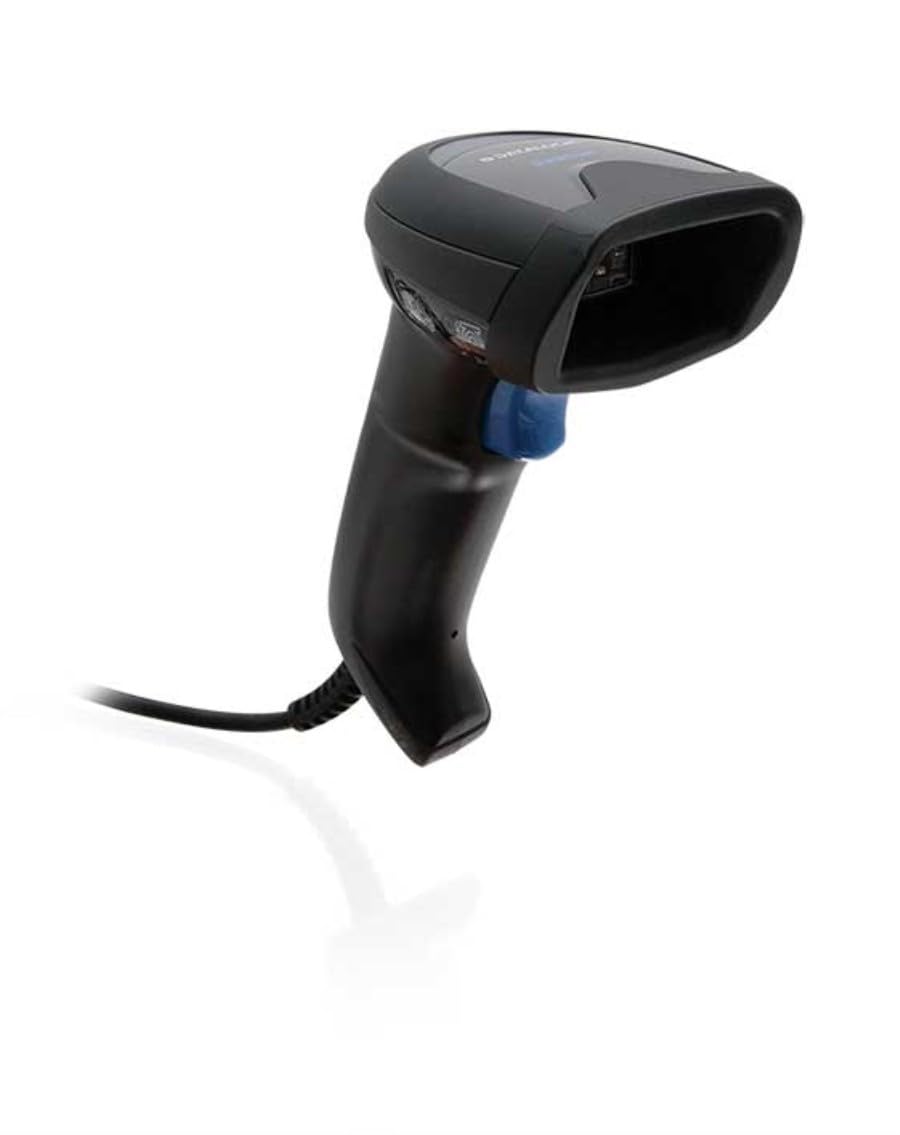
Image: The Datalogic QuickScan QD2590 scanner showing its wired connection.
Upravljanje skenerja
1. Osnovni postopek skeniranja
- Prepričajte se, da je skener pravilno priključen in vklopljen.
- Usmerite okno skenerja na črtno kodo, ki jo želite skenirati.
- Pritisnite in držite sprožilni gumb. Prikazal se bo rdeč merilni žarek.
- Center the aiming beam over the entire barcode.
- Once the barcode is successfully read, the scanner will emit an audible beep and/or the LED indicator will change color (typically green).
- Release the trigger button. The scanned data will be transmitted to your host device.
2. Scanning Feedback
- Good Read Indicator: A successful scan is typically indicated by a green LED and a configurable beep sound.
- Usmerjevalni žarek: The red aiming beam helps position the scanner correctly over the barcode.

Slika: spredaj view of the Datalogic QuickScan QD2590, highlighting the scanning area.
Vzdrževanje
1. Čiščenje skenerja
To ensure optimal performance, keep the scanner's window clean. Use a soft, lint-free cloth dampened with water or a mild, non-abrasive cleaner. Do not use harsh chemicals, solvents, or abrasive materials, as these can damage the scanning window or casing.
2. Shranjevanje
When not in use, store the scanner in a clean, dry environment, away from extreme temperatures, direct sunlight, and corrosive materials. Avoid dropping or subjecting the scanner to excessive impact.
Odpravljanje težav
| Težava | Možen vzrok | rešitev |
|---|---|---|
| Skener se ne vklopi. | Cable not connected properly; host device not powered on. | Check cable connections. Ensure host device is powered on. |
| Skener ne bere črtnih kod. | Barcode damaged or poorly printed; incorrect symbology enabled; scanning window dirty; scanner not configured correctly. | Try scanning a different barcode. Clean the scanning window. Refer to the full product manual for symbology enablement and advanced configuration. |
| Skenirani podatki so napačni ali nepopolni. | Incorrect data formatting; partial scan. | Ensure the aiming beam covers the entire barcode. Check host application settings for data formatting. |
| No audible beep on good read. | Beeper disabled in configuration. | Refer to the full product manual to enable the beeper. |
For more detailed troubleshooting and advanced configuration, please refer to the complete Datalogic QuickScan QD2590 product manual available on the Datalogic webmesto.
Tehnične specifikacije
| Funkcija | Podrobnost |
|---|---|
| Številka modela | W126053080 |
| Vrsta optičnega bralnika | Handheld 2D Imager |
| Vrsta elementa skeniranja | 2D Imager - Red LED Sensor |
| Ločljivost senzorja | 1280 x 800 slikovnih pik |
| Hitrost skeniranja | 60 sličic na sekundo (fps) |
| Minimum Bar Symbol Width | 3 mil |
| Tehnologija povezljivosti | Wired (USB, RS-232) |
| Vir napajanja | DC 5V (via cable) |
| Dimenzije (Š x G x V) | 6.8 cm x 12.6 cm x 14.8 cm |
| Teža | 145 g |
| barva | Črna |
| Združljive naprave | Smartphone, laptop, desktop, tablet |
| Resnično View Kot | 40 stopinj |
Garancija in podpora
Informacije o garanciji
The Datalogic QuickScan QD2590 barcode scanner comes with a 2-letna garancija proizvajalcaTa garancija krije napake v materialu in izdelavi pri normalni uporabi. Za uveljavljanje garancije shranite dokazilo o nakupu.
Podpora uporabnikom
For technical assistance, product inquiries, or warranty service, please contact Datalogic customer support. Visit the official Datalogic webspletno mesto za kontaktne podatke, pogosta vprašanja in dodatne vire.
Uradnik Datalogic-a Webspletno mesto: www.datalogic.com