
1. Uvod
This manual provides detailed instructions for the HPRT N80 Barcode Scanner. It covers the scanner's features, setup, operation, maintenance, and troubleshooting. Please read this manual carefully before using the product to ensure proper and safe operation.

Image: HPRT N80 Barcode Scanner, USB cable, and included instruction manual.
2. Značilnosti izdelka
- 1D & 2D Scanning: Supports a wide range of 1D and 2D codes including UPC, UCC/EAN-128, ISBN/ISSN, Code 39, Code 128, Interleaved 2 of 5, QR Code, Data Matrix, and Postal Codes.
- Screen and Paper Scanning: Capable of scanning barcodes from both printed labels and digital screens.
- Široka združljivost: Works with Windows, iOS, Android, Linux, and Mac OS. Connects to PCs, laptops, and iPads. (Note: Mac OS requires a USB wired connection).
- Fast and Precise Scan: Utilizes a superior CMOS sensor and image scanning technology for quick decoding. Achieves recognition precision up to 4 mil.
- Multiple Scanning Modes: Offers manual trigger mode, continuous scan mode, and auto-sensing mode.
- Ergonomska oblika: Features a comfortable grip and durable ABS plastic construction, designed to withstand drops from up to 3.93ft.

Image: The HPRT N80 barcode scanner demonstrating its ability to decode a wide range of 1D and 2D barcode formats, including QR codes, Data Matrix, and Aztec Code.

Image: Illustration showing the HPRT N80 barcode scanner's capability to read damaged, blurred, and stained barcodes effectively.

Image: The HPRT N80 barcode scanner being applied in various environments, including a supermarket, hospital, warehouse, and library.
3. Nastavitev in povezava
The HPRT N80 Barcode Scanner is designed for plug-and-play functionality, requiring no driver installation for most operating systems.
3.1 Žična USB povezava
- Priključite kabel USB v vrata skenerja.
- Plug the USB connector into an available USB port on your computer or device.
- The scanner will be automatically recognized by your system. No additional drivers are typically needed.
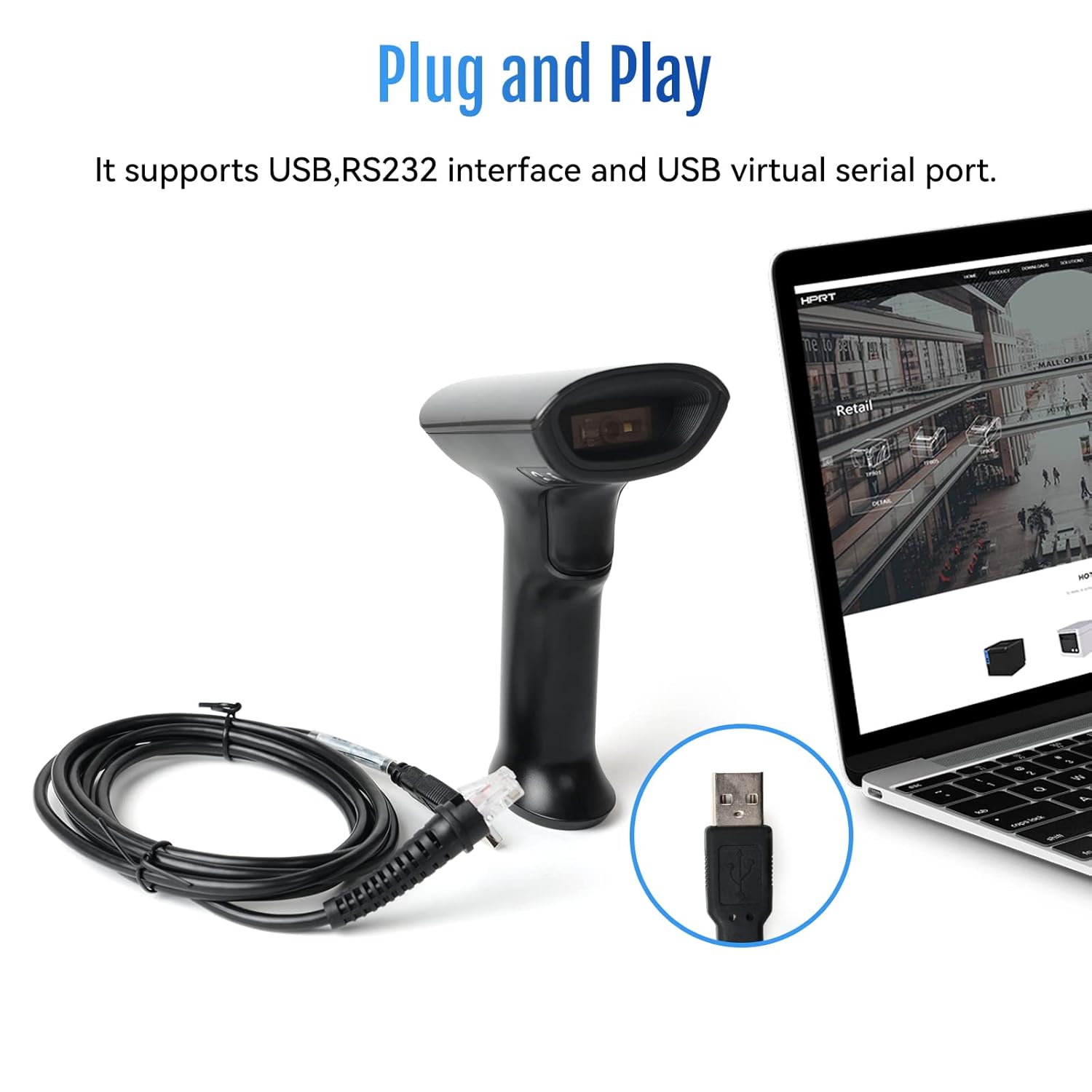
Image: The HPRT N80 barcode scanner with its USB cable, illustrating the plug-and-play connection to a laptop.

Image: A close-up of the HPRT N80 barcode scanner being connected to a laptop, demonstrating the plug-and-play functionality.
4. Delovanje
The HPRT N80 Barcode Scanner offers various modes for efficient scanning.
4.1 Skeniranje črtnih kod
- Držite skener tako, da je okno za skeniranje obrnjeno proti črtni kodi.
- Press the trigger button to activate the scan beam.
- Ensure the scan beam covers the entire barcode. A successful scan is usually indicated by an audible beep and/or a visual indicator.
- The decoded data will appear on your connected device.
4.2 Načini skeniranja
- Ročni način sprožilca: Press the trigger for each scan.
- Način neprekinjenega skeniranja: Skener neprekinjeno oddaja skenirni žarek in skenira vsako črtno kodo, ki jo zazna.
- Način samodejnega zaznavanja: The scanner activates the scan beam automatically when a barcode is presented within its field of view.

Image: The HPRT N80 barcode scanner performing a fast scan of both 1D and QR codes displayed on a smartphone screen.

Image: The HPRT N80 barcode scanner accurately scanning a barcode even in a dark environment, highlighting its low-light performance.
4.3 Operativni video
Video: Demonstrates the HPRT N80 barcode scanner's fast scanning capabilities for both 1D and 2D barcodes on paper and screens, highlighting its plug-and-play setup and ergonomic design.
5. Vzdrževanje
To ensure the longevity and optimal performance of your HPRT N80 Barcode Scanner, follow these maintenance guidelines:
- Čiščenje: Za čiščenje zunanjosti skenerja uporabite mehko, suho krpo. Za okno za skeniranje uporabite krpo, ki ne pušča vlaken, in jo rahlo obrišite.ampz blagim, neabrazivnim čistilom. Izogibajte se agresivnim kemikalijam ali abrazivnim materialom.
- Shranjevanje: Skener shranjujte na hladnem in suhem mestu, stran od neposredne sončne svetlobe in ekstremnih temperatur.
- Ravnanje: While the scanner is designed to be durable, avoid unnecessary drops or impacts.
- Skrb za kabel: Do not bend or twist the USB cable excessively. Always grasp the plug, not the cable, when disconnecting.
6. Odpravljanje težav
If you encounter issues with your HPRT N80 Barcode Scanner, please refer to the following common troubleshooting steps:
- Optični bralnik se ne odziva:
- Prepričajte se, da je kabel USB varno priključen tako na optični bralnik kot na gostiteljsko napravo.
- Try plugging the scanner into a different USB port.
- Znova zaženite računalnik ali gostiteljsko napravo.
- Črtnih kod ni mogoče skenirati:
- Verify that the barcode is not excessively damaged, blurred, or stained.
- Prepričajte se, da je okno za skeniranje čisto in brez ovir.
- Check if the scanner is in the correct scanning mode (e.g., manual trigger, continuous, auto-sensing).
- Ensure sufficient lighting for the barcode.
- Nepravilen izhod podatkov:
- Confirm that the correct keyboard layout or input method is selected on your host device.
- Refer to the full product manual (if available) for advanced configuration barcodes to reset settings or adjust data formatting.
If the problem persists, please contact HPRT customer support.
7. Specifikacije
| Funkcija | Podrobnost |
|---|---|
| Znamka | HPRT |
| Model | N80 |
| Tehnologija povezljivosti | USB kabel |
| Vir napajanja | Napajanje na baterije |
| Združljive naprave | Laptop (Windows, iOS, Android, Linux, Mac OS) |
| Zmogljivost skeniranja | 1D & 2D (UPC, EAN, QR, Data Matrix, etc.) |
| Vzdržljivost | Withstands drops from up to 3.93ft |
8. Garancija in podpora
For warranty information or technical support, please contact HPRT customer service.
- E-pošta službe za stranke: pravin.m@hprt.com
- Uradno Webspletno mesto: https://www.hprt.com

Image: HPRT customer service contact details, including email and official webmesto.