
Uvod
This manual provides essential information for the safe and effective use of your ProForm Treadmill t8.5. Please read all instructions carefully before assembly and operation. Keep this manual for future reference.
Pomembne varnostne informacije
Before using this equipment, ensure you understand all safety precautions. Consult a physician before beginning any exercise program. Always use the safety key during operation.
- Med delovanjem tekalne steze ne približujte otrok in hišnih ljubljenčkov.
- Place the treadmill on a level surface with adequate clearance around it.
- Tekalne steze ne uporabljajte, če je poškodovana ali ne deluje pravilno.
- Nosite primerna športna oblačila in športne copate.
- Pri zagonu ali ustavljanju tekalne steze se vedno držite za ograjo.
Postavitev in montaža
Razpakiranje
Carefully remove all components from the packaging. Place the packaging materials aside for potential future transport or disposal. Ensure all parts listed in the assembly guide (not included in this manual) are present.
Umestitev
Position the treadmill on a flat, stable surface. Ensure there is at least 2 meters (6.5 feet) of clear space behind the treadmill and 0.5 meters (1.6 feet) on each side for safe operation and access.
Napajalni priključek
Connect the power cord to a grounded electrical outlet. Do not use extension cords unless absolutely necessary and ensure they are rated for the treadmill's power requirements.

Image: The ProForm Treadmill t8.5 fully assembled, showcasing its design and console.
Zlaganje in odvijanje
The ProForm Treadmill t8.5 features a SpaceSaver design for convenient storage. To fold, lift the running deck until it locks into an upright position. To unfold, gently push the release mechanism and lower the deck to the floor.
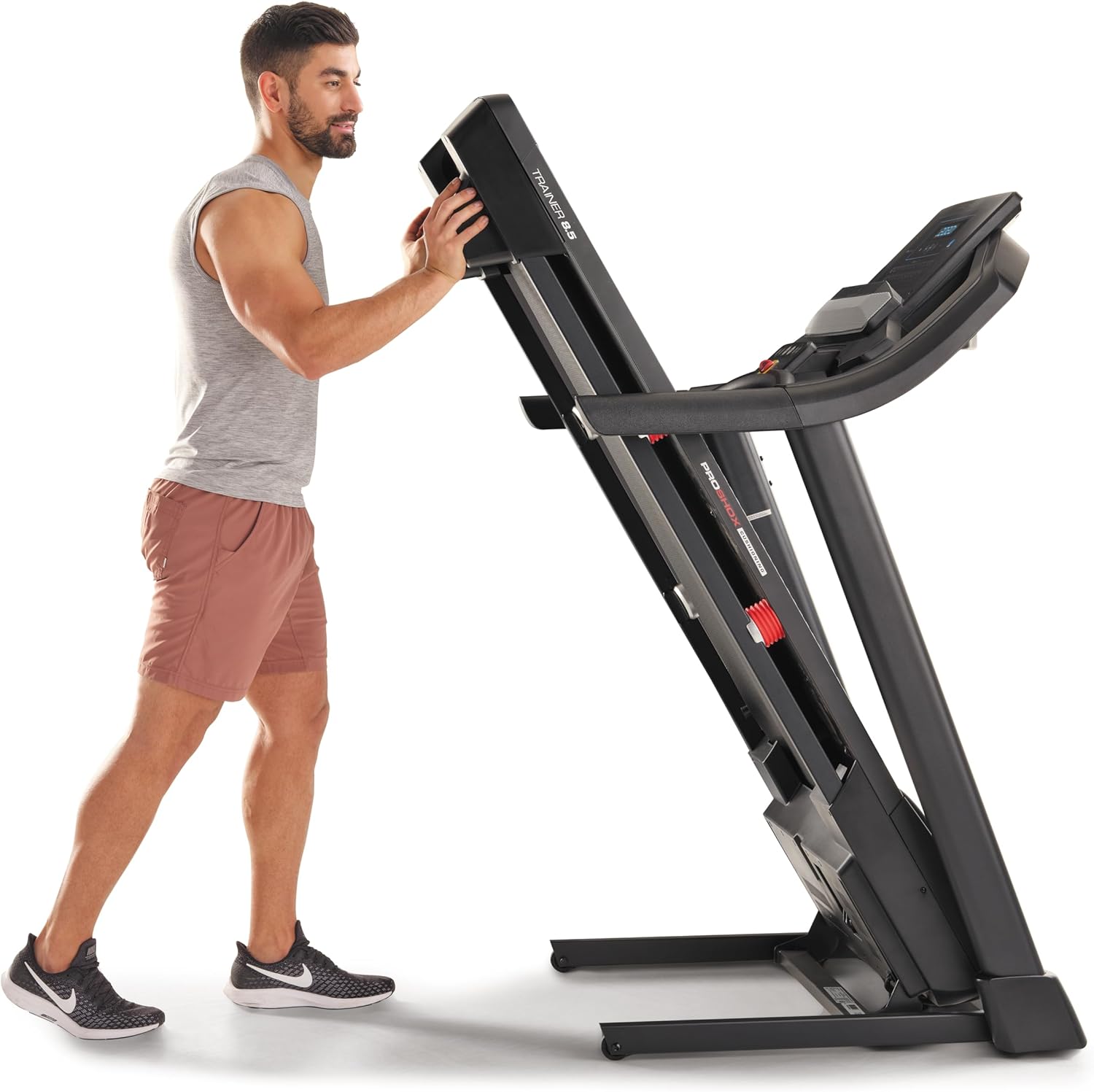
Image: A user demonstrating the folding mechanism of the treadmill for storage.

Image: A user demonstrating the unfolding process of the treadmill, preparing it for use.
Navodila za uporabo
Konzola je končanaview
The console features a display for workout metrics, digital quick speed and incline controls, and dual 2-inch speakers. Familiarize yourself with the button layout before starting your workout.

Slika: Podrobna view of the treadmill's console, highlighting the display and control panel.
Začetek vadbe
- Attach the Safety Key: Clip the safety key to your clothing and insert the other end into the console's designated slot. The treadmill will not operate without the safety key.
- Ročni način: Pritisnite gumb »Start«, da začnete ročno vadbo. Trak se bo začel premikati z nizko hitrostjo.
- Programski način: Select a pre-set workout program from the console. Follow the on-screen prompts to begin.
Prilagajanje hitrosti in naklona
- Hitrost: Use the 'QuickSpeed' buttons or the '+' and '-' buttons to adjust the belt speed from 0 to 16 kph.
- Nagib: Use the 'Quick Incline' buttons or the '+' and '-' buttons to adjust the incline from 0% to 10%.

Image: A user actively running on the treadmill, illustrating its operational use.
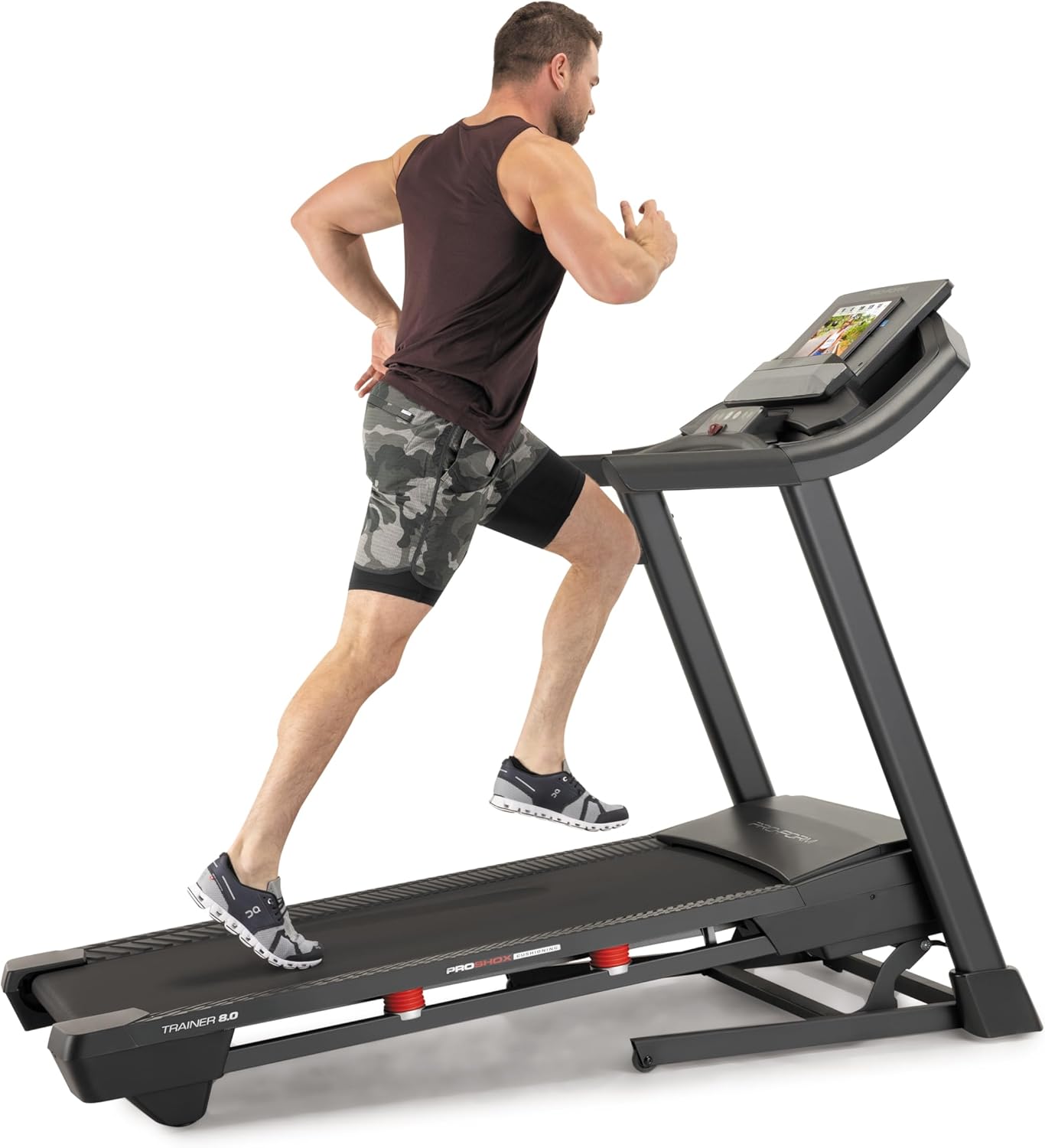
Image: Another perspective of a user running on the treadmill, highlighting the running surface.
Ustavitev tekalne steze
To stop the treadmill, press the 'Stop' button on the console. For an emergency stop, pull the safety key from the console. The treadmill will immediately cease operation.
Vzdrževanje
Redno vzdrževanje zagotavlja dolgo življenjsko dobo in optimalno delovanje vaše tekalne steze.
Čiščenje
- Konzola: Wipe the console with a damp krpo. Izogibajte se abrazivnim čistilom ali prekomerni vlagi.
- Running Deck and Belt: Periodically clean the running deck and belt with a damp krpo za odstranjevanje prahu in umazanije.
Mazanje jermena
The running belt may require lubrication after extended use. Refer to the specific lubrication instructions provided with your treadmill or contact customer service for guidance. Use only approved treadmill lubricant.
Napetost in poravnava jermena
If the running belt slips or drifts to one side, it may need adjustment. Consult the detailed assembly guide or contact customer service for instructions on how to properly tension and align the belt. Incorrect adjustment can damage the treadmill.
Odpravljanje težav
This section addresses common issues you might encounter with your ProForm Treadmill t8.5.
| Težava | Možen vzrok | rešitev |
|---|---|---|
| Tekalna steza se ne zažene | Napajalni kabel ni priključen; varnostni ključ ni vstavljen; odklopnik se je sprožil. | Prepričajte se, da je napajalni kabel varno priključen; Vstavite varnostni ključ do konca; Preverite gospodinjsko varovalko. |
| Drseči tekaškega jermena | Napetost jermena je preveč ohlapna. | Adjust belt tension (refer to maintenance section or assembly guide). |
| Console display is blank | Težava z napajanjem; kabel konzole je odklopljen. | Check power connection; Ensure all console cables are securely connected (refer to assembly guide). |
| Nenavaden hrup med delovanjem | Ohlapni deli; Trenje jermena; Težava z motorjem. | Inspect for loose bolts and tighten; Lubricate belt if needed; If noise persists, contact customer service. |
Specifikacije
Key technical specifications and features of the ProForm Treadmill t8.5:
| Funkcija | Podrobnost |
|---|---|
| Model | t8.5 |
| Znamka | ProForm |
| Digital Quick Incline Control | 0 % – 10 % |
| Digital QuickSpeed Control | 0 – 16 kph (0 – 11.2 Miles per Hour) |
| Dimenzije tekalne plasti | 51 x 140 cm |
| Največja nosilnost | 135 kg |
| Zvočniki | Dual 2” Speakers |
| Teža predmeta | 81 kilogramov |
| Material | Aluminij |
| Posebne lastnosti | Portable (SpaceSaver Design) |
| Ciljna publika | Odrasli, Mladi |
| Največja konjska moč | 2.6 konjskih moči |
Garancija in podpora
For detailed warranty information, please refer to the warranty card included with your product or visit the official ProForm webGarancijski pogoji se lahko razlikujejo glede na regijo.
Storitev za stranke
If you have questions, require technical assistance, or need to order replacement parts, please contact ProForm customer service. Contact details can typically be found on the ProForm webspletnem mestu ali v embalaži vašega izdelka.


