
TECWARE TWKB-P87PZT-WBR
TECWARE Phantom+ 87 Key Mechanical Gaming Keyboard User Manual
Model: TWKB-P87PZT-WBR
Uvod
This manual provides detailed instructions for the setup, operation, maintenance, and troubleshooting of your TECWARE Phantom+ 87 Key Mechanical Gaming Keyboard. Designed for a premium typing experience, this keyboard features customizable RGB lighting, durable PBT keycaps, and hot-swappable switches.

Kaj je vključeno
Preverite, ali so v vašem paketu prisotni vsi naslednji elementi:
- TECWARE Phantom+ 87 Key Mechanical Gaming Keyboard
- Detachable 1.8m Braided USB-C Cable
- Orodje za vleko stikala
- Orodje za snemanje pokrovčkov tipk
- 4 Spare Switches

Nastavitev
Follow these steps to set up your TECWARE Phantom+ keyboard:
- Priključite kabel USB-C: Insert the USB-C end of the braided cable into the port located on the back of the keyboard.
- Povežite se z računalnikom: Priključite konec kabla USB-A v razpoložljiva vrata USB na vašem računalniku.
- Prilagodite nožice tipkovnice: Flip out the adjustable feet on the underside of the keyboard to achieve your preferred typing angle.
- Namestitev gonilnika: The keyboard is plug-and-play. Your operating system (Windows 10 or later recommended) will automatically detect and install the necessary drivers.

Navodila za uporabo
Osnovno delovanje
The TECWARE Phantom+ functions as a standard 87-key keyboard for typing and gaming. It features N-Key Rollover, ensuring all keystrokes are registered accurately, even during rapid input.
Nadzor osvetlitve RGB
The keyboard features 16.8 million color RGB lighting with 18 pre-set lighting modes. These modes can be cycled through directly on the keyboard using function key combinations (refer to the keyboard's printed legends for specific shortcuts). You can also adjust brightness and speed.

Funkcije programske opreme
For advanced customization, the Phantom+ supports dedicated software. This software allows for:
- Macro Recording and Assignment
- Up to 3 User Profiles
- Customizable Per-Key RGB Lighting
- Adjustable USB Report Rate (up to 1000Hz)

Ključne značilnosti Konecview
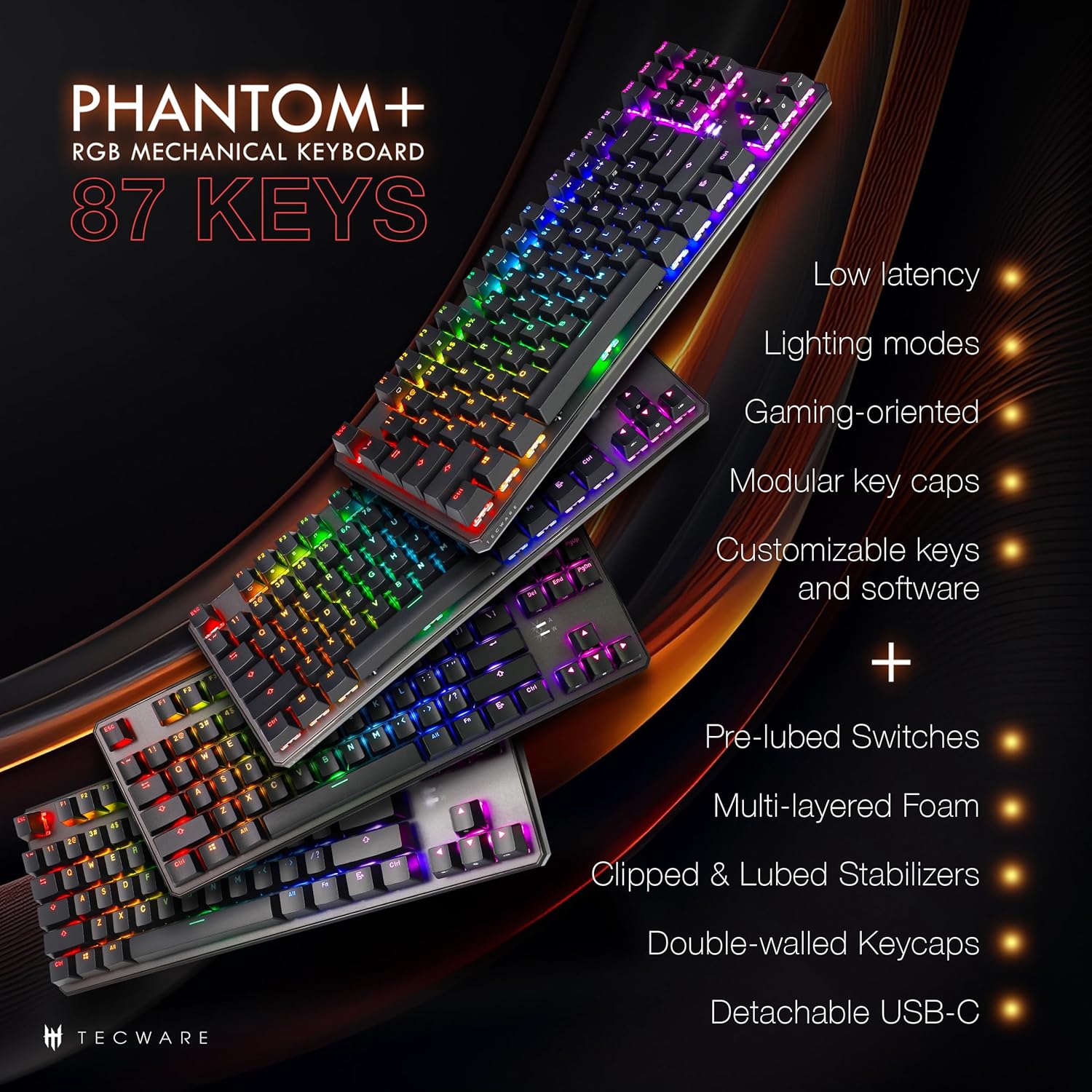
The Phantom+ keyboard incorporates several design and engineering features for enhanced performance and durability:
- Dvojno izdelane PBT tipkovnice: Resistant to wear and fading, providing long-lasting legends.
- V3 Stabilizers: Clipped and lubed for enhanced stability and smoother keystrokes on larger keys.
- Zvok DampTehnologija odpiranja: Reduces keyboard noise for a more pleasant typing experience.
- Frekvenca anketiranja 1000 Hz: Ensures rapid response times for gaming.
- Windows Lock Feature: Prevents accidental presses of the Windows key during gaming.

Vzdrževanje
Čiščenje
To clean your keyboard, disconnect it from your computer. Use a soft, dry cloth to wipe down the keycaps and chassis. For deeper cleaning, you may carefully remove keycaps using the provided keycap puller and use compressed air to clear debris from underneath.
Zamenjava stikala (vroča zamenjava)
The TECWARE Phantom+ features hot-swappable switches, allowing you to replace individual switches without soldering. This is useful for customizing your typing feel or replacing a faulty switch.
- Odstranite pokrovček tipke: Use the keycap puller to gently remove the keycap from the switch you wish to replace.
- Odstranite stikalo: Use the switch puller tool to grasp the top and bottom clips of the switch. Apply gentle pressure and pull the switch straight up to remove it from the PCB.
- Vstavi novo stikalo: Poravnajte nožice novega stikala z luknjami na tiskanem vezju. Nežno potisnite stikalo navzdol, da se zaskoči. Prepričajte se, da nožice niso upognjene.
- Zamenjajte pokrovček tipke: Press the keycap onto the new switch until it is firmly seated.

Odpravljanje težav
If you encounter issues with your TECWARE Phantom+ keyboard, refer to the table below for common problems and solutions:
| Težava | Možen vzrok | rešitev |
|---|---|---|
| Tipkovnica se ne odziva | Ohlapna USB povezava, okvarjen kabel, težava z gonilnikom. | Prepričajte se, da je kabel USB varno priključen. Poskusite z drugim vhodom ali kablom USB. Znova zaženite računalnik. |
| RGB osvetlitev ne deluje ali je neenakomerna | Lighting mode disabled, software conflict, power issue. | Check keyboard lighting controls (Fn + keys). Ensure software is running correctly. Try reconnecting the keyboard. |
| Določene tipke ne delujejo | Okvarjeno stikalo, umazanija pod ključem. | Remove keycap and check for debris. If hot-swappable, try replacing the switch with a spare. |
| Programska oprema ne zazna tipkovnice | Software not installed correctly, USB connection issue. | Reinstall the TECWARE software. Ensure the keyboard is directly connected to a USB port (avoiding hubs if possible). Run software as administrator. |
Specifikacije
| Funkcija | Podrobnost |
|---|---|
| Model | TWKB-P87PZT-WBR |
| Ključi | 87-Key (Tenkeyless) |
| Tip stikala | Wraith Brown (Tactile) - Hot-swappable |
| Tipkovnice | Dvojni PBT |
| Razsvetljava | RGB (16.8 Million Colors, 18 Pre-set Modes) |
| Povezljivost | Detachable USB-C |
| Polling Rate | Do 1000Hz |
| N-Key Rollover | Podprto |
| Stabilizatorji | V3 (Clipped & Lubed) |
| Dimenzije (DxŠxV) | 14.21 x 5.2 x 1.65 palcev |
| Teža | 2.71 funtov |
| Združljiv OS | Windows 10 (PC, Laptop, Tablet) |
Wraith Switch Specifications
The Phantom+ keyboard comes pre-installed with TECWARE Wraith switches. The specifications for various Wraith switch types are detailed below:

Garancija in podpora
For warranty information, technical support, or to access the latest software and drivers for your TECWARE Phantom+ keyboard, please visit the official TECWARE webspletno mesto ali se obrnite na njihovo službo za stranke.
Več informacij in virov za podporo najdete na Official TECWARE Store on Amazon.
Ask a question about this manual
Ask about setup, troubleshooting, compatibility, parts, safety, or missing instructions. Manuals+ will review the question and use this page’s manual context to help answer it.