
1. Nastavitev
1.1 Vsebina paketa
- 2 x OMAIC Universal Remote Controls
1.2 Namestitev baterije
To install batteries, slide open the battery compartment cover on the back of the remote control. Insert two AAA batteries, ensuring correct polarity (+ and -) as indicated inside the compartment. Close the cover securely.

Description: This image illustrates the open battery compartment of the remote control, highlighting where to correctly insert two AAA batteries. Batteries are not included with the remote control.
1.3 Initial Setup (No Programming Required)
The OMAIC Universal Remote Control is designed for immediate use with most Hisense Smart TVs. No additional programming or pairing is required. Simply install the batteries, and the remote is ready to operate your television.
2. Navodila za uporabo
2.1 Osnovne funkcije
The remote control features a standard layout for easy navigation and control of your Hisense TV. Refer to the diagram below for button identification and their corresponding functions.

Description: This image provides a detailed layout of the remote control, with labels for each button, including Power, Input, Number Pad, CC (Closed Caption), Settings, All Apps, D-pad, OK, Back, Home, Exit, Volume, Channel, Mute, Playback controls, and Sleep.
| Gumb | funkcija |
|---|---|
| Moč | Vklopi ali izklopi TV. |
| Vnos | Changes the TV input source. |
| Številski gumbi (0-9) | Enters channel numbers or input numbers. |
| CC | Vklopi ali izklopi podnapise. |
| D-pad (Up/Down/Left/Right) | Navigation buttons for menus and selections. |
| OK | Potrdi izbiro. |
| Nazaj | Returns to the previous menu or application. |
| domov | Prikaže začetni zaslon. |
| Izhod | Exits the current application or menu. |
| GLASNOST +/- | Poveča ali zmanjša glasnost. |
| CH +/- | Preklaplja kanale navzgor ali navzdol. |
| Mute | Mutes or restores sound. |
| Kontrole predvajanja | Controls media playback (Play, Pause, Stop, Rewind, Fast Forward). |
| spi | Adjusts the sleep timer setting. |
2.2 gumba za bližnjico
The remote includes dedicated shortcut buttons for quick access to popular streaming services:
- Netflix
- Prime Video
- YouTube
- Google Play
Description: This image focuses on the lower section of the remote control, clearly showing the dedicated buttons for Netflix, Prime Video, YouTube, and Google Play, allowing for instant access to these streaming platforms.
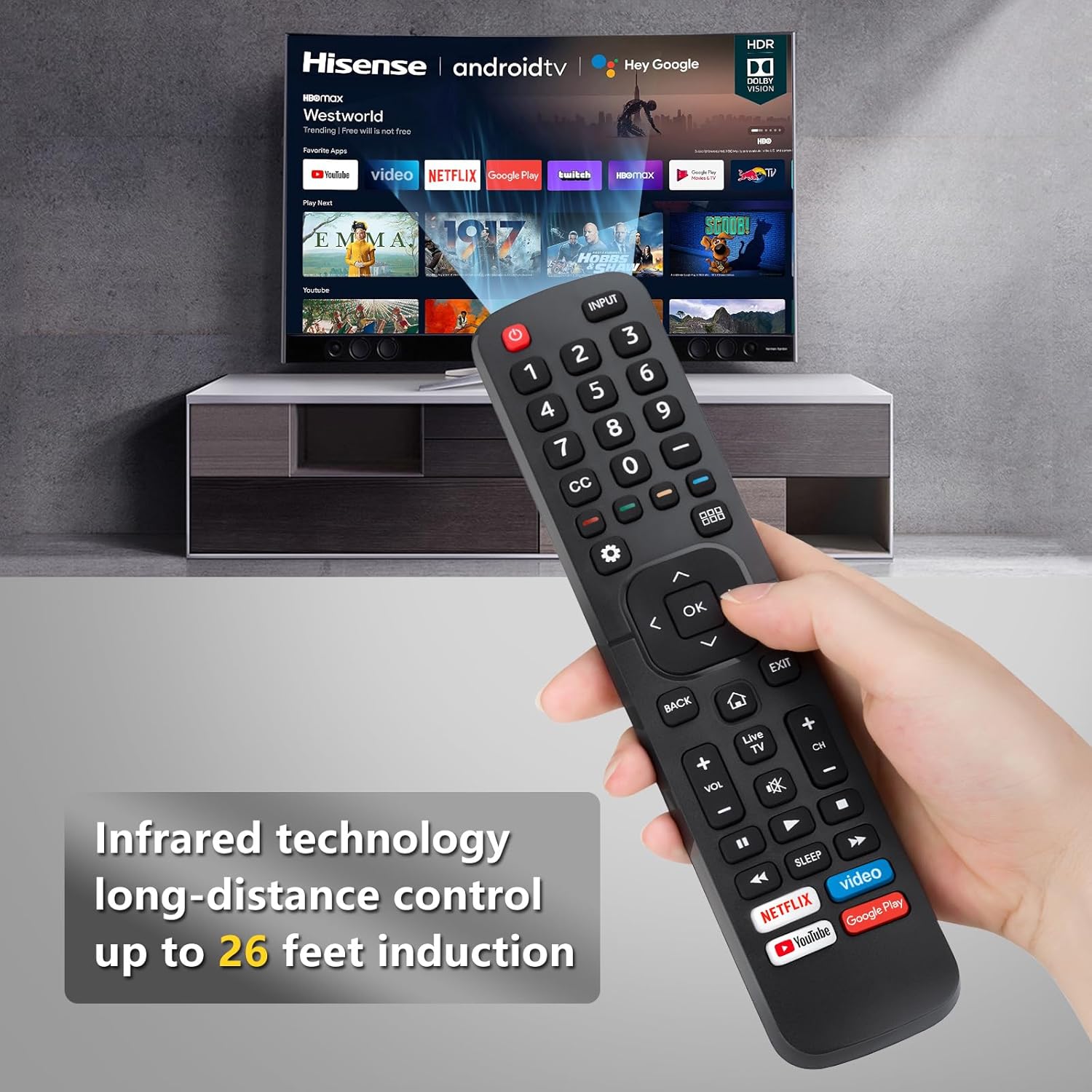
2.3 Infrared Technology
This remote control operates using infrared (IR) technology, providing a long-distance control range of approximately 8-10 meters (32 feet). Ensure a clear line of sight between the remote and your TV's IR receiver for optimal performance.

Description: This image visually represents the effective operating distance of the infrared remote control, indicating a range of up to 32 feet for controlling the television.
2.4 Predstavitveni videoposnetek izdelka
Watch this video for a visual demonstration of the remote control's functionality with Hisense TVs.
Description: This video demonstrates the OMAIC replacement remote control (model EN2A27) in use with a Hisense Smart TV, showcasing its various functions and ease of operation.
3. Združljivost
This universal remote control is compatible with a wide range of Hisense Smart TVs, including but not limited to the following series and remote models:
- Hisense TV Series: H9, H8, H5510G, H65, H55, H9G, A60, H5500F Series, etc.
- Združljivi modeli daljinskih upravljalnikov: EN2A27, EN2A127H, EN2A27HT, EN2AN27H, EN2AS27H, EN2B27, EN2C27, EN2D27, EN2G27, EN33922A, EN33924HS, EN33925A, EN33926A, EN33927A, EN2BN27H, ERF2A60.
Note: This remote control does not support voice control functions.
4. Vzdrževanje
Za zagotovitev dolge življenjske dobe in optimalnega delovanja daljinskega upravljalnika upoštevajte ta navodila za vzdrževanje:
- Čiščenje: Wipe the remote with a soft, dry cloth. Avoid using liquid cleaners or abrasive materials.
- Zamenjava baterije: Baterije zamenjajte, ko daljinski upravljalnik postane počasen ali preneha delovati. Vedno zamenjajte obe bateriji hkrati z novima istega tipa (AAA).
- Shranjevanje: Daljinski upravljalnik shranjujte na hladnem in suhem mestu, stran od neposredne sončne svetlobe in ekstremnih temperatur.
- Izogibajte se kapljicam: Daljinski upravljalnik zaščitite pred padci in udarci, ki lahko poškodujejo notranje komponente.
5. Odpravljanje težav
If you encounter issues with your OMAIC Universal Remote Control, refer to the following common troubleshooting steps:
- Daljinec se ne odziva:
- Prepričajte se, da so baterije pravilno nameščene z ustrezno polarnostjo.
- Stare baterije zamenjajte z novimi baterijami AAA.
- Check for any obstructions between the remote and the TV's IR receiver.
- Kratek razpon delovanja:
- Prepričajte se, da so baterije sveže.
- Verify there are no strong light sources (like direct sunlight) interfering with the IR signal.
- Določeni gumbi ne delujejo:
- Clean the remote's surface and buttons to remove any dirt or debris that might be causing sticking.
- Confirm your TV model is listed as compatible. While universal, some advanced functions on specific TV models might not be fully supported.
6. Specifikacije
- Znamka: OMAIC
- Teža artikla: 6.4 unč
- Dimenzije paketa: 9.53 x 4.53 x 1.3 palcev
- Posebna lastnost: Univerzalni
- Največje število podprtih naprav: 1 (per remote)
- Združljive naprave: televizija
- Tehnologija povezljivosti: Infrardeči (IR)
7. Garancija in podpora
OMAIC is committed to providing quality replacement remote controls and excellent customer service. If you have any questions or concerns regarding your order or the product's functionality, please contact our professional after-sale service team directly. We aim to respond within 12 hours on working days to assist you.
For support, please refer to the contact information provided with your purchase or visit the OMAIC store on Amazon.