
Deeyaple F-8816
Deeyaple LED Digital Alarm Clock User Manual
Model: F-8816
1. Uvod
Hvala za nakupasing the Deeyaple LED Digital Alarm Clock. This manual provides detailed instructions for setting up, operating, and maintaining your new alarm clock. Please read this manual thoroughly before use to ensure proper functionality and to maximize your user experience. This clock features adjustable brightness, dual alarms, a snooze function, and a clear LED display showing both time and day.
2. Varnostne informacije
- Naprave ne izpostavljajte ekstremnim temperaturam, neposredni sončni svetlobi ali visoki vlažnosti.
- Napravo hranite ločeno od vode in drugih tekočin.
- Use only the provided USB cable for power. An AC adapter is not included.
- Naprave ne poskušajte razstavljati ali popravljati sami. V primeru težav se obrnite na podporo strankam.
- Hraniti izven dosega otrok.
3. Vsebina paketa
- Deeyaple LED Digital Alarm Clock (Model: F-8816)
- USB Power Cable (Note: Power adapter not included)
- Uporabniški priročnik (ta dokument)

Figure 3.1: Back panel and side view of the alarm clock, showing control buttons and USB port.
4. Izdelek je končanview
4.1 Sprednji zaslon
The front of the clock features a large LED display that shows the time, day of the week, and indicators for Alarm 1 and Alarm 2. The display uses vibrant, multi-colored digits for enhanced readability.

Slika 4.1: Spredaj view of the alarm clock with time and day displayed.
4.2 Top Buttons
- Gumb DREMEST/LUČKA: Located on the top. Press to activate snooze during an alarm or to adjust display brightness.
4.3 Back Controls
- TIME SET Button: Uporablja se za vstop v način nastavitve časa.
- Gumb NASTAVITEV ALARMOV: Uporablja se za vstop v način nastavitve alarma.
- UP (+) Button: Increases values during setting or toggles functions.
- DOWN (-) Button: Decreases values during setting or toggles functions.
- DC 5V vrata: USB power input.
- Gumb RESET: Small button to reset the clock to factory settings.

Slika 4.2: Zadaj view of the alarm clock, highlighting the USB power input and control buttons.
5. Nastavitev
5.1 Napajanje naprave
- Connect the provided USB power cable to the DC 5V port on the back of the alarm clock.
- Plug the other end of the USB cable into a standard USB power adapter (not included) or a powered USB port (e.g., computer, power bank).
- Zaslon se bo prižgal, kar pomeni, da je ura vklopljena.

Figure 5.1: The alarm clock is powered via a USB cable, ensuring continuous display.
6. Navodila za uporabo
6.1 Nastavitev časa
- Pritisnite ČAS NAST button on the back of the clock. The hour digits will start flashing.
- Uporabite GOR (+) or DOL (-) gumbi za nastavitev ure.
- Pritisnite ČAS NAST ponovno pritisnite, da potrdite uro in se premaknete na nastavitev minut. Številke minut bodo utripale.
- Uporabite GOR (+) or DOL (-) gumbe za nastavitev minut.
- Pritisnite ČAS NAST a third time to confirm the minutes and move to 12/24H format selection.
- Uporabite GOR (+) or DOL (-) buttons to select between 12-hour (with AM/PM indicator) or 24-hour format.
- Pritisnite ČAS NAST še zadnjič, da shranite nastavitve in zapustite način nastavitve časa.
6.2 Nastavitev alarmov (dvojni alarmi)
Ura podpira dva neodvisna alarma (Alarm 1 in Alarm 2).
- Pritisnite ALARM NASTAVLJEN button. The Alarm 1 hour digits will start flashing, and the Alarm 1 icon will appear.
- Uporabite GOR (+) or DOL (-) buttons to adjust the Alarm 1 hour.
- Pritisnite ALARM NASTAVLJEN again to confirm the hour and move to Alarm 1 minute setting. The minute digits will flash.
- Uporabite GOR (+) or DOL (-) buttons to adjust the Alarm 1 minutes.
- Pritisnite ALARM NASTAVLJEN a third time to confirm minutes and move to Alarm 1 day setting.
- Uporabite GOR (+) or DOL (-) buttons to select the alarm days:
- 1-1: Enodnevni alarm
- 1-5: Od ponedeljka do petka
- 1-6: Od ponedeljka do sobote
- 1-7: Monday to Sunday (Every day)
- 6-7: Saturday to Sunday (Weekend)
- Pritisnite ALARM NASTAVLJEN again to confirm Alarm 1 settings and proceed to Alarm 2 setting. Repeat steps 2-6 for Alarm 2.
- After setting Alarm 2, press ALARM NASTAVLJEN one last time to save all alarm settings and exit.

Figure 6.1: Alarm days setting options for customized wake-up schedules.
6.3 Funkcija dremeža
Ko se oglasi alarm, pritisnite veliko SNOOZE / LUČ button on the top of the clock. The alarm will pause for 5 minutes and then sound again. You can repeat the snooze cycle multiple times.

Figure 6.2: Activating the snooze function by touching the top button for an additional 5 minutes of rest.
6.4 Prilagajanje svetlosti zaslona
The clock has 3 levels of brightness (Bright, Medium, Low) and an option to turn off the display.
- Pritisnite SNOOZE / LUČ button on the top of the clock (when no alarm is sounding) to cycle through the brightness levels: Bright > Medium > Low > Off > Bright.
- Select the brightness level that best suits your environment and preference.
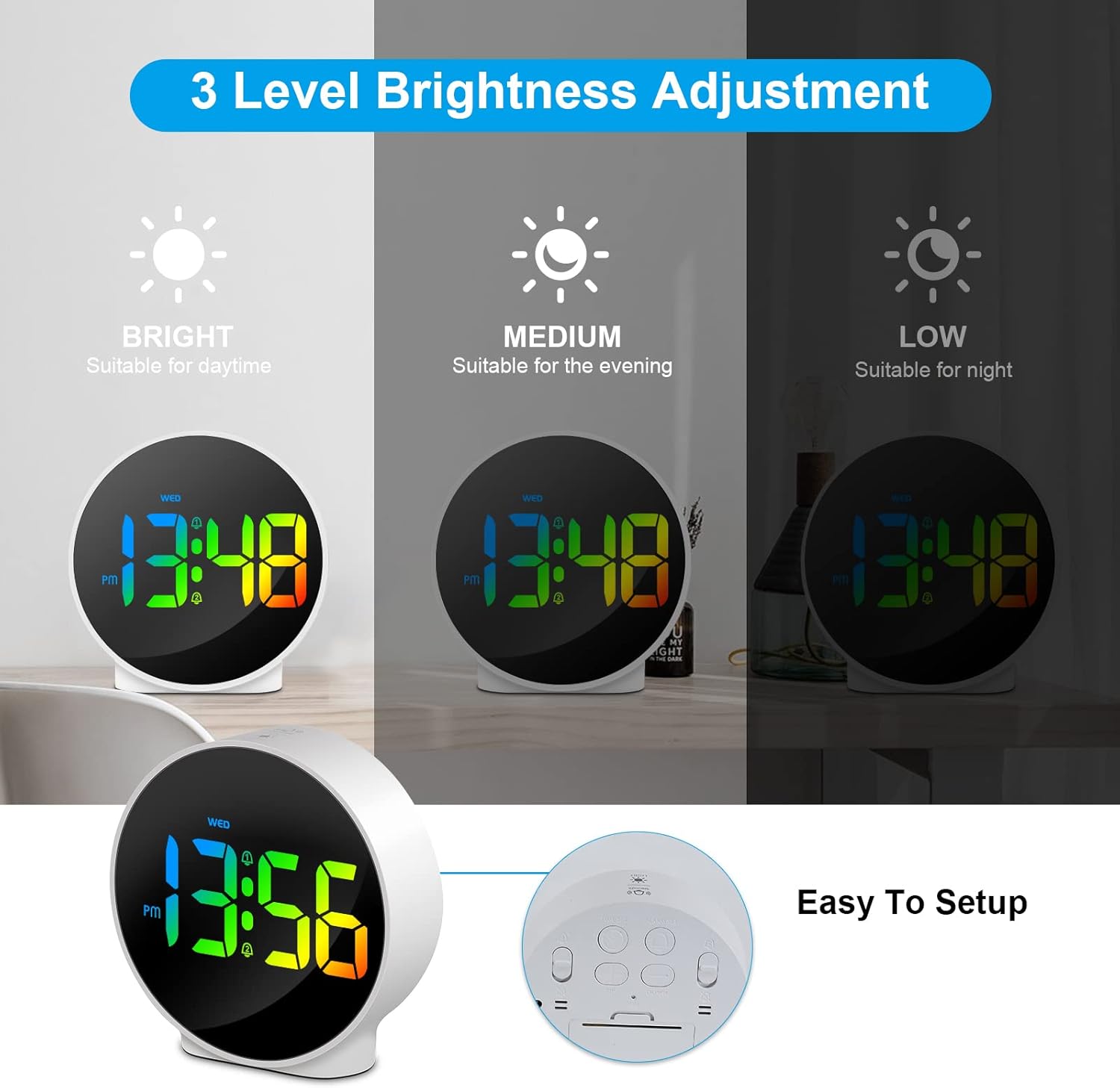
Figure 6.3: Three adjustable brightness levels for optimal viewdelujejo v različnih svetlobnih pogojih.
6.5 Week and Time Display
The clock simultaneously displays the current time and the day of the week on the same screen, eliminating the need to switch displays.

Figure 6.4: The clock displays both the time and the day of the week on a single screen for convenience.
7. Vzdrževanje
- Čiščenje: Za čiščenje površine ure uporabite mehko, suho krpo. Ne uporabljajte abrazivnih čistil ali topil.
- Shranjevanje: Če uro shranjujete dalj časa, jo izključite iz električnega omrežja in shranite na hladnem in suhem mestu.
8. Odpravljanje težav
| Težava | Možen vzrok | rešitev |
|---|---|---|
| Display is off or dim. | Not powered, brightness set to off/low. | Ensure USB cable is securely connected to a power source. Press SNOOZE/LIGHT button to adjust brightness. |
| Alarm se ne oglasi. | Alarm not set, alarm volume too low (not applicable for this model), incorrect alarm days. | Verify alarm time and ensure the alarm icon is displayed. Check alarm day settings. |
| Čas je napačen. | Time not set correctly, power interruption. | Re-set the time following Section 6.1. Ensure continuous power supply. |
| Gumbi se ne odzivajo. | Začasna programska napaka. | Unplug the USB cable, wait 10 seconds, then plug it back in. If issue persists, use the RESET button on the back (requires a thin object like a paperclip). |
9. Specifikacije
- Znamka: Deeyaple
- Številka modela: F-8816
- barva: White shell with multi-color display
- Dimenzije (D x Š x V): 10 x 3.81 x 10 cm (3.94 x 1.5 x 3.94 palca)
- Teža: 180 gramov (0.4 lbs)
- Lastnosti: Dual Alarm, Snooze, Adjustable Brightness (3 levels + off), 12/24H Display, Week Display, Corded Electric
- vir energije: USB Cable (DC 5V)
- Vrsta zaslona: Digitalna LED
- Material: Akrilonitril butadien stiren (ABS)

Figure 9.1: Dimensions of the Deeyaple LED Digital Alarm Clock.
10. Garancija in podpora
Deeyaple products are designed for quality and reliability. For any questions, technical support, or warranty claims, please contact the seller or manufacturer directly through your purchase platform. Please retain your proof of purchase for warranty purposes.
Ask a question about this manual
Ask about setup, troubleshooting, compatibility, parts, safety, or missing instructions. Manuals+ will review the question and use this page’s manual context to help answer it.