
1. Uvod
This manual provides detailed instructions for the setup, operation, and maintenance of your ThreeH H-AC61Blue Walking Pedometer. Please read this manual thoroughly before using the device to ensure optimal performance and accurate tracking of your activity.
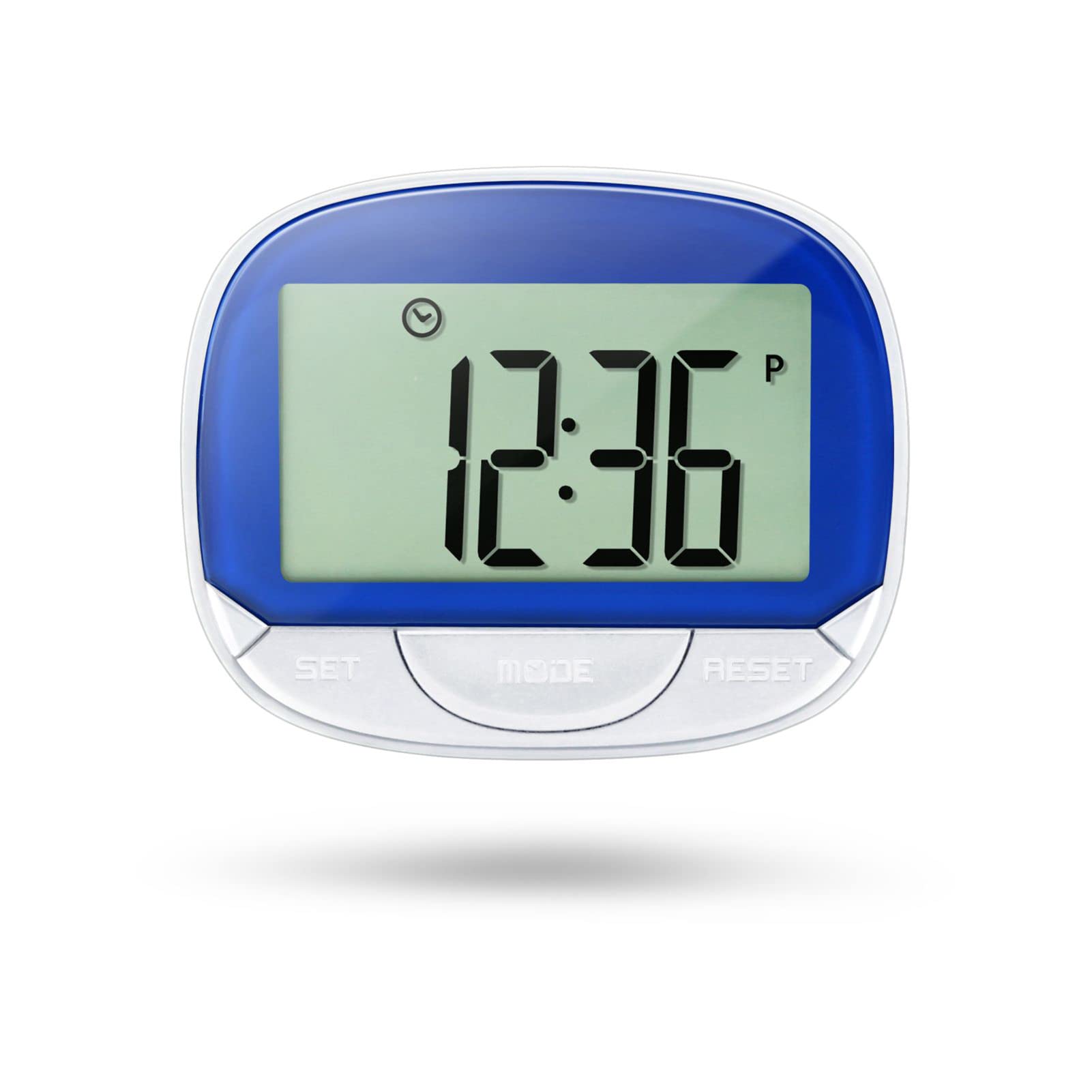
Image 1: ThreeH H-AC61Blue Walking Pedometer. This image shows the pedometer with its large LCD screen displaying "12:36" and three buttons labeled SET, MODE, and RESET. A person is seen running in the background, indicating its use for fitness tracking.
2. Kaj je v škatli
- 1 x ThreeH H-AC61Blue Walking Pedometer
- 1 x Uporabniški priročnik (ta dokument)
3. Značilnosti izdelka
- Large LCD Screen Display: A 55 mm (2.2 inch) screen for clear readability of data and current time.
- Multi-function Tracking: Tracks steps, distance traveled, and calories burned.
- Prikaz časa: Shows current time even when not actively tracking, with 12/24 Hour Mode options.
- Accuracy Feature: Designed to avoid erroneous data by not recording the first 5 steps; subsequent steps are recorded along with the initial 5.
- Prenosna zasnova: Small and lightweight with a back clip for easy attachment to a waist belt, arm, leg, or pocket.
- Vzdržljiva konstrukcija: Made of ABS material for wear resistance and long-lasting use.
- Dolga življenjska doba baterije: Built-in DC 1.5V AG13 battery designed to last up to one year.
4. Naprava je končanaview
Familiarize yourself with the main components of your pedometer:
- LCD zaslon: Displays time, steps, distance, and calories.
- Gumb SET: Used to enter setup mode and confirm settings.
- Gumb MODE: Used to switch between display modes (Step, Distance, Calories, Time).
- Gumb RESET: Used to clear data or adjust values during setup.
- Zadnji posnetek: Za varno pritrditev na oblačila.

Image 2: Dimensions of the ThreeH H-AC61Blue Pedometer. The image shows the pedometer with measurements indicating a width of 65mm (2.55 inches) and a height of 52mm (2.04 inches).
5. Navodila za nastavitev
Before first use, or after replacing the battery, you may need to set the time, stride distance, and weight for accurate readings.
- Začetni vklop: The device should power on automatically when the battery is inserted.
- Vstop v nastavitveni način: Pritisnite in držite NASTAVI button for a few seconds until the display changes to indicate setup mode (e.g., time setting).
- Setting Time (12/24 Hour Format):
- While in time setting, press the PONASTAVI za preklapljanje med 12-urnim in 24-urnim formatom časa.
- Pritisnite NASTAVI to confirm and move to setting the hour.
- Uporaba PONASTAVI za nastavitev ure, nato NASTAVI za potrditev.
- Ponavljajte nekaj minut.
- Setting Stride Distance:
- After time, the display will show stride distance (e.g., "IN" for inches or "CM" for centimeters).
- Pritisnite PONASTAVI to adjust the stride length. Measure your average stride length for accuracy.
- Pritisnite NASTAVI za potrditev.
- Setting Weight:
- Next, the display will show weight (e.g., "Lb" for pounds or "KG" for kilograms).
- Pritisnite PONASTAVI to adjust your weight.
- Pritisnite NASTAVI to confirm and exit setup mode.
Note: Accurate stride distance and weight settings are crucial for precise distance and calorie calculations.
6. Navodila za uporabo
6.1 Wearing the Pedometer
For best accuracy, it is recommended to clip the pedometer onto your waist belt, ensuring it remains straight to the ground. It can also be clipped to an arm, leg, or placed in a pocket, but waist placement generally yields the most consistent results.

Image 3: ThreeH H-AC61Blue Pedometer clipped to a person's waist belt. This demonstrates the recommended wearing position for optimal step tracking.
6.2 Tracking Your Activity
- Začetek sledenja: Pritisnite NAČIN button until the screen displays "STEP". The pedometer will automatically begin counting your steps as you move.
- Viewing podatkov: Pritisnite NAČIN button repeatedly to cycle through different display modes:
- KORAK: Prikaže skupno število prehojenih korakov.
- RAZDALJA: Shows the total distance traveled based on your stride setting.
- KALORIJE: Displays the estimated calories burned based on your weight and activity.
- ČAS: Prikazuje trenutni čas.
- Ponastavitev podatkov: To clear the current day's tracking data (steps, distance, calories), press and hold the PONASTAVI button until the digital display changes to zero. This will not affect your time settings.
Note: The pedometer is designed to ignore the first 5 steps to prevent recording accidental movements. If you continue walking, these initial 5 steps will be added to your count.
7. Vzdrževanje
- Čiščenje: Pedometer obrišite z mehko, suho krpo. Ne uporabljajte abrazivnih čistil in naprave ne potapljajte v vodo.
- Zamenjava baterije: When the display becomes dim or unresponsive, it's time to replace the built-in DC 1.5V AG13 battery. Refer to the battery compartment for specific instructions on opening and replacing.
- Shranjevanje: Store the pedometer in a cool, dry place away from direct sunlight and extreme temperatures when not in use.
- Izogibajte se udarcem: While durable, avoid dropping the device or subjecting it to strong impacts, which could damage internal components.
8. Odpravljanje težav
| Težava | Možen vzrok | rešitev |
|---|---|---|
| Pedometer ne šteje korakov natančno. | Incorrect wearing position, low battery, or incorrect stride setting. | Ensure the pedometer is clipped securely to your waist belt and remains straight. Replace the battery if low. Verify and adjust your stride setting in setup mode. |
| Zaslon je zatemnjen ali prazen. | Prazna ali izpraznjena baterija. | Replace the DC 1.5V AG13 battery. |
| Cannot reset data. | RESET button not held long enough. | Pritisnite in držite PONASTAVI button for several seconds until the display clears to zero. |
| Čas je napačen. | Time not set correctly or battery removed/replaced. | Re-enter setup mode and adjust the time as per Section 5. |
9. Specifikacije
- Znamka: ThreeH
- Model: H-AC61Blue
- Material: Plastika
- barva: Modra
- Velikost zaslona: 2.2 Centimetres (LCD)
- Teža artikla: 35 gramov
- Vrsta senzorja: Pedometer
- Baterija: Built-in DC 1.5V AG13 (Lithium-Ion)
- Exercise Time Tracking: 0 do 1440 minut
- Dimenzije (DxŠxV): 6.3 x 5.2 x 2.3 centimetrov
10. Garancija in podpora
Information regarding specific warranty terms and customer support contact details is not available in the provided product data. Please refer to the product packaging or the retailer's webspletno mesto za informacije o garanciji in kontaktne podatke za podporo.