
1. Uvod
1.1 izdelkov konecview
The ZKTeco MB2000 is an advanced access control and attendance recording device designed for efficient management of personnel entry and exit. It features fingerprint recognition technology for secure and reliable identification. This manual provides detailed instructions for the installation, operation, and maintenance of your MB2000 device.
1.2 Ključne lastnosti
- Prepoznavanje prstnih odtisov: High-accuracy biometric identification for access and attendance.
- IPX7 International Protection Rating: Provides protection against water immersion up to 1 meter for 30 minutes.
- Lahek dizajn: Facilitates easy installation and portability.
- Brezžična povezljivost: Enables flexible data transfer and device management.
1.3 Vsebina paketa
Preverite, ali so v paketu prisotni vsi elementi:
- ZKTeco MB2000 Fingerprint Device
- Montažno stojalo
- User Card (for initial setup or specific functions)
- Napajalnik (ni izrecno naveden, vendar je za delovanje implicitno potreben)
- Uporabniški priročnik (ta dokument)
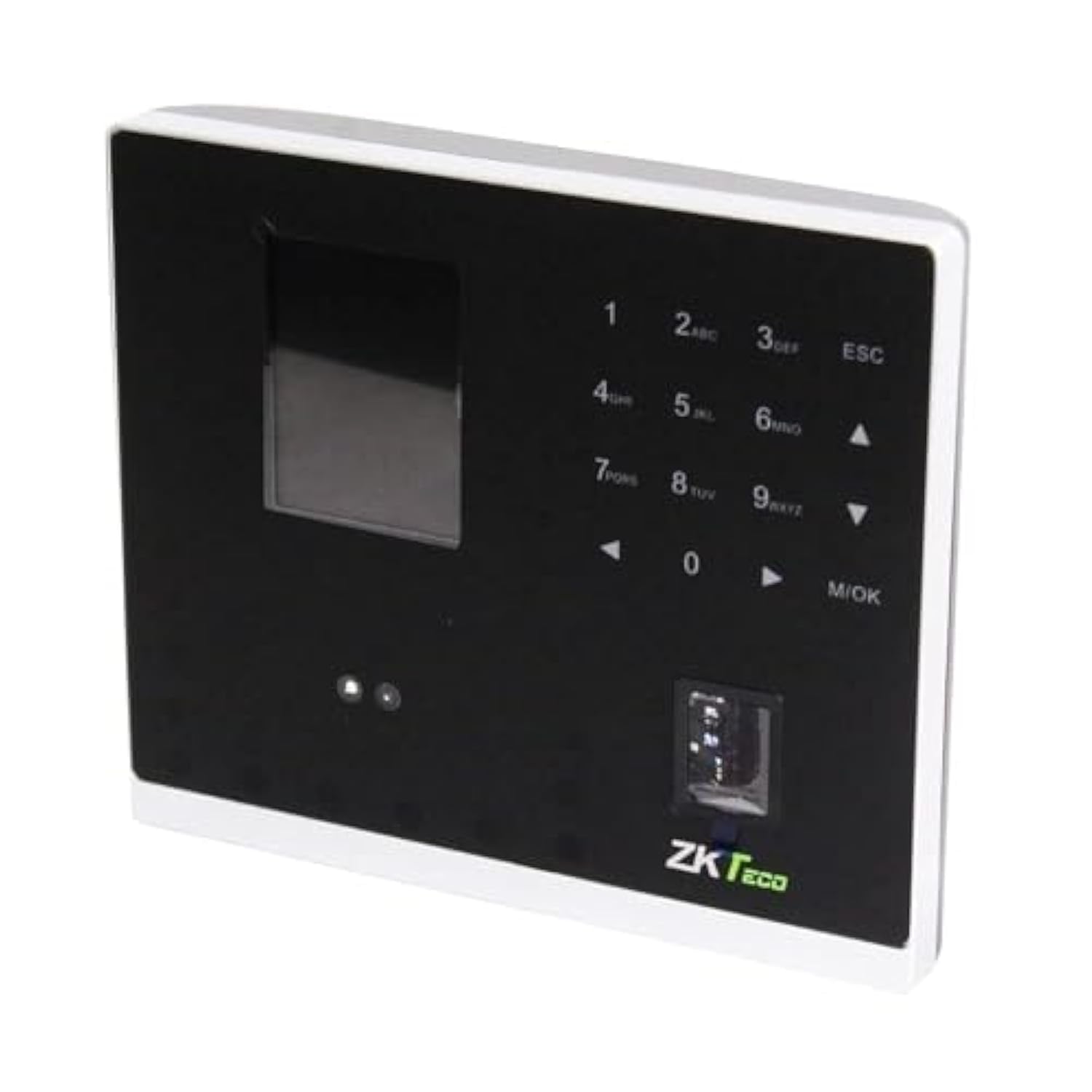
Slika 1.1: ZKTeco MB2000 Access Control and Attendance Recording Device. This image shows the front view of the compact device, highlighting its fingerprint sensor and display screen.
2. Varnostne informacije
Pred uporabo naprave preberite in razumite vsa varnostna navodila, da preprečite poškodbe ali škodo.
- Napajanje: Use only the specified power adapter provided with the device. Using an incorrect power supply may damage the device and void the warranty.
- Okolje: Do not expose the device to extreme temperatures, direct sunlight, or corrosive substances. While rated IPX7, prolonged submersion or exposure to high-pressure water jets is not recommended.
- Ravnanje: Avoid dropping or subjecting the device to strong impacts. Do not attempt to disassemble or repair the device yourself. Contact qualified service personnel for assistance.
- Čiščenje: Za čiščenje uporabite mehko, suho krpo. Ne uporabljajte tekočih ali aerosolnih čistil.
3. Navodila za namestitev
3.1 Razpakiranje in pregled
Carefully remove the device and all accessories from the packaging. Inspect for any signs of damage. If any components are missing or damaged, contact your supplier immediately.
3.2 Namestitev naprave
The MB2000 can be mounted using the provided stand. Choose a stable, flat surface for placement. Ensure the device is positioned at a comfortable height for users to access the fingerprint sensor.
- Attach the stand securely to the back of the MB2000 device.
- Place the device with the stand on your desired surface.
- Ensure the device is stable and will not easily tip over.
3.3 Napajalni priključek
Priključite napajalnik v vhodno vtičnico naprave in ga nato priključite v standardno električno vtičnico. Naprava se bo samodejno vklopila.
3.4 Začetna konfiguracija
Upon first power-on, the device may prompt you to set up an administrator. Follow the on-screen instructions to register the first administrator fingerprint or card. This administrator will have privileges to manage users and device settings.
4. Navodila za uporabo
4.1 Registracija uporabnika
Za registracijo novega uporabnika:
- Access the device menu using the administrator's fingerprint or card.
- Navigate to the 'User Management' section.
- Izberite »Dodaj uporabnika«.
- Enter the user's ID and name (if applicable).
- Register the user's fingerprint by placing their finger on the sensor multiple times as prompted.
- Alternatively, register a user card by presenting it to the device's card reader.
- Shranite uporabniške podatke.
4.2 Nadzor dostopa
For access control, registered users can gain entry by:
- Preverjanje prstnih odtisov: Place a registered finger on the sensor. The device will verify the fingerprint and grant access if authorized.
- Card Presentation: Present a registered user card to the device's card reader. The device will verify the card and grant access if authorized.
4.3 Beleženje prisotnosti
The device automatically records attendance when a user successfully verifies their identity for access. The timestamp of the verification is logged as an attendance record.
4.4 Upravljanje podatkov
Attendance logs and user data can be managed through the device's interface or by connecting to a compatible software (if available). Refer to the device's on-screen menu for options to download data via USB or network connection.
5. Vzdrževanje
5.1 Čiščenje
Redno čiščenje pomaga ohranjati optimalno delovanje:
- Senzor prstnih odtisov: Gently wipe the sensor surface with a soft, lint-free cloth. Do not use abrasive materials or harsh chemicals.
- Površina naprave: Clean the device's exterior with a slightly damp cloth, then dry immediately with a soft, dry cloth.
5.2 Posodobitve programske opreme
Preverite pri proizvajalcu website periodically for software or firmware updates. Updates can improve performance, add features, or fix bugs. Follow the provided instructions carefully when performing updates.
5.3 Varnostno kopiranje podatkov
Regularly back up attendance logs and user data to prevent loss. This can typically be done via USB export or through connected management software.
6. Odpravljanje težav
This section addresses common issues you might encounter with the MB2000 device.
| Težava | Možen vzrok | rešitev |
|---|---|---|
| Naprava se ne vklopi. | No power, faulty adapter, or power outlet issue. | Check power connection. Ensure the adapter is correctly plugged in. Test the power outlet with another device. |
| Prstni odtis ni prepoznan. | Fingerprint not registered, dirty sensor, or incorrect placement. | Ensure the fingerprint is registered. Clean the sensor. Place the finger flat and centered on the sensor. Try re-registering the fingerprint. |
| Kartica ni prepoznana. | Card not registered or incorrect card type. | Verify the card is registered. Ensure it is a compatible card type. |
| Data transfer issues. | Incorrect settings, cable issues, or software incompatibility. | Check network settings or USB cable connection. Ensure the management software is compatible and correctly configured. |
7. Tehnične specifikacije
| Specifikacija | Podrobnost |
|---|---|
| Številka modela | MB2000 |
| Znamka | ZKTeco |
| Dimenzije pošiljanja | 31 x 25.5 x 12.5 cm |
| Teža predmeta | 1.5 kg |
| Posebne lastnosti | Lahka |
| Povezljivost | Brezžično |
| barva | Črna |
| Vključene komponente | Fingerprint device, stand, card |
| Ocena mednarodne zaščite | IPX7 (vodoodporen) |
| Število kanalov | 1 |
| Prvi razpoložljivi datum | 6. november 2022 |
8. Garancija in podpora
For warranty information, please refer to the warranty card included with your product or the purchase documentation. For technical support or service inquiries, please contact your local ZKTeco distributor or visit the official ZKTeco webspletno mesto za kontaktne podatke.