
1. Uvod in konecview
This manual provides instructions for the safe and efficient use of your CJP-Geek AC-DC Adapter, model CJP-Geek-PSA-20221025-CA227. This adapter is specifically designed to power and charge the RP-PB054 RAVPower 20100mAh Portable Powerstation.
Key features of this adapter include a wide input voltage range of 100-240V AC, ensuring compatibility with various power outlets worldwide. It is designed for portability and includes multiple safety protections to ensure reliable operation.

Image 1: The CJP-Geek AC-DC Adapter, showing the main power brick, detachable AC input cable, and DC output cable with connector.
2. Vsebina paketa
Preverite, ali vaš paket vsebuje naslednje elemente:
- 1 x AC / DC Power Supply Charger (CJP-Geek AC-DC Adapter)
3. Navodila za nastavitev
- Preverite združljivost: Ensure that the output specifications of this CJP-Geek AC-DC Adapter match the power input requirements of your RP-PB054 RAVPower 20100mAh Portable Powerstation. Refer to your power station's manual for specific input voltage in trenutne zahteve.
- Povežite se z napravo: Insert the DC output plug of the adapter firmly into the charging port of your RP-PB054 RAVPower 20100mAh Portable Powerstation.
- Priključite na električno vtičnico: Plug the AC input cable into a standard 100-240V AC wall outlet.
- Potrdite polnjenje: Observe your power station's charging indicator to confirm that it has begun charging.
4. Navodila za uporabo
- The adapter is designed for continuous use when charging compatible devices.
- Always operate the adapter in a well-ventilated area to prevent excessive heat buildup.
- Do not cover the adapter with cloths or other materials during operation, as this can impede heat dissipation.
- Disconnect the adapter from the power outlet and your device when it is not in use for extended periods.
5. Vzdrževanje
- Čiščenje: Keep the adapter clean and free from dust. Use a dry, soft cloth for cleaning. Do not use liquid cleaners or solvents.
- Shranjevanje: Adapter shranjujte na hladnem in suhem mestu, stran od neposredne sončne svetlobe in vlage, ko ga ne uporabljate.
- Pregled kabla: Regularly inspect the power cables for any signs of damage, such as fraying, cuts, or exposed wires. If any damage is observed, discontinue use immediately and replace the adapter.
- Okoljski pogoji: Avoid exposing the adapter to extreme temperatures, high humidity, or corrosive environments.
6. Varnostne informacije
Pomembno varnostno obvestilo: Before connecting, always double-check that the adapter's output specifications (voltage and current) are compatible with your device's input requirements. Using an incompatible adapter can damage your device or the adapter itself.
This CJP-Geek AC-DC Adapter is CE certified and incorporates multiple protection features to ensure safe operation:
- Zaščita pred kratkim stikom: Preprečuje poškodbe zaradi električnih kratkih stikov.
- Zaščita pred pretokom: Zaščita pred prekomernim pretokom toka.
- Over-Voltage Zaščita: Ščiti pred volumnomtage sunki.
- Zaščita pred preobremenitvijo: Prevents damage from drawing too much power.
- Zaščita pred prenapolnjenostjo: Helps prevent overcharging of connected devices.
- Temperaturna zaščita: Spremlja in uravnava notranjo temperaturo.
Splošni varnostni ukrepi:
- Ne razstavljajte ali spreminjajte adapterja.
- Adapter hranite izven dosega otrok.
- Samo za notranjo uporabo. Ne izpostavljajte dežju ali vlagi.
- Do not use the adapter if it has been dropped or damaged.
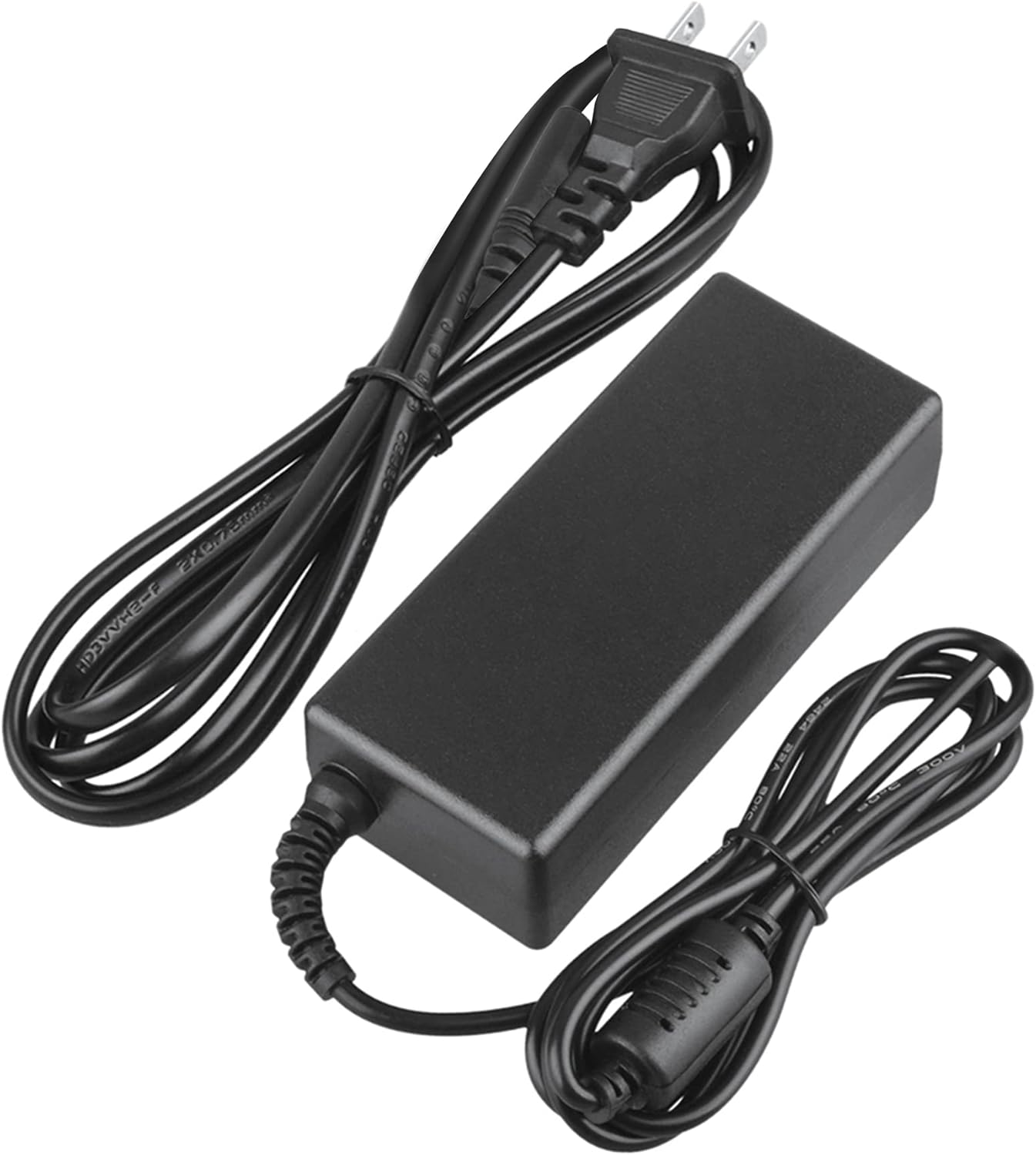
Image 2: Visual representation of the safety features, including overload, over voltage, over charge, over current, short circuit, and temperature protection.
7. Odpravljanje težav
- Naprava se ne polni:
- Prepričajte se, da je adapter varno priključen tako v stensko vtičnico kot v napravo.
- Preverite, ali stenska vtičnica deluje, tako da vanjo priključite drugo napravo.
- Verify that the adapter's output specifications are correct for your device.
- Inspect the adapter and cables for any visible damage.
- Pregrevanje adapterja:
- Prepričajte se, da je adapter v dobro prezračevanem prostoru in ni pokrit.
- Disconnect the adapter and allow it to cool down before resuming use.
- Če se pregrevanje ne preneha, prenehajte z uporabo in se obrnite na podporo strankam.
- Na napravi ni indikatorja napajanja:
- Confirm all connections are secure.
- Test with a different wall outlet.
- If possible, test the device with another compatible power source to rule out a device issue.
8. Specifikacije
| Atribut | Specifikacija |
|---|---|
| Številka modela | CJP-Geek-PSA-20221025-CA227 |
| Vhodna voltage | 100-240V AC, 50/60Hz |
| Izhod | Refer to device requirements for RP-PB054 RAVPower 20100mAh Portable Powerstation |
| Mere izdelka (D x Š x V) | 5 x 3 x 8 palcev |
| Teža predmeta | 9 unč |
| Dolžina AC kabla | Približno 47 palcev (1.2 metra) |
| Dolžina kabla DC | Približno 47 palcev (1.2 metra) |
| Total Cable Length (approx.) | 7.87 feet (2.4 meters) including adapter body |

Slika 3: Podrobno view of the adapter's dimensions and features, including cable lengths and a 'Copper interface' for stable output.
9. Garancija in podpora
Informacije o garanciji:
- 30-dnevna garancija vračila denarja
- 60 Days Free Exchange with Paid Return Label
- 2 Years Worry-Free Warranty
Podpora strankam:
For any product-related issues or inquiries, please contact CJP-Geek customer service. We are committed to assisting you in resolving any problems you may encounter. If the item is found to be defective within the 2-year warranty period, a replacement will be provided without the need to return the defective unit.