
1. Uvod
Thank you for choosing the Voktta Battery Capacity Voltage Meter. This device is designed to accurately monitor your battery's capacity, voltage, and temperature, providing essential data for various applications. It features a clear display, alarm functions, and broad compatibility with different battery types. Please read this manual thoroughly before installation and operation to ensure correct usage and optimal performance.
2. Značilnosti izdelka
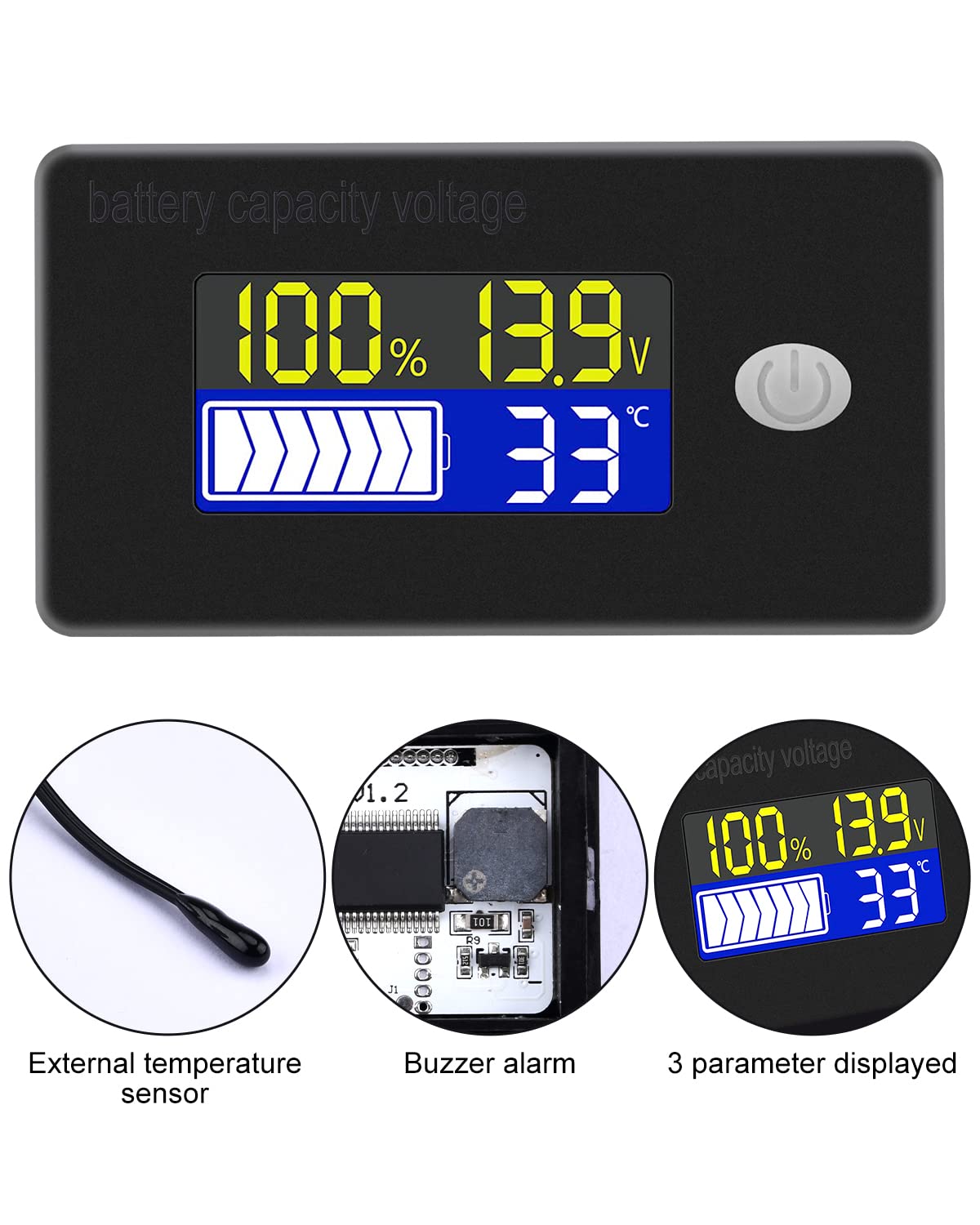
- Večnamenski zaslon: Hkrati prikazuje odstotek napolnjenosti baterijetage, letntage, and temperature (Celsius or Fahrenheit).
- Integrirana zaščita: Equipped with a protective cover, dustproof and waterproof surface, and reverse input connection protection.
- External Temperature Sensor & Buzzer: Includes an external temperature sensor for accurate readings and an internal buzzer for high/low voltage and over-temperature alarms.
- Six Programmable Modes: Allows setting battery type, delay for ultra-low power mode, adjusting battery percentage limits, activating undervoltage alarm and threshold, activating temperature alarm, and voltage kalibracija.
- Široka združljivost baterij: Compatible with 12V, 24V, 36V, 48V, 60V, 72V, 84V lead-acid batteries, lithium-ion batteries, polymer lithium-ion batteries, 3-15 series lithium-ion batteries, water batteries, and lithium iron phosphate batteries.
- Široka uporaba: Suitable for use in jet skis, golf carts, RVs, lawnmowers, aquariums, DIY solar generators, and other systems requiring battery monitoring.
3. Vsebina paketa
Prosimo, preverite paket za naslednje artikle:
- Voktta Battery Capacity Voltage Merilnik
- Connection Wires (Red for positive, Black for negative)
- Zunanji temperaturni senzor
- Uporabniški priročnik (ta dokument)

4. Varnostne informacije
- Pred namestitvijo ali servisiranjem naprave vedno izklopite napajanje.
- Ensure correct polarity when connecting the wires (Red to positive, Black to negative) to prevent damage to the meter and battery.
- Ne prekoračite navedene delovne prostorninetage razpon (10-100V).
- Keep the device away from extreme temperatures, moisture, and corrosive environments.
- Naprave ne poskušajte razstavljati ali spreminjati. Vsa servisna dela prepustite usposobljenemu osebju.
5. Izdelek je končanview
The Voktta Battery Capacity Voltage Meter features a compact design with a clear LCD display and a single control button. The external temperature sensor provides accurate ambient or battery temperature readings.

6. Namestitev in ožičenje
Za pravilno namestitev sledite tem korakom:
- Montaža: Choose a suitable location for the meter, ensuring it is protected from direct impact and excessive vibration. The meter is designed for panel mounting.
- Napajalni priključek: Connect the red wire to the positive (+) terminal of your battery system and the black wire to the negative (-) terminal. Ensure a secure connection. The meter supports a wide voltage vhodno območje 10-100V.
- Priključek senzorja temperature: Plug the external temperature sensor into its designated port on the back of the meter. Position the sensor to measure the desired temperature (e.g., near the battery for battery temperature, or in the environment for ambient temperature).

7. Začetna nastavitev
After connecting the meter, you may need to configure it for your specific battery type and preferences.
7.1 Vklop/izklop
Press the power button (usually located on the front panel) to turn the device on or off.

7.2 Nastavitev vrste baterije
The meter supports various battery types. Refer to the detailed programming instructions (often accessed by holding the power button or a dedicated 'SET' button) to select the correct battery chemistry and voltage configuration (e.g., 3S Lithium, 12V Lead-Acid).

8. Navodila za uporabo
Once powered on and configured, the meter will display real-time battery information.
8.1 Načini prikaza
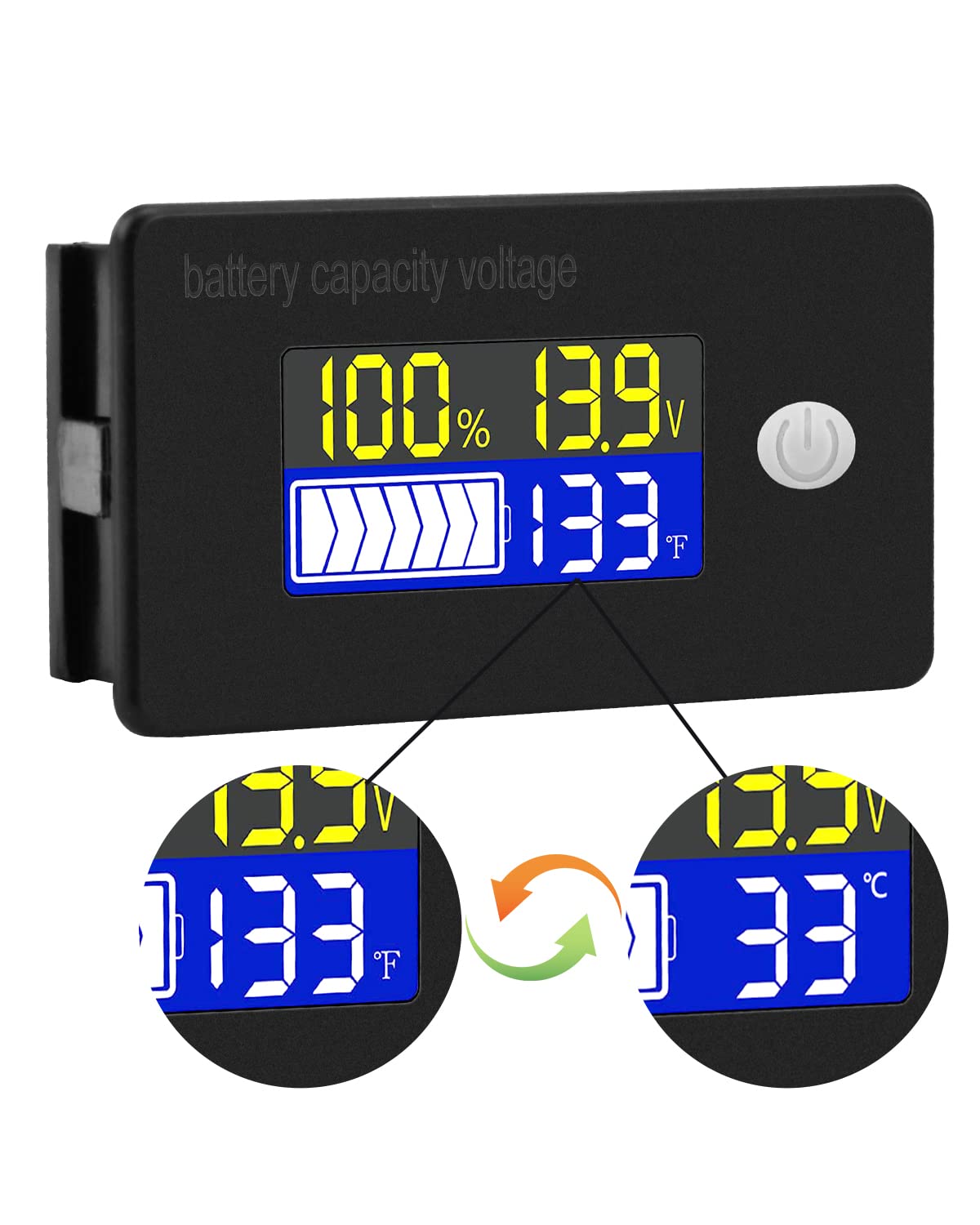
The display typically shows battery capacity percentage, trenutni voltage, and temperature. Some models allow switching between Celsius and Fahrenheit for temperature display.
8.2 funkcij alarma
The internal buzzer will activate if the battery voltage falls below the set low voltage threshold, exceeds the high voltage threshold, or if the temperature goes beyond the set limits. This provides an audible warning for critical conditions.
9. Napredna konfiguracija
The meter offers several programmable modes for fine-tuning its operation. Access these modes by following the specific button press sequences outlined in the full product documentation (if provided separately) or by holding the main button for an extended period.
- Nastavitev tipa baterije: Configure the meter for your specific battery chemistry and cell count (e.g., LiFePO4, Li-ion, Lead-Acid, 3S, 4S, etc.).
- Ultra-Low Power Mode Delay: Set a delay (10s, 20s, 30s, 60s, 120s adjustable) before the meter enters a low power consumption state to conserve energy.
- Odstotek baterijetage Omejitve: Adjust the upper and lower voltage thresholds that correspond to 100% and 0% battery capacity for accurate percentage zaslon.
- Undervoltage Alarm: Activate and set the specific voltage threshold (e.g., 10.5V to 60.0V) at which the low voltage alarm will trigger.
- Alarm za previsoko temperaturo: Activate and set the temperature threshold (e.g., 0°C to 79°C or 0°F to 179°F) at which the over-temperature alarm will trigger.
- voltage kalibracija: Izvedite voltage calibration to ensure the most accurate readings.
10. Specifikacije
| Parameter | Vrednost |
|---|---|
| Znamka | Voktta |
| Številka modela | B0BHSSKRVP |
| Delovna zvezatage | 10-100V |
| Delovni tok | 8-10mA |
| Poraba energije (način mirovanja) | 15-20uA |
| voltage Natančnost | ±0.1% ~ ±0.5% |
| Natančnost temperature | ±0.5℃ ~ ±1℃ (built-in standard, external 30cm probe) |
| Temperaturno območje | -19 ~ 80 ℃ / 0 ~ 179 ℉ |
| Over-temperature Alarm Setting | 0 ~ 79 ℃ / 0 ~ 179 ℉ |
| Nizka glasnosttage Nastavitev alarma | 10.5 ~ 60.0 V |
| Glasnost brenčala | 60~80dB |
| Delovna temperatura | -10~65 ℃ |
| barva | Črna |
| Skladnost | CE, IP67, RoHS |
| Vrsta meritve | Voltmeter |
11. Odpravljanje težav
If you encounter issues with your Voktta Battery Capacity Voltage Meter, refer to the following common problems and solutions:
- Brez zaslona:
- Check power connections: Ensure red wire is connected to positive and black to negative, and connections are secure.
- Preverite glasnost baterijetage: Confirm the battery voltage je znotraj delovnega območja 10-100 V.
- Netočni odčitki:
- voltage/zmogljivost: Zagotovite pravilno vrsto in prostornino baterijetage configuration are set in the meter's settings. Perform voltage calibration if available.
- Temperatura: Check if the external temperature sensor is properly connected and positioned.
- Alarm se nenehno sproži:
- Review alarm thresholds: Adjust the low voltage, visoka voltage, or over-temperature alarm settings to appropriate levels for your battery and application.
- Check battery health: A constantly triggering low voltage alarm might indicate a failing battery.
- Gumbi se ne odzivajo:
- Power cycle the device: Turn the meter off and then on again.
- Prepričajte se, da gumbov ne ovirajo nobeni ostanki.
12. Vzdrževanje
To ensure the longevity and accurate operation of your Voktta Battery Capacity Voltage Meter, follow these maintenance guidelines:
- Čiščenje: Use a soft, dry cloth to clean the display and housing. Do not use abrasive cleaners or solvents.
- Povezave: Občasno preverite vse ožičene povezave, da se prepričate, da so varne in brez korozije.
- Varstvo okolja: While the device has some dust and water resistance (IP67), avoid prolonged exposure to harsh weather conditions or direct water immersion.
- Shranjevanje: Če napravo shranjujete dalj časa, jo izključite iz vira napajanja in jo shranite na hladnem in suhem mestu.
13. Podpora
For any questions, technical assistance, or if you encounter issues not covered in this manual, please contact Voktta customer support. We are committed to providing assistance to resolve any problems you may experience.
Kontaktne podatke običajno najdete na embalaži izdelka ali pri prodajalcu. webspletno mesto, kjer je bil izdelek kupljen.